
Bubuka
Hatur nuhun pikeun meuliasing the Emerson EPD-1001 Portable 10-inch DVD Player. This manual provides essential information for setting up, operating, and maintaining your device. Please read these instructions carefully before use to ensure proper functionality and to maximize your viewpangalaman.
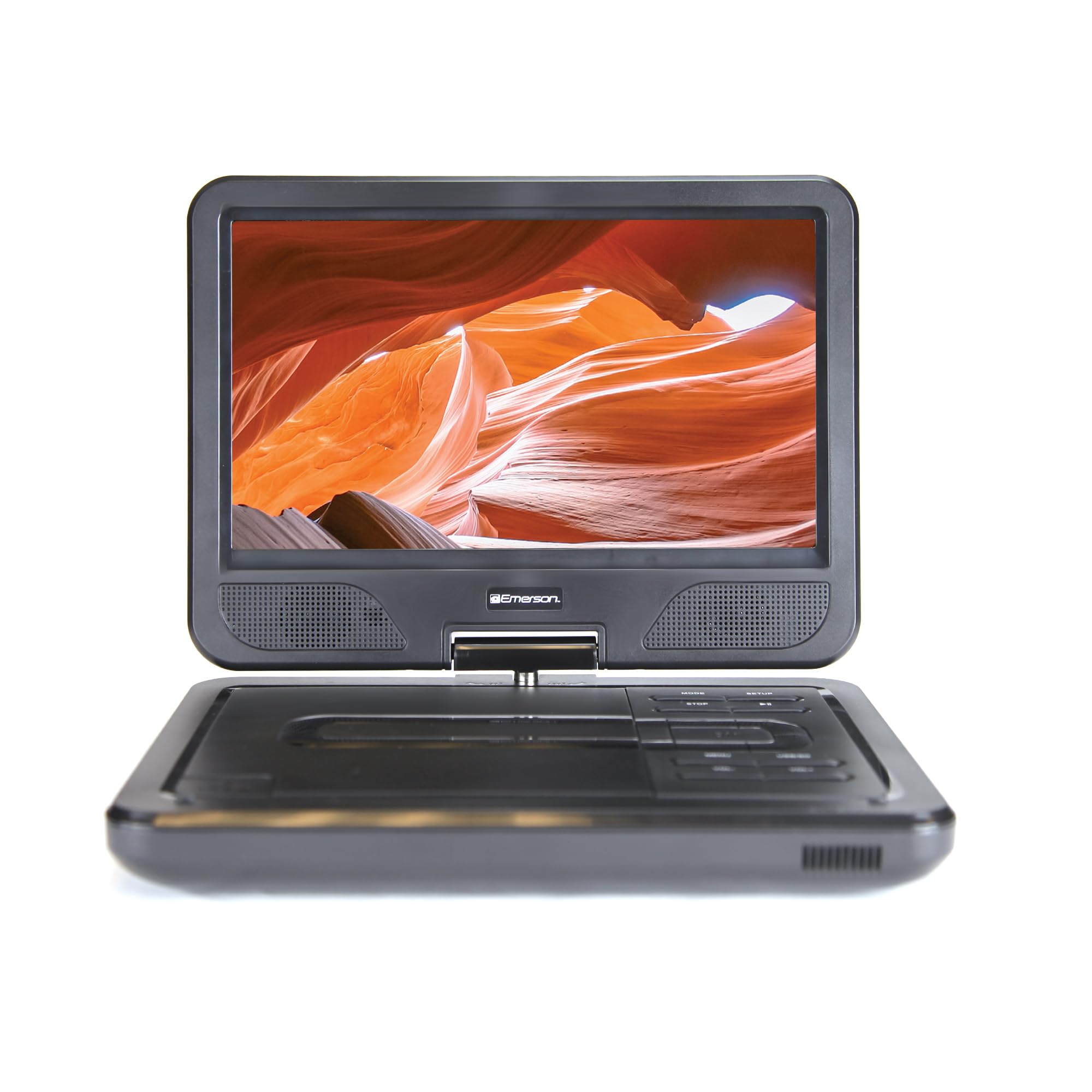
Image: The Emerson EPD-1001 Portable 10-inch DVD Player shown with its screen open, displaying a vibrant image.
Naon dina Box
Pastikeun yén sadaya barang aya dina bungkusan:
- Emerson EPD-1001 Portable 10-inch DVD Player
- Kadali jauh
- Adaptor Daya AC
- Kabel Mobil DC
- AV kabel
- Manual pangguna (dokumén ieu)
- Kartu Garansi

Image: The Emerson EPD-1001 Portable 10-inch DVD Player displayed alongside its remote control.
Fitur produk
- Layar Putar 10 inci: The large 10-inch screen swivels 180 degrees, allowing for flexible viewdina sudut.
- Speaker Diwangun-di: Integrated speaker provides clear audio for an immersive experience.
- Batré anu tiasa dicas deui: Enjoy portable viewing with the built-in rechargeable battery, offering hours of playback.
- Kadali jauh: Navigate menus and control playback effortlessly with the included remote.
- Desain kompak: Lightweight and compact for easy transport during travel.
- Multi-Format Compatibility: Supports a wide range of DVD formats, as well as media from USB flash drives and SD cards.
Video: A 360-degree product overview of the Emerson EPD-1001 Portable DVD Player, showcasing desain jeung fitur na ti sagala rupa sudut.
Disetél
- Ngabongkar bungkusan: Cabut sadaya komponén tina bungkusna kalayan ati-ati. Simpen bungkusna kanggo panyimpenan atanapi pengiriman ka hareup.
- Ngeusi batre: Before first use, fully charge the internal rechargeable battery. Connect the AC power adapter to the DC IN 9-12V port on the DVD player and plug it into a standard wall outlet. The charging indicator light will illuminate. A full charge typically takes several hours.
- Kakuatan Mobil (Opsional): For in-car use, connect the DC car cord to the DC IN 9-12V port and plug the other end into your vehicle's 12V accessory socket.
- External Display Connection (Optional): To connect to an external display (e.g., TV), use the provided AV cable. Connect the AV OUT port on the DVD player to the corresponding AV IN ports on your television.

Image: A hand plugging a 12V car adapter into a vehicle's power outlet, demonstrating how to power the DVD player on the go.
Parentah Operasi
Ngahurungkeun/Pareuman
- Pikeun ngahurungkeun, pencét jeung tahan kenop POWER tombol nepi ka layar illuminates.
- Pikeun pareum, pencét jeung tahan POWER tombol deui nepi ka layar pareum.
Inserting and Playing a DVD
- Open the disc cover by gently lifting the BUKA kancing.
- Place a DVD disc onto the spindle with the label side facing up. Gently press the center of the disc to secure it.
- Tutup panutup piringan.
- The player will automatically detect the disc and begin playback. If not, press the MUTER / Reureuh kancing.
Using the Swivel Screen
The screen can be rotated up to 180 degrees. Gently swivel the screen to your desired viewing angle. You can also fold the screen flat against the base for a tablet-like viewpangalaman.

Image: A woman using the Emerson EPD-1001 Portable DVD Player, demonstrating the swivel screen feature for comfortable viewing.
Media Playback (USB/SD Card)
- Selapkeun USB flash drive kana USB port atawa kartu SD kana Kartu SD slot.
- Ngagunakeun éta MODÉ button on the player or remote to select the appropriate input (USB or SD).
- Napigasi ngaliwatan média Anjeun filenganggo tombol panah teras pencét Asupkeun maén.

Image: A hand inserting a USB flash drive into the side port of the portable DVD player, illustrating media playback from external storage.
Ngagunakeun Remote Control
Point the remote control directly at the infrared sensor on the DVD player. The remote allows access to functions such as Play, Pause, Stop, Fast Forward, Rewind, Chapter Skip, Volume Control, Menu Navigation, and Input Selection.
Kaluaran Audio
- Speaker Diwangun-di: Audio will play automatically through the integrated speakers. Adjust volume using the VOL+ jeung VOL- kancing.
- Jack headphone: For private listening, plug standard 3.5mm headphones into the HEADPHONE jack. This will mute the built-in speakers.
Pangropéa
- beberesih: Use a soft, dry cloth to clean the exterior of the DVD player. For the screen, use a soft, lint-free cloth specifically designed for electronics screens. Do not use liquid cleaners or abrasive materials.
- Perawatan Cakram: Handle discs by their edges. Keep discs clean and free of scratches. Use a soft, lint-free cloth to wipe discs from the center outwards if cleaning is necessary.
- Perawatan batré: To prolong battery life, avoid fully discharging the battery frequently. If storing the device for an extended period, charge the battery to approximately 50% and store in a cool, dry place. Recharge every few months to prevent deep discharge.
- Panyimpenan: Store the DVD player in a cool, dry environment away from direct sunlight, extreme temperatures, and excessive dust.
Pamérésan masalah
| Masalah | Mungkin Cukang lantaranana | Solusi |
|---|---|---|
| Pamuter teu daya on. | Batré béak atanapi adaptor daya teu nyambung. | Connect the AC power adapter and allow the battery to charge. Ensure the power button is pressed and held. |
| Taya gambar dina layar. | Disc is dirty/scratched, incorrect input selected, or screen is folded incorrectly. | Clean the disc. Ensure the screen is properly opened and swiveled. If connected to an external display, verify AV cable connections and TV input selection. |
| Taya sora. | Volume is too low, headphones are connected, or disc has no audio track. | Increase the volume. Disconnect headphones if using built-in speakers. Check disc for audio content. |
| Disc teu muter atawa skips. | Cakram téh formatna kotor, goresan, atawa teu cocog. | Clean the disc thoroughly. Try a different disc. Ensure the disc format is supported by the player. |
| Kadali jauh teu jalan. | Batteries are dead or remote is not pointed at sensor. | Replace remote control batteries. Ensure direct line of sight to the player's IR sensor. |
spésifikasi
| Fitur | Rincian |
|---|---|
| merek | Emerson |
| Nomer modél | EPD-1001 |
| Ukuran layar | 10 inci |
| Tipe tampilan | LCD |
| Resolusi pribumi | 1280x720 |
| Téhnologi konektipitas | USB |
| Alat nu cocog | Mobile Phone, Television (via AV out) |
| Jenis Média | DVD, CD, MP3, USB, SD Card |
| Ukuran barang (L x W x H) | 10 "L x 1.8" W x 7.35" H |
| Item Beurat | 2.2 pon |
| Warna | Hideung |
| Pilihan Daya | Built-in rechargeable battery, AC adapter, 12V car adapter |

Image: A diagram illustrating the dimensions (length, width, height) and weight of the Emerson EPD-1001 Portable DVD Player.
Garansi sareng Rojongan
The Emerson EPD-1001 Portable 10-inch DVD Player comes with a warranty covering 1 Year for Parts jeung 90 Days for Labor ti tanggal beuli.
For technical support, warranty claims, or service inquiries, please contact the manufacturer, Naxa Electronics, Inc. Refer to the warranty card included in your product packaging for specific contact details and procedures.
Punten nahan bukti pameseran anjeun pikeun validasi garansi.