
Bubuka
This manual provides detailed instructions for the setup, operation, and maintenance of your XIAOVV Indoor Surveillance Camera, Model XVV-3630S-Q2. This device is designed for indoor monitoring, offering features such as 2K resolution, motion detection, night vision, two-way audio, and 360-degree pan/tilt capabilities. Please read this manual thoroughly before using the product to ensure proper functionality and safety.
Produk Leuwihview
The XIAOVV Indoor Surveillance Camera is a compact device designed for comprehensive indoor monitoring. It features a high-resolution lens, integrated microphone and speaker for two-way audio, and a motorized base for pan and tilt functions.

Gambar 1: Hareupeun view of the XIAOVV Indoor Surveillance Camera alongside a smartphone displaying its control application.
Eusi pakét
- XIAOVV Indoor Surveillance Camera
- USB-C ka USB-A Cable
- Adaptor Daya (5V, 2A)
- Lempeng Pamasangan
- Screws sareng Plugs Tembok
- Manual pamaké

Gambar 2: Tukangeun view of the camera, highlighting the speaker grille and USB-C power input.

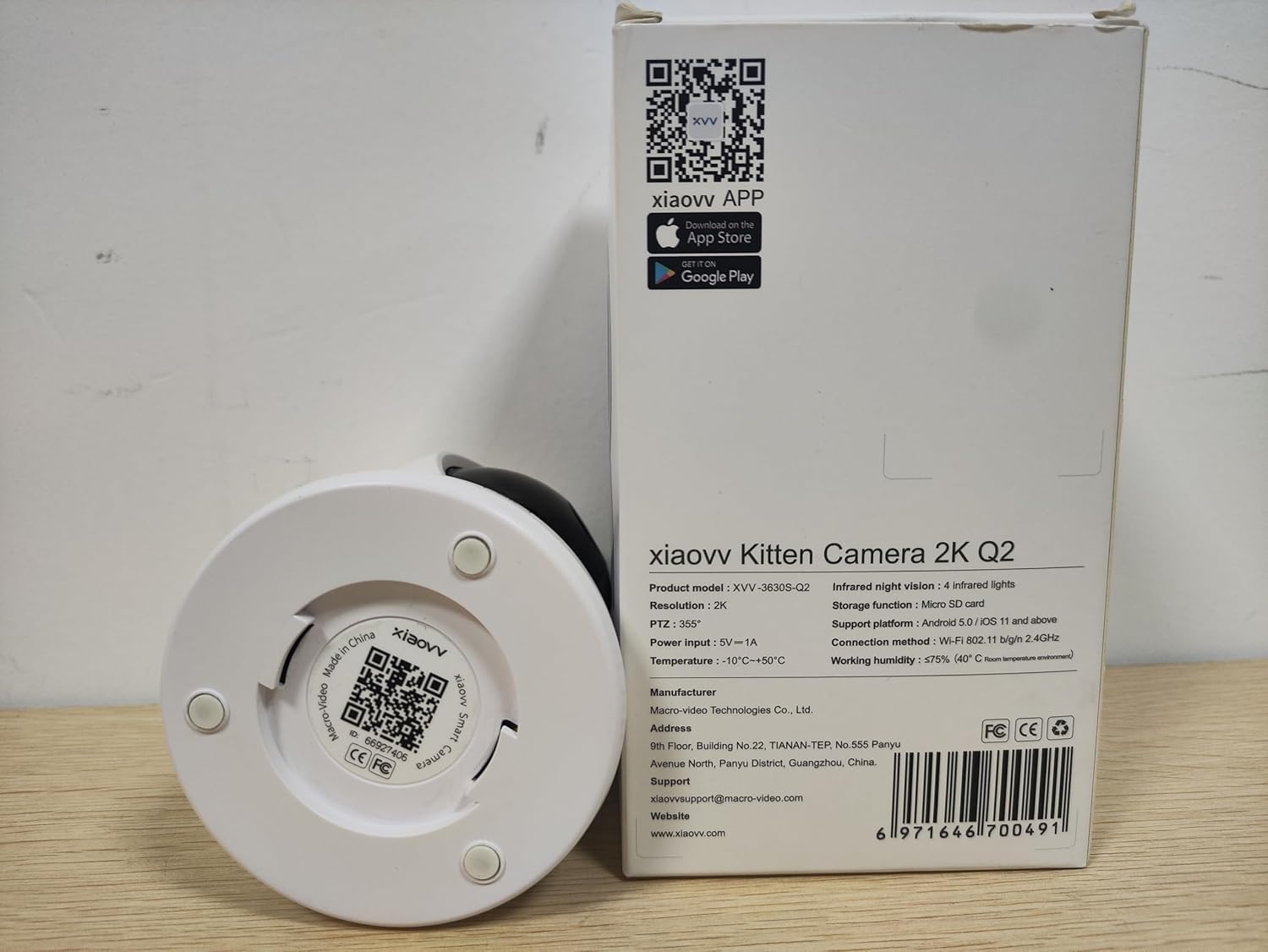
Gambar 3: Underside of the camera, displaying the product model (XVV-3630S-Q2), QR code for app download, and regulatory markings.
Disetél
- Sambungan Daya: Connect the provided USB-C cable to the camera's power port and the USB-A end to the power adapter. Plug the adapter into a standard electrical outlet. The camera will power on and initiate its startup sequence.
- Pamasangan Aplikasi: Download the XIAOVV application to your smartphone. You can find the app by scanning the QR code located on the bottom of the camera (refer to Figure 3) or by searching for "XIAOVV" in your device's app store (App Store for iOS, Google Play for Android).
- Pendaptaran Akun: Open the XIAOVV app and follow the on-screen instructions to create a new user account or log in if you already have one.
- Pamasangan alat:
- In the app, select "Add Device" or the '+' icon.
- Choose your camera model from the list.
- Pastikeun telepon pinter anjeun nyambung ka jaringan Wi-Fi 2.4GHz. Kaméra ngan ukur ngadukung Wi-Fi 2.4GHz.
- Follow the app's prompts to connect the camera to your Wi-Fi network. This typically involves scanning a QR code generated by the app with the camera's lens.
- panempatan: Place the camera on a flat surface or mount it to a wall or ceiling using the included mounting plate, screws, and wall plugs. Ensure the camera has a clear line of sight to the area you wish to monitor and is within range of your Wi-Fi signal.
Parentah Operasi
1. Hirup View sarta Pan / Dengdekkeun Control
Once connected, open the XIAOVV app and select your camera to access the live video feed. Use the on-screen controls to remotely adjust the camera's viewsudut ing.
- Roti: Puterkeun kaméra sacara horizontal dugi ka 355 derajat.
- Dengdekkeun: Adjust the camera vertically up to 90 degrees.
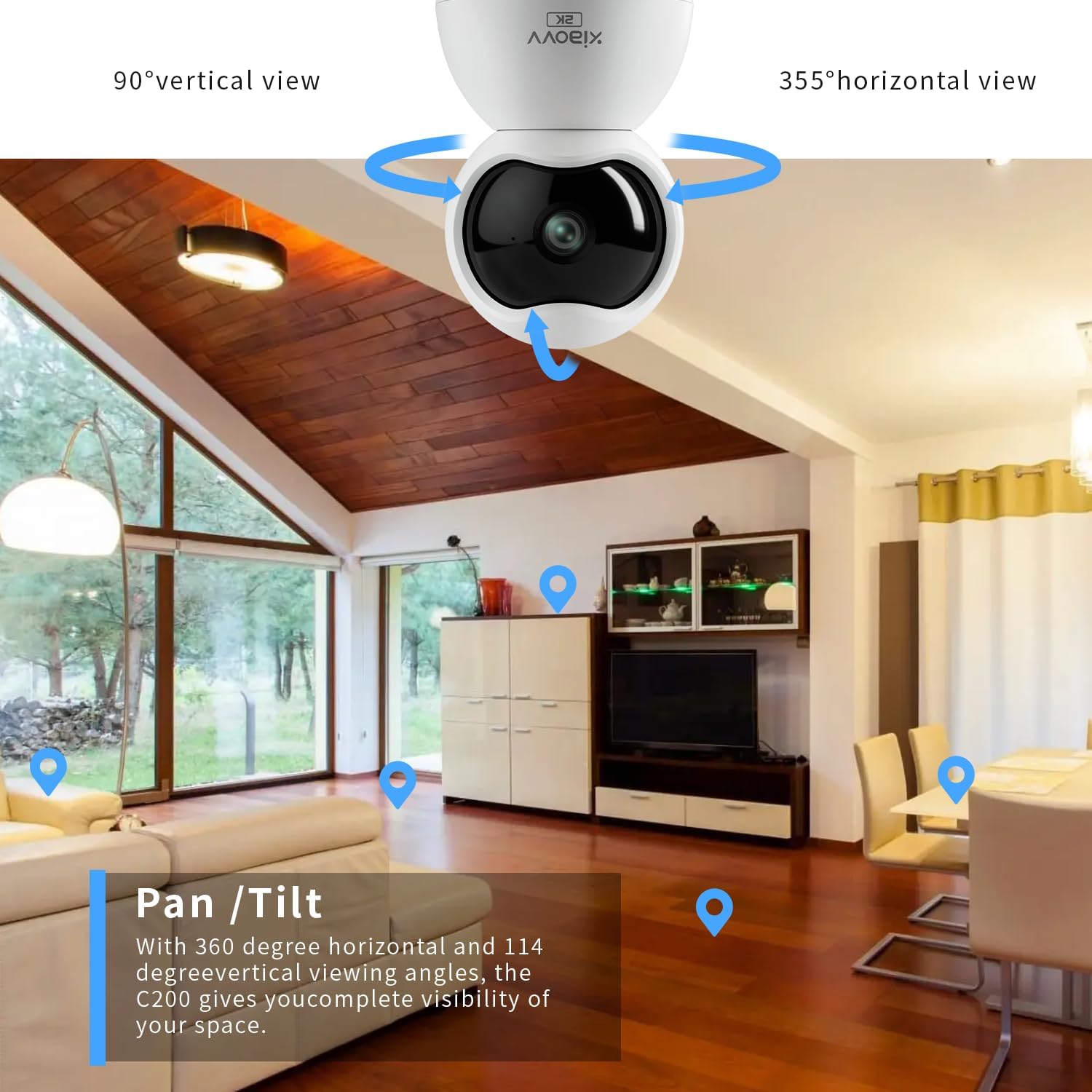
Gambar 4: Illustration of the camera's pan and tilt capabilities, providing extensive coverage of an indoor space.
2. Audio Dua Arah
The camera features a built-in microphone and speaker, enabling two-way communication. From the live view screen in the app, tap the microphone icon to speak through the camera, and listen to audio from the camera's environment.

Gambar 5: The mobile application interface demonstrating the two-way audio function, allowing interaction with the monitored area.
3. Deteksi gerak sareng Tanda
Configure motion detection settings within the app to receive real-time alerts on your smartphone when movement is detected. You can adjust sensitivity levels and set specific detection zones.

Gambar 6: Tilasample of a push notification received on a smartphone when the camera detects motion.
4. Wawasan Peuting
The camera is equipped with infrared LEDs for automatic night vision, providing clear black-and-white video footage in low-light or no-light conditions.
5. Ngarekam jeung Panyimpenan
The camera supports local storage via a Micro-SD card (up to 128GB, not included). Insert the Micro-SD card into the designated slot on the camera. Recordings can also be stored on a cloud server, accessible through a subscription service via the XIAOVV app.
6. Modeu Privasi
Activate Privacy Mode through the app to physically obscure the camera lens, ensuring privacy when monitoring is not desired.
Gambar 7: The camera's night vision capability and the concept of privacy mode for enhanced user control.
spésifikasi
| Fitur | Spésifikasi |
|---|---|
| Ngaran modél | XVV-3630S-Q2 |
| Pamakéan jero rohangan / outdoor | jero rohangan |
| Resolusi Capture Video | 2K (2304x1296 pixels) |
| Protokol konektipitas | Wi-Fi (2.4GHz wungkul) |
| Sumber Daya | Kabel Listrik (5V, 3W) |
| Fitur husus | 2-Way Audio, Motion Detection, Night Vision, 360-degree Pan, 90-degree Tilt |
| Panyimpenan | Micro-SD card (up to 128GB), Cloud Storage (subscription) |
| Alat nu cocog | Smartphone (Android 5.0 / iOS 11 and above) |
| Tipe Pamasangan | Tembok Gunung, Tabletop |
| Ukuran (L x W x H) | 2.36 x 2.36 x 3.15 inci |
| Suhu Operasi | -10°C nepi ka +50°C |
| Kalembaban Gawé | ≤75% (40°C room temperature conditions) |
Pamérésan masalah
- Kaméra teu nyambung ka Wi-Fi: Ensure your Wi-Fi network is 2.4GHz. The camera does not support 5GHz networks. Verify your Wi-Fi password and ensure the camera is within range of your router.
- Henteu aya feed video: Check if the camera is properly powered on. Restart the camera by unplugging and re-plugging the power adapter. Ensure your internet connection is stable.
- Loud voice prompts from camera: Some camera voice prompts (e.g., during setup or when reaching pan/tilt limits) may be loud and currently cannot be adjusted or muted via the app.
- Kualitas gambar goréng: Ensure the camera lens is clean. Check your network speed; a slow connection can affect streaming quality. Verify the app settings for video resolution.
- Deteksi gerak henteu jalan: Check the motion detection settings in the app, including sensitivity and detection zones. Ensure the camera's view teu kahalangan.
Pangropéa
- beberesih: Lembut usap lénsa kaméra jeung awakna ku kaén nu garing tur lemes. Ulah make bahan kimia kasar atawa bahan abrasive.
- Pembaruan firmware: Regularly check the XIAOVV app for available firmware updates. Keeping your camera's firmware updated ensures optimal performance and security.
- Siklus kakuatan: If the camera experiences issues, a simple power cycle (unplugging and re-plugging) can often resolve minor glitches.
Garansi sareng Rojongan
For warranty information, please refer to the documentation included with your purchase or contact XIAOVV customer support. The manufacturer is XIAOVV.
Pabrikan: Macro-Video Technologies Co., Ltd.
Email dukungan: xiaovvsupport@macro-video.com
Websitus: www.xiaovv.com
Alamat: 9th Floor, Building No. 22, TIANAN-TEP, No. 555 Panyu Avenue North, Panyu District, Guangzhou, China.