
1. Bubuka
This manual provides detailed instructions for the assembly, operation, and maintenance of your ErGear EGESD63B electric standing desk. Please read this manual thoroughly before assembly and use to ensure proper function and safety. Keep this manual for future reference.

Image 1.1: The ErGear EGESD63B electric standing desk in a typical office setup.
2. Émbaran Kasalametan
Pikeun mastikeun operasi anu aman sareng nyegah tatu atanapi karusakan, mangga perhatoskeun pedoman kaamanan ieu:
- Do not exceed the weight limit of 250 pounds (113 kg) on the desktop.
- Ensure the desk is properly anchored to the floor to prevent tipping, especially when at maximum height.
- Avoid use near water or in humid conditions to prevent electrical hazards.
- Jauhkeun barudak sareng piaraan tina méja nalika dianggo.
- Pastikeun teu aya halangan dina jalur méja nalika nyaluyukeun jangkungna.
- Ngan anggo adaptor daya sareng komponén anu disayogikeun.
3. Eusi Paket
Verify that all components are present and undamaged before beginning assembly. If any parts are missing or damaged, contact ErGear customer service.
- Desktop (One-piece)
- Suku Meja (2)
- Palang/Pigura
- Panél kontrol
- Adaptor Daya sareng Kabel
- Dulang Manajemén Kabel
- Hardware Kit (screws, bolts, washers)
- Parabot Majelis
- Manual Instruksi Lengkep
4. Setup jeung Majelis
Assembly requires one person and includes all necessary tools. Follow these general steps for setup:
- Ngabongkar komponén: Sacara saksama piceun sadaya bagian tina bungkusan sareng teundeun dina permukaan anu bersih sareng lemes pikeun nyegah goresan.
- Pasang Rangka Meja: Attach the desk legs to the crossbar according to the diagrams in the detailed manual. Ensure all screws are tightened securely.
- Pasang Desktop: Place the one-piece desktop upside down on the soft surface. Carefully align the assembled frame with the pre-drilled holes on the desktop and secure it using the provided screws. The one-piece desktop design simplifies this step, allowing for faster installation.
- Install Control Panel and Cable Management: Mount the control panel to the underside of the desktop in the designated area. Attach the cable management tray.
- Sambungkeun Wiring: Connect the motor cables from the legs to the control box, and then connect the control panel to the control box. Finally, connect the power adapter to the control box and plug it into a power outlet.
- Initial Power-On and Calibration: Refer to the detailed manual for initial power-on and calibration steps, which typically involve pressing and holding a button to reset the desk to its lowest position.
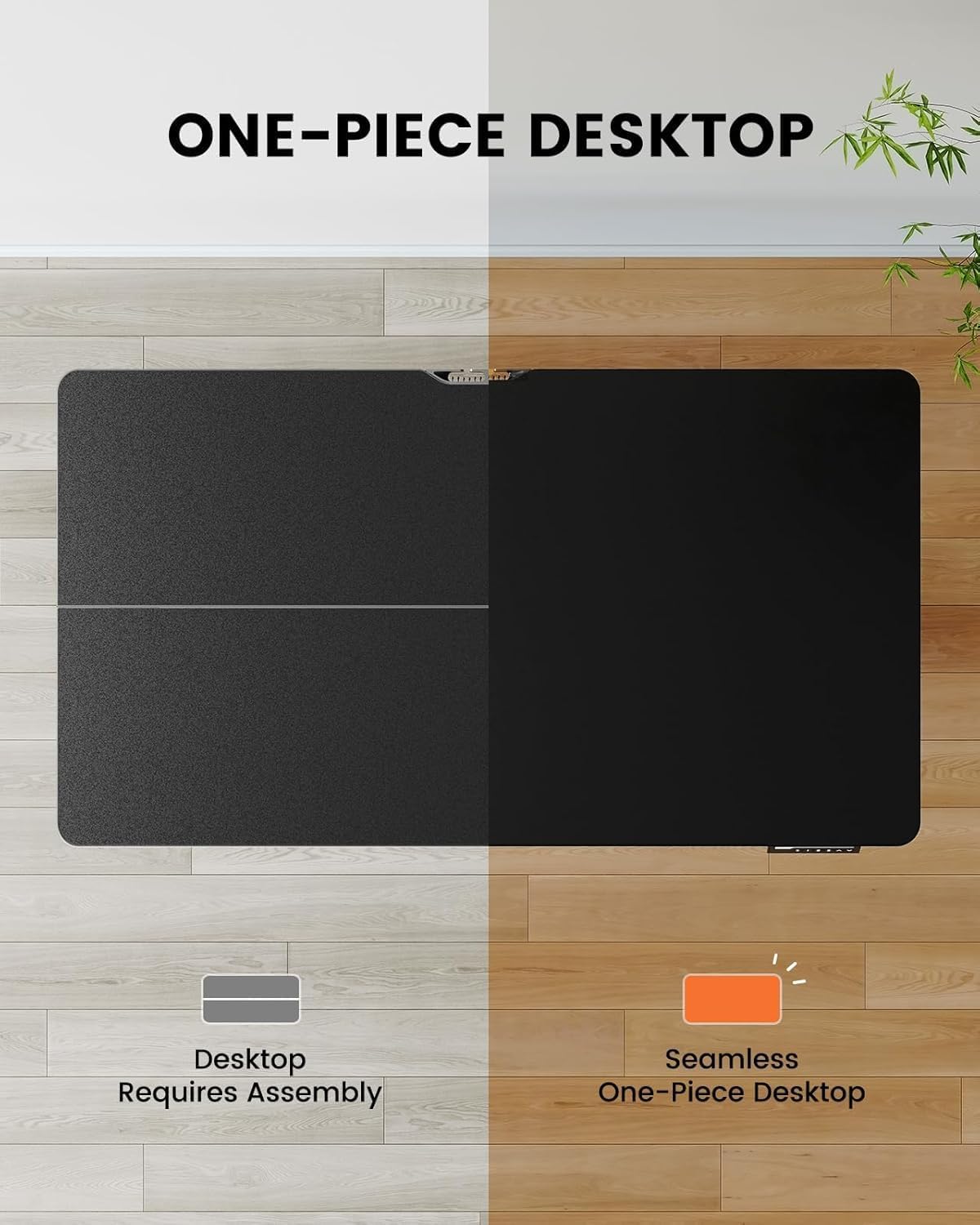
Image 4.1: Hassle-free assembly with the one-piece desktop.

Image 4.2: The ErGear EGESD63B features a seamless one-piece desktop for easier setup.
5. Parentah Operasi
Your ErGear EGESD63B electric standing desk is designed for easy height adjustment to switch between sitting and standing positions.
5.1. Nyaluyukeun Jangkungna
- Tombol Naék / Turun: Use the ▲ (Up) and ▼ (Down) buttons on the control panel to smoothly raise or lower the desk to your desired height. The desk adjusts from 27.9 inches to 46.9 inches.
5.2. Preset Mémori
The control panel features three memory preset buttons (1, 2, 3) to store and recall your preferred sitting and standing heights.
- To Set a Preset: Adjust the desk to your desired height using the Up/Down buttons. Press the 'M' button, then immediately press one of the number buttons (1, 2, or 3) to save the current height to that preset. The display will show 'S-' followed by the number to confirm.
- Pikeun ngelingan Preset: Kantun pencét tombol angka anu saluyu (1, 2, atanapi 3). Méja bakal otomatis ngalih ka jangkungna anu disimpen.

Image 5.1: Adjust the desk for sit and stand comfort.
6. Pangropéa
Regular maintenance helps ensure the longevity and smooth operation of your standing desk.
- beberesih: Lap méja sareng pigura nganggo kaén anu lemes,amp lawon. Hindarkeun bahan kimia anu kasar atanapi pembersih abrasive.
- Pariksa sambungan: Periodically check all screws and electrical connections to ensure they are secure. Tighten any loose screws.
- Manajemén Kabel: Ensure cables are neatly organized within the cable management tray to prevent snagging during height adjustments.
7. Cara ngungkulan
If you encounter issues with your ErGear EGESD63B desk, refer to the following common troubleshooting steps:
- Meja teu gerak:
- Pariksa naha kabel daya parantos dipasang pageuh kana méja sareng stop kontak dina témbok.
- Pastikeun teu aya halangan anu ngahalangan gerakan.
- Perform a reset: Unplug the power for 10 seconds, then plug it back in. Press and hold the 'Down' button until the desk reaches its lowest point and slightly rebounds.
- Kodeu kasalahan dina tampilan:
- If an error code appears, refer to the detailed manual for specific code meanings and solutions. Often, a reset (as described above) can resolve minor errors.
- Gerakan henteu rata:
- Pastikeun meja aya dina permukaan anu rata.
- Check that all frame connections are tight.
If problems persist after attempting these steps, contact ErGear customer support for assistance.
8. Spésifikasi
| Fitur | Spésifikasi |
|---|---|
| merek | ErGear |
| Modél | EGESD63B |
| Diménsi Desktop (P x L) | 40 x 24 inci (101.6 x 61 cm) |
| Jangkungna adjustment Range | 27.9 - 46.9 inci (70.9 - 119.1 cm) |
| Kapasitas beurat | 250 lbs (113 kg) |
| Tipe Motor | Motor Listrik |
| Jumlah Posisi Jangkungna | 3 (Preset Mémori) |
| Bahan Desktop | Kayu direkayasa |
| Bahan Pigura | Beusi sténless |
| Warna | Hideung |
| Majelis Diperlukeun | Yes, with included tools |

Image 8.1: Product dimensions of the ErGear EGESD63B desk.
9. Garansi jeung Rojongan
ErGear provides a comprehensive warranty for your EGESD63B electric standing desk:
- Garansi Terbatas 2 Taun: Covers the motor, controller, and cables.
- Garansi Terbatas 5 Taun: Covers the desktop, frame, and other parts.
For warranty claims, technical support, or any questions regarding your product, please contact ErGear customer service through their official website or the retailer where the product was purchased. Please have your model number (EGESD63B) and proof of purchase ready.