
Ctronics CTIPC-640C-M12B
Ctronics 4K 8MP Wi-Fi PTZ Outdoor Security Camera
Manual pamaké
1. Bubuka
Thank you for choosing the Ctronics 4K 8MP Wi-Fi PTZ Outdoor Security Camera. This manual provides detailed instructions for the installation, operation, and maintenance of your new security camera. Please read this manual thoroughly before use to ensure proper functionality and safety.
This camera is designed to provide comprehensive outdoor surveillance with advanced features such as 4K Ultra HD resolution, Pan-Tilt-Zoom capabilities, intelligent detection, and versatile storage options.

Image: The Ctronics 4K 8MP Wi-Fi PTZ Outdoor Security Camera, showcasing its sleek black design and dual antennas.
2. Émbaran Kasalametan
Mangga perhatoskeun tindakan pencegahan kaamanan ieu pikeun nyegah karusakan kana produk atanapi cilaka ka diri anjeun sareng batur:
- Ensure the power supply matches the camera's specifications (12 Volts, 24 Watts).
- Do not expose the camera to extreme temperatures outside its operating range.
- Avoid direct exposure to strong sunlight for prolonged periods, which may affect image quality.
- Jauhkeun kaméra tina médan magnét anu kuat.
- Entong nyobian ngabongkar atanapi ngarobih kaméra. Rujuk sadayana jasa ka tanaga anu mumpuni.
- Ensure all cables are properly secured to prevent tripping hazards or accidental disconnection.
3. Eusi Paket
Pastikeun yén sadaya item kalebet dina pakét anjeun:
- Ctronics 4K 8MP Wi-Fi PTZ Outdoor Security Camera
- Adaptor kakuatan
- Pemasangan Screws sareng Colokan Tembok
- Pakakas Tahan Cai pikeun Kabel Jaringan
- Gancang Mimitian Guide
4. Produk Langkungview
Familiarize yourself with the main components of your camera:
- Lensa: Nangkep video footage.
- LED IR: Nyadiakeun katerangan infra red pikeun visi wengi.
- Sorotan: Enhance color night vision and act as deterrents.
- Mikropon: Ngarekam audio pikeun komunikasi dua arah.
- Speaker: Outputs audio for two-way communication and alarms.
- Anteneu: Pikeun konektivitas Wi-Fi.
- Slot Kartu SD Mikro: Pikeun panyimpenan lokal (ngarojong dugi ka 256GB, teu kalebet).
- Tombol Reset: Dipaké pikeun ngareset kaméra ka setélan pabrik.
- Palabuhan Daya: Nyambung ka adaptor kakuatan.
- Port Ethernet: Pikeun sambungan jaringan kabel (opsional).
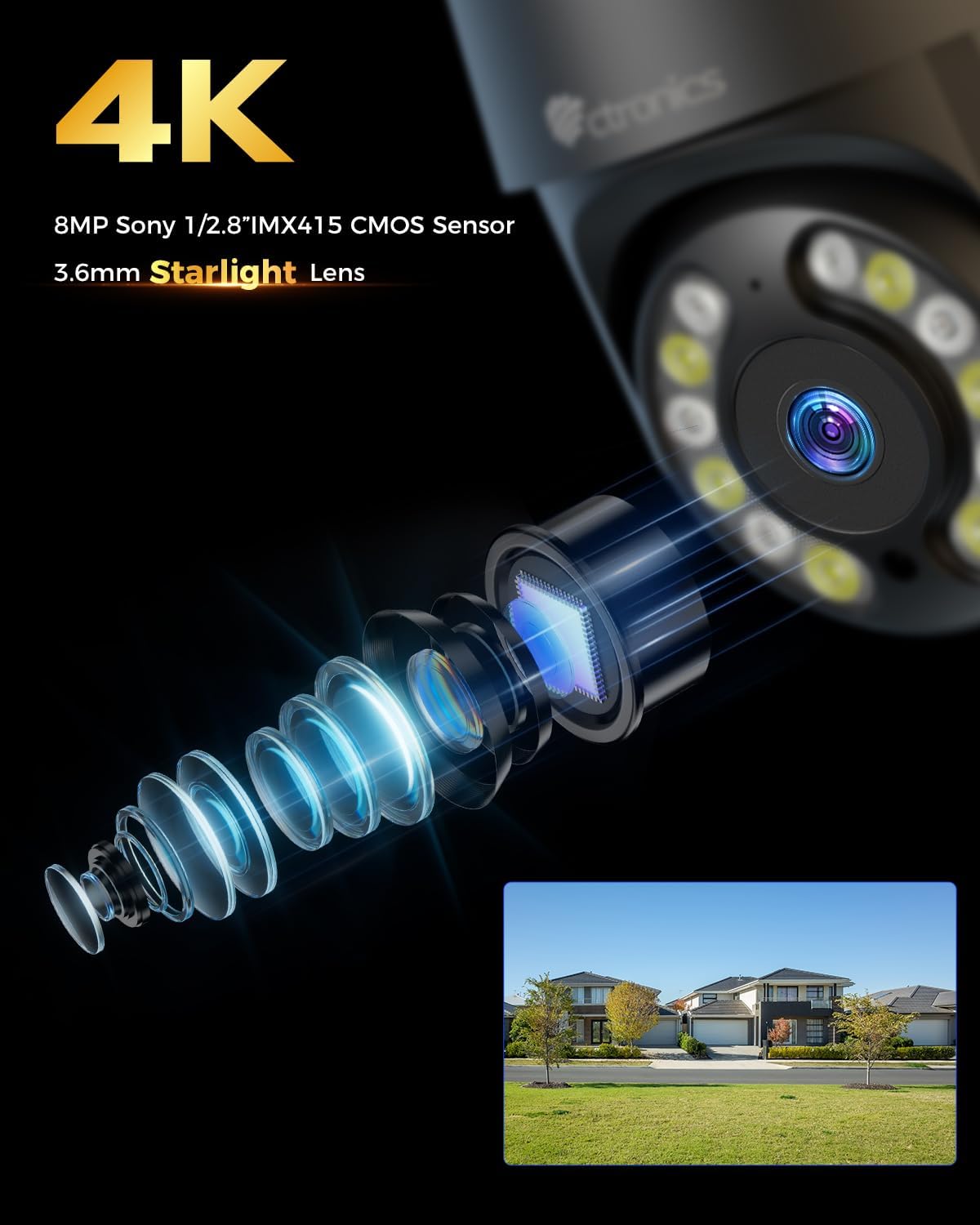
Gambar: Deukeut view of the camera's 4K 8MP Sony 1/2.8" IMX415 CMOS Sensor and 3.6mm Starlight Lens, highlighting its advanced optical components.
5. Setélan
5.1 Instalasi fisik
The camera supports both ceiling and wall mounting. Choose a location that provides the desired viewsudut pandang anu béda sareng aya dina jangkauan Wi-Fi atanapi caket port Ethernet.
- Posisi Pengeboran Mark: Use the mounting template (if provided) or the camera base to mark the screw holes on the wall or ceiling.
- liang bor: Bor liang dina posisi anu ditandaan teras pasangkeun colokan témbok.
- Amankeun kaméra: Align the camera base with the drilled holes and secure it with the provided screws.
- Sambungkeun Kakuatan: Connect the power adapter to the camera's power port and plug it into a power outlet.

Image: Illustrates two flexible installation methods for the Ctronics camera: wall-mounted and ceiling-mounted, demonstrating its versatility.
5.2 Sambungan Jaringan
The camera supports dual-band Wi-Fi (2.4GHz and 5GHz) for flexible connectivity.
- Sambungan Wi-Fi: For wireless setup, ensure your Wi-Fi network is active. The camera will connect to your chosen network during the app setup process.
- Sambungan Ethernet (Opsional): For a stable wired connection, connect an Ethernet cable from your router to the camera's Ethernet port.
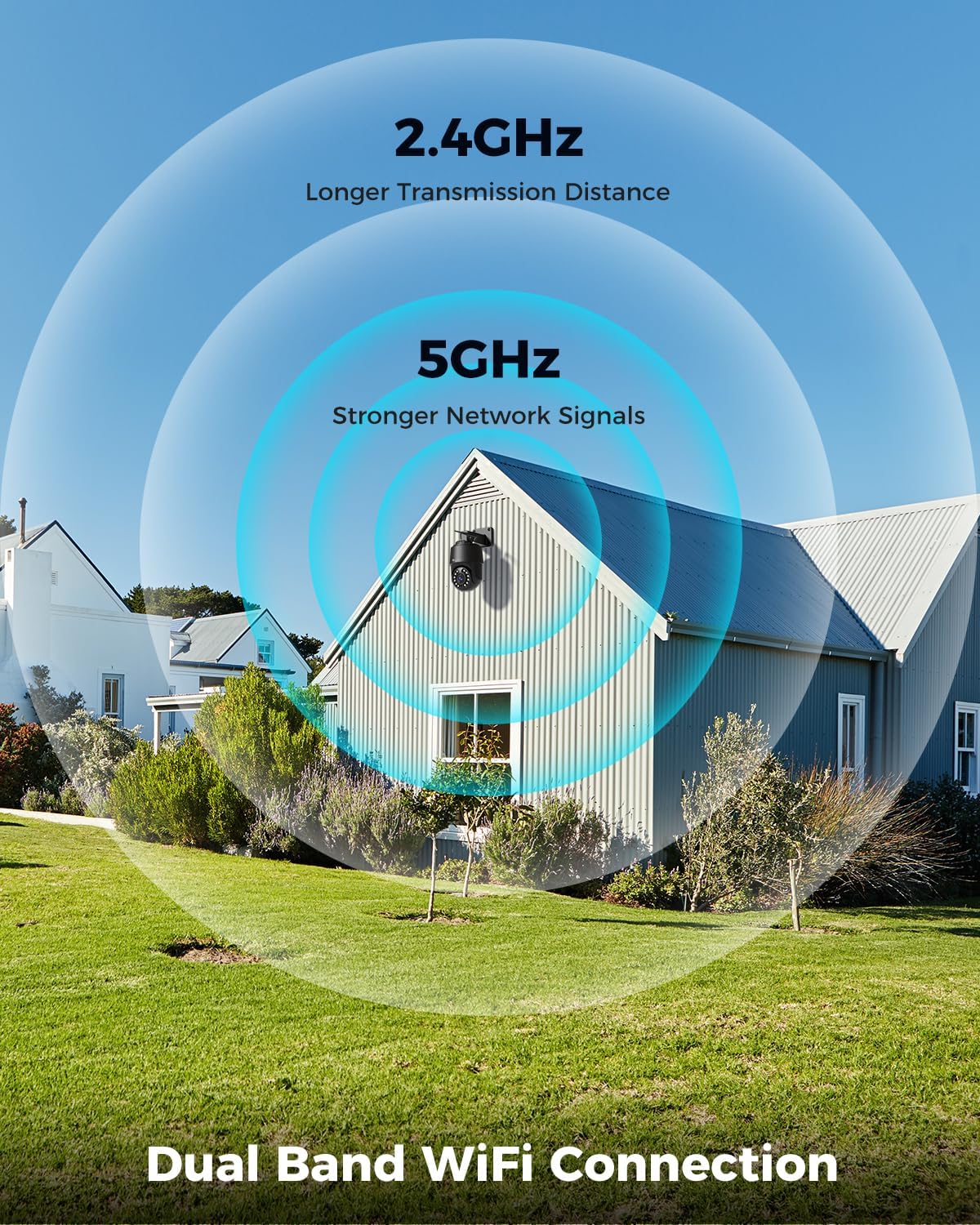
Image: Depicts the camera's dual-band Wi-Fi capability, showing 2.4GHz for longer transmission distance and 5GHz for stronger network signals, ensuring reliable connectivity.
5.3 Pamasangan Aplikasi sareng Setelan Awal
Download the 'Ctronics PRO' or 'HIP2P' app from your mobile app store (iOS/Android) or the Ctronics website for PC/Mac clients.
- Unduh App: Milarian pikeun "Ctronics PRO" or "HIP2P" in the App Store or Google Play Store and install it.
- Ngadaptar Akun: Buka aplikasi sareng ngadaptarkeun akun énggal atanapi lebet upami anjeun parantos gaduh.
- Tambahkeun Alat: Tap the "+" icon to add a new device. Follow the on-screen instructions to scan the QR code on the camera or manually enter the device ID.
- Konpigurasikeun jaringan: If connecting via Wi-Fi, select your Wi-Fi network and enter the password. The camera will then connect.
- Setel kecap akses: Jieun kecap akses anu kuat pikeun kaméra anjeun pikeun kaamanan.

Image: Shows the broad compatibility of the Ctronics camera with various operating systems and platforms, including iOS, Android, Mac OS, Windows, Ctronics Pro app, and HiP2P client.
6. Ngoperasikeun kaméra
6.1 Hirup View
Once connected, you can access the live video feed from your camera through the app. This allows you to monitor your property in real-time.
6.2 Kontrol PTZ (Pan, Tilt, Zoom)
The camera features 355° pan and 90° tilt capabilities, along with 5x optical zoom.
- Pan/Dengdekkeun: Use the directional controls in the app to move the camera horizontally and vertically.
- Zum: Use the zoom controls in the app to optically zoom in or out on objects.
- Posisi prasetél: Set up to 8 preset positions for quick navigation to specific areas.

Image: Illustrates the camera's PTZ (Pan-Tilt-Zoom) functionality, showing its 355° pan and 90° tilt range for comprehensive coverage.
6.3 Detection Features & Auto Tracking
The camera can accurately detect people, vehicles, and pets, and automatically track them.
- Aktipkeun Deteksi: In the app settings, enable person, vehicle, or pet detection.
- Nyukcruk Otomatis: When enabled, the camera will automatically follow detected subjects within its field of view.
- Bewara Alarm: Receive real-time alarm notifications on your mobile device when motion is detected.
- Alarm Sora sareng Lampu: The camera can activate a sound and red/blue light alarm at night to deter intruders. This feature can be toggled on/off in the app.

Image: Demonstrates the camera's advanced detection capabilities, highlighting its ability to identify and auto-track humans, vehicles, and pets, keeping them in focus.
6.4 Visi Peuting
The camera offers both infrared (IR) and color night vision modes.
- IR Peuting Visi: Provides clear black and white images up to 50 meters in low light or complete darkness.
- Warna Night Vision: Utilizes built-in spotlights to provide full-color images up to 45 meters at night.

Image: Shows the camera's 4K Color/IR Night Vision capabilities, with bright spotlights illuminating a dark scene, available for audio and red & blue light alarm.
6.5 Audio Dua Arah
Komunikasi sareng sémah atanapi cegah panyusup nganggo mikropon sareng spiker anu dipasang di jerona.
- Nyarios: Ketok ikon mikropon dina aplikasi pikeun nyarios ngalangkungan spiker kaméra.
- Dengekeun: The camera's microphone captures audio from its surroundings.
6.6 Pilihan Rekaman
The camera supports various recording methods:
- Kartu SD Mikro: Insert a Micro SD card (up to 256GB, not included) into the camera's slot for continuous 24/7 recording or scheduled recordings.
- NVR/NAS: Connect the camera to a Network Video Recorder (NVR) or Network Attached Storage (NAS) for extended recording and management.
- Panyimpenan awan: Optional cloud storage services may be available through the app for secure off-site backup of your footage.

Image: Displays the camera's versatile storage options, including support for up to 256GB Micro SD card (not included), NVR/NAS for 24/7 recording, FTP, and Ctronics Cloud storage.
6.7 Multi-User Sharing and Remote Access
Share camera access with family and friends, and view footage jarak jauh ti mana.
- Bagikeun: Share access to the camera feed with up to four users simultaneously through the app.
- Aksés Jauh: Aksés langsung view and recorded videos from your iOS, Android, Mac, or Windows devices via the Ctronics PRO or HIP2P app/software.
7. Pangropéa
To ensure optimal performance and longevity of your Ctronics camera, follow these maintenance guidelines:
- beberesih: Usap lénsa sareng awak kaméra sacara rutin nganggo lawon anu lemes sareng garing pikeun miceun lebu sareng kokotor. Entong nganggo bahan kimia anu keras atanapi pembersih anu abrasif.
- Pembaruan firmware: Check the app periodically for firmware updates. Keeping your camera's firmware up-to-date ensures you have the latest features and security enhancements.
- Pamariksaan kabel: Periodically inspect all cables and connections for any signs of wear or damage. Ensure waterproof connections are sealed properly.
- Manajemén Panyimpenan: If using a Micro SD card, regularly back up important footage and consider formatting the card periodically to maintain performance.
8. Cara ngungkulan
Upami anjeun mendakan masalah sareng kaméra anjeun, tingal masalah sareng solusi umum ieu:
| Masalah | Mungkin Cukang lantaranana | Solusi |
|---|---|---|
| Kaméra offline | No power; Wi-Fi signal weak/disconnected; Router issue | Check power connection; Move camera closer to router or use Ethernet; Restart router |
| Kualitas gambar henteu saé | Dirty lens; Insufficient lighting; Network bandwidth issue | Clean lens; Ensure adequate lighting or enable color night vision; Check network speed |
| Deteksi gerak teu jalan | Detection sensitivity too low; Detection zone not set; Obstructions | Adjust sensitivity in app; Configure detection zones; Clear obstructions |
| Audio dua arah teu jalan | Microphone/speaker disabled in app; Volume too low; Network delay | Enable audio in app; Adjust volume; Check network stability |
| Cannot connect to 5GHz Wi-Fi | Router settings; Distance from router | Ensure router supports 5GHz and is configured correctly; 5GHz has shorter range, move camera closer |
If the problem persists, please contact Ctronics customer support for assistance.
9. Spésifikasi
| Fitur | Spésifikasi |
|---|---|
| Nomer modél | CTIPC-640C-M12B |
| Resolusi | 4K (3840x2160p), 8 Megapixels |
| Zoom optik | 5X |
| Pan / Dengdekkeun Range | Pan: 355°, Dengdekkeun: 90° |
| Wengi Sawangan Sawangan | IR: 50m, Color: 45m |
| Konektipitas Wi-Fi | 2.4GHz / 5GHz Dual-Band |
| Pilihan Panyimpenan | Micro SD (up to 256GB), NVR/NAS, Cloud |
| Tahan cai | IP66 (Tahan cai) |
| Sasayogian tanaga | 12 Volt, 24 Watt |
| Bahan | logam |
| Ukuran (L x W x H) | 21.99 x 15.99 x 22 cm |
| Beurat | 1.28 kg |
| Alat nu cocog | Computer, Laptop, Tablet, Smartphone |
| Sistem Operasi | iOS, Android, Mac OS, Windows |
10. Garansi jeung Rojongan
Ctronics products come with a standard warranty. Please refer to the warranty card included in your package or visit the official Ctronics websitus pikeun istilah jeung kaayaan jaminan lengkep.
For technical support, troubleshooting assistance, or any inquiries regarding your product, please contact Ctronics customer service through the following channels:
- Resmi Websitus: Visit the Ctronics official websitus pikeun FAQ, artikel dukungan, sareng inpormasi kontak.
- Rojongan Email: Send an email to the support team (email address typically found on the website or quick start guide).
- Rojongan In-App: Some issues can be resolved directly through the support features within the Ctronics PRO app.
When contacting support, please have your product model number (CTIPC-640C-M12B) and purchase information ready.
Ask a question about this manual
Ask about setup, troubleshooting, compatibility, parts, safety, or missing instructions. Manuals+ will review the question and use this page’s manual context to help answer it.