
Bubuka
Thank you for choosing the Digitek DWM-107 2-in-1 Wireless Microphone System. This manual provides essential information for the proper setup, operation, and maintenance of your device. Please read it thoroughly before use to ensure optimal performance and longevity of the product.
The Digitek DWM-107 is a versatile wireless microphone system designed for high-quality audio capture across various platforms, including smartphones, cameras, and computers. It features dual transmitters, a receiver, TFT card recording, 360-degree sound capture, and advanced noise cancellation.
Naon dina Box
Carefully unpack your Digitek DWM-107 system and ensure all components are present:
- 2 x Microphone Transmitters (Tx)
- 1 x Receiver (Rx)
- 1 x Battery Compartment (Charging Box)
- 1 x TRRS to TRRS Audio Cable (for smartphones/tablets)
- 1 x TRRS to TRS Audio Cable (for cameras/laptops)
- 1 x Kabel Ngecas USB-C
- 1 x USB-C kana Kabel USB-C
- 1 x USB-C kana Kabel Kilat
- 1 x layar angin
- 1 x Manual Pamaké

Image: All components included in the Digitek DWM-107 package.
Produk Leuwihview
Pamancar (Tx)
- Mikropon: Built-in omnidirectional microphone.
- Tombol Daya: Press and hold to power on/off. Short press to mute/unmute.
- Tombol Noise Cancellation: Activates/deactivates noise reduction.
- TFT Card Slot: For direct audio recording.
- Port ngecas: USB-C pikeun ngecas.
- Indikator Status: LED lights indicating power, pairing, and recording status.
Panarima (Rx)
- Port kaluaran: 3.5mm jack for connecting to recording devices.
- Monitoring Port: 3.5mm jack for real-time audio monitoring.
- Tombol Daya: Pencét jeung tahan pikeun mareuman/nonaktipkeun.
- Port ngecas: USB-C pikeun ngecas.
- Layar tampilan: Shows battery levels, signal strength, and recording status.
Ngecas Box
- Ngecas slot: For two transmitters and one receiver.
- Indikator batré: LED display showing the charging box's battery level.
- Palabuhan USB-C: For charging the box itself.
Parentah Setup
- Ngeusi batre Alat: Before first use, fully charge the transmitters and receiver using the provided charging box and USB-C cable. The charging box itself should also be charged.
- Daya Hurung: Press and hold the power button on both the transmitter(s) and the receiver until their screens or indicator lights turn on.
- Papasangan otomatis: The transmitters and receiver are designed to pair automatically upon power-on. A successful connection will be indicated on the receiver's display. If pairing fails, power cycle both devices.
- Connect to Recording Device:
- For Smartphones/Tablets (Android/iOS): Use the TRRS to TRRS Audio Cable or the USB-C to Lightning/USB-C cable to connect the receiver's output port to your device's audio input.
- For Cameras/Laptops: Use the TRRS to TRS Audio Cable to connect the receiver's output port to your camera's microphone input or laptop's audio input.
- Pasangkeun Pemancar: Clip the transmitter to the speaker's clothing, ensuring the microphone is facing towards the mouth for optimal sound capture. Use the included windscreen to reduce wind noise if recording outdoors.

Image: Seamless plug-and-play connectivity with automatic pairing.
Parentah Operasi
Ngarékam Audio
- Once connected, open your recording application on your smartphone, camera, or computer.
- Start recording. The audio from the transmitter(s) will be captured by your device.
- Monitor audio in real-time by plugging headphones into the receiver's monitoring port.

Image: Real-time audio monitoring for optimal sound adjustment.
TFT Card Recording
The DWM-107 transmitters support direct recording to a TFT (microSD) card, providing a backup or standalone recording option.
- Insert a formatted TFT card (up to 32GB, Class 10 recommended) into the TFT card slot on the transmitter.
- Press the dedicated record button on the transmitter to start/stop recording. The transmitter's display will indicate recording status.
- Pikeun ngakses dirékam files, connect the transmitter to a computer via USB-C or insert the TFT card into a card reader.

Image: Transmitter with TFT card recording function.
Noise Cancelling
Activate the built-in noise cancellation feature to reduce ambient background noise for clearer audio.
- Press the noise cancellation button on the transmitter to toggle the feature on or off.
- An indicator on the transmitter's display will confirm the status of noise cancellation.

Image: Noise cancellation technology for crystal-clear audio.
360-Degree Sound Capture
The omnidirectional microphone captures sound from all directions, ensuring comprehensive audio coverage.

Image: 360-degree sound capture for comprehensive audio recording.
Aplikasi serbaguna
The DWM-107 is suitable for various recording scenarios:
- Interviews
- Tutorial
- Podcast
- Vlogs and Travel Videos
- Live Streaming

Gambar: Examples of versatile uses for the Digitek DWM-107 wireless microphone.
Batré sareng Ngecas
The DWM-107 system is designed for extended use with efficient charging.
- Pamancar/Receiver Kahirupan Batré: Nepi ka 9 jam pamakean kontinyu.
- Kapasitas Kotak Ngecas: 850mAh, capable of recharging the units multiple times.
- Waktu Ngecas: Approximately 1.2 to 1.5 hours for a full charge of the units within the charging box.
- Métode ngecas: Use the provided USB-C cable to charge the charging box. The units charge automatically when placed inside the powered charging box.

Image: Battery and charging specifications for the DWM-107 system.
Kasaluyuan
The Digitek DWM-107 offers wide compatibility with various devices:
- Android Smartphones and Tablets
- iOS Smartphones and Tablets (iPhone, iPad)
- Kaméra DSLR
- Camcorders
- PCs and Laptops
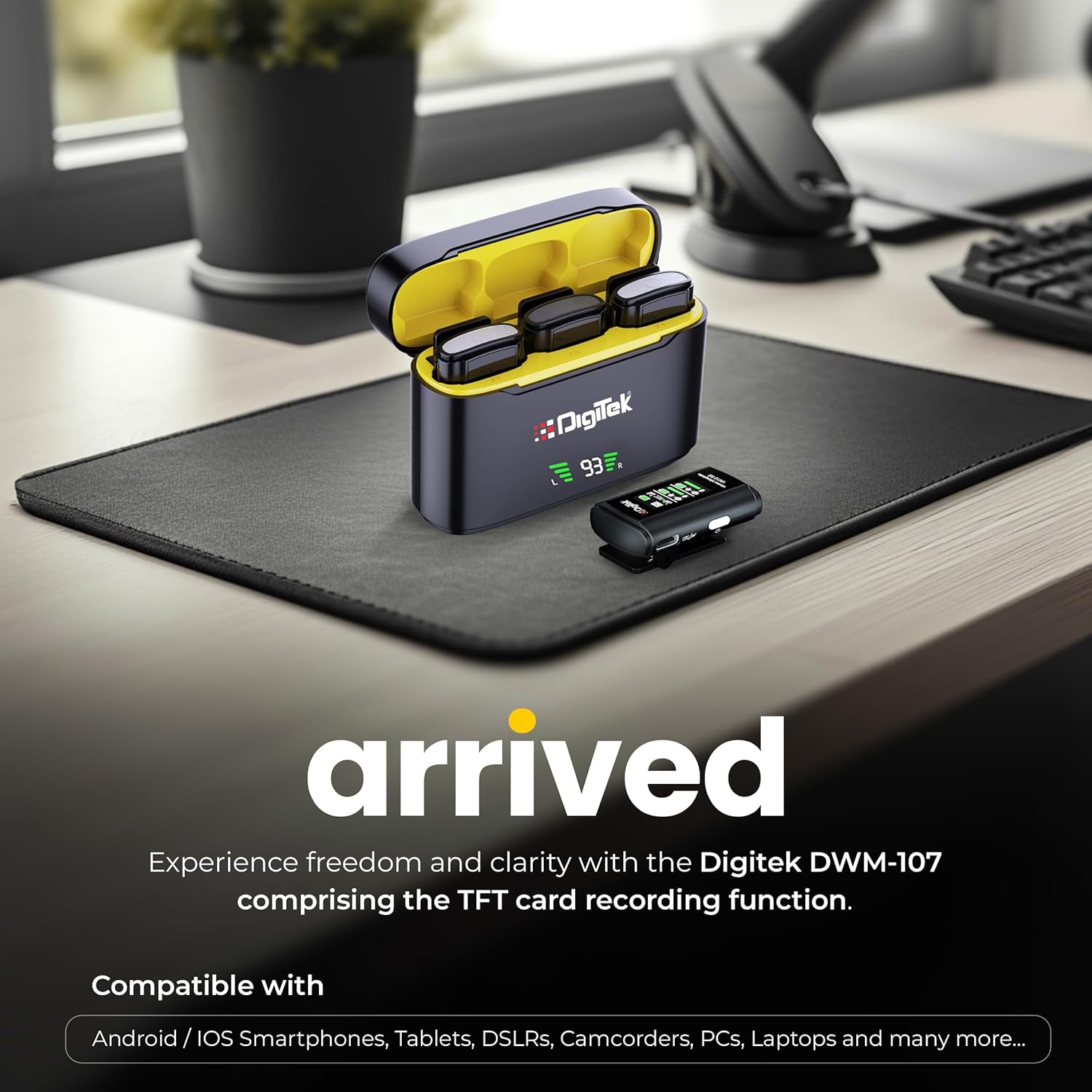
Image: Digitek DWM-107 compatibility with Android, iOS, DSLR, and PC devices.
Pangropéa
- beberesih: Use a soft, dry cloth to clean the devices. Avoid using harsh chemicals or abrasive materials.
- Panyimpenan: Simpen sistem mikropon di tempat anu tiis, garing, sareng jauh tina sinar panonpoé langsung sareng suhu anu ekstrim.
- Perawatan batré: For long-term storage, ensure the batteries are partially charged (around 50%) to preserve battery health. Recharge periodically if stored for extended periods.
- Perawatan kabel: Handle cables gently. Avoid sharp bends or excessive pulling to prevent damage.
Pamérésan masalah
| Masalah | Mungkin Cukang lantaranana | Solusi |
|---|---|---|
| Taya kaluaran audio |
|
|
| Poor audio quality / Distortion |
|
|
| TFT card recording not working |
|
|
| hirup batré pondok |
|
|
spésifikasi
| Fitur | Rincian |
|---|---|
| Nomer modél | DWM-107 |
| Téhnologi konektipitas | 2.4G Wireless (UHF) |
| Range nirkabel | Nepi ka 60 méter (daérah kabuka) |
| Réspon Frékuénsi | 16 KHz (Full frequency audio quality) |
| Rasio Signal-to-Noise | 78 dB |
| Pola Polar | Omnidirectional |
| Impedansi | 32 ohm |
| Battery Life (Tx/Rx) | Nepi ka 9 jam |
| Ngecas Box Kapasitas | 850 mah |
| Waktu Ngecas | Kira-kira 1.2 - 1.5 jam |
| TFT Card Support | Yes (up to 32GB, Class 10 recommended) |
| Noise Cancelling | Diwangun-di |
| Ukuran (L x W x H) | 15 x 8 x 6 cm |
| Item Beurat | 450 g |
| Bahan | palastik |
| Warna | Hideung |
Garansi sareng Rojongan
For warranty information and customer support, please refer to the warranty card included in your product packaging or visit the official Digitek website. You may also contact the manufacturer directly:
- Pabrikan: IMS Mercantiles Pvt. Ltd.
- Alamat: 704, 7th floor, Ring Road Mall, Sec-3, Rohini, Delhi 110085
- Rojongan Bebas Pulsa: 1800-123-544-444
Punten tahan bukti pameseran anjeun pikeun klaim garansi.