
Ourlife Ourlife WiFi Extender 300Mbps
OurlBuku Panduan Pangguna ife WiFi Extender 300Mbps
Modél: Ourlife WiFi Extender 300Mbps (ASIN: B0D7HB4DBC)
Bubuka
Thank you for choosing the Ourlife WiFi Extender. This device is designed to expand your existing Wi-Fi network coverage, eliminate dead spots, and provide a stable, high-speed internet connection throughout your home or office. With a data transfer rate of up to 300Mbps on the 2.4GHz band, it is ideal for streaming, online gaming, and general internet use. This manual provides detailed instructions for setup, operation, and troubleshooting.
Émbaran Kasalametan
- Ulah ngalaan alat ka cai atawa beueus.
- Ulah nyobian ngabongkar atawa ngalereskeun alat sorangan.
- Paké ngan adaptor kakuatan disadiakeun atawa dianjurkeun ku produsén.
- Jauhkeun alat tina sumber panas sareng sinar panonpoé langsung.
- Pastikeun ventilasi ditangtoskeun sabudeureun alat pikeun nyegah overheating.
Eusi pakét
Mangga parios eusi bungkusna kalawan saksama. Upami aya barang anu leungit atanapi ruksak, mangga ngahubungi padagang ritel anjeun.
- Ourlife WiFi Extender (repeater body)
- Manual pamaké
Produk Leuwihview
The Ourlife WiFi Extender features a compact design with four high-gain external antennas for enhanced signal penetration and coverage. It includes an Ethernet port for wired connections.
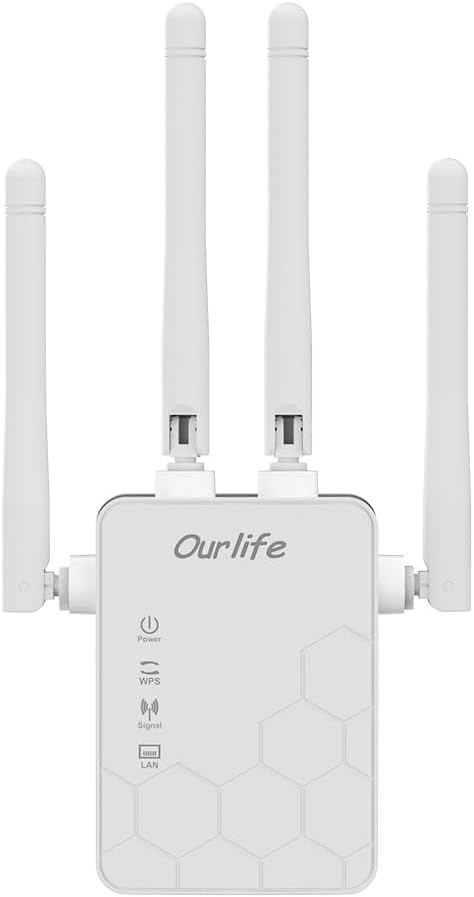
Gambar: Hareupeun view of the Ourlife WiFi Extender, showing the Ourlife logo, power indicator, WPS button, signal strength indicator, and LAN port indicator. Four external antennas are visible.
Komponén konci:
- Indikator kakuatan: Lampu hurung nalika alat dihurungkeun.
- Tombol WPS: Dianggo pikeun setelan gancang, hiji tombol sareng router anu cocog.
- Indikator Sinyal: Shows the strength of the Wi-Fi signal received from the main router.
- Port LAN: An Ethernet port for connecting wired devices or for setting up the extender in Access Point (AP) mode.
- Antena éksternal: Four adjustable antennas to optimize signal reception and transmission.

Gambar: Sisi view of the Ourlife WiFi Extender with dimensions. The device measures approximately 17.2cm/6.8in in height, 5.4cm/2.1in in width, and 3.3cm/1.3in in depth.
Disetél
The Ourlife WiFi Extender offers two primary setup methods: WPS (Wi-Fi Protected Setup) for quick connection, and manual setup via a web browser.
Method 1: WPS Setup (Recommended for quick setup)
- Daya Hurung: Plug the Ourlife WiFi Extender into an electrical outlet near your main Wi-Fi router. Wait for the Power indicator to light up.
- Pencét WPS dina Extender: Press the WPS button on the Ourlife WiFi Extender. The WPS indicator light will start blinking.
- Pencét WPS dina Router: Within 2 minutes, press the WPS button on your main Wi-Fi router.
- Antosan Sambungan: The WPS indicator on the extender will stop blinking and remain solid when the connection is established. The Signal indicator will also light up, indicating a successful connection.
- Pindahkeun Extender: Once connected, unplug the extender and move it to a location halfway between your router and the Wi-Fi dead zone. Ensure the Signal indicator shows a strong signal (usually green or multiple bars) for optimal performance.

Image: Visual representation of the four simple setup steps: 1. Unbox, 2. Plug it in, 3. Press the button (WPS), 4. And Pair (with router).
Method 2: Manual Setup via Web Pangotektak
- Daya Hurung: Plug the Ourlife WiFi Extender into an electrical outlet near your computer or mobile device.
- Sambungkeun ka Wi-Fi Extender: On your computer or mobile device, connect to the Wi-Fi network named "Ourlife_Extender" (or similar, check the label on the device). No password is required for the initial connection.
- Buka Web Browser: Buka a web browser (e.g., Chrome, Firefox, Safari) and enter the default IP address or domain name (e.g., 192.168.10.1 or reapeter.net) into the address bar. Refer to the device label or included mini-manual for the exact address.
- Lebet: Lebetkeun nami pangguna sareng kecap konci standar (biasana admin/admin).
- Pilih Mode: Choose "Repeater Mode" or "AP Mode" based on your needs.
- Modeu Repeater: Extends your existing Wi-Fi network wirelessly.
- Modeu AP (Titik Aksés): Converts a wired internet connection into a wireless Wi-Fi hotspot. Connect an Ethernet cable from your router to the extender's LAN port.
- Konpigurasikeun jaringan:
- For Repeater Mode: Select your main Wi-Fi network from the list, enter its password, and choose whether to keep the same SSID or create a new one for the extended network.
- For AP Mode: Set a new SSID (network name) and password for the Wi-Fi hotspot.
- Larapkeun Setélan: Save the settings and wait for the extender to restart.
- Pindahkeun Extender: Once configured, unplug and relocate the extender to an optimal position.
Ngoperasikeun
After successful setup, the Ourlife WiFi Extender will operate automatically. The Signal indicator will provide visual feedback on the connection quality.
Alat Nyambungkeun:
- Alat nirkabel: Connect your smartphones, tablets, laptops, and other Wi-Fi enabled devices to the extended Wi-Fi network (the SSID you configured during setup).
- Wired Devices (via LAN Port): If you are using the extender in Repeater mode, you can connect a wired device (e.g., desktop PC, smart TV, game console) to the extender's LAN port using an Ethernet cable to provide it with network access.
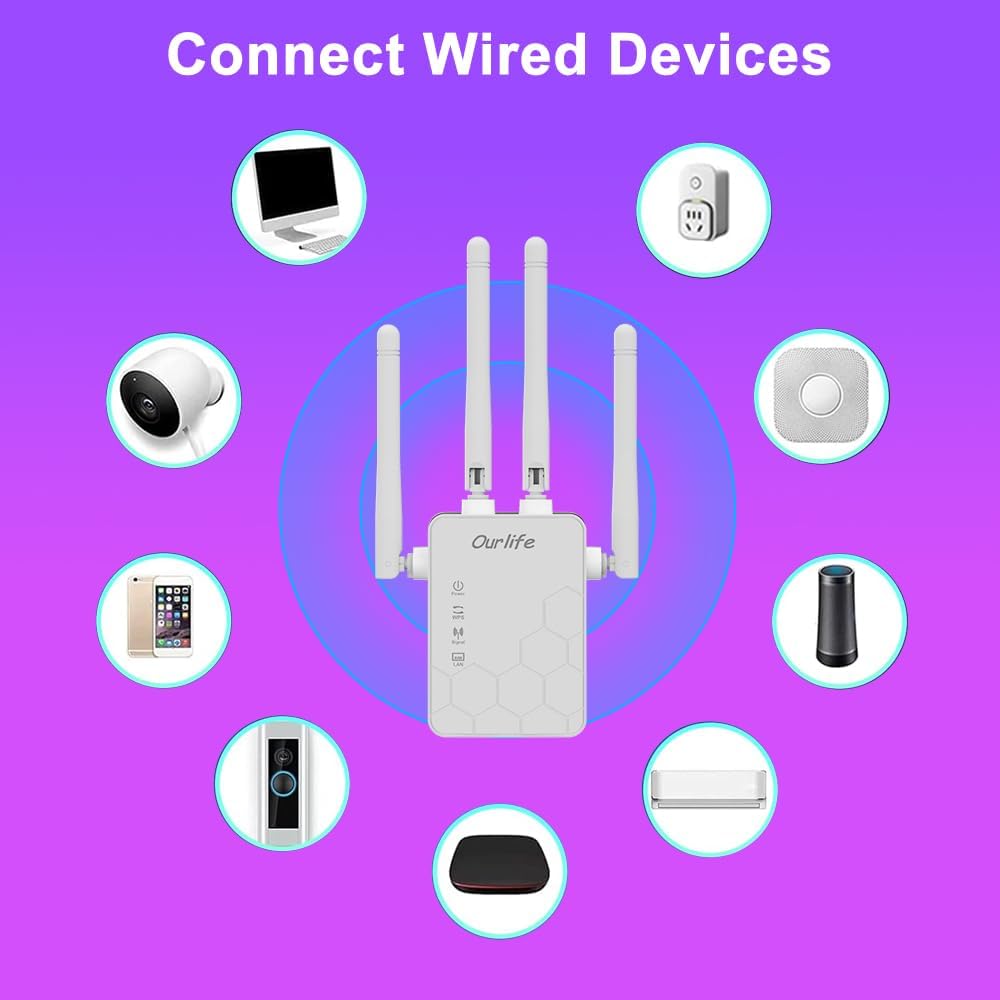
Image: Diagram showing various wired and wireless devices (e.g., desktop computer, smart plug, smart speaker, air conditioner, smart doorbell, security camera, smartphone) that can connect to the Ourlife WiFi Extender.

Image: The Ourlife WiFi Extender plugged into a wall outlet, with an Ethernet cable connected to its LAN port, illustrating its capability to provide a wired connection.
Pangropéa
Regular maintenance helps ensure the longevity and optimal performance of your Ourlife WiFi Extender.
- beberesih: Anggo kaén anu lemes sareng garing pikeun ngabersihan alat. Ulah make cleaners cair atawa aerosol.
- Pembaruan firmware: périodik pariksa produsén urang websitus pikeun apdet firmware. Ngamutahirkeun firmware tiasa ningkatkeun kinerja, nambihan fitur, sareng ngalereskeun bug.
- Ngahurungkeun deui: If you experience network issues, try restarting the extender by unplugging it from the power outlet for 10 seconds and then plugging it back in.
- Penempatan optimal: Ensure the extender is placed in an open area, away from large metal objects, concrete walls, and other electronic devices that may cause interference.
Pamérésan masalah
If you encounter issues with your Ourlife WiFi Extender, refer to the following common problems and solutions:
| Masalah | Solusi anu mungkin |
|---|---|
| Extender henteu hurung. | Pastikeun extender geus aman plugged kana stop kontak listrik jalan. Coba outlet béda. |
| Cannot connect to the extender's Wi-Fi for setup. | Ensure you are connecting to the correct default SSID (e.g., "Ourlife_Extender"). Try restarting the extender and your device. |
| Setelan WPS gagal. | Ensure your router supports WPS. Press the WPS button on both devices within the 2-minute window. Try manual setup if WPS continues to fail. |
| No internet access after connecting to the extended network. | Check if your main router has internet access. Relocate the extender closer to your main router to ensure a strong signal (check Signal indicator). Reconfigure the extender. |
| Laju slow dina jaringan nambahan. | Relocate the extender to an optimal position where the Signal indicator shows a strong connection to the main router. Avoid placing it near interference sources. Ensure your main router is providing good speeds. |
| Forgot login password for web kaca manajemén. | Perform a factory reset on the extender (usually by pressing and holding a reset button for 5-10 seconds). This will revert all settings to default, including the login credentials. |
spésifikasi
| Fitur | Rincian |
|---|---|
| merek | Ourllamun |
| Modél | Ourlife WiFi Extender 300Mbps |
| ASIN | B0D7HB4DBC |
| Laju Mindahkeun Data | 300 Megabits Per Second (2.4GHz) |
| anteneu | 4 High-Gain External Antennas |
| Port Ethernet | 1 x LAN Port |
| Warna | Bodas |
| Konektipitas | Wireless-N (802.11n/g/b) |
| Protokol Kaamanan | Supports Wireless Security (WPA/WPA2) |
| Ukuran (approx.) | 17.2 cm (H) x 5.4 cm (W) x 3.3 cm (D) |
Garansi sareng Rojongan
For warranty information and technical support, please refer to the documentation included with your purchase or visit the official Ourllamun website. You can also contact Ourlife customer service directly for assistance with product setup, troubleshooting, or warranty claims.
Ourlife Store Link: Visit the Ourlife Store on Amazon
Ask a question about this manual
Ask about setup, troubleshooting, compatibility, parts, safety, or missing instructions. Manuals+ will review the question and use this page’s manual context to help answer it.