
Bubuka
This manual provides detailed instructions for the KZZI K75 Lite Wireless Mechanical Keyboard. It covers setup, operation, maintenance, and troubleshooting to ensure optimal performance and user experience. Please read this manual thoroughly before using your new keyboard.
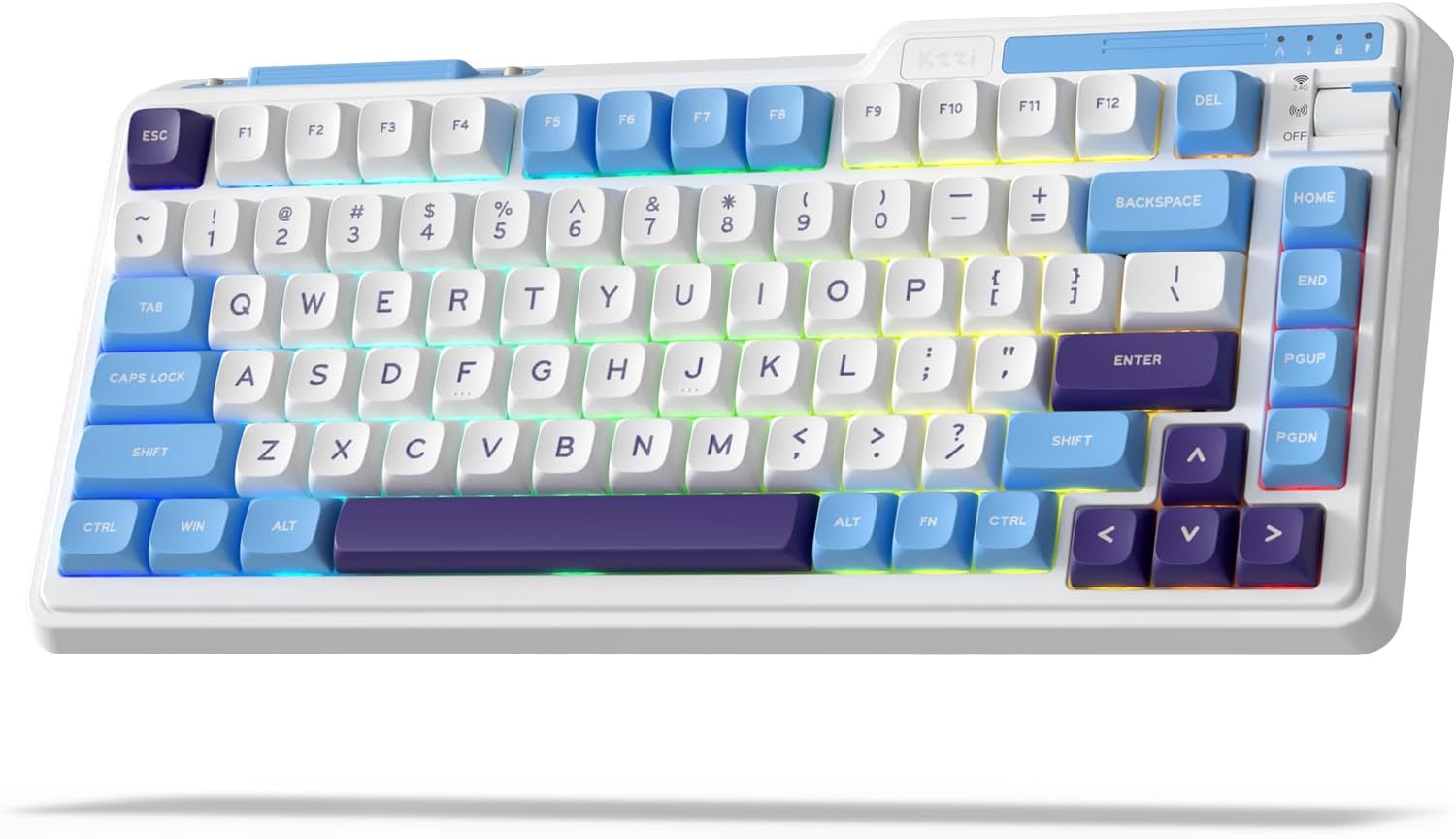
Image: The KZZI K75 Lite Wireless Mechanical Keyboard, showcasing its 75% layout and Grand Sea Blue color scheme with RGB backlighting.
Eusi pakét
Punten parios yén sadaya barang aya dina pakét:
- 1 x KZZI K75 Lite Keyboard
- 1 x Kabel USB-C
- 1 x 2-in-1 Keycap & Switch Puller
- 4 x Backup Switches
- 1 x Manual Pamaké (dokumén ieu)

Gambar: Hiji overhead view of the KZZI K75 Lite keyboard and its included accessories: USB-C cable, 2-in-1 keycap and switch puller, and four backup switches.
Disetél
1. Ngecas kibor
Before first use, it is recommended to fully charge the keyboard. Connect the provided USB-C cable to the keyboard's Type-C charging port and the other end to a USB power source (e.g., computer USB port, wall adapter).
2. Modeu konektipitas
The K75 Lite supports three connectivity modes: USB-C Wired, 2.4GHz Wireless, and Bluetooth 5.0. Use the toggle switch located on the top right of the keyboard to select your desired mode.

Image: An illustration demonstrating the 3-mode toggle switch on the K75 Lite keyboard, allowing users to easily switch between Bluetooth 5.0, 2.4GHz wireless, and USB-C wired modes for connecting to multiple devices like laptops, monitors, and tablets.
2.1. Modeu Kabel USB-C
- Set the toggle switch to the 'Wired' position.
- Connect the keyboard to your device using the provided USB-C cable.
- The keyboard will be recognized automatically.
2.2. Modeu Wireless 2.4GHz
- Locate the 2.4G USB dongle, usually stored in a magnetic slot on the keyboard.
- Set the toggle switch to the '2.4G' position.
- Colokkeun dongle USB 2.4G kana port USB anu sayogi dina komputer anjeun.
- Kibor kedah nyambung sacara otomatis.
2.3. Modeu Bluetooth 5.0
- Set the toggle switch to the 'BT' position.
- Dina alat anjeun (PC, laptop, tablet, telepon), aktipkeun Bluetooth sareng milarian alat anyar.
- Dina kibor, pencét terus tahan FN + Q, FN + W, atawa FN + E. for 3-5 seconds to enter pairing mode for BT1, BT2, or BT3 respectively. The corresponding key will flash rapidly.
- Select 'K75 Lite' from the list of available Bluetooth devices on your device to pair.
- Once paired, the key will stop flashing and remain steadily lit for a few seconds.
- You can pair up to three Bluetooth devices and switch between them by pressing FN + Q/W/E.

Image: A composite image highlighting various physical features of the K75 Lite keyboard, including the Type-C charging port, the magnetic storage for the 2.4G dongle, and the two-level adjustable feet for ergonomic positioning.
Parentah Operasi
1. Mariksa Level Batré
Pikeun mariksa tingkat batré ayeuna, pencét FN + ENTER. The number keys (1-0) will light up to indicate the approximate battery percentage.

Image: An illustration demonstrating the battery level check function (FN + ENTER) on the K75 Lite keyboard, indicating a 3750mAh battery capacity, with up to 200 hours of use with RGB off and 30 hours with RGB on.
2. RGB Backlight Controls
The K75 Lite features dynamic RGB backlighting with 18 available modes. Use the following FN key combinations to control the lighting:
- FN + \|: Switch Backlight Mode
- FN +: Switch Backlight Color
- FN + ↑Ningkatkeun Caang Lampu Latar
- FN + ↓: Ngurangan Caang Lampu Latar
- FN +>: Adjust Breathing Speed (Increase)
- FN +: Adjust Breathing Speed (Decrease)

Gambar: Hiji overhead view of the K75 Lite keyboard illustrating the FN key combinations used to control the 18 brilliant RGB effects, including switching modes, colors, brightness, and adjusting breathing speed.
3. Kustomisasi Parangkat Lunak
The KZZI K75 Lite keyboard supports powerful software for advanced customization. This software allows you to:
- Redefine keys and create custom keyboard shortcuts.
- Nyetél makro pikeun runtuyan paréntah anu rumit.
- Customize the full RGB backlight with dynamic effects.
Please visit the official KZZI website to download the latest software for your K75 Lite keyboard.

Image: Screenshots of the KZZI software, illustrating its capabilities for redefining keys, managing macros, and customizing the full RGB backlight settings for the keyboard.
Pangropéa
1. Saklar Hot-Swapping
The K75 Lite features a hot-swappable design, allowing you to change switches without soldering. It supports most 3-pin/5-pin mechanical switches.
- Using the provided 2-in-1 keycap & switch puller, carefully remove the keycap from the desired switch.
- Insert the switch puller's prongs into the two small tabs on the top and bottom of the switch.
- Gently squeeze the tabs and pull the switch straight up to remove it from the PCB.
- Sejajarkeun pin saklar anyar jeung liang dina PCB. Pastikeun pinna lempeng.
- Press the new switch firmly into place until it clicks. Do not force it if resistance is met; check pin alignment.
- Pasang deui tutup konci na.
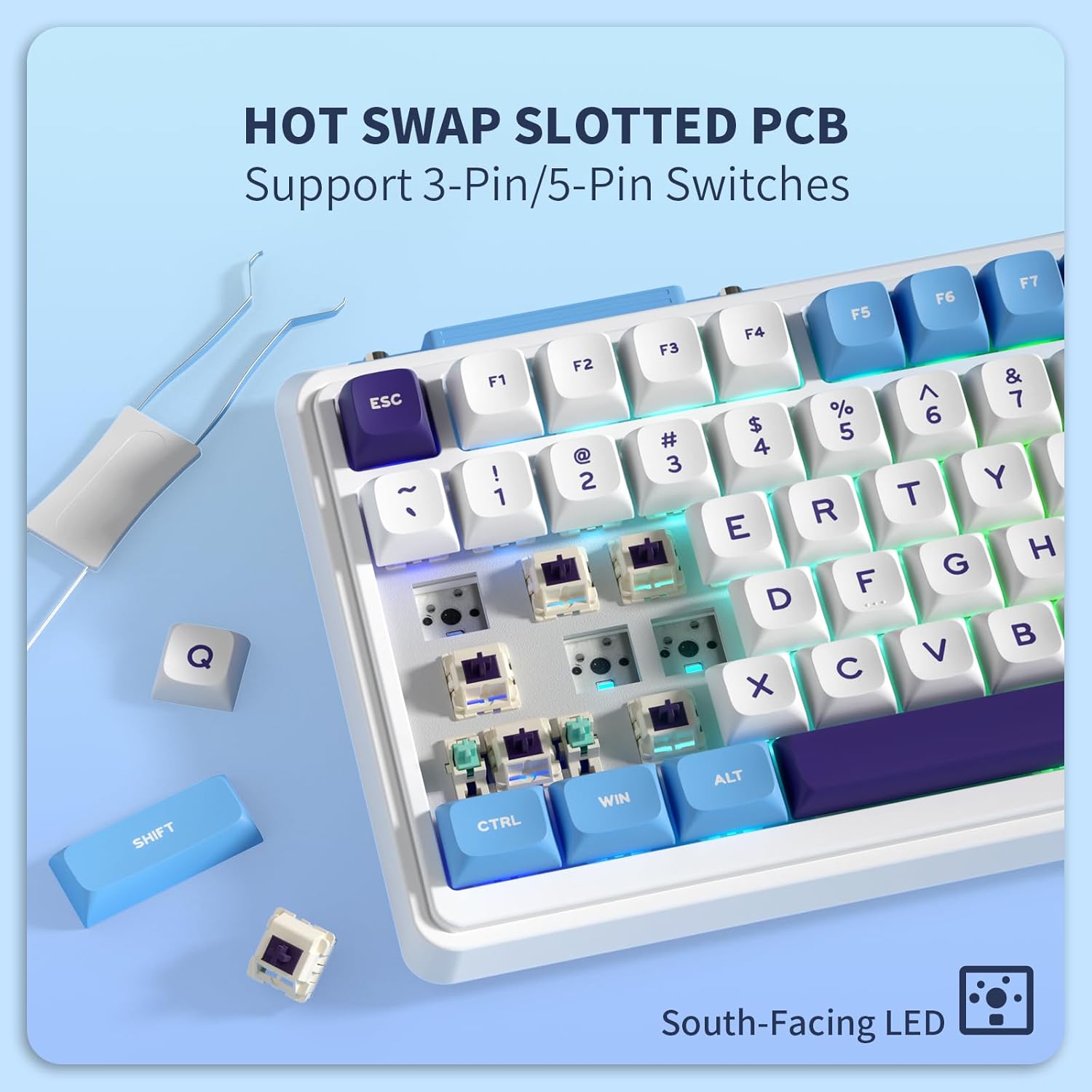
Gambar: A close-up view of the K75 Lite keyboard's hot-swappable PCB, illustrating how switches can be easily removed and replaced using a switch puller, supporting both 3-pin and 5-pin switches.
2. Ngabersihan kibor
Pembersihan rutin ngabantosan ngajaga penampilan sareng fungsionalitas keyboard.
- Pegatkeun sambungan keyboard tina sadaya alat sateuacan beberesih.
- Make lawon anu lemes, teu aya serat dampened with a small amount of water or a mild cleaning solution to wipe down the keycaps and casing.
- Pikeun lebu jeung lebu antara keycaps, make hawa dikomprés atawa sikat leutik.
- Hindarkeun ngagunakeun bahan kimia anu kasar atanapi bahan abrasive.
Pamérésan masalah
If you encounter issues with your KZZI K75 Lite keyboard, please refer to the following common solutions:
- Keyboard teu ngabales:
- Pastikeun keyboard dieusi.
- Check the connectivity mode switch (Wired, 2.4G, BT) and ensure it matches your connection method.
- For 2.4G, ensure the dongle is securely plugged in.
- For Bluetooth, re-pair the device or try a different Bluetooth channel (FN+Q/W/E).
- Coba sambungkeun nganggo kabel USB-C pikeun nyingkahan masalah nirkabel.
- Konci henteu ngadaptar atanapi ngetik dua kali:
- This could indicate a faulty switch. Use the switch puller to replace the problematic switch with one of the backup switches provided.
- Pastikeun saklar dipasang sapinuhna dina PCB.
- RGB backlight not working or inconsistent:
- Check battery level; low battery can affect backlight performance.
- Cycle through backlight modes (FN + \|) and brightness levels (FN + ↑/↓).
- If using software, ensure settings are correctly applied.
- Sambungan Bluetooth teu stabil:
- Pastikeun teu aya alat séjén anu ngaganggu sinyal Bluetooth.
- Pindah ngadeukeutan ka alat nu disambungkeun.
- Coba pasangkeun deui keyboard.
spésifikasi
Key technical specifications for the KZZI K75 Lite Wireless Mechanical Keyboard:
| Fitur | Rincian |
|---|---|
| Modél | K75 Lite |
| Ukuran (L x W x H) | 13.22 x 6.12 x 1.68 inci (335.8 x 155.5 x 42.7 mm) |
| Item Beurat | 1.78 pon |
| Konektipitas | Bluetooth 5.0, Nirkabel 2.4GHz, Kabel USB-C |
| Batré | 3750mAh Litium Polimér (kaasup) |
| Kahirupan batré | Up to 200 hours (RGB off), 30 hours (RGB on) |
| Tipe kibor | Gasket Dipasang Mechanical Keyboard |
| Saklar | Custom POM Linear Switches (Pre-lubed, Hot-Swappable 3/5-pin) |
| Kancing konci | MDA Double-Shot PBT |
| Fitur husus | RGB Backlit, Hot-Swappable, Rechargeable, 5-Layer Sound Padding |
| Alat nu cocog | Laptop, PC, Tablet |

Image: A comprehensive diagram detailing various features of the K75 Lite keyboard, such as its 2-stage adjustable feet, MDA Double-Shot PBT keycaps, hot-swappable slotted PCB, south-facing RGB LEDs, well-tuned stabilizers, and pre-lubed switches, alongside its precise dimensions.

Image: An exploded diagram illustrating the internal construction of the K75 Lite keyboard, highlighting its gasket-mounted structure and the five layers of sound-dampening materials (Poron foam, IXPE switch pad, PET film, sound dampening foam, silicone dampener pad) designed for a soft typing feel and HIFI sound.
Garansi sareng Rojongan
Émbaran jaminan
KZZI products are typically covered by a limited warranty against manufacturing defects. Please refer to the warranty card included in your package or visit the official KZZI websitus pikeun istilah jeung kaayaan jaminan husus lumaku pikeun wewengkon Anjeun.
Rojongan Palanggan
For technical assistance, troubleshooting not covered in this manual, or warranty claims, please contact KZZI customer support through their official website or the contact information provided with your product. When contacting support, please have your product model (K75 Lite) and purchase details ready.