
Bubuka
The Pro-Ject Debut EVO 2 is a high-fidelity turntable designed for optimal vinyl playback. This manual provides essential information for setting up, operating, and maintaining your turntable to ensure long-lasting performance and enjoyment.
Key features include a next-generation audiophile design, a high-precision Pick it MM EVO cartridge, a 1.7 kg anti-magnetic die-cast aluminum platter with TPE damping, and premium build quality with vibration control.

Gambar 1: Hareupeun view of the Pro-Ject Debut EVO 2 Turntable in Satin White.
Disetél
Careful setup is crucial for optimal performance. Please follow these steps:
- Ngabongkar bungkusan: Cabut sadaya komponén tina bungkusna kalayan ati-ati. Simpen bungkusna kanggo transportasi atanapi layanan ka hareup.
- Pamasangan piring: Place the heavy aluminum platter onto the spindle. Ensure it sits flush and rotates freely.
- Pamasangan sabuk: Tarik sabuk penggerak lalaunan di sabudeureun katrol motor sareng sisi jero platter.
- Adjustment counterweight: The tonearm is equipped with a pre-fitted Pick it MM EVO cartridge. Adjust the counterweight to achieve the recommended tracking force for the cartridge (refer to cartridge specifications, typically around 1.8g for MM cartridges). Use a tracking force gauge for precision.
- Penyesuaian Anti Skating: Set the anti-skating weight according to the tracking force. The anti-skating mechanism uses a small weight and thread.
- Sambungan: Connect the turntable's RCA output to a phono preamplifier (not built-in) or an amplifier with a dedicated phono input. Ensure the ground wire is connected to prevent hum.
- kakuatan: Connect the 15V DC 0.8A power supply to the turntable and then to a power outlet.
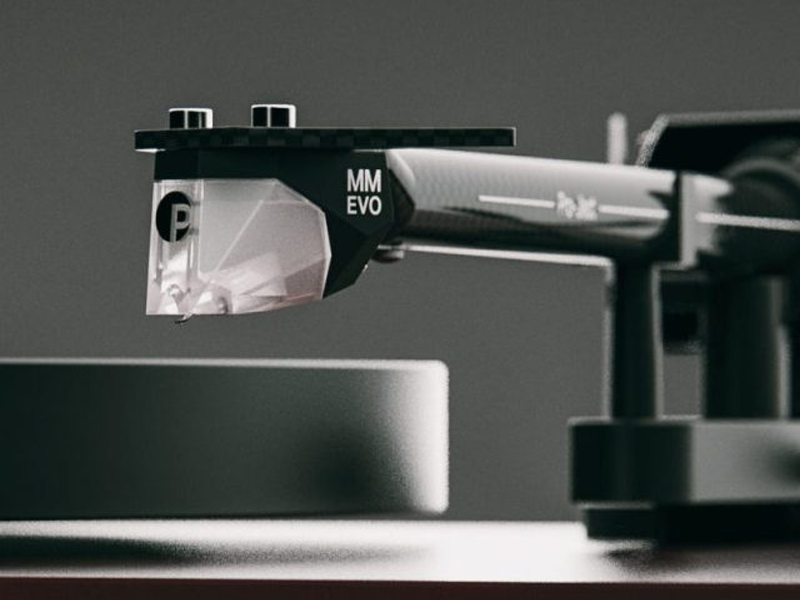
Figure 2: Detail of the 8.6-inch carbon fiber tonearm, designed for rigidity and lightweight performance.
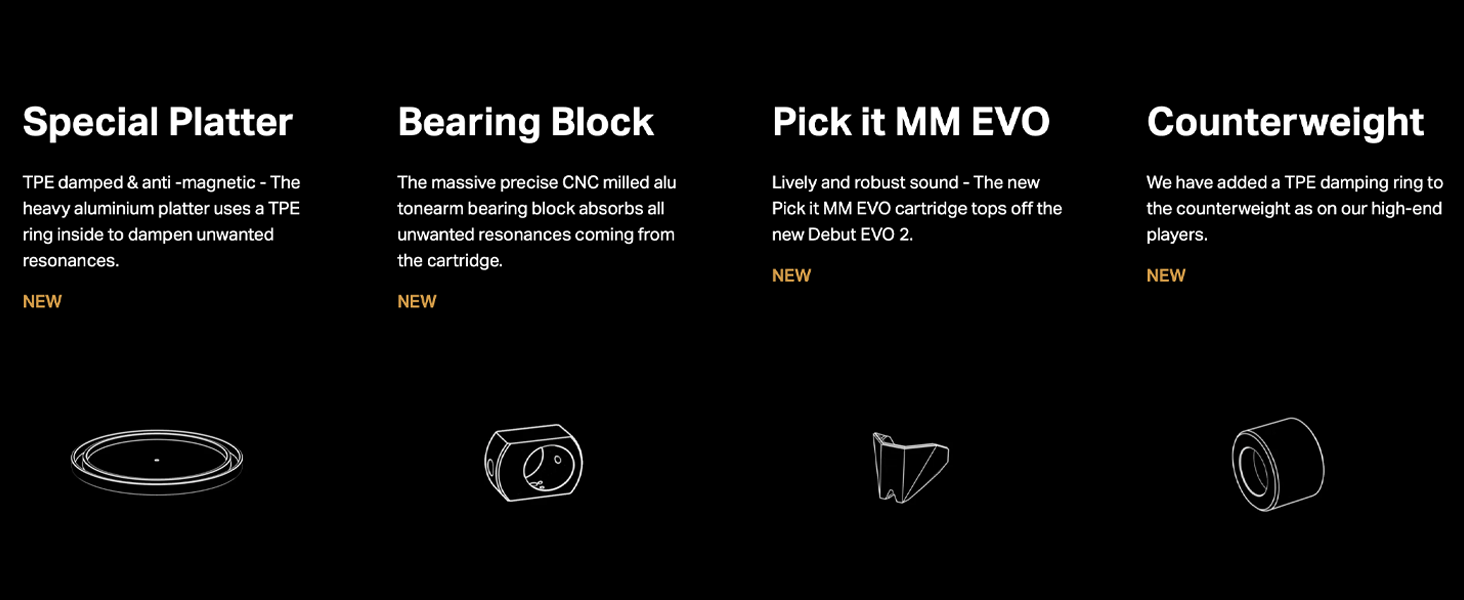
Figure 3: The adaptive anti-skating mechanism, which adjusts to varying skating forces across the record grooves.
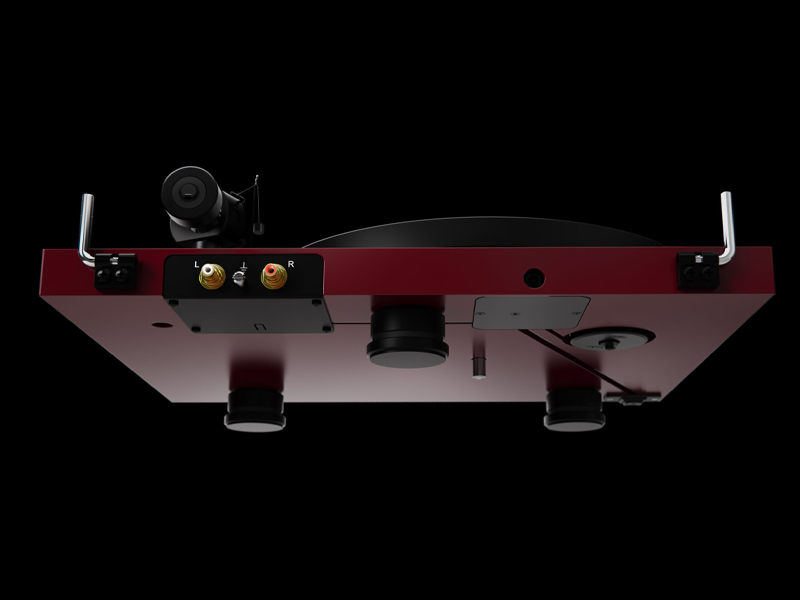
Figure 4: The Pick it MM EVO cartridge, co-designed with Ortofon, providing detailed sound reproduction.
Video 1: Hiji bubuka leuwihview of the Pro-Ject Debut Evo 2 turntable, highlighting its features and design.
Parentah Operasi
- Daya Hurung: Press the power button located on the plinth to start the platter rotation.
- Pilih Speed: Use the electronic speed control switch to select between 33 RPM and 45 RPM, depending on the record you are playing.
- Rékam tempat: Taliti nempatkeun catetan vinyl anjeun dina piring.
- Tonearm handap: Use the tonearm lift lever to raise the tonearm. Position the cartridge over the desired track on the record. Gently lower the tonearm using the lever. The stylus will then make contact with the record and begin playback.
- Mungkas Playback: At the end of the record, or when you wish to stop playback, use the tonearm lift lever to raise the tonearm. Return the tonearm to its rest and secure it. Press the power button to stop the platter.
Pangropéa
Regular maintenance ensures the longevity and performance of your turntable:
- Panutup lebu: Always use the provided dust cover when the turntable is not in use to protect it from dust and debris.
- beberesih: Use a soft, anti-static brush to gently clean the stylus before each play. For the platter and plinth, use a soft, dry cloth. Avoid harsh chemicals.
- Inspeksi Sabuk: Periodically check the drive belt for wear or stretching. Replace if necessary to maintain accurate speed.
- Cartridge/Stylus: The stylus has a limited lifespan. Replace it when sound quality degrades or after approximately 1000 hours of playback.
Pamérésan masalah
| Masalah | Mungkin Cukang lantaranana | Solusi |
|---|---|---|
| No power/platter not spinning | Power supply not connected, power button off, belt dislodged. | Check power connections, ensure power button is on, re-seat drive belt. |
| Sora humming | Ground wire not connected, interference from other electronics. | Ensure ground wire is securely connected. Move turntable away from other electronic devices. |
| Distorted sound/skipping | Incorrect tracking force, worn stylus, dirty record/stylus, turntable not level. | Adjust tracking force, clean stylus/record, ensure turntable is on a level surface. Replace stylus if worn. |
| Laju lepat | Wrong speed selected, worn drive belt. | Verify correct speed (33/45 RPM) is selected. Inspect and replace drive belt if necessary. |
spésifikasi
- merek: Pro-Ject
- Ngaran modél: Debut EVO 2
- Jumlah modél: DEBUTE2SWH
- warna: Satin Bodas
- Laju Rotasi Maksimum: 45 RPM (supports 33 RPM)
- Komponén Kaasup: 15V DC 0.8A power supply, dust cover, 7'' singles adapter
- Fitur husus: Hai Res Audio
- Bahan: Aluminium, Serat Karbon
- Beurat barang: 8 kg
- Téknologi konektipitas: Dikabel
- Rasio Signal-to-Noise: 60 dB
- Sumber Daya: Kabel Listrik
- Item Ukuran L x W x H: 16.4 "L x 12.6" W x 4.5" H
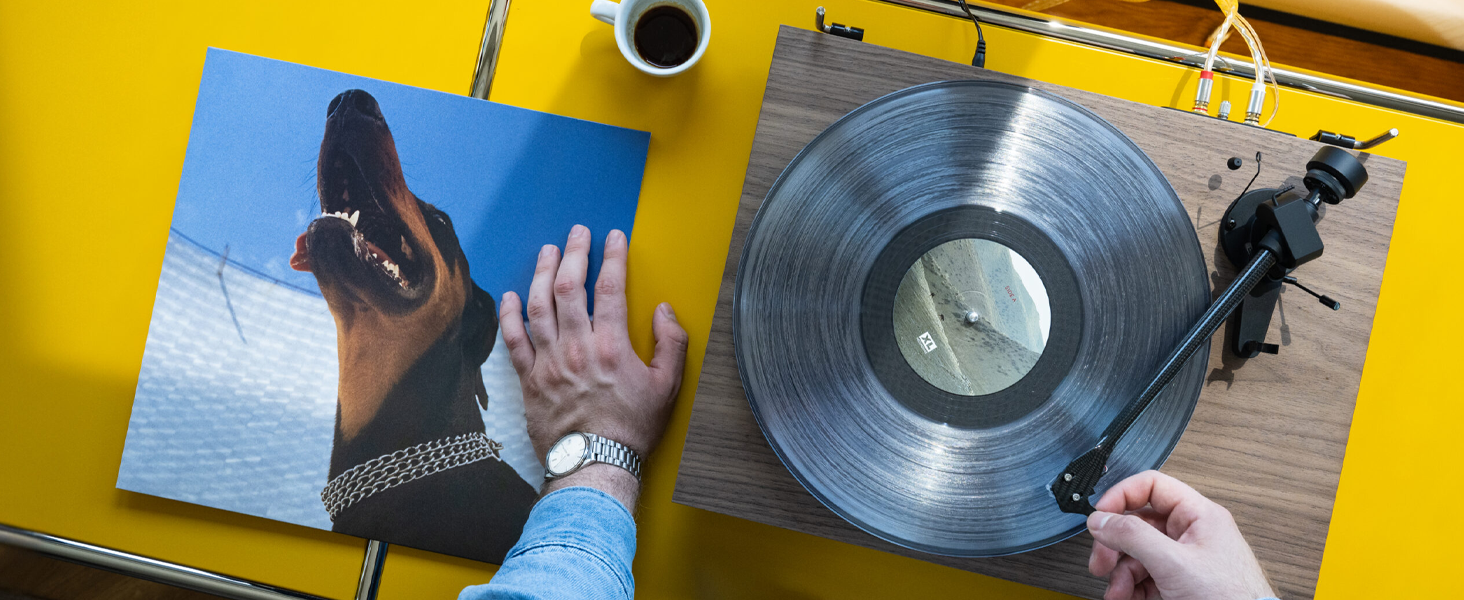
Figure 5: Rear connections of the turntable, including RCA outputs for left and right channels and a ground terminal.
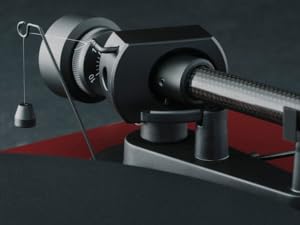
Figure 6: Illustration of the TPE damped and anti-magnetic heavy aluminum platter, designed to reduce unwanted resonances.
Garansi sareng Rojongan
The Pro-Ject Debut EVO 2 Turntable comes with a 2-year manufacturer's warranty. For warranty claims or technical support, please contact Pro-Ject customer service or your authorized dealer. Spare parts availability is guaranteed for 25 years in the EU.
For further assistance, visit the official Pro-Ject Audio Systems store: Pro-Ject Audio Systems Store