
Bubuka
This manual provides essential information for the proper setup, operation, and maintenance of your ONN 24-inch FHD Gaming Monitor, model 100027813. Please read this manual thoroughly before using the product to ensure optimal performance and safety. This monitor is designed to deliver a high-quality gaming experience with its 1080p resolution, 165Hz refresh rate, 1ms response time, and FreeSync technology.
Émbaran Kasalametan
Always observe the following safety precautions to prevent damage to the monitor and ensure user safety:
- Ulah ngalaan monitor ka hujan atawa beueus pikeun nyegah seuneu atawa shock bahaya.
- Ulah muka monitor casing. Henteu aya bagian anu tiasa dilayanan ku pangguna di jero. Rujuk sadayana jasa ka tanaga jasa anu mumpuni.
- Teundeun monitor dina tempat nu datar, stabil pikeun nyegah ragrag.
- Pastikeun ventilasi ditangtoskeun sabudeureun monitor. Ulah meungpeuk bukaan ventilasi.
- Paké ngan adaptor kakuatan disadiakeun kalawan monitor.
- Cabut colokan monitor tina stop kontak listrik nalika badai kilat atanapi nalika henteu dianggo kanggo waktos anu lami.
Eusi pakét
Pastikeun yén sadaya item aya dina bungkusan:
- ONN 24-inch FHD Gaming Monitor
- Stand Monitor (Dasar sareng Beuheung)
- Adaptor kakuatan
- DisplayPort Cable (6 ft)
- HDMI Cable (6 ft)
- Manual pangguna (dokumén ieu)

Image: Retail box of the ONN 24-inch Gaming Monitor, highlighting key features like 165Hz, 1ms response time, DisplayPort, HDMI, and Adaptive-Sync.
Disetél
1. Ngarakit Stand
- Taliti cabut monitor jeung nangtung komponén tina bungkusan.
- Attach the stand neck to the stand base. Secure it with the provided screw, if applicable.
- Align the assembled stand with the mounting slot on the back of the monitor. Gently push until it clicks into place or secure with screws as per the design.
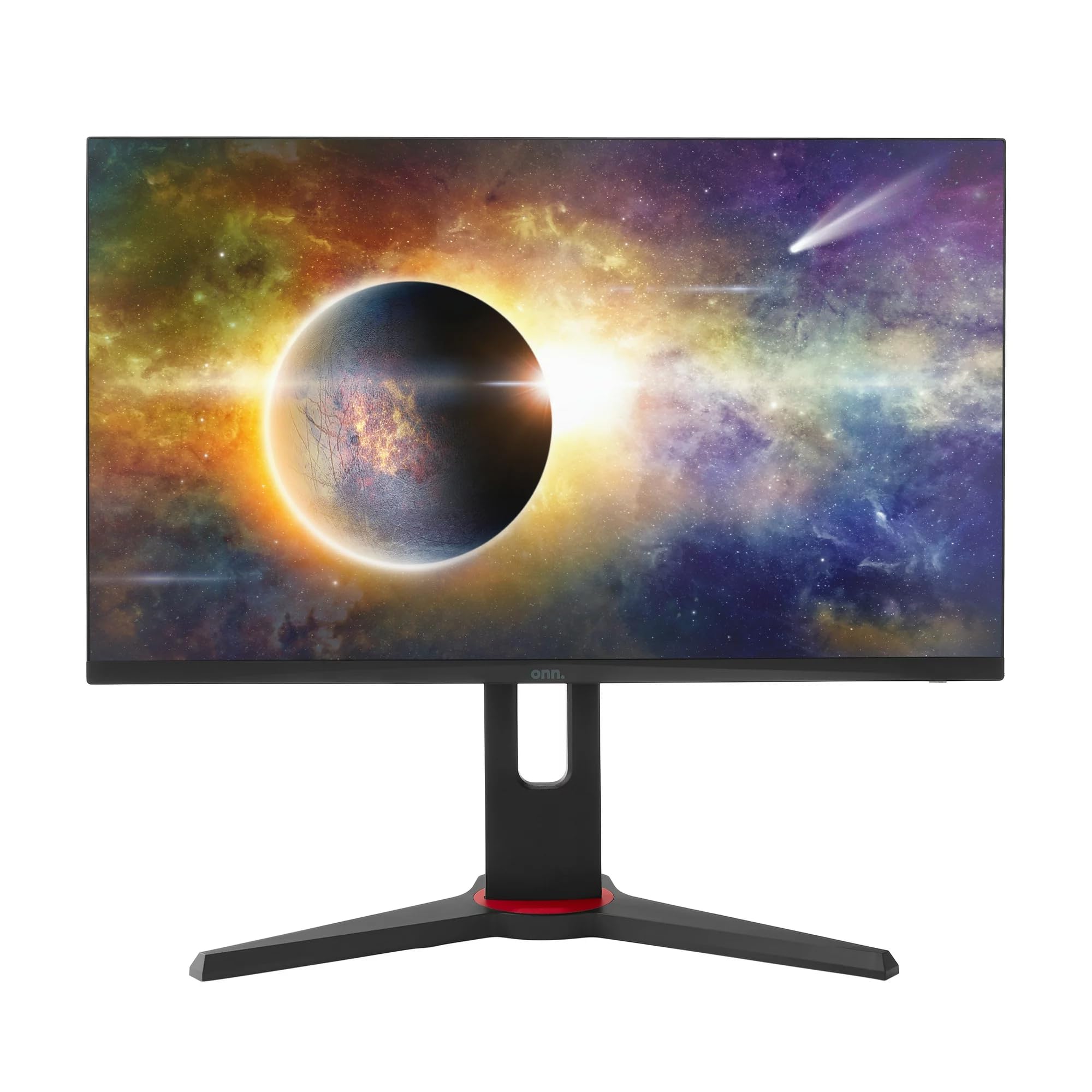
Gambar: Hareupeun view of the ONN 24-inch Gaming Monitor, fully assembled with its stand.

Gambar: Tukangeun view of the ONN 24-inch Gaming Monitor, illustrating the stand attachment and cable management area.
2. Nyambungkeun Kabel
Locate the input ports on the back of your monitor:
- kakuatan: Sambungkeun adaptor daya kana input daya monitor teras kana stop kontak.
- Video Input: Connect one end of the provided DisplayPort or HDMI cable to the corresponding port on your computer's graphics card and the other end to the monitor. The monitor supports 2 HDMI inputs and 1 DisplayPort input.
- Kaluaran Audio (Opsional): If your monitor has a 3.5mm audio jack, you can connect external speakers or headphones.

Gambar: Deukeut view of the monitor's rear ports, including HDMI 1, HDMI 2, DisplayPort (DP), and power input.
3. Mimiti Power-On
- Pastikeun sadaya kabel disambungkeun aman.
- Press the power button on the monitor (usually located on the back or bottom right).
- The monitor should display the ONN logo and then search for an input signal.
- If no image appears, ensure your computer is powered on and the correct input source is selected on the monitor (see Operating section).
Ngoperasikeun
1. Daya Hurung / Pareum
Press the power button to turn the monitor on or off. The power indicator light will show the monitor's status (e.g., blue for on, amber for standby).
2. Napigasi Menu dina Layar (OSD).
Your monitor features an OSD menu for adjusting various settings. Typically, buttons on the back or bottom of the monitor control the OSD:
- Tombol Menu: Muka menu OSD.
- Tombol Navigasi (Kaluhur/Turun/Kénca/Katuhu): Dipaké pikeun nganapigasi ngaliwatan pilihan ménu.
- Tombol Pilih/Asupkeun: Konfirmasi pilihan atawa asup ka sub-menu.
- Tombol Kaluar: Kaluar tina menu atanapi OSD ayeuna.
3. Nyaluyukeun Setélan
Key settings you can adjust via the OSD menu include:
- Caang/Kontras: Saluyukeun luminance sadayana sareng bédana antara daérah terang sareng poék.
- Setélan warna: Robah suhu warna, gamma, sareng tingkat RGB individu.
- Sumber Input: Manually select between HDMI 1, HDMI 2, or DisplayPort inputs.
- Laju Refresh: Ensure your graphics card and monitor are set to 165Hz for the smoothest experience. This is usually configured in your operating system's display settings.
- Waktu ngaréspon: Adjust the monitor's response time setting (e.g., 1ms) for reduced motion blur in fast-paced games.
- Téknologi FreeSync: Enable FreeSync in the OSD menu and in your AMD graphics card settings to synchronize the monitor's refresh rate with your GPU's frame rate, eliminating screen tearing and stuttering.
- Modeu Gambar: Select from preset modes optimized for different content (e.g., Standard, Game, Movie, Text).

Image: The ONN 24-inch Gaming Monitor displayed in a typical desk setup, connected to a laptop with gaming peripherals.
Pangropéa
Ngabersihan Monitor
- Salawasna cabut monitor saméméh beberesih.
- Anggo kaén anu lemes sareng teu aya serat anu hampang dampDieusian ku cai atanapi pembersih layar anu hampang sareng henteu abrasive.
- Ulah menyemprot cleaner langsung kana layar. Larapkeun heula kana lawon.
- Hindarkeun ngagunakeun bahan kimia kasar, bantalan abrasive, atanapi pangleyur.
Panyimpenan
Upami nyimpen monitor kanggo waktos anu panjang, pegatkeun sadaya kabel, bungkus dina bungkusan aslina (upami sayogi), teras simpen di tempat anu tiis sareng garing jauh tina sinar panonpoé langsung sareng suhu anu ekstrim.
Pamérésan masalah
Upami anjeun mendakan masalah sareng monitor anjeun, tingal masalah sareng solusi umum ieu:
| Masalah | Solusi anu mungkin |
|---|---|
| Henteu aya gambar dina layar |
|
| Image is flickering or distorted |
|
| Teu aya sora (upami nganggo spiker monitor/audio kaluar) |
|
| Monitor not reaching 165Hz |
|
spésifikasi
Detailed technical specifications for the ONN 24-inch FHD Gaming Monitor (Model 100027813):
| Fitur | Spésifikasi |
|---|---|
| Nomer modél | 100027813 |
| Ukuran layar | 24 inci |
| Resolusi | Resolusi Full HD 1080p (1920x1080) |
| Refresh Laju | 165 Hz |
| Waktu Tanggapan | 1 Milidetik |
| Téknologi tampilan | IPS |
| Sync adaptif | FreeSync |
| Rasio Aspék | 16:9 |
| Babandingan Kontras | 2000:1 |
| Beungeut layar | Matte, Anti-glare with low blue light setting |
| Konektipitas | 2 x HDMI, 1 x DisplayPort |
| Ukuran produk (D x W x H) | 61.3 x 11.3 x 37.3 cm |
| Item Beurat | 6.1 kg |
| Warna | Hideung |
| Tipe Pamasangan | Méja Gunung |
| Mangpaat husus | Entertainment, Gaming |
Garansi
This ONN 24-inch FHD Gaming Monitor is a renewed product. Warranty terms and conditions for renewed products may vary. Please refer to the specific warranty information provided by the seller or retailer at the time of purchase. It is recommended to retain your proof of purchase for any warranty claims.
Ngarojong
For technical assistance, troubleshooting beyond this manual, or warranty inquiries, please contact the retailer or the Amazon Renewed support channel where the product was purchased. Have your model number (100027813) and proof of purchase ready when contacting support.


