
1. Bubuka
This manual provides essential information for the safe and efficient operation of your Phomemo M834 Portable Thermal Printer. Please read it thoroughly before using the device and retain it for future reference. The Phomemo M834 is an inkless thermal printer designed for portable use, offering high-resolution printing for various documents and notes.

Image: The Phomemo M834 printer highlights its key advantages such as Bluetooth wireless connectivity, inkless printing, portability, ease of setup, lightweight design, and multi-size thermal paper support, contrasting with common limitations of other printers like wired connections, ink requirements, and bulkiness.
2. Émbaran Kasalametan
Observe the following safety precautions to prevent damage to the printer or personal injury:
- Do not disassemble, repair, or modify the printer yourself.
- Jauhkeun printer tina cai, Uap, sareng sinar panonpoé langsung.
- Use only Phomemo-approved thermal paper. Using other paper types may damage the print head.
- Ensure the printer is placed on a stable surface during operation.
- Jauhkeun tina jangkauan barudak.
- Do not touch the print head immediately after printing, as it may be hot.
- Pake kabel USB-C nu disadiakeun pikeun ngecas.
3. Eusi Paket
Pastikeun yén sadaya item aya dina pakét anjeun:
- Phomemo M834 Portable Printer
- Printer Carry Case
- Kabel USB-C
- USB-C kana adaptor USB
- Guide pamaké
- Thermal Paper Roll (8.5" width)
- Additional Thermal Paper Rolls (4.33", 3.14", 2.08" widths)

Image: The package contents include the Phomemo M834 portable printer, a printer case, a USB-C cable, a USB-C to USB adapter, a user guide, and multiple rolls of thermal paper in various widths (8.5", 4.33", 3.14", 2.08").
4. Produk Langkungview
The Phomemo M834 is a compact and versatile thermal printer. It features a 300 dpi print resolution for clear output and supports various thermal paper sizes and types. Its inkless technology eliminates the need for cartridges, reducing operational costs.
Fitur konci:
- High Print Clarity: 300 dpi resolution for sharp text and images.
- Versatile Paper Support: Compatible with US Letter, A4, 4.33'', 3.14'', 2.08'' paper sizes, and roll, fold, or ordinary thermal paper types.
- Manjangkeun Umur Batré: 2600mAh rechargeable battery supports over 160 pages of continuous printing.
- Kasaluyuan Alat Wide: Connects via Bluetooth to smartphones (Android, iOS) and USB to PCs (Windows 10/11, Linux, ChromeOS, macOS).
- Téknologi Inkless: Uses thermal printing, requiring no ink, toner, or ribbons.

Image: The Phomemo M834 portable thermal printer is shown with its carrying case, various sizes of thermal paper rolls, and a smartphone displaying the Phomemo app, illustrating its wireless connectivity and portability.

Image: A visual comparison demonstrates the superior clarity of 300 DPI printouts from the Phomemo M834 compared to standard 203 DPI prints, highlighting the enhanced detail and readability.

Image: This graphic illustrates the Phomemo M834's 2600mAh large capacity battery, emphasizing its USB-C fast charging capability and the ability to print over 160 sheets on a full charge.
5. Parentah Setup
5.1 Ngecas Printer
- Connect the provided USB-C cable to the printer's charging port.
- Plug the other end into a USB power adapter (not included) or a computer's USB port.
- Lampu indikator bakal némbongkeun status ngecas. Ngecas pinuh biasana peryogi sababaraha jam.
5.2 Ngamuat Thermal Paper
- Open the printer's paper cover.
- Insert the thermal paper roll or folded paper, ensuring the printable side faces the print head.
- Adjust the paper guides to fit the paper width snugly.
- Tutup panutup kertas kalayan aman.

Image: The Phomemo M834 printer is depicted with its paper compartment open, showcasing support for five paper sizes (US Letter, A4, 4.33'', 3.14'', 2.08'') and four types: single sheet, continuous folding, inner roll, and stickers.
6. Parentah Operasi
6.1 Daya Hurung/Pareuman
Press and hold the power button for 3 seconds to turn the printer on or off.
6.2 Nyambungkeun ka Alat
6.2.1 Bluetooth Connection (Smartphones/Tablets)
- Download the Phomemo app from your device's app store.
- Pastikeun Bluetooth diaktipkeun dina smartphone atanapi tablet anjeun.
- Open the Phomemo app and follow the on-screen instructions to search for and connect to your M834 printer.
6.2.2 USB Connection (PC/Laptop)
- Connect the printer to your computer using the provided USB-C cable.
- Install the appropriate printer driver from the official Phomemo websitus.
- Once the driver is installed, the printer will be recognized by your operating system.
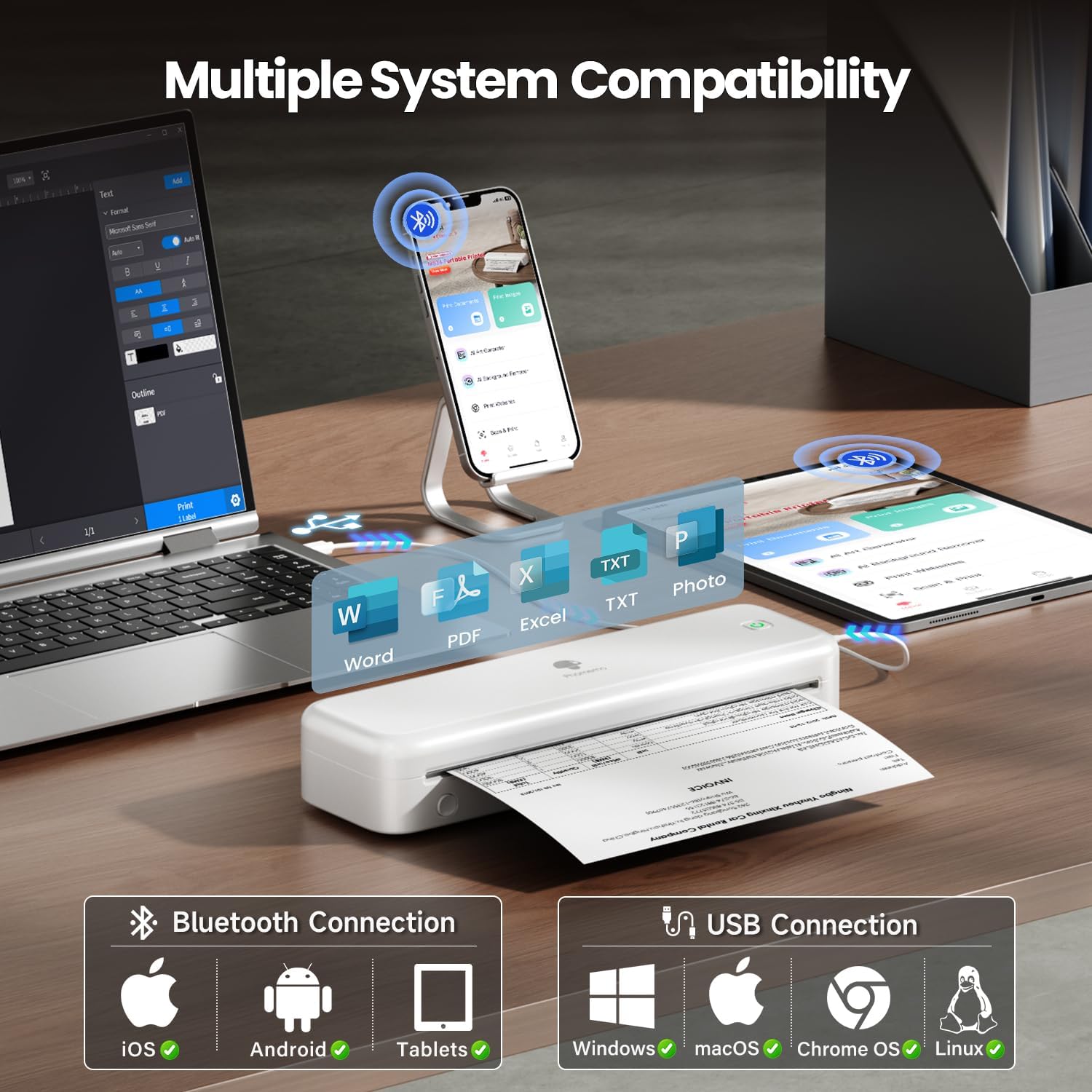
Image: The Phomemo M834 printer demonstrates its broad compatibility, connecting via Bluetooth to iOS, Android, and Tablets, and via USB to Windows, macOS, Chrome OS, and Linux systems, supporting various document formats like Word, PDF, Excel, and text files.
6.3 Nyitak
- Open the document or image you wish to print on your connected device.
- Pilih pilihan citak dina aplikasi.
- Choose the Phomemo M834 as your printer.
- Adjust print settings (e.g., paper size, density) as needed.
- Initiate the print job.
7. Pangropéa
7.1 Ngabersihan Print Head
Regular cleaning of the print head ensures optimal print quality.
- Pareuman printer teras pegatkeun tina daya.
- Buka panutup kertas.
- Usap sirah citak sacara lalaunan nganggo kapas sacara saksamaampDipasang dengan isopropil alkohol.
- Ngidinan sirah print nepi ka garing sagemblengna saméméh nutup panutup sarta powering on printer.
7.2 Panyimpenan
Store the printer in a cool, dry place away from direct sunlight and extreme temperatures. If storing for an extended period, ensure the battery is partially charged (around 50%) to prolong its lifespan.
8. Cara ngungkulan
| Masalah | Mungkin Cukang lantaranana | Solusi |
|---|---|---|
| Printer teu hurung | batré lemah; Tombol daya teu dipencet leres | Charge the printer; Press and hold the power button for 3 seconds |
| Kualitas cetak goréng | Print head dirty; Incorrect paper type; Low battery | Clean the print head; Use Phomemo thermal paper; Charge the printer |
| Teu bisa nyambung via Bluetooth | Bluetooth off; Printer not discoverable; App issue | Ensure Bluetooth is on; Restart printer and app; Re-pair device |
| Kertas macét | Paper loaded incorrectly; Damaged paper | Open cover, remove jammed paper, reload correctly; Use undamaged paper |
| Printer teu dipikawanoh ku PC | Driver not installed; Loose USB connection | Install latest driver from Phomemo website; Check USB cable connection |
9. Spésifikasi
| Fitur | Rincian |
|---|---|
| Modél | M834 |
| Téhnologi percetakan | Termal |
| Resolusi citak | 300 x 300 DPI |
| Konektipitas | Bluetooth, USB |
| Sistem Operasi cocog | Android, iOS, Windows 10/11, Linux, ChromeOS, macOS |
| Kapasitas batré | 2600mAh Litium Polimér |
| Max Input Lambaran Kamampuh | 160 pages (continuous printing) |
| Max Monochrome Printing Speed | 6 ppm |
| Ukuran Kertas Dirojong | US Letter, A4, 4.33'', 3.14'', 2.08'' |
| Dimensi produk | 29 x 11.2 x 9.8 cm |
| Item Beurat | 1.23 kg |
10. Garansi jeung Rojongan
For warranty information and customer support, please refer to the official Phomemo websitus atanapi ngahubungan layanan palanggan maranéhanana langsung. Simpen resi pameseran anjeun salaku bukti pameseran pikeun klaim garansi.
Resmi Phomemo Websitus: www.phomemo.com