
1. Bubuka
The LAMAX X5.2 is a versatile action camera designed to capture your adventures in high definition. Featuring real 4K video recording at 30 frames per second (FPS) and Full HD at 60 FPS, it ensures clear and detailed footage. The camera incorporates MAX Soft Electronic Stabilisation for smooth shots, even in dynamic environments. It is waterproof up to 40 meters with its included case, offers USB-C charging, a 2-inch LCD display, and Wi-Fi connectivity for easy file mindahkeun.

Gambar 1.1: Hareupeun view of the LAMAX X5.2 Action Camera, showcasing lénsa na jeung desain kompak.
2. Eusi Paket
Before using your LAMAX X5.2 Action Camera, please verify that all items are present in the package:
- LAMAX X5.2 kaméra Peta
- Case waterproof (nepi ka 40m)
- Mounting Accessories (various clips, mounts, and adhesive pads)
- Kabel Ngecas USB-C
- Kain beberesih
- Batré Rechargeable
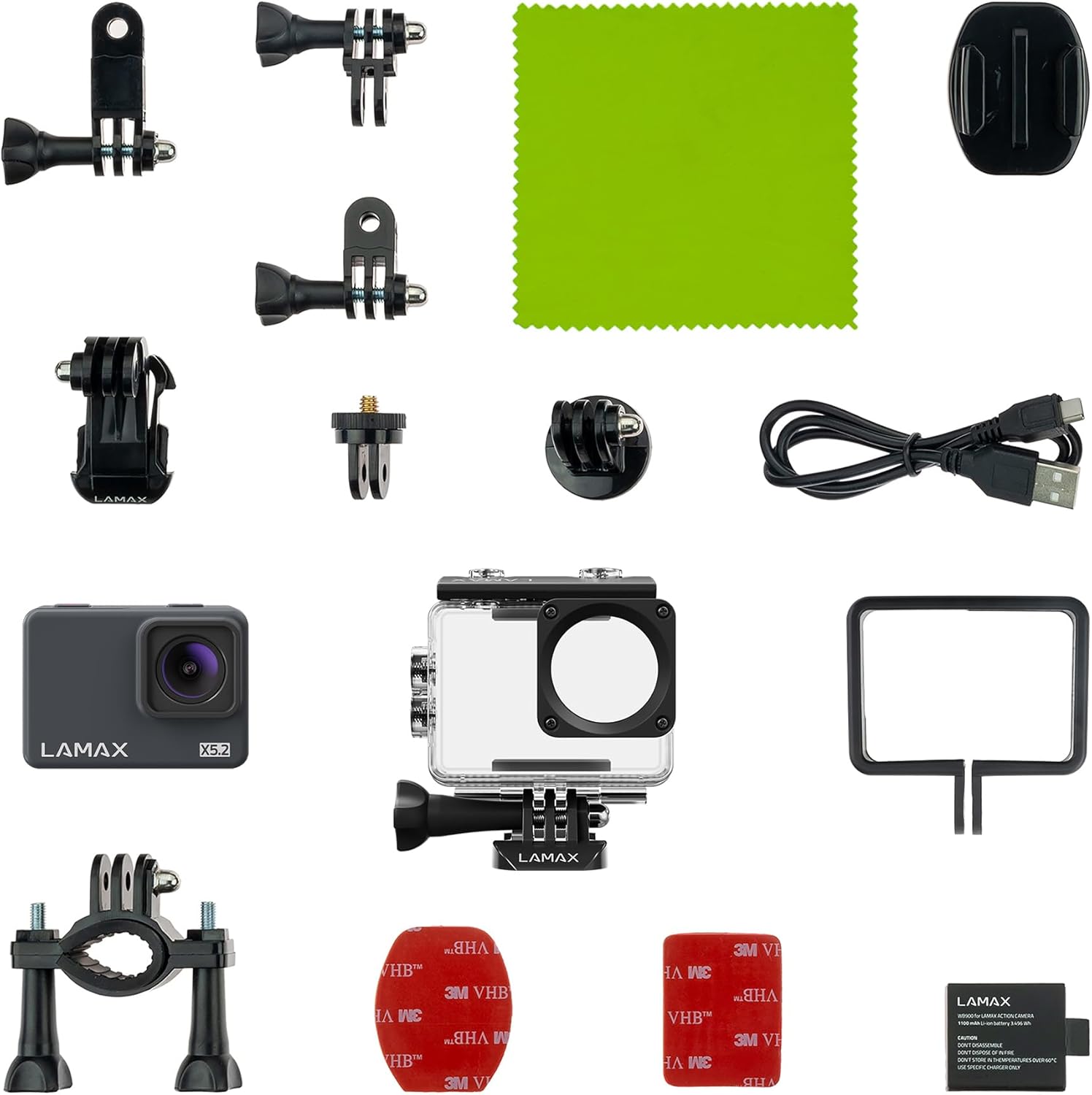
Image 2.1: All components included with the LAMAX X5.2 Action Camera, laid out for inspection.
3. Ngamimitian
3.1 Ngecas Batré
Before first use, fully charge the camera battery. Connect the camera to a USB power source (e.g., computer, wall adapter) using the provided USB-C cable. The charging indicator light will illuminate during charging and turn off when complete.
3.2 Nyelapkeun Kartu MicroSD
The LAMAX X5.2 supports microSD cards up to 128 GB. Use a high-speed card (Class 10 or UHS-I/UHS-3 recommended) for optimal performance. Open the card slot cover, insert the microSD card with the contacts facing the correct direction until it clicks into place. To remove, press the card gently until it springs out.
3.3 Powering on / Pareum
- Pikeun Ngahurungkeun: Pencét jeung tahan tombol Power/Mode sababaraha detik nepi ka layar hurung.
- Pikeun mareuman: Pencét terus tahan tombol Daya/Modeu deui nepi ka layar pareum.
4. Operasi dasar
4.1 Napigasi Menu
Use the Power/Mode button to cycle through different modes (Video, Photo, Playback, Settings). Use the Up/Down buttons (if available, or the Shutter button for selection) to navigate within menus and adjust settings on the 2-inch LCD display. The multilingual menu allows for easy customization.
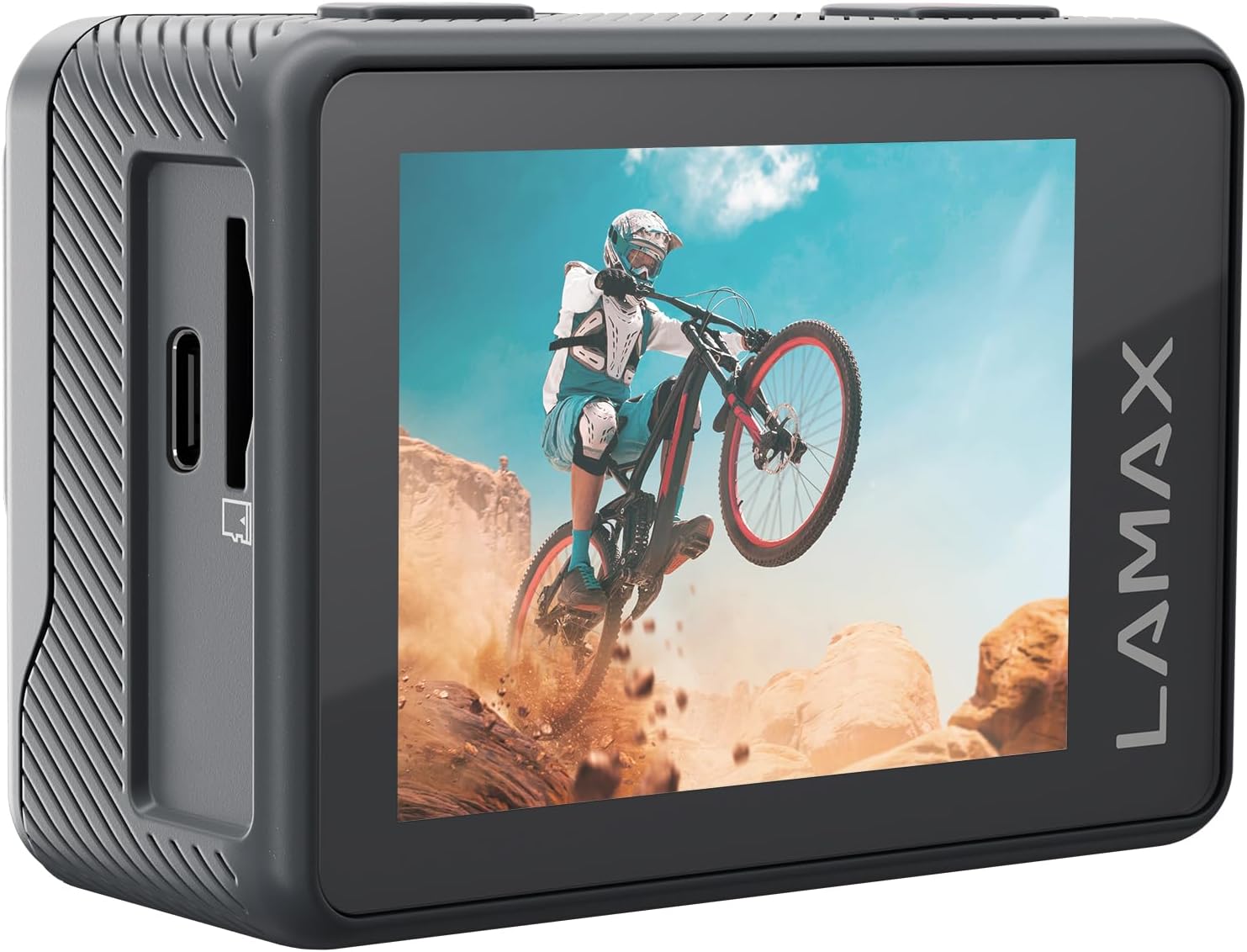
Gambar 4.1: Tukangeun view of the LAMAX X5.2 Action Camera, showing the 2-inch LCD screen displaying captured action footage.
4.2 Rékam pidéo
In Video mode, press the Shutter button to start recording. Press it again to stop. The camera supports real 4K at 30 FPS and Full HD at 60 FPS. MAX Soft Electronic Stabilisation helps achieve smooth video footage.
4.3 Poto Capture
In Photo mode, press the Shutter button to take a picture.
4.4 Sambungan Wi-Fi
Activate Wi-Fi in the camera settings. Download the official LAMAX app on your smartphone or tablet. Connect to the camera's Wi-Fi network. This allows for fast and wireless transfer of footage and remote control of the camera.
5. Fitur canggih
The LAMAX X5.2 offers several creative functions:
- Selang waktos: Capture a series of photos at set intervals and combine them into a video.
- Ngarekam loop: Continuously record video, overwriting the oldest files lamun kartu memori pinuh.
- Gerak Slow: Record video at a higher frame rate to play back in slow motion.
- Timer otomatis: Set a delay before taking a photo.
6. Pamakéan waterproof
The LAMAX X5.2 is waterproof up to 40 meters when enclosed in its dedicated waterproof case. Ensure the case is properly sealed before submerging the camera. Always rinse the case with fresh water after use in saltwater and allow it to dry completely.

Image 6.1: The LAMAX X5.2 Action Camera securely housed within its transparent waterproof case.
7. Pangropéa
7.1 beberesih
Wipe the camera body and lens with a soft, lint-free cloth. For the waterproof case, clean with fresh water and a soft cloth. Avoid harsh chemicals.
7.2 Perawatan Batré
Store the battery in a cool, dry place. Do not expose to extreme temperatures. If storing for extended periods, charge the battery to approximately 50% every few months.
7.3 Panyimpenan
When not in use, store the camera and accessories in a protective case to prevent damage from dust and impacts.
8. Cara ngungkulan
If you encounter issues with your LAMAX X5.2, try the following solutions:
- Kaméra teu hurung: Ensure the battery is fully charged. Try a different USB-C cable and power source.
- Recording issues (freezing, corrupted files): Ensure you are using a high-speed microSD card (Class 10 or higher). Format the microSD card in the camera's settings.
- Masalah sambungan Wi-Fi: Restart both the camera and your mobile device. Ensure the LAMAX app is up to date.
- Kualitas gambar/video goréng: Check the lens for smudges or dirt. Ensure adequate lighting conditions.
For persistent issues, contact LAMAX customer support.
9. Spésifikasi Téknis
| Fitur | Spésifikasi |
|---|---|
| Nomer modél | X5.2 |
| Resolusi Capture Video | 4K (30 FPS), Full HD (60 FPS) |
| Téhnologi Sénsor Poto | CMOS |
| Electronic Stabilization | MAX Soft Electronic Stabilisation |
| Jero waterproof | Up to 40 m (with waterproof case) |
| Konektipitas | USB-C, Wi-Fi |
| Ukuran layar | 2 inci |
| Tipe Mémori Flash | Micro SD (dugi ka 128 GB) |
| Format Capture Video | MP4 |
| Format Audio Dirojong | MP4 |
| Panjang Fokus Maksimum | 2.8 milimeter |
| Warna | Hideung |
| Produsén | LAMAX |
10. Garansi jeung Rojongan
For information regarding the product warranty, please refer to the warranty card included in your package or visit the official LAMAX website. For technical support or service inquiries, please contact LAMAX customer service through their official channels.