
Ourlife AF-E88-BK
Ourlife Mini Drone User Manual
Model: AF-E88-BK
Bubuka
Thank you for choosing the Ourlife Mini Drone. This drone is equipped with dual 4K cameras, offering high-quality photo and video capture, and can be controlled via a smartphone app for real-time viewing. Designed for ease of use, it features one-button takeoff/landing, altitude hold, headless mode, and gesture control, making it suitable for beginners and enthusiasts alike. Its compact, foldable design ensures portability for all your adventures. Please read this manual carefully before operation to ensure safe and optimal performance.
Pedoman Kasalametan
Always prioritize safety when operating your drone. Failure to follow these guidelines may result in injury, damage to property, or legal issues.
- Baca Manual: Fully understand all instructions and warnings before first flight.
- Ruang kabuka: Always fly in open, unobstructed areas, away from people, animals, buildings, and power lines. Avoid flying in strong winds.
- Garis Panempoan: Jaga garis pandang visual sareng drone sepanjang waktos.
- Kasalametan batré: Use only original batteries and charging cables. Do not overcharge or short-circuit batteries. Discontinue use if batteries are damaged or swollen.
- Kasalametan Baling-baling: Keep fingers, hair, and loose clothing away from rotating propellers. Always turn off the drone before handling propellers.
- Watesan Umur: Produk ieu disarankeun pikeun pangguna umur 14 taun ka luhur.
- Patuh Hukum: Be aware of and comply with local laws and regulations regarding drone operation.
Eusi pakét
Pastikeun yén sadaya item aya dina pakét anjeun:

Image: Contents of the Ourlife Mini Drone package, showing the drone, remote control, two rechargeable batteries, a screwdriver, four protective frames, four main propellers, a USB charging cable, and an instruction manual.
- Ourlife Mini Drone x 1
- Jauh Jauh x 1
- Rechargeable Drone Battery x 2
- Obeng x 1
- Pigura Pelindung x 4
- Main Propeller x 4 (spare)
- Kabel Ngecas USB x 1
- Buku Panduan x 1
Note: The remote control requires 3 AAA batteries, which are not included.
Produk Leuwihview
Familiarize yourself with the drone and remote control components.

Image: The Ourlife Mini Drone in its unfolded state, alongside its remote control, two drone batteries, and the drone in its folded, compact form.
Komponén Drone
- Leungeun anu Tiasa Dilipat: Pikeun panyimpenan anu ringkes sareng gampang dibawa.
- Baling-baling: Four main propellers for flight.
- Kaméra ganda: Front 4K camera (120° adjustable) and bottom optical flow lens for stable flight and diverse shooting angles.
- Kompartemen batré: Located at the rear of the drone.
- Lampu LED: Indicate drone status and orientation.

Gambar: Deukeut view of the Ourlife Mini Drone's dual camera system, highlighting the adjustable front camera and the lower lens for stable flight. The front camera can be adjusted by 120 degrees.
Layout kadali jauh
- Joystick kénca: Ngatur luhurna (naék/handap) sareng rotasi (kénca/katuhu).
- Joystick katuhu: Ngadalikeun gerakan maju / mundur sareng kénca / katuhu.
- Tombol Lepas landas/Pendaratan Hiji-Konci: Ngamimitian lepas landas atanapi badarat otomatis.
- Tombol Mode Headless: Ngaktipkeun/nonaktipkeun modeu tanpa sirah.
- Tombol Pindah Laju: Toggles between different flight speeds (low, medium, high).
- Tombol Balik 360°: Executes a 360-degree flip.
- Panyekel telepon: For mounting your smartphone to view Eupan FPV.
Disetél
1. Ngecas Batré Drone
- Sambungkeun kabel ngecas USB kana batré drone.
- Plug the USB end into a 5V/1A USB adapter (not included) or a computer USB port.
- The indicator light on the cable will show charging status. It will turn off or change color when fully charged.
2. Masang Batré Drone
- Pastikeun drone dipareuman.
- Insert the charged battery into the battery compartment at the rear of the drone until it clicks into place.
3. Masang Batré Remote Control
- Buka kompartemen batré dina tonggong kadali jauh.
- Insert 3 AAA batteries (not included) according to the polarity markings.
- Tutup panutup kompartemen batré aman.
4. Attaching Propeller Guards
- Carefully attach the four protective frames to each motor arm of the drone.
- Ensure they are securely fastened to prevent detachment during flight.
5. App Installation (KY UFO)
- Scan the QR code provided in the manual or search for "KY UFO" in your smartphone's app store (App Store for iOS, Google Play for Android).
- Unduh sareng pasang aplikasina.
- Turn on the drone, then go to your phone's Wi-Fi settings and connect to the drone's Wi-Fi network (usually named "KY-UFO-XXXXXX").
- Open the KY UFO app to access the real-time FPV feed and advanced controls.
Parentah Operasi
1. Ngapasangkeun Drone sareng Remote Control
- Tempatkeun drone dina permukaan anu rata, rata.
- Hurungkeun saklar daya drone. Lampu indikator drone bakal kedip-kedip.
- Hurungkeun kadali jauh.
- Push the left joystick all the way up, then pull it all the way down. The drone's lights will stop flashing and remain solid, indicating successful pairing.
2. Kadali hiber dasar
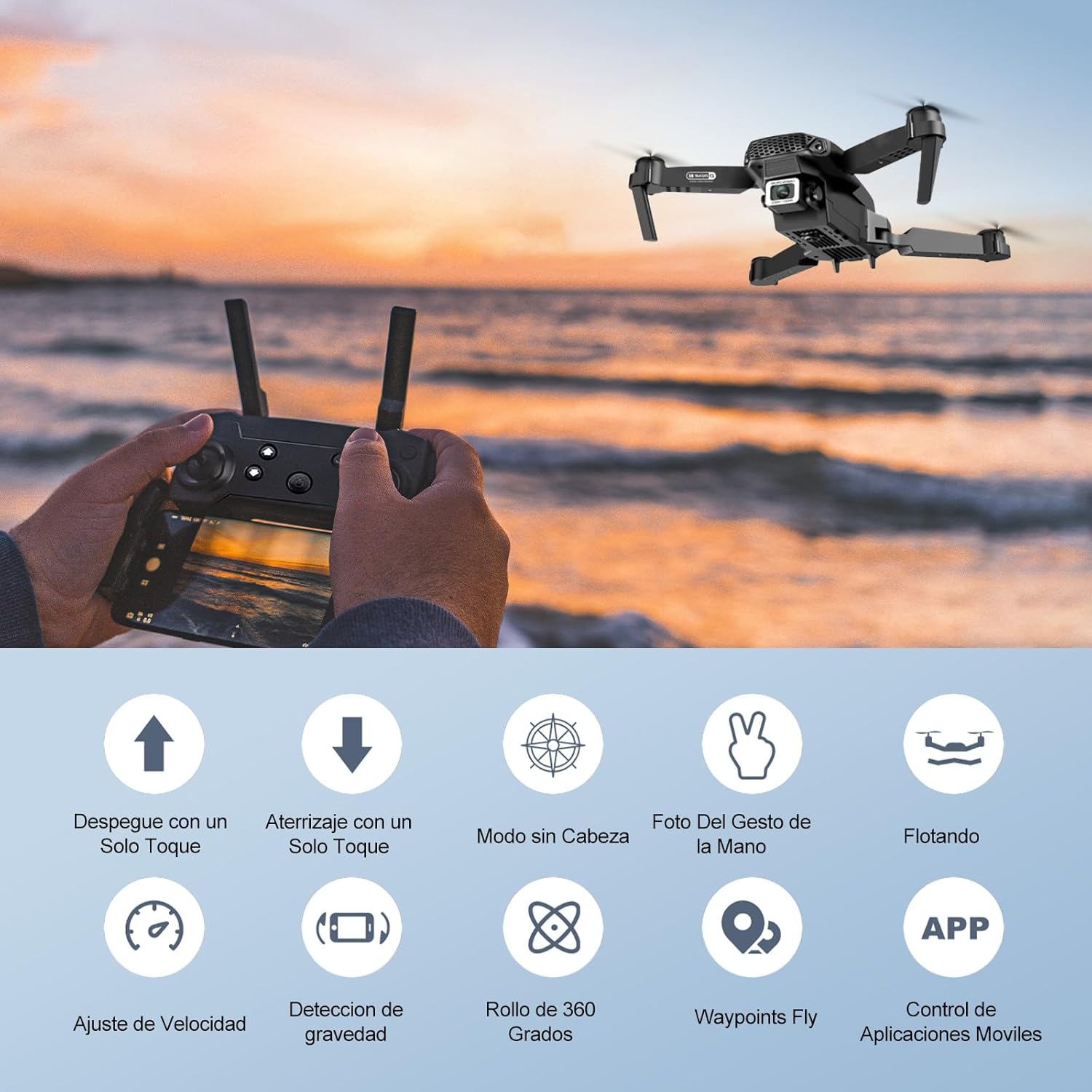
Image: Icons representing various flight features: One-touch takeoff, One-touch landing, Headless Mode, Hand Gesture Photo, Floating (Altitude Hold), Speed Adjustment, Gravity Detection, 360 Degree Roll, Waypoints Fly, and APP Control.
- Takeoff Hiji-Konci: Pencét éta Hiji-Konci Takeoff / badarat button. The drone will automatically ascend and hover at a certain altitude.
- Landing Hiji-Konci: Pencét éta Hiji-Konci Takeoff / badarat button again. The drone will automatically descend and land.
- Ketinggian Tahan: The drone maintains its current altitude automatically, allowing for stable hovering.
- Joystick Kénca (Throttle/Yaw):
- Push up/down: Increase/decrease altitude.
- Push left/right: Rotate drone left/right.
- Right Joystick (Forward/Backward/Sideways):
- Push up/down: Fly forward/backward.
- Push left/right: Fly left/right (strafe).

Image: The Ourlife Mini Drone taking off or landing with a single button press, illustrating the ease of use for beginners.
3. Fitur Penerbangan Canggih
- Mode tanpa sirah: Pencét éta Mode tanpa sirah button. In this mode, the drone's orientation is relative to the pilot, regardless of the drone's actual front. This simplifies control, especially for beginners.
- 360 ° Balikkeun: Fly the drone to a height of at least 2 meters. Press the 360 ° Flip button, then push the right joystick in any direction to perform a flip in that direction.
- Gesture Control (Photos/Videos): With the KY UFO app open, make specific hand gestures in front of the drone's camera to trigger photo or video recording.
- Gerakan "V": Triggers photo capture.
- Sikep Palma: Triggers video recording.
- Waypoint penerbangan: In the KY UFO app, draw a desired flight path on your smartphone screen. The drone will automatically follow this path.
- Pangaluyuan Kacepetan: Pencét éta Pindah kagancangan button to cycle through low, medium, and high-speed modes. Adjust according to your skill level and environmental conditions.
- Transmisi FPV Real-Time: Connect your smartphone to the drone's Wi-Fi. Open the KY UFO app to view siaran vidéo langsung tina kaméra drone dina layar telepon anjeun.
- Induksi Gravitasi: In the KY UFO app, activate gravity induction mode. You can then control the drone's movement by tilting your smartphone.

Image: The Ourlife Mini Drone performing a 360-degree flip in the air and demonstrating the Waypoints Fly feature, where the drone follows a pre-drawn path.

Image: Demonstrates 1080P FPV Real-Time Transmission, showing a live view from the drone. Also illustrates gesture control for taking photos (V-sign) and recording videos (palm gesture), and the 120-degree adjustable camera angle.
Pangropéa
- beberesih: Anggo lawon anu lembut sareng garing pikeun ngabersihan drone sareng kadali jauh. Ulah make bahan kimia atawa pangleyur kasar.
- Ngaganti propeller: If propellers are damaged, replace them with spare ones provided. Ensure correct propeller (A or B) is installed on the corresponding motor.
- Perawatan batré: Simpen batréna di tempat anu tiis sareng garing. Ulah nyimpen batré anu dicas pinuh atanapi béak pisan kanggo waktos anu lami. Cas dugi ka sakitar 50% kanggo panyimpenan jangka panjang.
- Panyimpenan: When not in use, store the drone and its accessories in a safe, dry place, away from direct sunlight and extreme temperatures.
Pamérésan masalah
| Masalah | Mungkin Cukang lantaranana | Solusi |
|---|---|---|
| Drone teu ngaréspon kana remot. | Not paired; low battery (drone/remote); interference. | Re-pair drone and remote. Charge batteries. Move to an area with less interference. |
| Drone drifts salila hiber. | Not calibrated; uneven surface at takeoff; wind. | Calibrate the gyroscope (refer to app instructions). Take off from a flat surface. Avoid flying in windy conditions. |
| Camera feed is not showing in app. | Not connected to drone Wi-Fi; app issue. | Ensure phone is connected to the drone's Wi-Fi network. Restart the app and drone. |
| waktos hiber pondok. | Batré teu dicas pinuh; batré heubeul. | Ensure battery is fully charged before flight. Consider replacing old batteries. |
| Drone gampang nabrak. | Lack of experience; strong wind; damaged propellers. | Practice in open areas. Avoid strong winds. Replace damaged propellers. |
spésifikasi

Image: Diagram showing the dimensions of the Ourlife Mini Drone (unfolded and folded) and its remote control in inches.
| Fitur | Rincian |
|---|---|
| merek | Ourllamun |
| Nomer modél | AF-E88-BK |
| Beurat produk | 430 g (kira-kira 0.95 lbs) |
| Diménsi Produk (Dilebarkeun) | 28 x 22 x 5 cm (kira-kira 11 x 8.7 x 2 inci) |
| Diménsi Produk (Melu) | 12.5 x 8.1 x 5.3 cm (kira-kira 4.9 x 3.2 x 2.1 inci) |
| Jenis Batré | Litium Ion (2 kaasup) |
| Resolusi Capture Video | 4K (Dual Cameras) |
| Téhnologi konektipitas | Wifi |
| Métode kontrol | Kadali jauh, Aplikasi smartphone |
| Warna | Hideung |
Garansi sareng Rojongan
Ourlife provides post-sale warranty support for this product. If you encounter any issues with the drone, remote control, or the KY UFO application during flight or operation, please do not hesitate to contact the seller directly for assistance.
For optimal performance and to minimize potential issues, it is recommended to conduct initial flight tests in an open space, especially when using the propeller protectors. Please note that wind interference may occur when operating outdoors.
Ask a question about this manual
Ask about setup, troubleshooting, compatibility, parts, safety, or missing instructions. Manuals+ will review the question and use this page’s manual context to help answer it.