
DOSS Extreme Boom Pro D100
DOSS Extreme Boom Pro D100 Bluetooth Speaker User Manual
Model: Extreme Boom Pro D100 | Brand: DOSS
Bubuka
Hatur nuhun pikeun meuliasing the DOSS Extreme Boom Pro D100 Bluetooth Speaker. This manual provides essential information for setting up, operating, and maintaining your speaker to ensure optimal performance and longevity. The DOSS Extreme Boom Pro D100 delivers powerful 70W sound with enhanced bass, features beat-sync lights, and is IPX6 waterproof, making it ideal for both indoor and outdoor use.
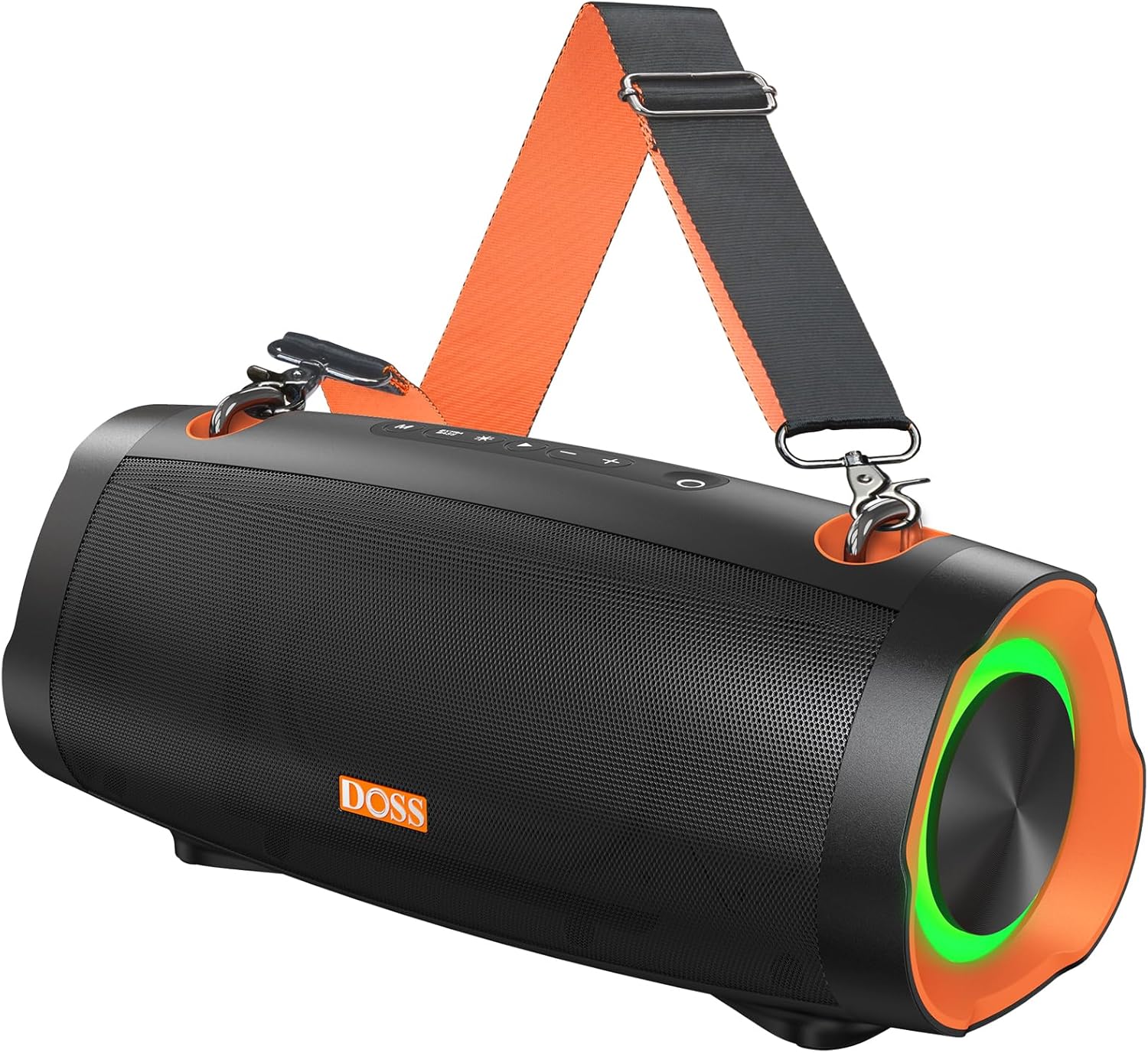
Image: The DOSS Extreme Boom Pro D100 Bluetooth Speaker, showcasing its robust design and integrated shoulder strap for portability.
Eusi pakét
Mangga parios pakét kanggo barang-barang ieu:
- DOSS Extreme Boom Pro D100 Bluetooth Speaker
- Kabel Ngecas USB-C
- Tali taktak adjustable
- Manual pangguna (dokumén ieu)
Produk Leuwihview & Kadali
Biasakeun diri anjeun sareng tata letak sareng kontrol spiker:

Gambar: Hiji ngabeledug view illustrating the internal components of the DOSS Extreme Boom Pro D100, highlighting its 70W sound system with full-range drivers and tweeters.
Control Panel (Top View)
- Tombol Daya: Pencét jeung tahan pikeun mareuman/nonaktipkeun. Pencét pondok pikeun mariksa status batré.
- Tombol Bluetooth: Pencét pondok pikeun ngasupkeun mode papasangan Bluetooth. Pencét jeung tahan pikeun megatkeun sambungan alat ayeuna.
- Volume Turun (-): Pencét pondok pikeun ngirangan volume. Pencét jeung tahan pikeun lagu saméméhna.
- Tombol Puter/Reureuh: Pencét pondok pikeun muterkeun/ngareureuhkeun musik.
- Volume Naik (+): Pencét pondok pikeun ningkatkeun volume. Pencét jeung tahan pikeun lagu salajengna.
- Tombol naekeun Bass: Short press to activate/deactivate Extra Bass mode.
- Tombol Mode Lampu: Short press to cycle through light modes. Press and hold to turn lights on/off.
- Tombol TWS: Pencét pikeun ngamimitian papasangan True Wireless Stereo.
Ports (Rear/Side View)
- Port ngecas USB-C: Pikeun ngecas speaker.
- Port Kaluaran USB-A: For using the speaker as a power bank to charge other devices.
- Port AUX-in: Pikeun sambungan audio kabel.
Disetél
1. Ngecas Speaker
Before first use, fully charge the speaker. Connect the provided USB-C charging cable to the speaker's USB-C port and the other end to a compatible USB power adapter (not included). The LED indicator will show charging status and turn off when fully charged.
2. Powering on / Pareum
Pencét jeung tahan tombol Tombol Daya for 2 seconds to turn the speaker on or off. A sound prompt will indicate the power status.
3. Papasangan Bluetooth
- Hurungkeun speaker. Spiker bakal otomatis asup kana modeu pasangan Bluetooth, dituduhkeun ku LED biru anu kedip-kedip.
- Aktipkeun Bluetooth dina alat Anjeun (smartphone, tablet, jsb).
- Select "DOSS Extreme Boom Pro D100" from the list of available devices.
- Saatos nyambung, indikator LED bakal robah jadi biru polos, sareng anjeun bakal ngadangu sora konfirmasi.
If the speaker does not appear, ensure it is not connected to another device or press the Bluetooth button to force pairing mode.
Parentah Operasi
Puterkeun Musik
- Puter / Reureuh: Pencét pondok Puter / Tombol Reureuh.
- Volume Kaluhur/Turun: Pencét pondok Jilid + or Volume - kancing.
- Lagu salajengna: Pencét jeung tahan tombol Jilid + kancing.
- Lagu Sateuacanna: Pencét jeung tahan tombol Volume - kancing.
Modeu Bass Ékstra
Pencét éta Tombol naekeun Bass to toggle the Extra Bass mode on or off. This enhances low frequencies for a deeper, richer sound experience.
Dinamis Lampu Tembongkeun
The speaker features dynamic LED lights that sync with the music. Short press the Tombol Mode Lampu to cycle through different light patterns. Press and hold the Tombol Mode Lampu to turn the lights on or off.

Image: The DOSS Extreme Boom Pro D100 speaker displaying its dynamic light show, enhancing the atmosphere at a social gathering by a pool.
Papasangan Stereo Nirkabel Sejati (TWS)
You can pair two DOSS Extreme Boom Pro D100 speakers together for an immersive stereo sound experience.
- Pastikeun duanana spiker dihurungkeun sareng henteu nyambung ka alat Bluetooth mana waé.
- On one speaker (this will be the primary speaker), short press the Tombol TWS. Spiker bakal asup kana modeu pasangan TWS.
- The primary speaker will automatically search for the secondary speaker. Once connected, you will hear a confirmation sound, and the TWS indicator will illuminate on both speakers.
- Ayeuna, sambungkeun alat anjeun ka spiker utama via Bluetooth sapertos anu dijelaskeun dina bagian "Pasangan Bluetooth".

Image: Two DOSS Extreme Boom Pro D100 speakers positioned outdoors, demonstrating their True Wireless Stereo (TWS) capability for enhanced audio.
Ngagunakeun salaku Power Bank
The DOSS Extreme Boom Pro D100 can charge other devices using its built-in battery.
- Sambungkeun kabel ngecas alat Anjeun ka port kaluaran USB-A dina speaker.
- The speaker will automatically begin charging your device.
Note: Using the speaker as a power bank will reduce its audio playback time.
Shoulder Strap Usage
Attach the adjustable shoulder strap to the designated loops on the speaker for convenient portability, especially during outdoor activities like hiking or camping.

Image: A person carrying the DOSS Extreme Boom Pro D100 speaker using its detachable shoulder strap, highlighting its portability for outdoor use.
Pangropéa
beberesih
Ngusap spéker ku hipu, damp lawon. Ulah make bahan kimia kasar atawa cleaners abrasive. Pastikeun sadaya palabuhan garing sateuacan ngecas atanapi nyambungkeun alat anu sanés.
Peunteun waterproof IPX6
The DOSS Extreme Boom Pro D100 is IPX6 waterproof, meaning it is protected against high-pressure water jets from any direction. It is suitable for use in rainy conditions or near water bodies like pools and beaches. However, it is teu dirancang pikeun tilelep dina cai. Ensure the charging port cover is securely closed before exposing the speaker to water.

Image: The DOSS Extreme Boom Pro D100 speaker being splashed with water, illustrating its IPX6 waterproof capability, suitable for outdoor environments.
Panyimpenan
Store the speaker in a cool, dry place away from extreme temperatures and direct sunlight. If storing for an extended period, charge the battery to about 50% every few months to preserve battery life.
Pamérésan masalah
| Masalah | Mungkin Cukang lantaranana | Solusi |
|---|---|---|
| Speaker teu hurung. | batré lemah; Tombol daya teu tahan cukup lila. | Ngecas spéker pinuh. Pencét jeung tahan tombol Daya salila 2 detik. |
| Teu bisa masangkeun via Bluetooth. | Speaker is already connected to another device; Bluetooth is off on your device; Speaker is too far from device. | Disconnect from previous device or press Bluetooth button to force pairing. Ensure Bluetooth is enabled on your device. Move speaker closer to device (within 10 meters). |
| Taya sora atawa volume low. | Volume too low on speaker or device; Speaker not connected properly. | Increase volume on both speaker and connected device. Re-pair Bluetooth connection. |
| Papasangan TWS gagal. | Speakers are too far apart; One speaker is already connected to a Bluetooth device. | Ensure both speakers are within 5 meters of each other. Disconnect any Bluetooth devices from both speakers before initiating TWS pairing. |
| Pertunjukan lampu teu jalan. | Lights are turned off; Speaker is in a mode that doesn't support lights. | Pencét tombol Modeu Lampu pikeun ngalih ka modeu anu sanés atanapi pencét terus tahan pikeun ngahurungkeun lampu. |
spésifikasi
| Fitur | Rincian |
|---|---|
| Ngaran modél | Ekstrim Boom Pro D100 |
| Tipe Speaker | Luar |
| Kaluaran sora | 70W RMS (140W Puncak) |
| Fitur husus | Bass Boost, Beat-Sync Lights, Power Bank Function |
| Téhnologi konektipitas | Bluetooth |
| Mode Kaluaran Audio | Stereo (kalayan TWS) |
| Kahirupan batré | Nepi ka 24 Jam |
| Peunteun waterproof | IPX6 |
| Dimensi produk | 34.7D x 16.4W x 17.4H Sentimeter |
| Beurat | 2.39 kg |
| Alat nu cocog | Gaming Console, Karaoke Machine, Laptop, Smartphone, Tablet, Television |
Émbaran Kasalametan
- Ulah ngalaan speaker ka suhu ekstrim, sinar panonpoé langsung, atawa seuneu kabuka.
- Ulah ngabongkar, ngalereskeun, atanapi ngarobih speaker. Ieu bakal ngabatalkeun garansi.
- Jauhkeun speaker ti barudak jeung piaraan.
- Anggo ukur kabel ngecas anu disayogikeun atanapi anu sarimbag anu disertipikasi.
- Hindarkeun lungsur atanapi nahan panyatur kana tabrakan anu kuat.
- Ensure the charging port cover is securely closed when not charging, especially when near water.
Garansi sareng Rojongan
DOSS products come with a limited warranty. For detailed warranty information, product support, or technical assistance, please visit the official DOSS websitus atanapi ngahubungan layanan palanggan maranéhna. Simpen resi pameseran anjeun salaku bukti pameseran.
Official DOSS Store: Visit the DOSS Store on Amazon
Ask a question about this manual
Ask about setup, troubleshooting, compatibility, parts, safety, or missing instructions. Manuals+ will review the question and use this page’s manual context to help answer it.