
1. Bubuka
This manual provides essential information for setting up, operating, and maintaining your TCL 43-Inch Q6 QLED 4K UHD Smart TV (Model 43Q651F). Please read this manual thoroughly before using the television to ensure proper and safe operation. Keep this manual for future reference.
The TCL Q6 Series TV features QLED Quantum Dot technology, 4K UHD resolution, HDR PRO+ with Dolby Vision, Dolby Atmos, and integrated Fire TV for a comprehensive entertainment experience.
2. Émbaran Kasalametan
Salawasna turutan pancegahan kaamanan dasar nalika nganggo televisi ieu pikeun ngirangan résiko kahuruan, kejutan listrik, sareng tatu.
- Ulah ngalaan TV ka hujan atawa beueus.
- Do not open the TV cabinet. Refer all servicing to qualified personnel.
- Pastikeun ventilasi ditangtoskeun sabudeureun TV. Ulah meungpeuk bukaan ventilasi.
- Nangtayungan kabel kakuatan tina keur leumpang dina atawa pinched.
- Cabut colokan TV nalika badai kilat atanapi nalika henteu dianggo kanggo waktos anu lami.
- Keep the TV away from heat sources such as radiators, heat registers, stoves, or other apparatus that produce heat.
3. Naon dina Box
Pastikeun sadaya komponén aya nalika dibongkar.
- TV Pintar TCL Q6 QLED 4K UHD 43 inci
- Kabel Daya
- Kadali jauh
- Rak TV (2)
- Gancang Mimitian Guide
- Batré pikeun Remote Control

Image: Contents of the box and TV dimensions for the TCL Q6 Series.
4. Setélan
4.1 Pamasangan nangtung
Pikeun masang stan TV:
- Teundeun TV nyanghareup ka handap dina permukaan datar nu lemes pikeun nyegah karuksakan layar.
- Sejajarkeun unggal stand jeung liang screw nu pakait dina handap TV.
- Ngamankeun unggal nangtung ngagunakeun screws disadiakeun. Pastikeun aranjeunna tightened pageuh.
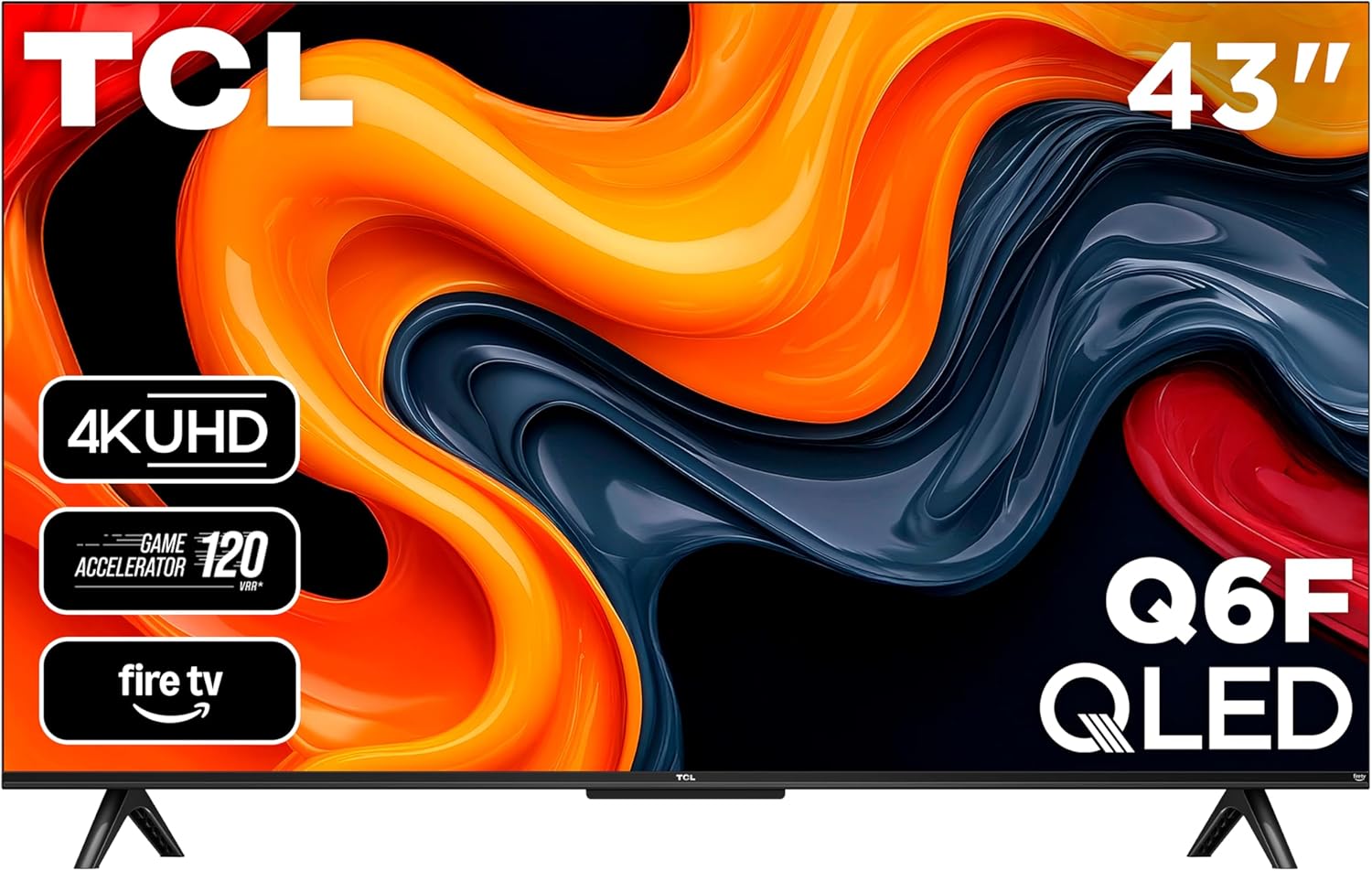
Gambar: Hareupeun view of the TCL 43-Inch Q6 QLED Smart TV with its stand installed.
4.2 Pamasangan témbok
If you choose to wall mount your TV, ensure you use a VESA-compliant wall mount kit. The VESA mounting standard for this model is 100 x 200 mm. Follow the instructions provided with your wall mount kit. Remove the TV stands before wall mounting.
4.3 Nyambungkeun périferal
Sambungkeun alat éksternal anjeun ka TV nganggo port anu saluyu.
- HDMI: Connect Blu-ray players, game consoles, or cable boxes to HDMI 1, HDMI 2, or HDMI 3 (eARC). HDMI 3 supports Audio Return Channel (eARC) for enhanced audio connectivity with soundbars or AV receivers.
- USB 2.0: Insert a USB flash drive for media playback or to pause/rewind live TV (with compatible antenna input).
- Kabel/ANT: Connect an antenna or cable for over-the-air or cable TV viewing.
- Input AV: Use an AV adapter (not included) to connect older game consoles or VCRs.
- Headphone: Connect headphones or an older stereo system.
- Audio optik kaluar: Nyambung ka soundbars atawa panarima pikeun audio digital.
- Ethernet: Sambungkeun kabel Ethernet pikeun sambungan internét kabel.

Gambar: Detil view of the connectivity ports on the side of the TCL Q6 TV.
4.4 Kakuatan Awal & Setup Kahiji-Waktu
Saatos nyambungkeun sadaya kabel anu diperyogikeun:
- Colokkeun kabel listrik kana stop kontak listrik.
- Pencét tombol daya dina kadali jauh atawa dina TV sorangan.
- Turutan parentah dina layar pikeun ngalengkepan setelan awal, kalebet pilihan basa, sambungan jaringan (Wi-Fi atanapi Ethernet), sareng login akun Fire TV.
5. Parentah Operasi
5.1 Jauh Control Leuwihview
The included remote control allows you to navigate the TV's features. It includes dedicated buttons for power, volume, channel, input selection, and direct access to streaming services and Alexa voice control.

Image: The remote control for the TCL Q6 Fire TV, featuring an Alexa voice button.
5.2 Fungsi Dasar
- kakuatan: Pencét tombol daya pikeun ngaktipkeun atanapi mareuman TV.
- Volume: Use the Volume Up/Down buttons to adjust audio levels.
- Saluran: Use the Channel Up/Down buttons to change channels (for antenna/cable input).
- Input: Press the Input button to select different video sources (HDMI, AV, etc.).
5.3 Fitur TV Pinter (Fire TV)
Your TCL Q6 TV runs on Fire OS, providing access to a wide range of streaming applications, live TV, and smart features.
- Napigasi Aplikasi: Use the remote's directional pad to browse and launch apps from the Fire TV home screen.
- Kontrol Sora (Alexa): Press and hold the Alexa button on your remote to issue voice commands for searching content, controlling playback, checking weather, and more.
- Apple AirPlay 2: Stream content directly from your Apple devices (iPhone, iPad, Mac) to your TV. Ensure both devices are on the same Wi-Fi network.

Image: The Fire TV home screen interface on the TCL Q6 TV, showing various streaming applications.
5.4 Setélan Gambar
Aksés menu setelan gambar pikeun ngaluyukeun Anjeun viewpangalaman. Fitur konci kalebet:
- Téknologi Quantum Dot QLED: Delivers rich, vibrant colors and enhanced contrast.
- HDR PRO+ sareng Dolby Vision, HDR10+, HDR10, & HLG: Nyadiakeun kontras unggul sarta akurasi warna pikeun eusi cocog.
- Caang Luhur + Lampu Latar LED: Ensures bright images for an enhanced viewpangalaman.
- Laju Gerakan 240 sareng MEMC: Reduces motion blur for clear, fast-action scenes in movies, sports, and games.

Image: Visual comparison illustrating the rich, vibrant colors provided by QLED technology versus a conventional TV.

Image: Visual comparison demonstrating the enhanced brightness of High Brightness+ LED Backlight compared to a conventional TV.

Image: Visual comparison showing the clarity of fast-moving images with Motion Rate 240 and MEMC enabled versus without.
5.5 Setélan Audio
Adjust audio settings for optimal sound. The TV supports:
- Dolby Atmos: Nyayogikeun sora anu imersif sareng multi-diménsi.
- DTS Virtual:X: Nyiptakeun pangalaman sora sakuriling virtual.

Image: A cinematic ocean scene with the Dolby Atmos logo, illustrating immersive audio.
5.6 Fitur kaulinan
For gamers, the TV includes:
- Game Accelerator 120: Enhances motion clarity for gaming.
- Modeu Kaulinan Otomatis: Automatically optimizes settings for low latency and responsive gameplay.
6. Pangropéa
6.1 Ngabersihan TV Anjeun
Salawasna cabut kabel TV sateuacan dibersihkeun. Anggo lawon anu lemes sareng garing pikeun ngusap layar sareng kabinet. Entong nganggo pembersih cair atanapi semprotan aerosol langsung kana TV.
6.2 Apdet parangkat lunak
TV anjeun tiasa nampi apdet parangkat lunak otomatis ngalangkungan sambungan internétna. Pastikeun TV anjeun nyambung ka internét pikeun nampi fitur sareng paningkatan kinerja pangénggalna. Anjeun ogé tiasa mariksa apdet sacara manual dina ménu setélan TV.
7. Cara ngungkulan
Upami anjeun ngalaman masalah sareng TV anjeun, tingal solusi umum ieu:
| Masalah | Solusi anu mungkin |
|---|---|
| Taya kakuatan | Pastikeun yén kabel listrik dicolokkeun sacara aman kana TV sareng stopkontak listrik anu tiasa dianggo. Coba outlet béda. |
| Henteu aya gambar, tapi aya sora | Pariksa sumber input. Pastikeun alat éksternal dihurungkeun tur disambungkeun leres. Coba hurungkeun deui TV. |
| Henteu aya sora, tapi aya gambar | Check the volume level and mute status. Verify audio cables for external sound systems. Check TV audio output settings. |
| Kadali jauh teu jalan | Ganti batréna. Pastikeun teu aya halangan antara remote sareng TV. |
| Teu bisa nyambung ka Wi-Fi | Pastikeun router Wi-Fi anjeun hurung sareng tiasa dianggo. Lebetkeun deui kecap akses Wi-Fi. Cobi hurungkeun deui TV sareng router. |
| Choppy picture during fast movements | Adjust picture settings related to motion (e.g., Motion Rate 240 settings). Ensure the input source is providing a stable signal. |
8. Spésifikasi
| Fitur | Rincian |
|---|---|
| Nomer modél | 43Q651F |
| Ukuran layar | 42.5 inci (43 inci kelas) |
| Resolusi | 4K Ultra HD (3840 x 2160) |
| Téknologi tampilan | QLED, High Brightness+, Direct LED |
| Refresh Laju | 60 Hz (Laju Gerak 240) |
| Format HDR Dirojong | Dolby Visi, HDR10, HDR10+, HLG |
| Sistem operasi | FireOS |
| Kaluaran Audio | 20 Watts, 5.1 Channels |
| Integrated Surround Sound | Dolby Atmos, DTS Virtual:X |
| Konektipitas | Wi-Fi, Ethernet, Bluetooth 5.0, 3x HDMI, 1x USB 2.0, 1x Composite Video, Optical Audio Out, 3.5mm Audio Input |
| Fitur husus | Bezel-Less Design, Game Mode, Parental Controls, Alexa Built-in, Apple AirPlay 2 |
| VESA Gunung Standar | 100 x 200 mm |
| Ukuran produk (kalayan stand) | 95.6W x 18.5D x 60H cm |
| Beurat | 9.07 kg |
9. Garansi jeung Rojongan
9.1 Garansi Produsén
This TCL TV comes with a 1-year manufacturer's warranty. Please refer to the warranty card included with your product for specific terms and conditions, or visit the official TCL websitus kanggo inpormasi garansi lengkep.
9.2 Rojongan Palanggan
For technical assistance, troubleshooting not covered in this manual, or warranty claims, please contact TCL customer support. Contact information can typically be found on the TCL official websitus atanapi dina dokuméntasi anu kalebet sareng TV anjeun.


