
Ourlife M40TR
OurlBuku Panduan Pangguna Kaméra Aksi WiFi ife 5K30FPS
Model: M40TR
Bubuka
This manual provides detailed instructions for the safe and effective use of your Ourlife 5K30FPS WiFi Action Camera. Please read this manual thoroughly before operating the device to ensure optimal performance and longevity.
The Ourlife M40TR is a versatile action camera designed to capture high-quality video and photos in various environments, including underwater, thanks to its robust waterproof casing. It features 5K 30fps video recording, a dual-screen display, a 170-degree wide-angle lens, and Wi-Fi connectivity.
Naon dina Box
Saatos unboxing, mangga pariksa yen sakabeh komponen aya:
- Ourlife M40TR Action Camera
- Kasus waterproof
- Asesoris pamasangan
- Kabel Ngecas USB
- Manual pangguna (dokumén ieu)
- Remote Control (if included with specific package)

Image: The Ourlife M40TR Action Camera shown with its waterproof housing and a small remote control. This image illustrates the primary components included with the camera.
Produk Leuwihview
Familiarize yourself with the camera's main components and interfaces.
- Layar hareup: 1.3-inch display for quick status checks.
- Layar pungkur: 2.0-inch IPS touch screen for menu navigation and playback.
- Lensa: 170-degree wide-angle lens.
- Tombol Kakuatan / Mode: Dianggo pikeun ngahurungkeun/mareuman sareng pindah antara modeu.
- Tombol Rana/OK: Used to start/stop recording or take photos, and confirm selections.
- Port mikropon: Pikeun nyambungkeun mikropon éksternal.
- Port USB: Pikeun ngecas sareng mindahkeun data.
- Slot Kartu MicroSD: Pikeun nyelapkeun kartu memori.
- Kompartemen batré: Pikeun masang batré.

Gambar: A close-up view of the Ourlife Action Camera highlighting its 2-inch responsive touch screen. This screen is used for controlling camera functions and reviewdina footage.
Disetél
1. Ngecas Batré
Before first use, fully charge the camera battery. Connect the camera to a USB power source (e.g., computer, wall adapter) using the provided USB cable. The charging indicator light will illuminate during charging and turn off when complete.
2. Nyelapkeun Kartu MicroSD
A MicroSD card (not included) is required for recording. Use a Class 10 or higher MicroSD card, up to 128GB. Insert the card into the MicroSD card slot with the contacts facing the correct direction until it clicks into place.
Catetan: For optimal performance, format the MicroSD card within the camera before first use and periodically thereafter.
3. Ngalampirkeun Case waterproof
The camera comes with a waterproof case for underwater use and protection against impacts. Ensure the camera is securely placed inside the case and the latch is firmly closed before submerging or exposing to harsh conditions.
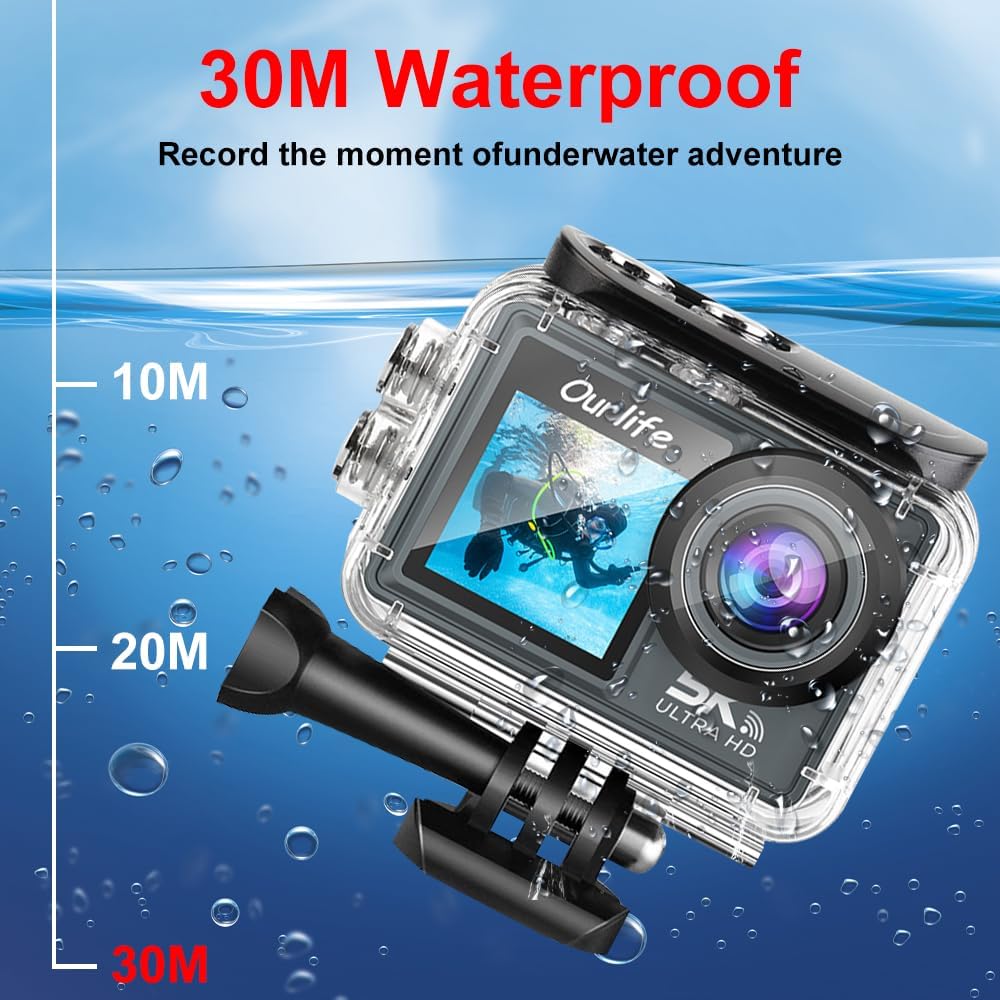
Image: The Ourlife Action Camera enclosed in its waterproof case, depicted underwater with depth markers indicating its 30-meter waterproof capability. This highlights the camera's suitability for aquatic activities.
4. Powering on / Pareum
To power on, press and hold the Power/Mode button for a few seconds. To power off, press and hold the Power/Mode button again until the screen turns off.
Ngoperasikeun kaméra
1. Kontrol Dasar sareng Navigasi
Use the Power/Mode button to cycle through different shooting modes (Video, Photo, Playback, Settings). Use the touch screen for menu navigation and selecting options. The Shutter/OK button initiates recording or takes a photo in the respective modes.
2. Ngarekam Pidéo
In Video mode, press the Shutter/OK button to start recording. Press it again to stop. The camera supports resolutions up to 5K at 30 frames per second (fps), as well as 4K, 2.7K, 1080P, and 720P options. Adjust resolution in the settings menu.
3. Poto Capture
In Photo mode, press the Shutter/OK button to take a single photo. The camera offers various photo modes including single shot, automatic shooting, burst mode, and timed photography.
4. Wi-Fi jeung App Konéktipitas
Enable Wi-Fi in the camera's settings. Download the official Ourlife app on your smartphone or tablet. Connect your device to the camera's Wi-Fi network. The app allows for remote control, live preview, playback, and sharing of your footage.
5. External Microphone Support
For enhanced audio quality, connect a compatible external microphone to the camera's microphone port. Ensure the microphone is securely connected before recording.
6. Enhanced Image Stabilization (EIS)
The camera features Electronic Image Stabilization (EIS) to reduce blur and shake in your videos, especially during action-packed activities. This feature can be toggled On or Off in the camera settings.

Image: A side-by-side comparison demonstrating the effect of Enhanced Image Stabilization (EIS). The left image shows a clear, stable shot with EIS enabled, while the right image shows a blurred shot with EIS disabled, illustrating the benefit of the feature.
7. Wide-Angle Lens
The 170-degree wide-angle lens captures a broad field of view, ideal for landscapes, group shots, and immersive action footage. Be aware that wide-angle lenses may exhibit some distortion at the edges of the frame.

Gambar: Témbongkeun ilustrasicasing the 170-degree ultra wide-angle capability of the Ourlife Action Camera, demonstrating how it captures a significantly broader scene compared to narrower angles, ideal for expansive views.
Pangropéa
- beberesih: Anggo lawon anu lemes sareng henteu ngaganggu pikeun ngabersihkeun lénsa kaméra sareng layar. Pikeun wadah anu tahan cai, bilas ku cai bersih saatos dianggo dina cai asin teras antepkeun dugi ka garing.
- Panyimpenan: Simpen kaméra di tempat anu tiis sareng garing jauh tina sinar panonpoé langsung sareng suhu anu ekstrim. Cabut batré upami disimpen kanggo waktos anu lami.
- Perawatan batré: Avoid fully discharging the battery frequently. Charge the battery regularly, even if not in use, to maintain its lifespan.
Pamérésan masalah
| Masalah | Solusi anu mungkin |
|---|---|
| Kaméra teu hurung. | Ensure the battery is charged. Reinsert the battery. |
| Teu tiasa ngarékam pidéo / nyandak poto. | Check if a MicroSD card is inserted and formatted. Ensure sufficient storage space. |
| Kualitas video/poto goréng. | Clean the lens. Check resolution settings. Ensure adequate lighting. |
| Masalah sambungan Wi-Fi. | Ensure Wi-Fi is enabled on the camera and your device. Restart both devices. Check app permissions. |
| Kaméra freezes atawa jadi unresponsive. | Cabut sareng pasang deui batréna pikeun ngalakukeun reset keras. |
spésifikasi
| Fitur | Rincian |
|---|---|
| Nomer modél | M40TR |
| Resolusi Video | Up to 5K 30fps (also 4K, 2.7K, 1080P, 720P) |
| Jero waterproof | Up to 30 meters (with waterproof case) |
| Ukuran Layar Utama | IPS 2.0 inci |
| Ukuran Layar Sekunder | 1.3 inci |
| Sudut Lensa | 170-degree Wide-Angle |
| Konektipitas | Wi-Fi, USB |
| Panyimpenan | MicroSD Card (Class 10 or higher, up to 128GB) |
| External Microphone Support | Sumuhun |
| Stabilisasi Gambar | Stabilisasi Gambar Éléktronik (EIS) |
| Warna | Hideung |
Garansi sareng Rojongan
For warranty information and technical support, please refer to the official Ourllamun websitus atanapi ngahubungan layanan palanggan maranéhanana langsung. Simpen resi pameseran anjeun salaku bukti pameseran pikeun klaim garansi.
Official Ourlife Store: Visit the Ourlife Store on Amazon