
1. Bubuka
Hatur nuhun pikeun meuliasing the KTC 24-inch WQHD 100Hz IPS Monitor. This manual provides essential information for the safe and efficient use of your new monitor. Please read it thoroughly before use and keep it for future reference.
This monitor features a 24-inch IPS panel with WQHD (2560x1440) resolution, offering stunning visual clarity and vibrant colors with 122% sRGB coverage. A 100Hz refresh rate and FreeSync & G-Sync compatibility ensure smooth, tear-free visuals, ideal for both office work and casual gaming. Advanced eye care technologies, including blue light reduction and flicker-free operation, provide a comfortable viewing experience even during extended use. The monitor also supports HDR10 for enhanced dynamic range and features flexible connectivity options with HDMI and DisplayPort.
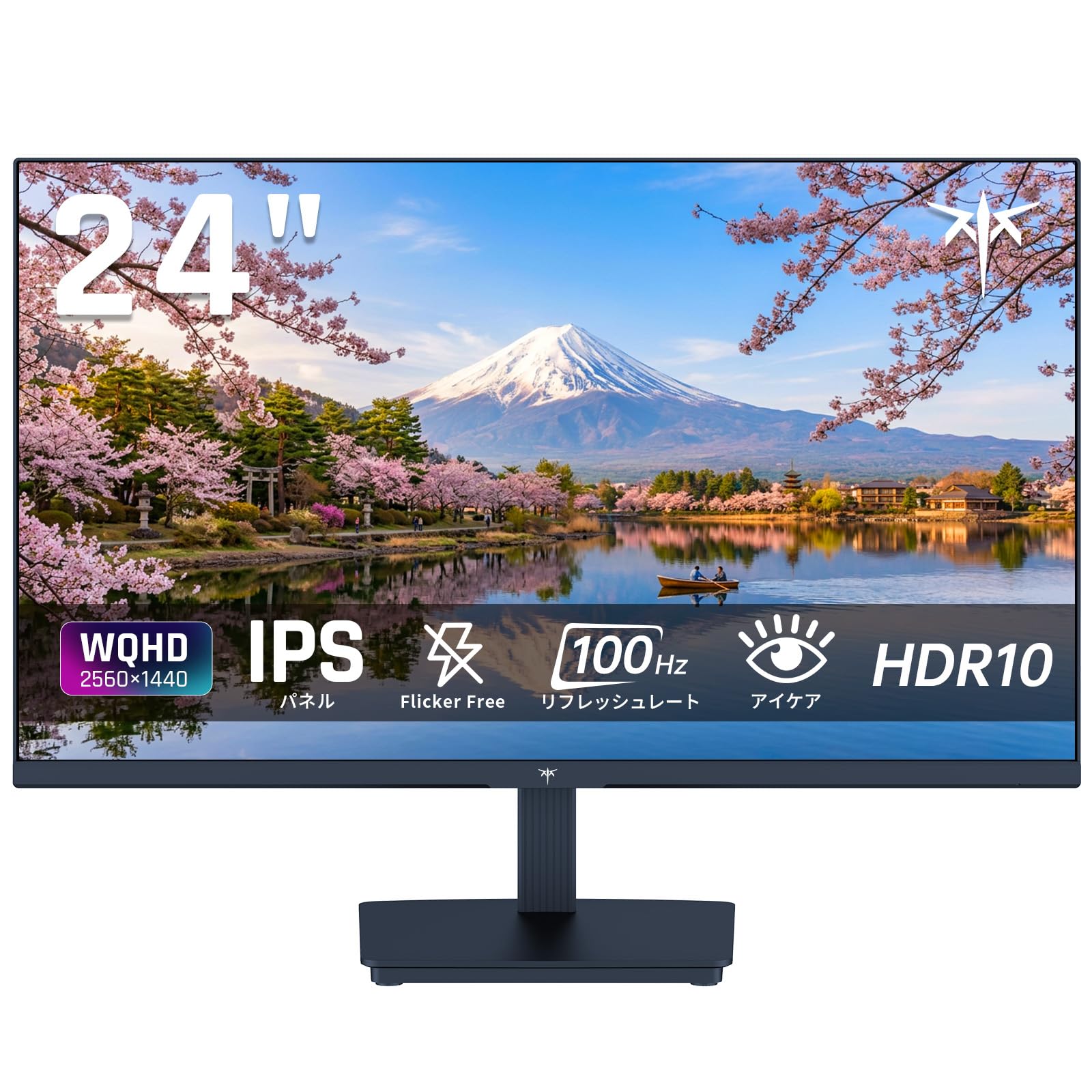
Image: KTC 24-inch WQHD 100Hz IPS Monitor.
2. Émbaran Kasalametan
Please observe the following safety precautions to prevent damage to the monitor or injury to yourself or others:
- Ulah ngalaan monitor ka hujan, beueus, atawa suhu ekstrim.
- Mastikeun ventilasi ditangtoskeun sabudeureun monitor pikeun nyegah overheating.
- Paké ngan adaptor kakuatan disadiakeun kalawan monitor.
- Hindarkeun nempatkeun barang beurat dina kabel listrik atanapi monitor.
- Do not attempt to disassemble or repair the monitor yourself. Contact qualified service personnel.
- Jauhkeun monitor tina médan magnét anu kuat.
3. Eusi Paket
Pastikeun yén sadaya item aya dina bungkusan:
- KTC 24-inch WQHD 100Hz IPS Monitor (H24T27)
- Basis Monitor
- Kabel HDMI
- Adaptor kakuatan
- Manual pamaké
4. Setélan
4.1 Ngarakit Stand
- Carefully remove the monitor and base from the packaging.
- Pasangkeun beuheung penyangga kana panel monitor.
- Secure the base to the stand neck using the provided screws.
4.2 Nyambungkeun Monitor
Sambungkeun monitor ka komputer Anjeun atawa alat sejenna make kabel nu luyu.
- Sambungan Daya: Connect the power adapter to the monitor's DC input and then plug it into a power outlet.
- Sambungan Video: Use the supplied HDMI cable or a DisplayPort cable to connect your computer's video output to the corresponding port on the monitor.
- Kaluaran Audio: If desired, connect headphones or external speakers to the 3.5mm audio output jack.

Image: Close-up of the KTC monitor's rear ports, including DC power, HDMI, DisplayPort, and audio out.
5. Parentah Operasi
5.1 Daya Hurung/Pareuman
Pencét tombol daya anu aya dina monitor pikeun ngaktipkeun atanapi mareuman.
5.2 Menu dina layar (OSD).
The OSD menu allows you to adjust various monitor settings. Use the control buttons (usually located on the back or bottom of the monitor) to navigate the menu and make selections.
5.3 Setélan tampilan
- Resolusi: The monitor supports WQHD (2560x1440) resolution for sharp and detailed images. Ensure your graphics card is set to this resolution for optimal display.
- Laju Refresh: Enjoy smooth visuals with a 100Hz refresh rate. This can be configured in your operating system's display settings.
- Warna Gamut: The monitor offers 122% sRGB coverage for rich and accurate colors.

Image: KTC monitor highlighting key features like IPS panel, 100Hz, WQHD, 24-inch, Adaptive Sync, and blue light reduction.

Image: Comparison of WQHD (2560x1440) and FHD (1920x1080) resolutions, demonstrating enhanced detail with WQHD.

Image: Comparison of 100Hz and 60Hz refresh rates, showing smoother motion with 100Hz.
5.4 Adaptive Sync (FreeSync & G-Sync)
The monitor supports both FreeSync and G-Sync technologies to eliminate screen tearing and stuttering, providing a fluid gaming experience. Ensure this feature is enabled in your graphics card settings and the monitor's OSD.

Image: Monitor display showing HDR10 content on one side and standard HDR on the other, along with FreeSync & G-Sync comparison (ON/OFF).
5.5 Fitur Perawatan Panon
The monitor includes Flicker-Free technology and a Blue Light Reduction mode to minimize eye strain during prolonged use. These settings can be adjusted via the OSD menu.

Image: KTC monitor displaying eye care features: Low Blue Light (ON/OFF) and Flicker-Free (ON/OFF).
5.6 Rojongan HDR10
This monitor supports HDR10, providing a wider range of colors and contrasts for a more immersive viewing experience. Ensure HDR is enabled in your device's display settings for compatible content.
5.7 Stand adjustable
The monitor stand allows for tilt adjustment from -5° to 15°, enabling you to find the most comfortable viewsudut ing.

Gambar: Sisi view of the KTC monitor demonstrating the tilt-adjustable stand (-5° to 15°).
5.8 lebar Viewdina Angle
The IPS panel provides a wide 178-degree viewing angle, ensuring consistent color and image quality from almost any perspective.

Image: KTC monitor showcasing a wide 178-degree viewing angle with consistent color.
6. Pangropéa
6.1 Ngabersihan Monitor
- Salawasna cabut monitor saméméh beberesih.
- Anggo kaén anu lemes sareng teu aya serat anu hampang dampDieusian ku cai atanapi pembersih layar anu hampang sareng henteu abrasive.
- Ulah menyemprot cleaner langsung kana layar.
- Hindarkeun ngagunakeun bahan kimia anu kasar atanapi bahan abrasive.
6.2 Perawatan Umum
- Simpen monitor dina lingkungan anu bersih sareng garing.
- Protect the screen from sharp objects.
- When moving the monitor, handle it carefully and avoid putting pressure on the screen.
7. Cara ngungkulan
Upami anjeun mendakan masalah sareng monitor anjeun, tingal masalah sareng solusi umum ieu:
| Masalah | Solusi anu mungkin |
|---|---|
| Henteu aya gambar dina layar | Check power connections. Ensure video cable is securely connected to both monitor and computer. Select correct input source via OSD. |
| Gambar buram atanapi menyimpang | Ensure the display resolution is set to 2560x1440. Check video cable for damage. |
| Layar robek atawa gagap | Verify FreeSync/G-Sync is enabled in both monitor OSD and graphics card settings. |
| Taya sora tina headphone/speaker | Check audio cable connection. Ensure volume is not muted on monitor or computer. |
| Monitor teu hurung | Check power outlet and power adapter connection. Try a different power outlet. |
If the problem persists after trying these solutions, please contact KTC customer support.
8. Spésifikasi
Detailed technical specifications for the KTC H24T27 monitor:
| Fitur | Spésifikasi |
|---|---|
| merek | CTC |
| Nomer modél | H24T27 |
| Ukuran layar | 24 inci |
| Resolusi | WQHD (2560 x 1440 pixels) |
| Rasio Aspék | 16:9 |
| Tipe Panel | IPS |
| Beungeut layar | Teu sorotan |
| Refresh Laju | 100 Hz |
| Waktu Tanggapan | 7 ms |
| Babandingan Kontras | 1300:1 |
| Caang | 300 cd/m² |
| Warna Gamut | 122% sRGB |
| Viewdina Angle | 178 derajat |
| Téhnologi HDR | HDR10 |
| Sync adaptif | FreeSync, G-Sync |
| Konektipitas | 1x HDMI, 1x DisplayPort, Audio Out |
| Konsumsi Daya | 12 Watt |
| Voltage | 100 volt |
| Diménsi (D x W x H) | 18.3 x 54 x 40.5 cm |
| Fitur tambahan | Adaptive Sync, Eye Care, Flicker-Free, Blue Light Filter, Tilt Adjustment |
| Alat nu cocog | Game Consoles, Laptops |
| Warna | Hideung |
| Wangun | Datar |
| Asalna | Cina |
9. Garansi jeung Rojongan
9.1 Émbaran jaminan
Your KTC monitor comes with a 3-taun jaminan produsén urang. In the event of a product defect, a free replacement will be provided. Please note that this warranty does not cover loss or damage caused by customer negligence.

Image: KTC's 3-year free replacement warranty details and contact information.
9.2 Rojongan Palanggan
For any inquiries or concerns, please feel free to contact us. We are committed to providing full support to ensure your satisfaction.
Telepon: 050-3606-8990
Surélék: support@ktcplay.com
You can also contact support through Amazon:

Image: Step-by-step guide on how to contact customer support via Amazon.
10. Produk Langkungview Video
Lalajo video ieu pikeun visual leuwihview of the KTC QHD computer monitor and its features.
Video: This video showcases the KTC QHD computer monitor, highlighting its 2560x1440 (2K) resolution, 100Hz refresh rate, FreeSync and G-Sync compatibility, flicker-free and low blue light features, 8-bit & 116% sRGB color gamut, 3-side frameless design, -5° to 15° tilt adjustable stand, and available sizes (24, 27, 32 inches). It emphasizes its suitability for professional office use.