
1. Produk Langkungview
The PHIXERO P10PRO is a high-performance external NVMe Solid State Drive designed for rapid data transfer and reliable storage. It features a USB 3.2 Gen2 interface, offering speeds up to 1050MB/s read and 1040MB/s write. Its compact and durable design ensures portability and data protection across various devices and operating systems.
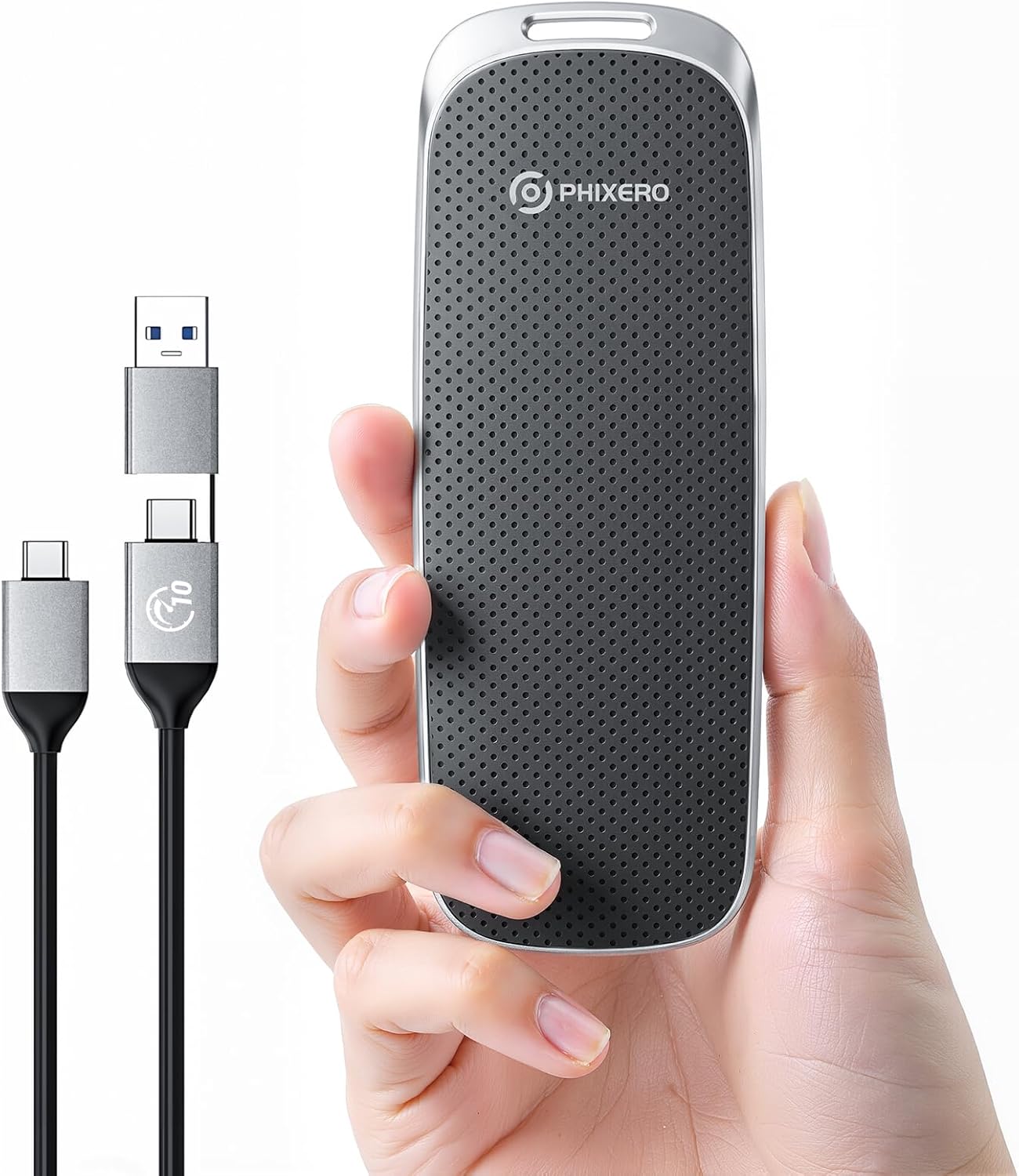
Figure 1: PHIXERO P10PRO External NVMe SSD and its versatile 2-in-1 USB cable.
2. Eusi Paket
Punten parios yén sadaya barang aya dina pakét anjeun:
- PHIXERO P10PRO External NVMe SSD
- 1 x 2-in-1 USB C to USB C & USB A Cable (0.3m)
- Manual pamaké
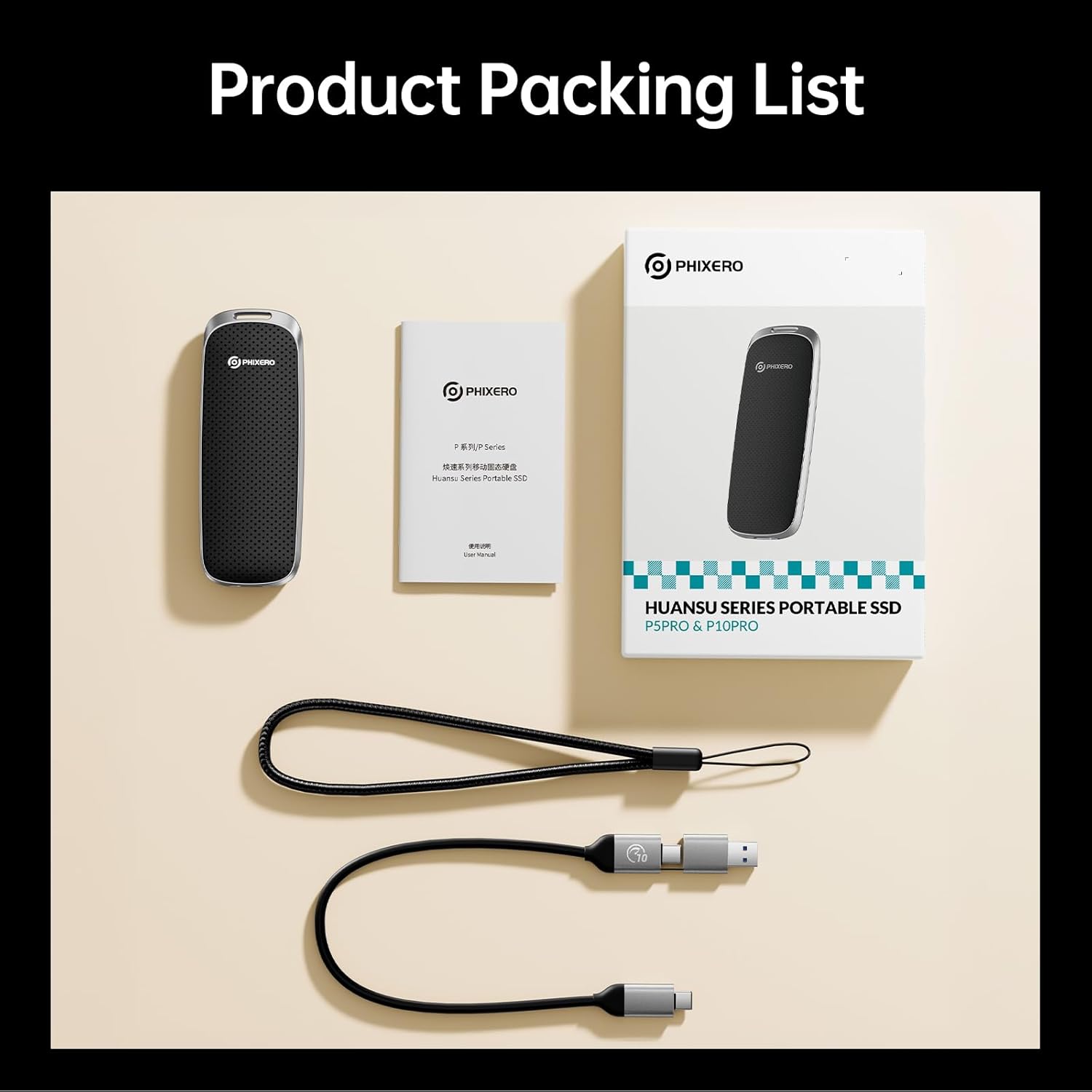
Figure 2: Product Packing List showing the SSD, cable, and documentation.
3. Setup jeung Connection
The PHIXERO P10PRO SSD is designed for plug-and-play functionality across a wide range of devices.
3.1 Nyambungkeun ka Alat Anjeun
- Identify the appropriate port on your device: USB-C or USB-A.
- Use the provided 2-in-1 USB C to USB C & USB A cable. For USB-A ports, attach the USB-A adapter to the USB-C end of the cable.
- Connect the USB-C end of the cable to the PHIXERO P10PRO SSD.
- Connect the other end of the cable (USB-C or USB-A) to your computer, smartphone, tablet, or other compatible device.
- The device should automatically recognize the SSD. No drivers are typically required for Windows, Mac OS, Linux, Android, or iPhone 15/16/17 Series.

Figure 3: The versatile 2-in-1 USB cable for broad compatibility.
3.2 Initializing the SSD (If Necessary)
In some cases, particularly with new drives or specific operating systems, the SSD may need to be initialized and formatted before use. Refer to your operating system's disk management tools for instructions on how to initialize and format a new storage device.
- Windows: Open Disk Management, locate the SSD, initialize it (MBR or GPT), and create a new simple volume.
- MacOS: Use Disk Utility to erase and format the drive (e.g., APFS or Mac OS Extended).
4. Ngoperasikeun SSD
The PHIXERO P10PRO SSD offers high-speed data transfer for various applications.
4.1 Mindahkeun Data
Pikeun mindahkeun files, simply drag and drop them to and from the SSD, or use your device's copy/paste functions. The USB 3.2 Gen2 interface enables rapid transfers, ideal for large files such as 4K videos, game libraries, and extensive business documents.

Figure 4: High-speed data transfer from a laptop to the P10PRO SSD.
4.2 Kasaluyuan
The SSD is compatible with a wide range of devices and operating systems:
- Sistem Operasi: Windows, Mac OS, Linux, Android, iOS (iPhone 15/16/17 Series and above).
- Paranti: Laptops, tablets, smartphones, cameras, gaming consoles (e.g., PS5, Xbox), Smart TVs.

Figure 5: Universal compatibility across multiple platforms and devices.
4.3 Video Demonstrasi
Video 1: A demonstration of the PHIXERO P10PRO external NVMe SSD's features, including its compact design, high-speed data transfer capabilities, and compatibility with various devices like laptops and smartphones. The video shows the SSD being connected and used for file manajemén.
5. Pangropéa sarta perawatan
To ensure the longevity and optimal performance of your PHIXERO P10PRO SSD, follow these guidelines:
- Perlindungan fisik: The SSD features a durable Zinc alloy and plastic shell, providing shock resistance, drop resistance, and dustproof capabilities. While robust, avoid excessive force or extreme impacts.
- Suhu: Operate and store the SSD within recommended temperature ranges (typically 0°C to 70°C for operation, -40°C to 85°C for storage).
- beberesih: Use a soft, dry cloth to clean the exterior. Avoid liquid cleaners or abrasive materials.
- Ejection aman: Salawasna kaluarkeun SSD tina alat Anjeun samemeh megatkeun sambungan pikeun nyegah korupsi data.

Figure 6: The rugged design of the P10PRO SSD, built for durability.
6. Cara ngungkulan
If you encounter issues with your PHIXERO P10PRO SSD, consider the following common solutions:
6.1 Alat Teu Kawanoh
- Pariksa sambungan kabel: Ensure the 2-in-1 USB cable is securely connected to both the SSD and your device. A loose connection can prevent recognition.
- Try a Different Port: Connect the SSD to another USB port on your device.
- Pariksa Integritas Kabel: If possible, test with a different, known-good USB 3.2 Gen2 compatible cable. Some cables may not support the full speed or stable connection required.
- Balikan deui Alat: Sometimes a simple restart of your computer or smartphone can resolve recognition issues.
- Check Disk Management (Windows) / Disk Utility (Mac): Ensure the drive is initialized and formatted correctly (refer to Section 3.2).
6.2 Speeds mindahkeun slow
- Use USB-C Port: For optimal performance, connect the SSD to a USB-C port on your device that supports USB 3.2 Gen2 (10Gbps). Using a USB-A port or an older USB standard (e.g., USB 2.0, USB 3.0/3.1 Gen1) will result in lower speeds.
- Kualitas Kabel: Ensure you are using the provided high-quality 2-in-1 cable. Lower quality or longer cables may degrade performance.
- Kinerja Alat: The actual transfer speed can be affected by your device's hardware, operating system, and the type of files keur ditransfer.
- Avoid Simultaneous Transfers: Transferring multiple large files simultaneously can reduce overall speed.
6.3 Data Corruption
- Ejection aman: Always safely eject the SSD before disconnecting it. Unplugging without proper ejection can lead to data loss or corruption.
- Sasayogian tanaga: Ensure your device has sufficient power when connected to the SSD, especially for sustained operations.
7. Spésifikasi
Detailed technical specifications for the PHIXERO P10PRO External NVMe SSD:
| Fitur | Spésifikasi |
|---|---|
| merek | PHIXERO |
| Nomer modél | P10PRO |
| Kapasitas Panyimpenan Digital | 2 TB (as per current model) |
| Interface teuas drive | USB 3.0 (Note: Connectivity Technology is USB3.2 Gen 2 NVME 10Gbps) |
| Téhnologi konektipitas | USB3.2 Gen 2 NVME 10Gbps |
| Kagancangan Maca (Maks) | Nepi ka 1050MB/s |
| Kagancangan Nulis (Maks) | Nepi ka 1040MB/s |
| Platform hardware | Linux, Mac, PC |
| Alat nu cocog | Camera, Gaming Console, Laptop, Smartphone, Tablet |
| Fitur husus | Dust Resistant, LED Light, Portable, Shock Resistant |
| Item Beurat | 4.2 ons |
| Dimensi produk | 2.36 x 1.97 x 0.79 inci |
| Warna | Black (as per current model) |
8. Garansi jeung Rojongan
PHIXERO stands behind the quality of its products.
- Garansi: The PHIXERO P10PRO Portable SSD is backed by 5 years of worry-free support.
- Rojongan Palanggan: For any technical assistance, troubleshooting, or warranty claims, please contact PHIXERO customer support through the official channels provided at the time of purchase or on the PHIXERO websitus.