
MechMaxx Farming HD Backup 1080P Camera System
MechMaxx Farming HD Backup 1080P Camera System User Manual
model: Farming HD Backup 1080P Camera System
merek: MechMaxx
1. Bubuka
This manual provides detailed instructions for the installation, operation, and maintenance of your MechMaxx Farming HD Backup 1080P Camera System. This system is designed to enhance visibility and safety for agricultural and heavy-duty commercial vehicles, offering a high-resolution 1080P camera and a 7-inch LCD monitor. Please read this manual thoroughly before using the product to ensure proper function and longevity.
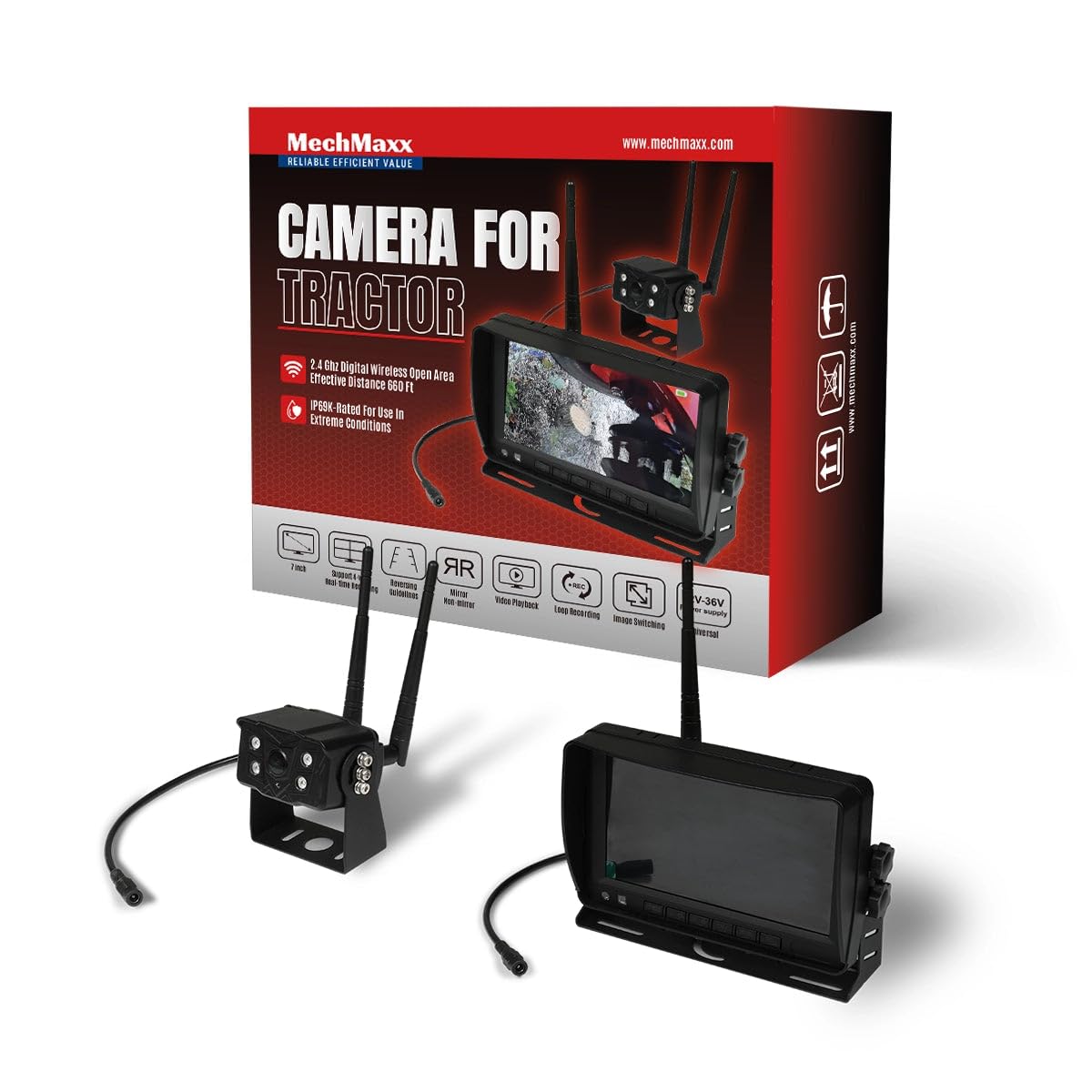
Figure 1: MechMaxx Farming HD Backup 1080P Camera System
2. Eusi Paket
Pastikeun yén sadaya item anu didaptarkeun di handap kalebet kana pakét anjeun:
- 7 inci HD LCD Monitor
- 1080P HD Camera Unit with IR Lights
- Power Cable for Monitor (Cigarette Lighter Adapter)
- Power Cable for Camera (Direct Battery Connection)
- Antennas for Wireless Transmission
- Bracket dipasang pikeun Monitor
- Mounting Hardware (Screws, wrench)
- Kadali jauh
- Manual pamaké

Gambar 2: Eusi pakét
3. Setup & Instalasi
The MechMaxx camera system is designed for straightforward installation. Follow these steps for optimal performance.
3.1 Camera Unit Installation
- Pamasangan: Securely attach the camera unit to the rear or desired location on your vehicle using the provided mounting hardware. Ensure a clear line of sight for the camera.
- Sambungan Antenna: Screw the antennas firmly onto the designated ports on the camera unit.
- Sambungan Daya: Connect the camera's power cable to a 12-36V DC power source. This can be directly to the vehicle's battery or an ignition-switched power source.
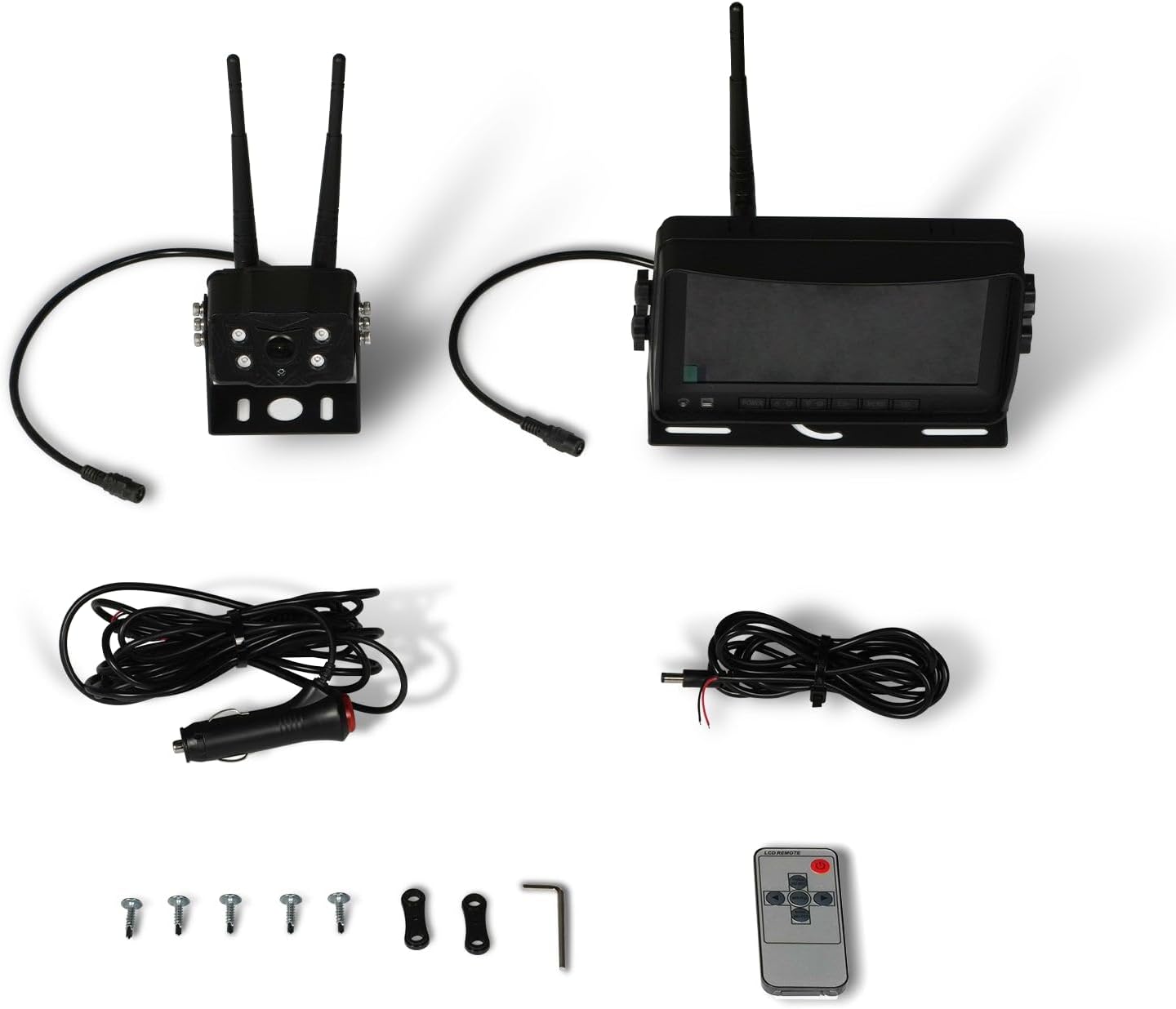
Figure 3: Camera Unit with Antennas

Figure 4: Camera Unit Detail
3.2 Pamasangan monitor
- Pamasangan: Attach the 7-inch LCD monitor to your dashboard or windshield using the provided suction cup or surface mount bracket. Adjust the angle for optimal viewing.
- Sambungan Daya: Connect the monitor's power cable to your vehicle's cigarette lighter socket. The monitor will power on/off with the vehicle's ignition.

Figure 5: 7-inch LCD Monitor
3.3 Diagram Wiring
The system offers a simple 1-step installation for power. The monitor can be powered via a cigarette lighter, and the camera can be wired directly to the vehicle's battery or an ignition-controlled fuse.

Figure 6: Simplified Wiring Diagram
4. Parentah Operasi
Once installed, the system is ready for use. The monitor will automatically display the camera feed when powered on.
4.1 Operasi Dasar
- Hurungkeun/Pareuman: The system powers on automatically with the vehicle's ignition. You can also use the power button on the monitor or remote control.
- ViewModeu ing: The 7-inch LCD provides a clear, full-color display. The camera offers a wide 120-degree field of view.
- Visi Peuting: The camera features strong IR lights for enhanced visibility in low-light conditions.
4.2 Kadali Monitor
The monitor includes buttons for various settings and adjustments. Refer to the on-screen menu for detailed options.
- Menu (M): Setélan sistem aksés.
- OKÉ: Konfirmasi pilihan.
- CH (Saluran): Switch between multiple cameras if additional units are connected (not included in standard package).
- +/-: Adjust brightness, contrast, or navigate menu options.
5. Pangropéa
Pikeun mastikeun umur panjang sareng kinerja optimal sistem kaméra anjeun, turutan pedoman perawatan ieu:
- beberesih: Regularly clean the camera lens and monitor screen with a soft, damp lawon. Hindarkeun pembersih abrasive anu tiasa ngagores permukaan.
- Pamariksaan kabel: Periodically check all cables and connections for wear, damage, or loose fittings. Secure any loose connections.
- Perlindungan Lingkungan: While the camera is heavy-duty and designed for outdoor use, extreme weather conditions may affect performance. Ensure proper mounting to prevent vibration damage.
6. Cara ngungkulan
If you encounter issues with your MechMaxx camera system, refer to the following common problems and solutions:
| Masalah | Mungkin Cukang lantaranana | Solusi |
|---|---|---|
| Taya gambar dina monitor | Loose power connection; Camera/monitor not powered; Interference | Check all power connections; Ensure vehicle ignition is on; Reduce distance between camera and monitor or check for obstructions. |
| Kualitas gambar henteu saé | Dirty lens; Low light conditions; Signal interference | Clean camera lens; Ensure IR lights are active in low light; Check for strong signal interference sources. |
| Monitor teu hurung | No power from cigarette lighter; Faulty power cable | Check vehicle's cigarette lighter fuse; Test power cable with another device if possible. |
If the problem persists after attempting these solutions, please contact MechMaxx customer support.
7. Spésifikasi
Key technical specifications for the MechMaxx Farming HD Backup 1080P Camera System:
| Fitur | Rincian |
|---|---|
| Ukuran layar | 7 inci |
| Téknologi tampilan | LCD |
| Téhnologi sénsor optik | CMOS |
| Tipe Lénsa | Sudut lega |
| Widang Of View | 120 darajat |
| Tipe Panyambung | AHD |
| Tipe Pamasangan | Permukaan Gunung |
| Alat nu cocog | Ngawaskeun |
| Item Beurat | 12 pon |
| Warna | Hideung |

Figure 7: Additional Specifications
8. Jaminan & Dukungan
For warranty information, technical support, or service inquiries, please refer to the contact details provided with your product packaging or visit the official MechMaxx websitus. Simpen resi pameseran anjeun salaku bukti pameseran pikeun klaim garansi.
Ask a question about this manual
Ask about setup, troubleshooting, compatibility, parts, safety, or missing instructions. Manuals+ will review the question and use this page’s manual context to help answer it.