
1. Bubuka
Hatur nuhun pikeun meuliasing the AGPTEK A02XT MP3 Player. This device is designed to provide a high-quality audio experience with its HIFI lossless sound and Bluetooth 5.3 connectivity. It features a compact design, button operation, and various functions including FM radio, voice recording, and a pedometer. This manual will guide you through the setup, operation, and maintenance of your new MP3 player.

Figure 1.1: AGPTEK A02XT MP3 Player with accessories.
2. Produk Langkungview
2.1 Eusi pakét
- AGPTEK A02XT MP3 Player (1)
- Kabel Ngecas USB-C (1)
- Manual pamaké (1)
- Earphones (1 pair) - May vary by region/package

Figure 2.1: Contents of the AGPTEK A02XT package.
2.2 Tata Letak sareng Kontrol Alat
Familiarize yourself with the buttons and ports on your A02XT MP3 player.

Gambar 2.2: Hareupeun view of the A02XT MP3 Player.
- layar: Displays menus, music information, and settings.
- Tombol M: Menu/Back button. Long press to lock/unlock the screen.
- Tombol Puter/Reureuh: Ngamimitian atanapi ngareureuhkeun playback.
- Tombol Saméméhna/Salajengna: Navigasi ngaliwatan lagu atawa pilihan menu.
- Tombol VOL: Kontrol volume.
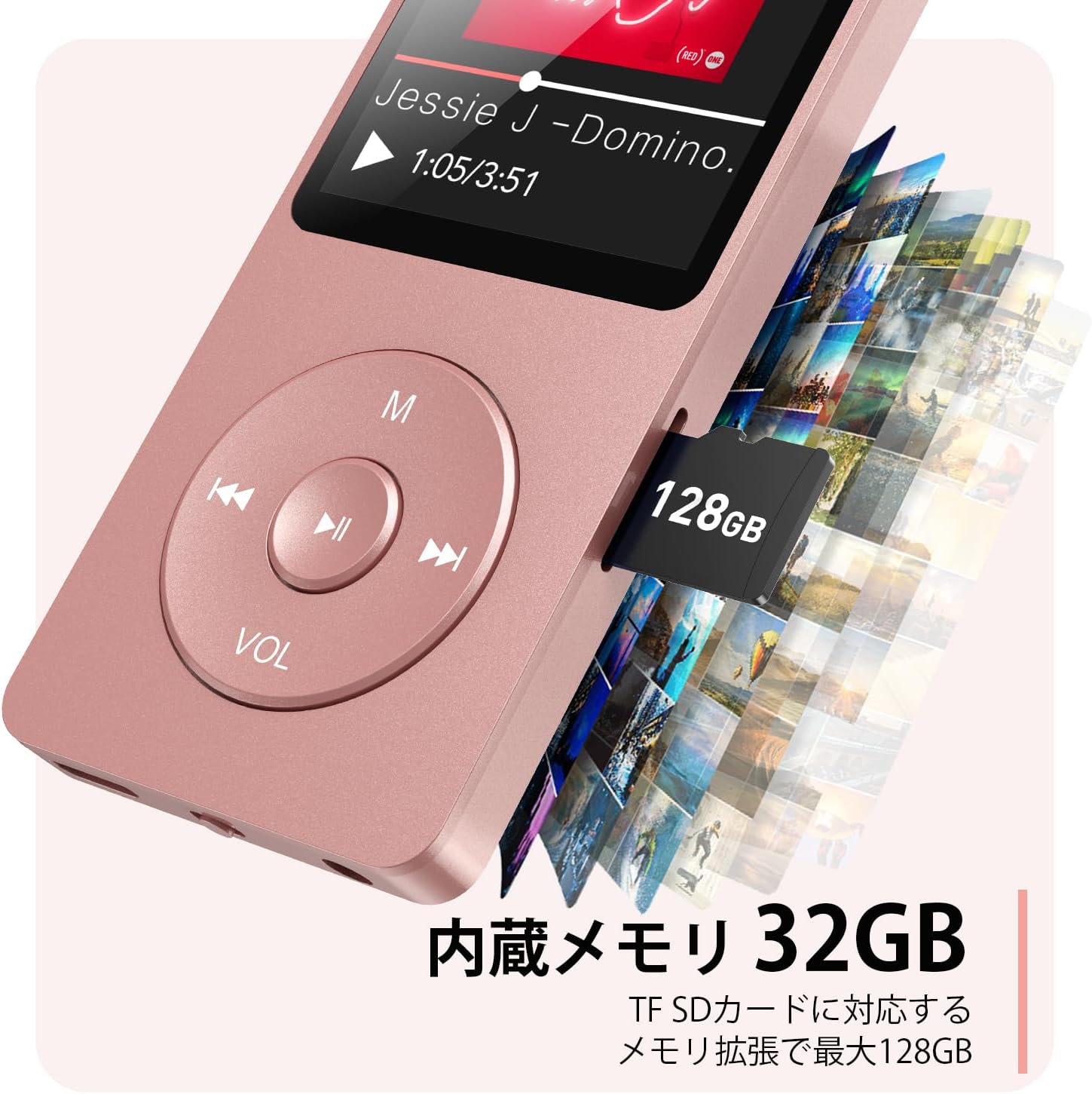
Gambar 2.3: Sisi view with microSD card slot.
- Palabuhan USB-C: Pikeun ngecas sareng mindahkeun data.
- Jack Headphone 3.5mm: Pikeun kaluaran audio kabel.
- Slot Kartu MicroSD: Pikeun panyimpenan anu tiasa dilegaan dugi ka 64GB.
3. Setélan
3.1 Ngecas Alat
Before first use, fully charge the MP3 player. Connect the provided USB-C cable to the player's USB-C port and the other end to a USB power adapter (not included) or a computer's USB port. The screen will indicate charging status. A full charge takes approximately 2 hours and provides up to 40 hours of music playback.

Figure 3.1: MP3 Player charging indication.
3.2 Nyelapkeun Kartu MicroSD
The player has 32GB of internal storage. To expand storage, insert a microSD card (up to 64GB, not included) into the microSD card slot until it clicks into place. Ensure the card is inserted correctly to avoid damage.
3.3 Mindahkeun Musik Files
- Connect the MP3 player to your computer using the USB-C cable.
- The player will appear as a removable disk on your computer.
- Séred tur teundeun musik Anjeun files (MP3, WMA, OGG, WAV, APE, FLAC, AAC, ACELP) into the 'Music' folder on the player or microSD card.
- Cabut alat tina komputer anjeun kalayan aman sateuacan nyabut kabelna.
4. Parentah Operasi
4.1 Daya Hurung/Pareuman
- Daya Hurung: Long press the Power button (usually on the side or top edge) until the screen lights up.
- Pareum listrik: Long press the Power button until the 'Power Off' option appears, then select it.
4.2 Napigasi Dasar
Use the navigation buttons (Previous, Next, Play/Pause, M) to move through menus and select options. The Play/Pause button often acts as a 'Confirm' button in menus.

Figure 4.1: Main menu interface with various functions.
4.3 Puterkeun Musik
- Tina ménu utama, pilih 'Musik'.
- Browse by Artist, Album, Songs, Playlists, etc.
- Pilih lagu pikeun ngamimitian muterkeun.
- Use the Previous/Next buttons to skip tracks, and Play/Pause to control playback.
- Adjust volume using the VOL button.
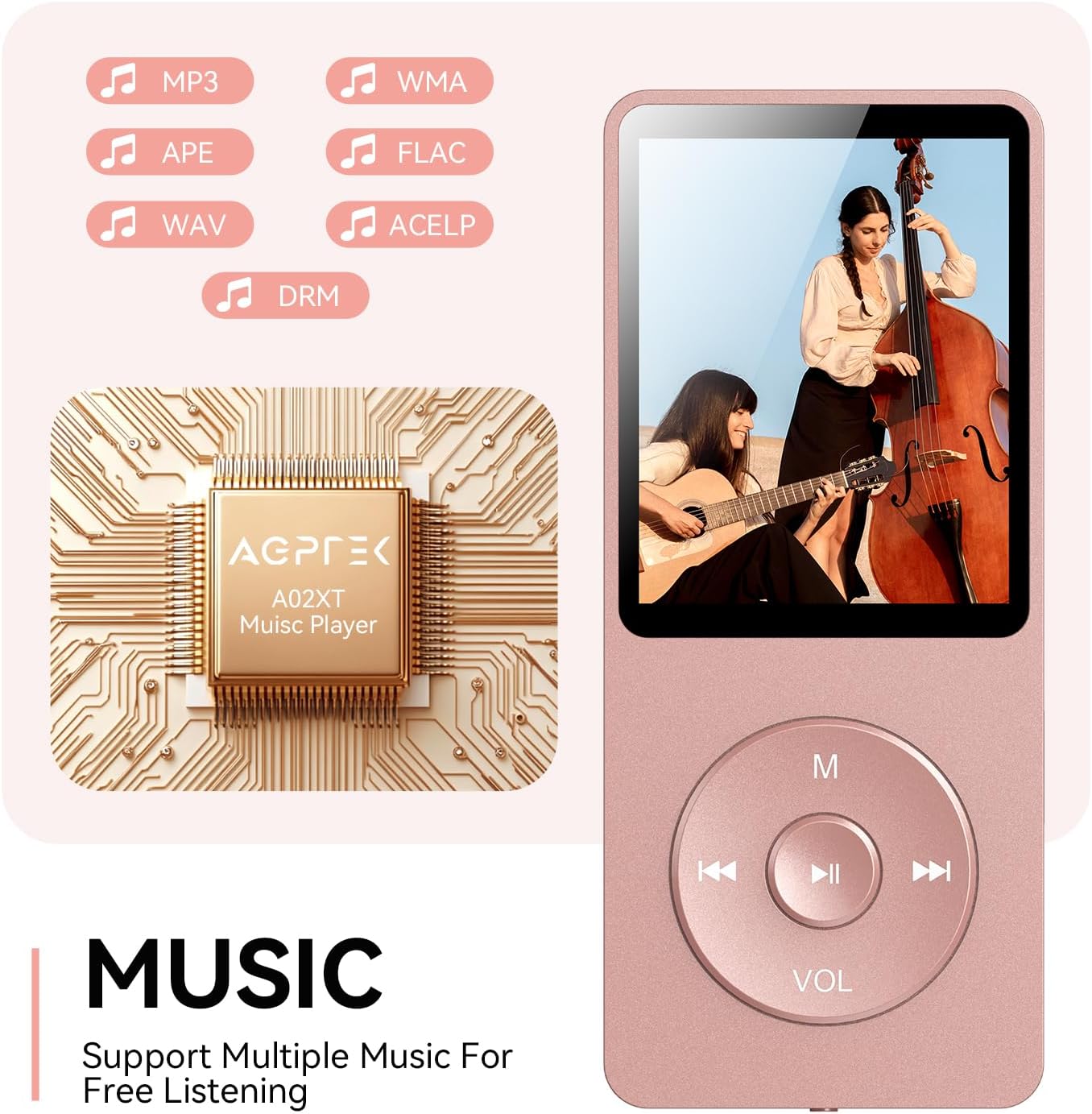
Figure 4.2: Music playback screen and supported formats.
4.4 Sambungan Bluetooth
The A02XT supports Bluetooth 5.3 for wireless audio output to headphones or speakers.
- From the main menu, select 'Bluetooth'.
- Turn on Bluetooth on the player.
- Pastikeun headphone/spiker Bluetooth anjeun aya dina modeu pairing.
- The player will search for nearby devices. Select your device from the list to pair.
4.5 Radio FM
- Sambungkeun earphone kabel kana jack 3.5mm; éta fungsina salaku anteneu.
- Tina ménu utama, pilih 'Radio FM'.
- Use the navigation buttons to scan for stations or manually tune.
4.6 Rékam sora
- From the main menu, select 'Record'.
- Choose 'Start Voice Recording' to begin.
- Press Play/Pause to stop and save the recording.
4.7 Konci layar
To prevent accidental button presses, long press the 'M' button to lock the screen. Repeat the action to unlock.
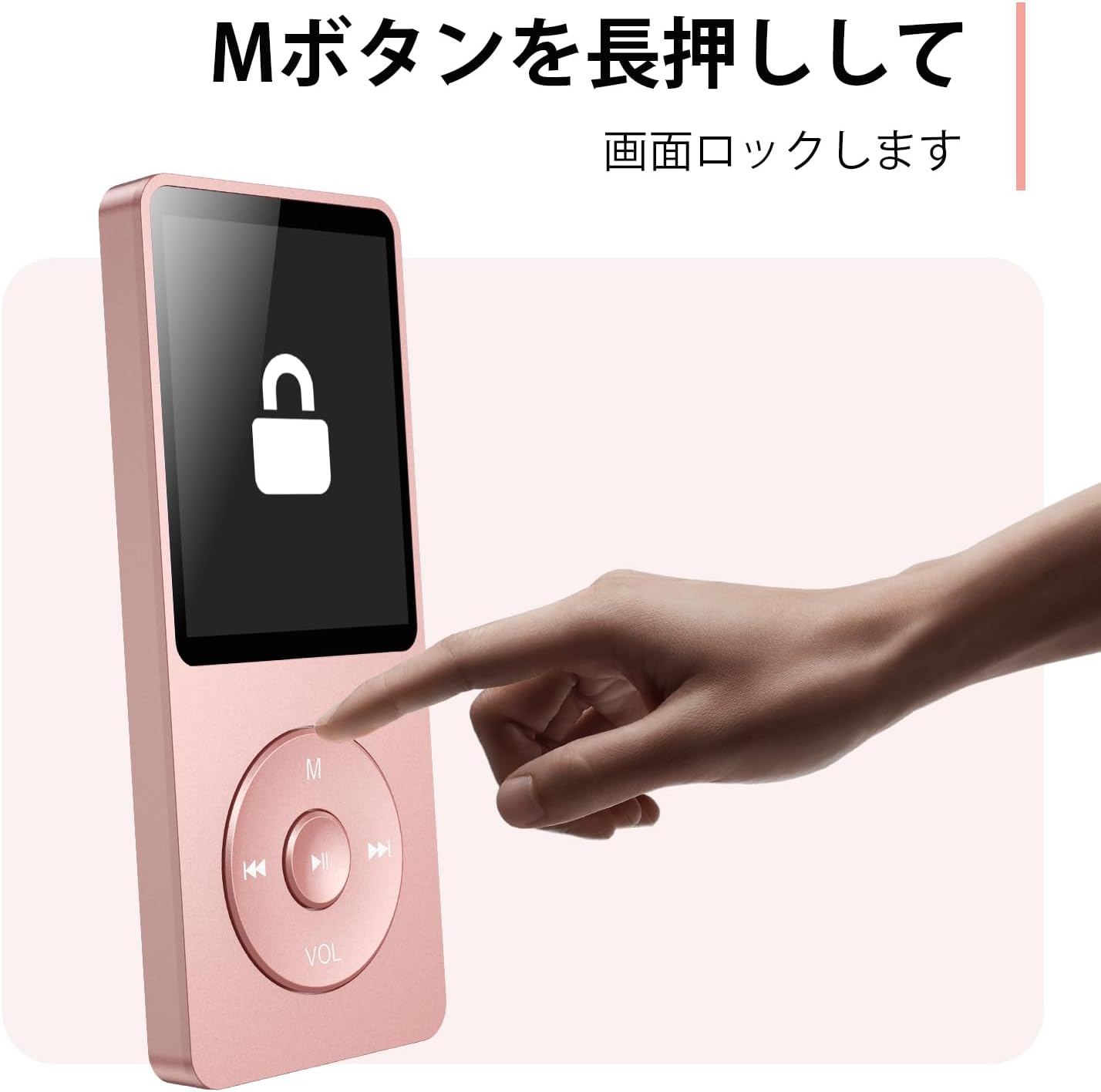
Figure 4.3: Screen lock function using the M button.
5. Pangropéa
5.1 beberesih
- Usap alatna nganggo lawon anu lemes sareng garing.
- Ulah make cleaners cair atawa pangleyur.
5.2 Panyimpenan
- Nyimpen pamuter dina tiis, tempat garing jauh ti sinar panonpoé langsung jeung hawa ekstrim.
- Hindarkeun ragrag atanapi ngagentoskeun alat kana tabrakan anu kuat.
5.3 Perawatan Batré
- Ngeusi batre rutin, sanajan teu dipake, pikeun ngajaga kaséhatan batré.
- Hindarkeun sering-sering ngosongkeun batré.
6. Cara ngungkulan
6.1 Alat Henteu Hurungkeun
- Pastikeun batréna geus dieusian. Sambungkeun ka sumber listrik teras cobian deui.
- Perform a hard reset by pressing and holding the power button for 10-15 seconds.
6.2 Teu Bisa Mindahkeun Files
- Check the USB-C cable connection. Try a different cable or USB port.
- Ensure the device is properly recognized by your computer.
- Pariksa yén file format is supported by the player.
6.3 Masalah Nyapasangkeun Bluetooth
- Ensure both the player and the Bluetooth device are in pairing mode and within range.
- Turn off and on Bluetooth on both devices.
- Hapus pasangan sateuacanna teras cobian pasangkeun deui.
6.4 Taya Sora
- Pariksa tingkat polumeu.
- Ensure headphones are properly connected or Bluetooth device is paired.
- Test with different headphones or Bluetooth device.
7. Spésifikasi
| merek | AGPTEK |
| Ngaran modél | A02XT |
| Kapasitas Panyimpenan Mémori | 32 GB (expandable up to 64 GB via microSD card) |
| Warna | Pink |
| Ukuran layar | 8.9 Sentimeter (kira-kira 3.5 inci) |
| Jenis Média | Kartu microSD |
| Téknologi tampilan | LCD |
| Format Audio Dirojong | MP3, WMA, OGG, WAV, APE, FLAC, AAC, ACELP |
| Kahirupan batré | Nepi ka 40 Jam |
| Item Beurat | 130 gram |
8. Garansi jeung Rojongan
8.1 Émbaran jaminan
This AGPTEK A02XT MP3 Player comes with a garansi 1 taun ti tanggal pameseran. Garansi ieu ngawengku cacad manufaktur sareng gangguan fungsi dina panggunaan normal. Éta henteu ngawengku karusakan anu disababkeun ku salah panggunaan, kacilakaan, modifikasi anu henteu sah, atanapi karusakan normal.
8.2 Rojongan Palanggan
If you encounter any issues or have questions regarding your AGPTEK A02XT MP3 Player, please refer to the troubleshooting section of this manual first. If the problem persists, contact AGPTEK customer support through the official website or your retailer's support channels. Please have your purchase receipt and product model number (A02XT) ready when contacting support.