
1. Bubuka
This manual provides detailed instructions for the safe installation, operation, and maintenance of your Generic 52-inch Low Profile Ceiling Fan with Lights, Model W1367P185623. Please read all instructions carefully before beginning installation and retain this manual for future reference.
This modern black low-profile ceiling fan is designed to provide efficient air circulation and integrated lighting for residential or commercial spaces. It features a DC motor for energy efficiency and an integrated 24-watt LED light kit with adjustable color temperatures (3000K, 4000K, 6000K), all controllable via the included remote.

Image 1.1: The 52-inch low profile ceiling fan with lights, shown installed in a contemporary living space.
2. Émbaran Kasalametan
PERHATOSAN: Pikeun ngirangan résiko kahuruan, sengatan listrik, atanapi tatu pribadi, salawasna turutan pedoman kaamanan ieu:
- Baca sadaya parentah sareng inpormasi kaamanan sateuacan masang kipas énggal anjeun. Review the accompanying diagrams thoroughly.
- Sadaya kabel kedah saluyu sareng kode listrik nasional sareng lokal. Mun anjeun teu wawuh jeung wiring, konsultasi hiji tukang listrik mumpuni.
- Sateuacan dipasang, pegatkeun daya ku cara mareuman pemutus sirkuit dina kotak sekering utama.
- Ensure the installation site can support the fan's weight (approximately 15-20 lbs).
- Ulah beroperasi kipas kalayan bilah ruksak atawa perumahan.
- Hindarkeun nempatkeun objék dina jalur bilah kipas.
- This fan is ETL safety listed, indicating compliance with safety standards.
3. Fitur Produk
The Generic 52-inch Low Profile Ceiling Fan offers a range of features for enhanced comfort and convenience:
- Kadali jauh: Full function remote control for fan speed, light dimming, light color temperature, and fan direction.
- Motor malik: Allows for both downdraft (summer mode) and updraft (winter mode) operation to optimize air circulation year-round.
- 3 Light Color Temperatures: Integrated LED light kit provides Warm White (3000K), Natural White (4000K), and Cool White (6000K) options.
- Dimmable LED: Adjust the brightness of the integrated LED light.
- Fungsi Timer: Setel kipas pikeun mareuman otomatis saatos 1, 3, atanapi 6 jam.
- Genep Kacepetan Kipas: Choose from six distinct fan speeds for optimal airflow.
- Motor DC sepi: Energy-efficient DC motor operates quietly.
- Pro lowfile Desain: Ideal for rooms with lower ceilings.
- Matte Hideung Finish: Modern aesthetic to complement various decor styles.
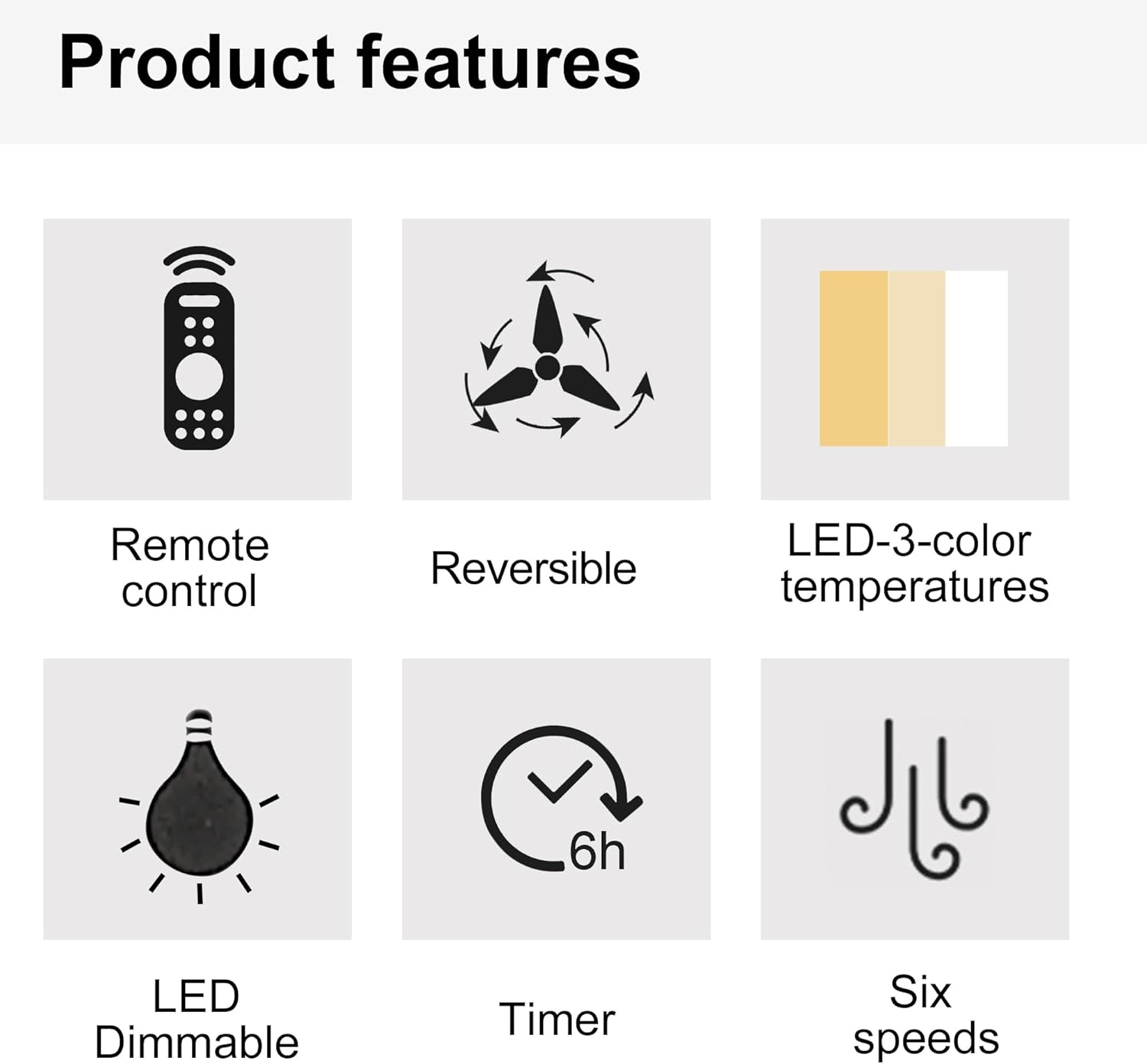
Image 3.1: Visual representation of key product features.

Image 3.2: Details of the fan's canopy and quiet DC motor.

Image 3.3: Details of the light cover and integrated 24W LED light kit.
4. Eusi Paket
Before installation, verify that all components are present and undamaged. If any parts are missing or damaged, contact customer support.
- Siling Fan Majelis Motor
- Kipas Angin (5)
- Light Kit Assembly (Integrated LED)
- Kadali jauh
- Wall Cradle for Remote Control
- Batré AAA pikeun Remote Control
- Ningkatna Kurung
- Hardware Pack (screws, wire nuts, washers, etc.)
- Instruksi Manual
5. Setup jeung Instalasi
penting: Pastikeun yén kakuatan dipegatkeun dina pemutus sirkuit sateuacan ngamimitian pamasangan.
- Nyiapkeun Lokasi Pasang: Securely attach the mounting bracket to a ceiling joist or an outlet box rated for fan support.
- Kawat kipas: Connect the fan's electrical wires to the household wiring according to the wiring diagram provided in the full installation guide (not included here, but typically in a physical manual). Ensure all connections are secure with wire nuts.
- Attach the Fan Assembly: Angkat rakitan motor kipas kalayan ati-ati teras pasangkeun kana braket pemasangan.
- Pasang Bilah Kipas: Secure each fan blade to the motor housing using the provided screws.
- Pasang Kit Lampu: Connect the light kit wiring and attach the light kit assembly to the bottom of the fan motor housing.
- Pasang Panutup Lampu: Secure the light cover to the light kit.
For detailed wiring diagrams and step-by-step illustrations, refer to the complete installation guide included with your product.
6. Parentah Operasi
Your ceiling fan is operated using the included remote control. Install the AAA batteries into the remote control before use.

Image 6.1: Remote control functions overview.
6.1 Operasi kipas
- Daya ON/OFF: Press the power button (usually a circle with a vertical line) to turn the fan on or off.
- Laju kipas: Use buttons labeled 1-6 to select the desired fan speed. '1' is the lowest speed, '6' is the highest.
- kipas pareum: Press the dedicated "Fan OFF" button to stop the fan.
- Forward/Reverse Mode: Press the forward/reverse button (often depicted with arrows circulating) to change the fan's direction.
- Modeu Usum Panas (Dowdraft): Bilahna muter ka arah sabalikna jarum jam, ngadorong hawa ka handap pikeun nyiptakeun angin anu niiskeun.
- Modeu Usum (Updraft): Bilahna muter searah jarum jam, narik hawa ka luhur pikeun ngiderkeun hawa haneut anu kajebak di deukeut lalangit.
- Fungsi Timer: Press the "1H", "3H", or "6H" buttons to set the fan to turn off automatically after 1, 3, or 6 hours, respectively.

Image 6.2: Understanding Forward/Reverse (Summer/Winter) Modes.
6.2 Operasi Lampu
- Lampu ON/OFF: Press the "LIGHT ON" or "LIGHT OFF" buttons to control the light.
- Adjust Light Color Temperature: Use the "WW" (Warm White), "NW" (Natural White), and "DW" (Cool White) buttons to cycle through the 3000K, 4000K, and 6000K color options.
- Dim the Light: Use the "+" and "-" buttons (often labeled "Dimmable +/-") to increase or decrease the light brightness.
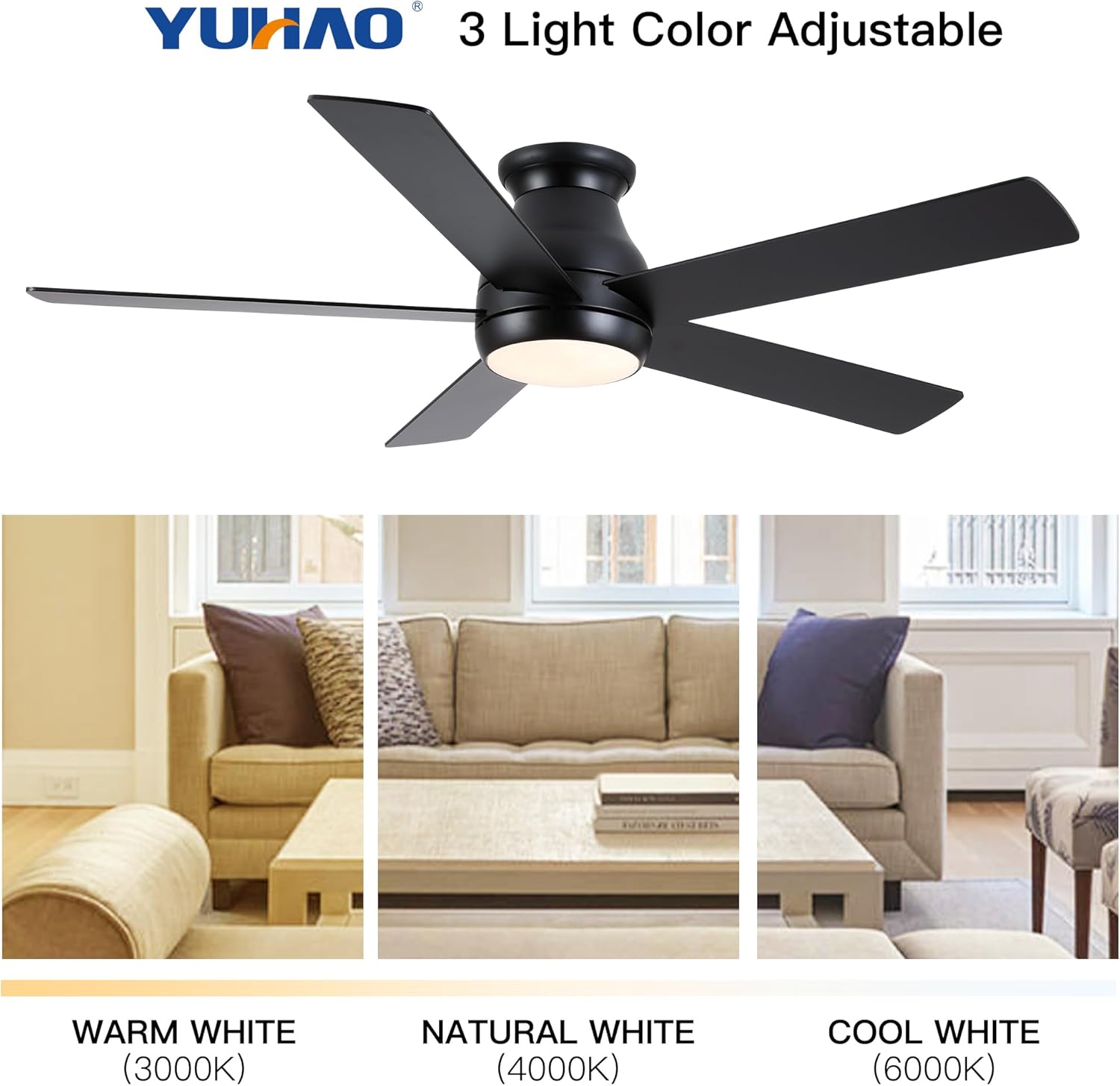
Image 6.3: Adjustable light color temperatures.
7. Pangropéa
Pangropéa rutin mastikeun kinerja anu optimal sareng manjangkeun umur kipas siling anjeun.
- beberesih: périodik ngabersihan wilah kipas na perumahan motor kalayan lemes, damp lawon. Ulah nganggo pembersih atanapi pangleyur anu abrasif. Pastikeun kipas dipareuman sareng listrik dicabut sateuacan dibersihkeun.
- Kencangkeun Fasteners: Pariksa sadaya sekrup sareng pangiket unggal taun pikeun mastikeun éta pageuh. Sambungan anu leupas tiasa nyababkeun bising atanapi oyag.
- Kasaimbangan Blade: Upami kipasna oyag, pastikeun sadaya bilahna dipasang pageuh sareng saimbang. Pakakas panyeimbang (henteu kalebet) tiasa dianggo upami diperyogikeun.
- Kit lampu: Kit lampu LED anu terintegrasi henteu meryogikeun panggantian bohlam. Upami lampuna teu jalan, konsultasi ka bagian ngungkulan masalah atanapi hubungi dukungan palanggan.
8. Cara ngungkulan
Upami anjeun ngalaman masalah sareng kipas siling anjeun, tingal masalah sareng solusi umum ieu:
| Masalah | Mungkin Cukang lantaranana | Solusi |
|---|---|---|
| Kipas teu ngamimitian | Taya kakuatan pikeun kipas; sambungan kabel leupas; batré kadali jauh maot. | Pariksa pemutus sirkuit; Pariksa sadaya sambungan kawat; Ganti batré remot kontrol. |
| Kipas angin ngagelebug | Loose blades or mounting bracket; Unbalanced blades. | Ensure all screws are tight; Check blade balance and adjust if necessary. |
| Lampu teu jalan | Loose wire connection to light kit; Remote control battery dead; Light kit malfunction. | Check light kit wiring; Replace remote control batteries; Contact customer support if LED is faulty. |
| Kadali jauh teu jalan | Dead batteries; Remote not paired (if applicable); Obstruction between remote and receiver. | Replace batteries; Refer to pairing instructions (if any); Ensure clear line of sight. |
Lamun masalah persists sanggeus nyobian solusi ieu, mangga ngahubungan rojongan customer.
9. Spésifikasi
| Fitur | Rincian |
|---|---|
| Nomer modél | W1367P185623 |
| Ukuran Fan | 52 inci |
| Dimensi produk | 52 "D x 52" W x 10.63" H |
| Warna | Matte Black (Antique Black) |
| Tipe Motor | Motor DC |
| Kit Lampu | Integrated 24W LED |
| Suhu Warna Lampu | 3000K (Bodas Haneut), 4000K (Bodas Alami), 6000K (Bodas Tiis) |
| Tipe Kontrol | Dikadalikeun jauh |
| Tipe Pamasangan | siram Gunung |
| Disarankeun Ukuran Kamar | 12 ft. x 12 ft. to 18 ft. x 18 ft. (Large Room) |
| Sertifikasi | Listing Kasalametan ETL |
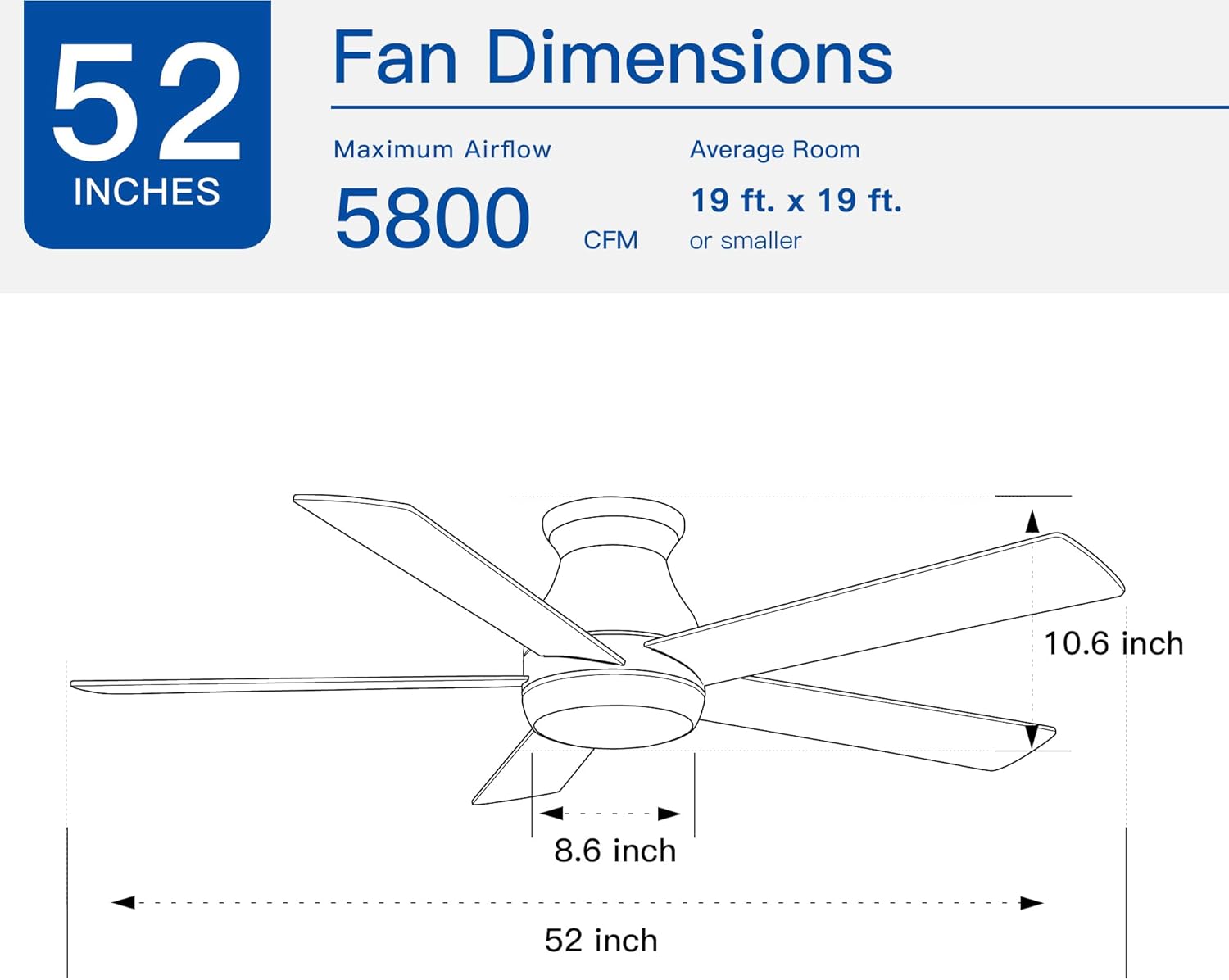
Image 9.1: Fan dimensions and airflow specifications.
10. Garansi jeung Rojongan
This product comes with a standard manufacturer's warranty. For specific warranty details, including duration and coverage, please refer to the warranty card included in your product packaging or contact the retailer where the product was purchased.
For technical support, replacement parts, or any questions not covered in this manual, please contact Generic customer service through the retailer's support channels or the contact information provided in your product documentation.