
Bubuka
The Cygnett ChargeBase 2-in-1 Magnetic Wireless Charging Stand provides a convenient and efficient way to charge your Qi2-compatible smartphone and wireless earbuds simultaneously. This stand features magnetic alignment for secure device placement and a sleek design suitable for various environments. It supports fast wireless charging and offers adjustable viewing angles for enhanced usability.
Naon dina Box
Punten parios yén sadaya barang aya dina pakét:
- Base ngecas
- Manual pamaké
Fitur produk
- ngecas magnét: Features Qi2 magnetic wireless charging technology for precise alignment and efficient power transfer.
- Fungsi ganda: 2-in-1 design allows simultaneous charging of two compatible devices with wireless charging capabilities.
- Design Aesthetics: Sleek white finish complements modern décor whilst maintaining a minimalist appearance.
- Kasaluyuan: Works with Qi2-certified devices and maintains backwards compatibility with standard Qi wireless charging.
- Posisi ngecas: Vertical stand design enables convenient viewing of device screen whilst charging.
Parentah Setup
- Buka bungkus carjer: Carefully remove the charging stand and any included cables from the packaging.
- Nyambung ka Daya: Connect the charging cable to the port on the back of the charging base. Plug the other end of the cable into a compatible USB power adapter (not included) and then into a wall outlet.
- Posisi Stand: Place the charging stand on a stable, flat surface. The stand can be unfolded to an upright position for use.
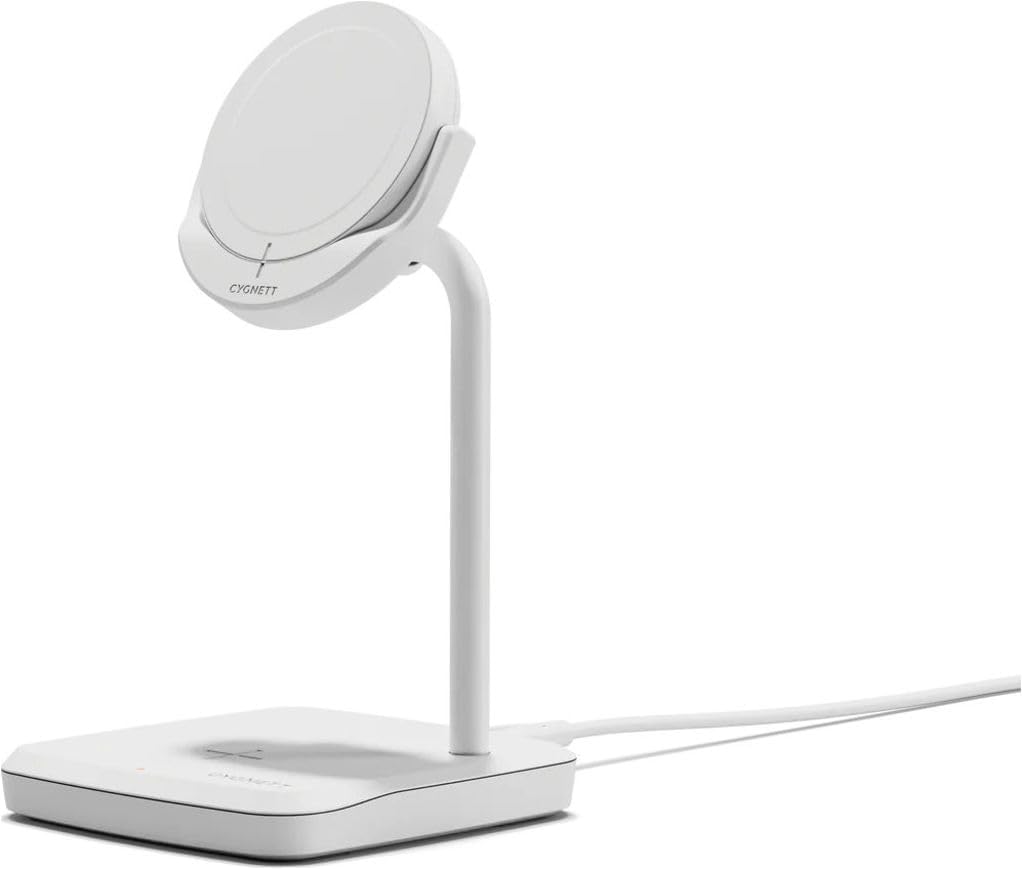
Gambar: Hareupeun view of the Cygnett ChargeBase 2-in-1 Magnetic Wireless Charging Stand, showing its sleek white design and magnetic charging pad.
Video: This video demonstrates the setup and features of a similar Qi2 magnetic wireless charging station. It shows how to connect the power, unfold the stand, and place devices for charging.
Parentah Operasi
- Ngecas smartphone: Place your Qi2-compatible smartphone onto the magnetic charging pad. The magnets will automatically align your device for optimal charging. Ensure the phone is centered on the pad.
- Ngecas Earbud Nirkabel: Place your wireless earbuds case (with wireless charging capability) onto the flat charging pad at the base of the stand.
- Nyaluyukeun Viewdina Angle: The stand features a dual-axis design allowing you to adjust the angle of your smartphone for comfortable viewing in both portrait and landscape orientations. The magnetic pad also supports 360-degree rotation.
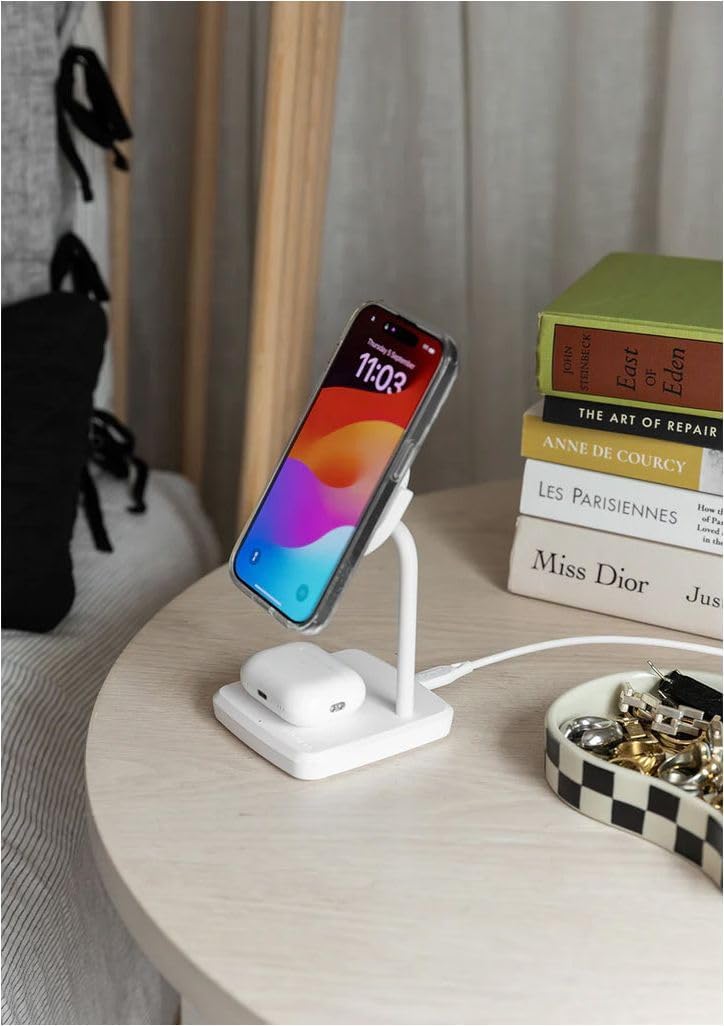
Image: The Cygnett ChargeBase 2-in-1 Magnetic Wireless Charging Stand actively charging a smartphone on the magnetic pad and wireless earbuds on the base.
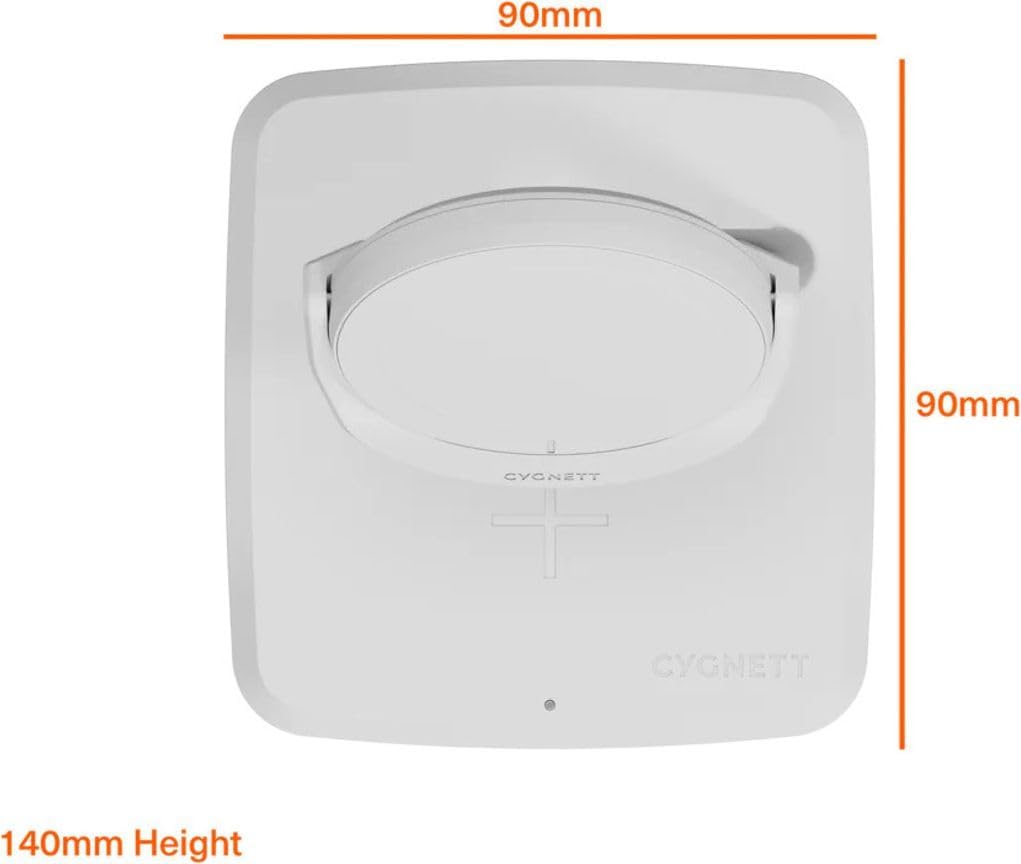
Image: A smartphone mounted on the magnetic charging pad, demonstrating its 360-degree rotation capability for flexible viewing.
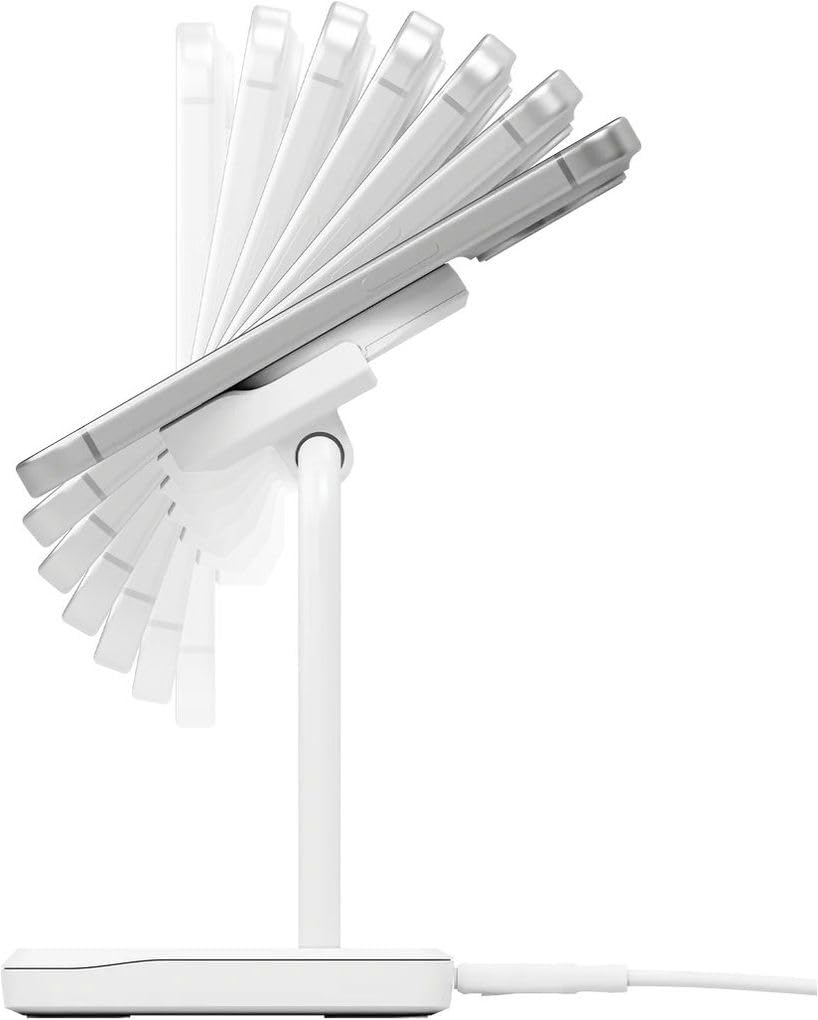
Gambar: Sisi view of the Cygnett ChargeBase, illustrating the adjustable angle of the magnetic charging pad for ergonomic viewing.
Pangropéa
- beberesih: Disconnect the charger from the power source before cleaning. Use a soft, dry cloth to wipe the surface of the charging stand. Do not use abrasive cleaners, solvents, or chemical agents.
- Panyimpenan: When not in use, store the charging stand in a cool, dry place away from direct sunlight and extreme temperatures. The foldable design allows for compact storage.
- Penanganan: Avoid dropping the device or subjecting it to strong impacts. Do not attempt to disassemble or repair the unit yourself.
Pamérésan masalah
If you encounter issues with your charging stand, please refer to the following common solutions:
- Alat Teu Ngecas:
- Ensure the charging stand is properly connected to a working power outlet.
- Verify that your device (smartphone or earbuds) is Qi2-compatible or supports standard Qi wireless charging.
- Check for proper alignment of your device on the charging pad. Magnetic alignment should assist with this.
- Remove any thick phone cases or metallic objects that may interfere with wireless charging.
- Try using a different power adapter and cable to rule out issues with accessories.
- Ngecas Lambat:
- Ensure you are using a power adapter that provides sufficient output (e.g., a 20W or higher USB-C PD adapter for optimal fast charging).
- Pastikeun alat Anjeun ngarojong ngecas nirkabel gancang.
- Avoid using your device extensively while it is charging, as this can slow down the process.
- Indikator LED Teu Nyala:
- Check the power connection to the charging stand and the wall outlet.
- If the LED is still off, the unit may be faulty. Contact customer support.
spésifikasi
| merek | Cygnett |
| Nomer modél | Cb2-1-mwc-w |
| Warna | Bodas |
| Téhnologi konektipitas | Qi2, Wireless |
| Tipe Panyambung | Magnét |
| Alat nu cocog | Smartphones, Wireless Earbuds |
| Masukan Voltage | 1 Volt (Note: This typically refers to the internal operating voltage, not the input from the adapter. A USB-C PD adapter is usually 5V, 9V, 12V.) |
| Ampumur | 15 Amps (Note: This value seems unusually high for a wireless charger output. It might refer to the maximum current capacity of internal components or be a misinterpretation. Typical wireless charging output is in the range of 1-3A.) |
| Kaluaran Ayeuna | 1 Amps (This is a more typical output current for one charging coil.) |
| Sumber Daya | Nirkabel |
| Bahan | Logam palastik |
| Item Beurat | 200 gram |
| UPC | 848116045368 |
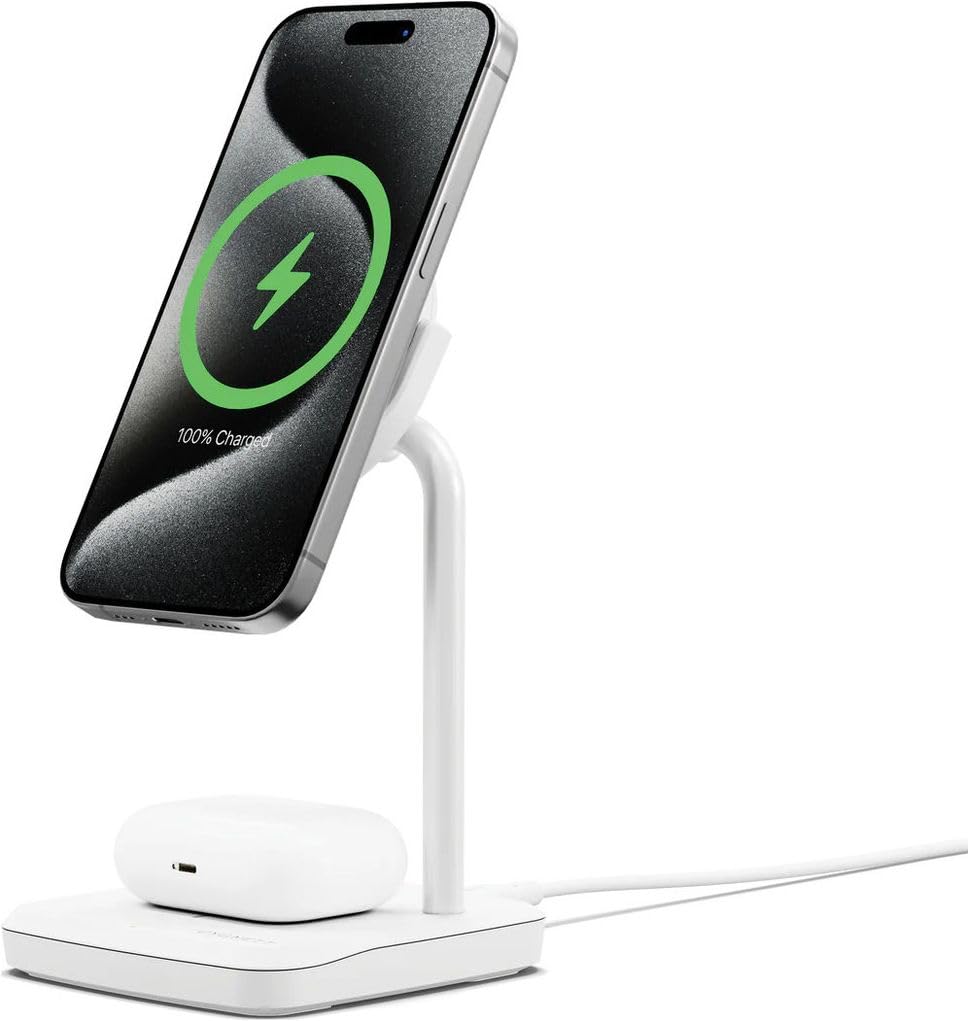
Image: Diagram showing the approximate dimensions of the charging stand: 90mm x 90mm base and 140mm height.
Garansi sareng Rojongan
For warranty information, technical support, or customer service inquiries, please refer to the warranty card included in your product packaging or visit the official Cygnett websitus. Simpen bukti pameseran anjeun pikeun klaim garansi.