
PRORECK StagePro 12
PRORECK StagManual Instruksi Sistem Spiker e Pro 12 PA
Modél: StagePro 12 | Brand: PRORECK
Bubuka
Thank you for choosing the PRORECK Stage Pro 12 PA Speaker System. This powerful audio system is designed to deliver exceptional sound quality for various events, including DJ performances, weddings, meetings, and live events. With its 8000W peak power, dual 12" subwoofers, four line array speakers, and versatile DSP presets, the Stage Pro 12 offers a comprehensive solution for your audio needs. This manual provides essential information for the proper setup, operation, maintenance, and troubleshooting of your system.
fitur konci ngawengku:
- 8000W Powerful Sound System: Experience unmatched audio performance with 8000W peak power and 1200W RMS for crystal-clear, high-quality sound.
- 4x Line Array Speakers + 2x 12" Subwoofer: Provides a perfect balance of crisp highs, rich mids, and deep bass.
- 3 DSP Presets: Optimize audio output with STANDARD, DJ, and LIVE presets for different occasions.
- TWS Bluetooth for Wireless Connectivity: Stream music wirelessly and connect two Stage Pro 12 speakers for enhanced stereo sound.
- Versatile and Professional-Grade: Ideal for DJs, musicians, and event organizers.
Émbaran Kasalametan
Mangga baca sareng ngartos sadaya parentah kaamanan sateuacan ngoperasikeun produk ieu. Gagalna nuturkeun parentah ieu bisa ngakibatkeun shock listrik, seuneu, atawa tatu serius.
- Sumber Daya: Connect the system only to a power supply of the type described in this manual or marked on the unit. Ensure the voltage switch is set correctly for your region (AC 120V or AC 240V).
- Ventilasi: Ulah meungpeuk sagala bukaan ventilasi. Pasang saluyu sareng parentah produsén.
- Cai sareng Uap: Ulah ngantepkeun alat ieu ka hujan atanapi kalembaban. Ulah dianggo caket cai.
- Panas: Entong dipasang di deukeut sumber panas sapertos radiator, register panas, kompor, atanapi aparat sanésna (kalebet ampLiifiers) anu ngahasilkeun panas.
- Grounding: Produk ieu kedah di-ground. Tong ngarusak tujuan kaamanan colokan polarisasi atanapi colokan tipe grounding.
- Palayanan: Entong nyobian ngalayanan produk ieu nyalira. Rujuk sadayana ngalayanan ka tanaga jasa anu mumpuni.
- Penanganan: Use caution when moving the system to prevent injury or damage.
Naon dina Box
Upon unpacking, please verify that all components listed below are present and in good condition. If any items are missing or damaged, contact PRORECK customer support immediately.

Image: All components of the PRORECK Stage Pro 12 system, including the two 12-inch subwoofers, four line array speakers, power cable, and speaker cables.
- 2 x 12" Subwoofer Units
- 4 x Line Array Speaker Units
- 1 x Kabel Daya
- Speaker Cables (for connecting line array speakers to subwoofers and subwoofers to each other)
Note: The system is typically shipped in three separate packages.
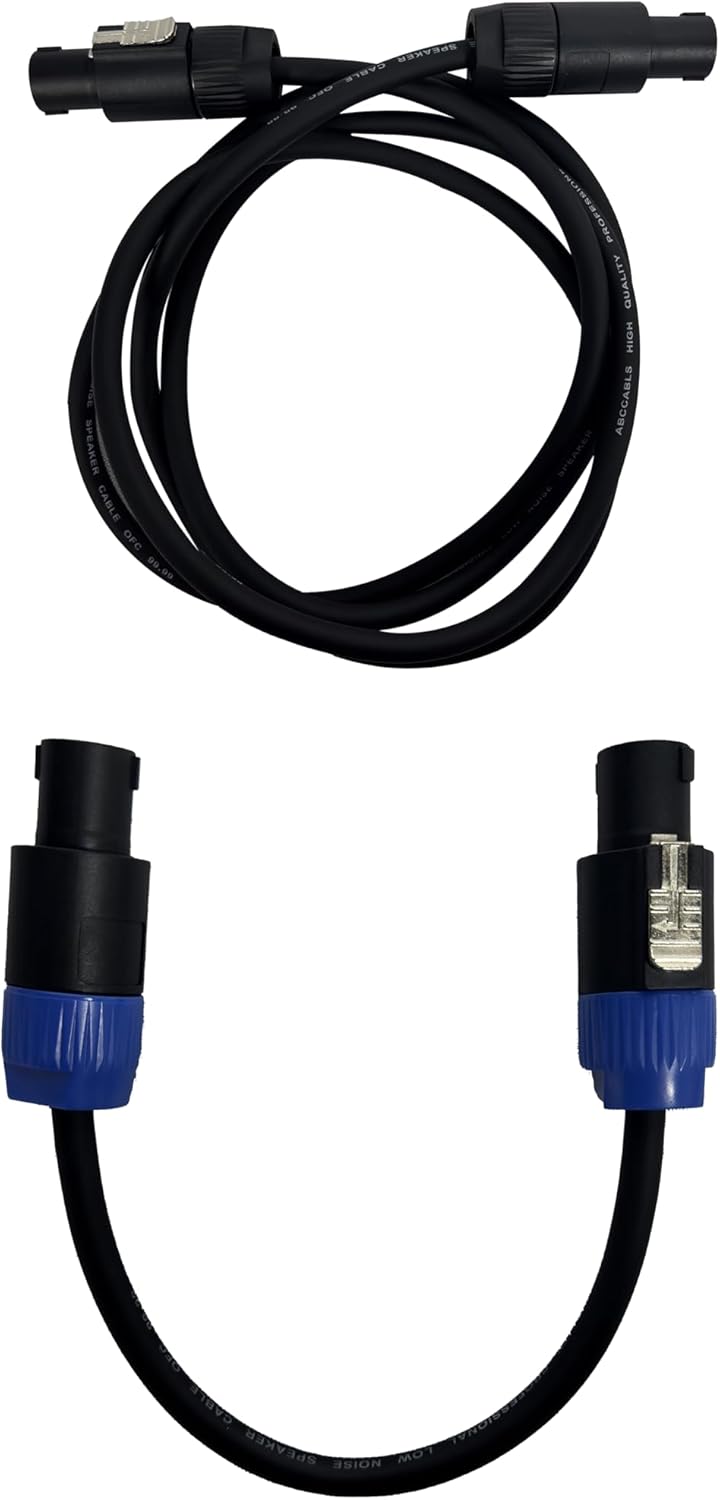
Image: The three distinct packages (Stage Pro 12Y, 12W, 12X) in which the PRORECK Stage Pro 12 system is shipped.
Produk Leuwihview: Panél kontrol
Familiarize yourself with the control panel located on the rear of the subwoofer unit. Understanding these controls is crucial for proper operation.
Gambar: A close-up view of the main control panel on the PRORECK Stage Pro 12 subwoofer, showing all inputs, outputs, and control knobs with corresponding labels.
- SUB TINGKAT: Adjusts the output volume of the subwoofer.
- SATELLITE LEVEL: Adjusts the output volume of the line array speakers.
- XLR/TRS COMBO INPUT: Input for audio sources using XLR or 1/4" TRS cables (Left and Right channels).
- XLR LINK OUTPUT: Output for linking to another speaker system or mixer.
- DSP PRESETS: Selects between STANDARD, DJ, and LIVE sound modes.
- BLUETOOTH/TWS SWITCH: Activates Bluetooth pairing mode or True Wireless Stereo (TWS) linking.
- SATELLITE POWER OUTPUT: Connects to the line array speakers.
- OUTPUT SUBWOOFER: Connects to the second subwoofer unit.
- VOLTAGE SWITCH: Selects between AC 120V and AC 240V power input. Ensure this matches your local power supply.
- saklar kakuatan: Turns the system ON or OFF.
- MAIN POWER INPUT: Connects the system to the main power supply using the provided power cable.
Disetél
1. Majelis Sistim
The PRORECK Stage Pro 12 system is designed for easy assembly. Follow these steps to set up your speakers:
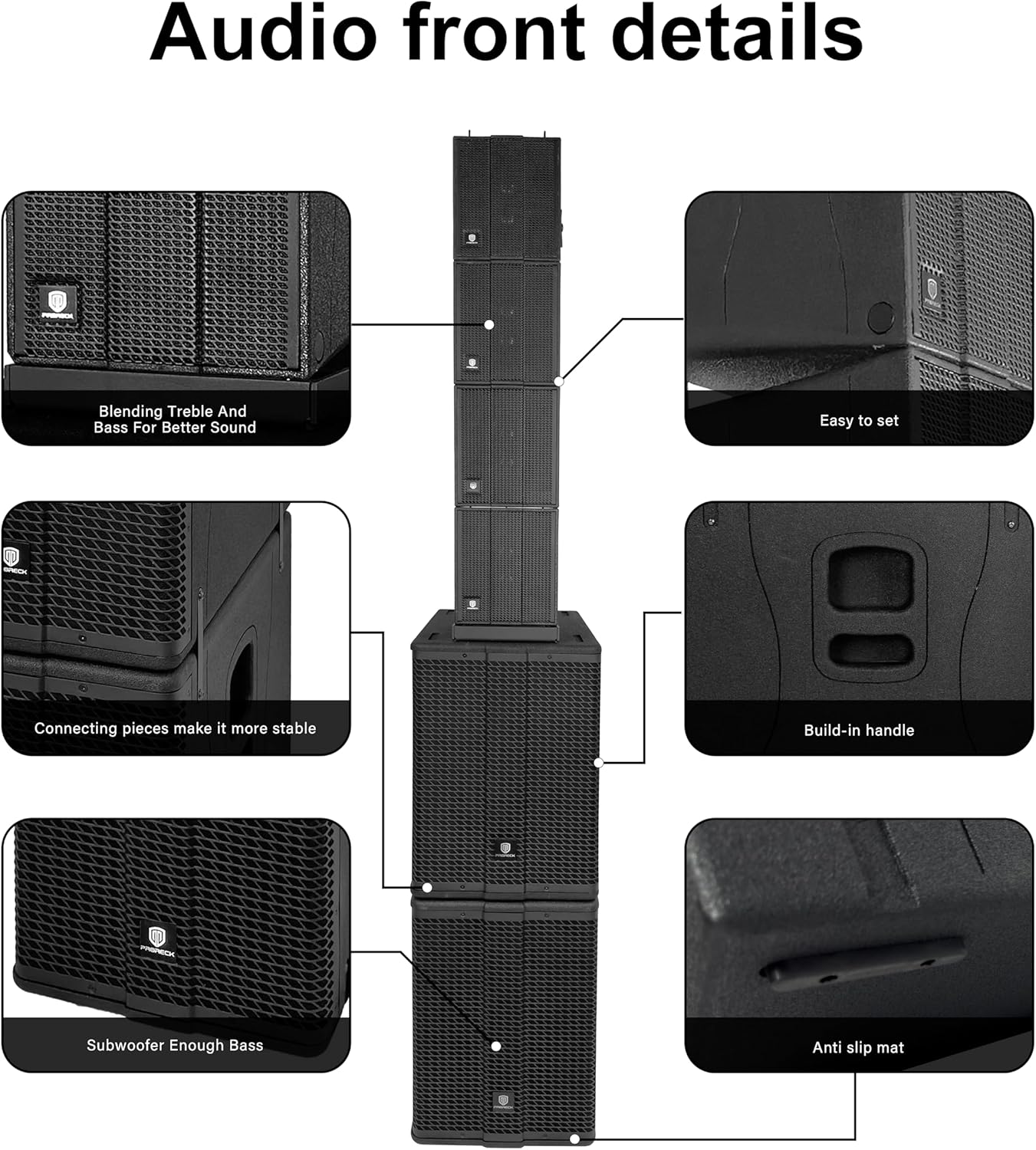
- Place the two 12" subwoofer units on a stable, flat surface. The bottom subwoofer should be placed first, followed by the second subwoofer stacked directly on top.
- Carefully place the four line array speaker units on top of the upper subwoofer. Ensure they are securely connected using the integrated connecting pieces for stability.

Image: The complete PRORECK Stage Pro 12 system fully assembled, showing the two subwoofers at the base and the four line array speakers stacked vertically above them.
2. Sambungan listrik
- Sambungan Daya: Before connecting to power, ensure the VOLTAGE SWITCH (9) on the control panel is set to match your local power supply (AC 120V or AC 240V). Connect the provided power cable to the INPUT DAYA UTAMA (11) on the subwoofer and then to a grounded electrical outlet.
- Sambungan Subwoofer: Use a speaker cable to connect the OUTPUT SUBWOOFER (8) of the primary subwoofer to the input of the second subwoofer unit.
- Line Array Speaker Connection: Connect the line array speakers to the SATELLITE POWER OUTPUT (7) on the primary subwoofer using the appropriate speaker cables. Ensure all four line array speakers are daisy-chained or connected as per the system's design.

Image: The rear panel of the PRORECK Stage Pro 12 system, illustrating the correct cable connections for power, linking subwoofers, and connecting the line array speakers.
3. Sambungan Sumber Audio
- Connect your audio source (mixer, microphone, instrument, etc.) to the XLR/TRS COMBO INPUT (3) on the control panel. Use either XLR or 1/4" TRS cables.
- For linking to another speaker system or recording device, use the XLR LINK OUTPUT (4).
Parentah Operasi
1. Powering on / Pareum
- Pastikeun sadaya sambungan aman sateuacan diaktipkeun.
- Hurungkeun SUB-TINGKAT (1) jeung TINGKAT SATELIT (2) knobs to their minimum positions.
- Balikkeun SWITCH DAYA (10) to the "ON" position. The power indicator light will illuminate.
- To power off, turn the level knobs to minimum, then flip the SWITCH DAYA (10) to "OFF".
2. Nyaluyukeun Tingkat Jilid
- Ngagunakeun éta SUB-TINGKAT (1) knob to control the volume of the subwoofer.
- Ngagunakeun éta TINGKAT SATELIT (2) knob to control the volume of the line array speakers.
- Adjust both levels to achieve a balanced sound for your environment.
3. DSP Presets
La stage Pro 12 features three Digital Signal Processing (DSP) presets to optimize sound for different applications:
- STANDAR: General purpose setting for balanced audio reproduction.
- DJ: Enhanced bass and treble for music playback, ideal for parties and events.
- LIVE: Optimized for live vocals and instruments, providing clarity and presence.
Ngagunakeun éta DSP PRESÉT (5) switch to cycle through these modes and select the one best suited for your current use.
4. Bluetooth and TWS Connectivity
- Masangkeun Bluetooth: Balikkeun BLUETOOTH/TWS SWITCH (6) to the Bluetooth position. The Bluetooth indicator light will flash, indicating it's ready for pairing. On your smartphone, tablet, or laptop, search for "PRORECK Stage Pro 12" in your Bluetooth settings and connect. Once paired, the light will become solid.
- Stereo Nirkabel Sejati (TWS): To connect two Stage Pro 12 systems for stereo sound, ensure both units are powered on and in Bluetooth mode. On one unit, press and hold the BLUETOOTH/TWS SWITCH (6) until the TWS indicator light flashes. The two units will automatically pair, and audio will be split into left and right channels for a wider soundstage.
Pangropéa
Proper maintenance ensures the longevity and optimal performance of your PRORECK Stage Pro 12 system.
- beberesih: Use a soft, dry cloth to clean the exterior surfaces of the speakers. Do not use abrasive cleaners, waxes, or solvents. For stubborn dirt, a slightly damp lawon bisa dipaké, dituturkeun ku lawon garing.
- Ventilasi: Pariksa sacara rutin yén liang ventilasi bersih tina lebu sareng runtah pikeun nyegah panas teuing.
- Panyimpenan: When not in use for extended periods, store the system in a cool, dry place, away from direct sunlight and extreme temperatures. It is recommended to use the original packaging for storage and transport.
- Perawatan kabel: Inspect all cables regularly for signs of wear or damage. Replace any damaged cables immediately to prevent electrical hazards or signal loss.
Pamérésan masalah
If you encounter issues with your PRORECK Stage Pro 12 system, refer to the following common problems and solutions:
| Masalah | Mungkin Cukang lantaranana | Solusi |
|---|---|---|
| Taya sora tina speaker. |
|
|
| Kualitas sora anu distorsi atanapi goréng. |
|
|
| Masalah papasangan Bluetooth. |
|
|
| Sambungan TWS gagal. |
|
|
If the problem persists after trying these solutions, please contact PRORECK customer support for further assistance.
spésifikasi
Detailed technical specifications for the PRORECK Stage Pro 12 PA Speaker System:
| Nomer modél | StagePro 12 |
| merek | PRORECK |
| Speaker Maksimum Kaluaran Power | 8000 Watt (Puncak) |
| Kakuatan RMS | 1200 Watt |
| Komponén Kaasup | Line Array Speakers (4x), Subwoofers (2x 12") |
| Téhnologi konektipitas | Bluetooth (TWS supported) |
| Mode Kaluaran Audio | Stereo |
| Tipe Pamasangan | Stépar |
| Métode kontrol | Voice (via connected device for Bluetooth), Manual Knobs/Switches |
| Jumlah Item | 1 (complete system) |
| Ukuran (Perkiraan) | Total Height: 192cm (75.5 inches) |

Image: Detailed dimensional drawing of the PRORECK Stage Pro 12 system, providing measurements for the overall height, and individual dimensions for the subwoofers and line array speakers.
Garansi
The PRORECK Stage Pro 12 PA Speaker System comes with a Limited Warranty. Please refer to the warranty card included with your product for specific terms, conditions, and duration of coverage. Retain your proof of purchase for warranty claims.
Ngarojong
For technical assistance, troubleshooting beyond this manual, or warranty inquiries, please contact PRORECK customer support. You can find more information and contact details on the official PRORECK website or through the PRORECK Store on Amazon.
Nganjang ka PRORECK Store pikeun émbaran produk tambahan jeung sumber rojongan.
Ask a question about this manual
Ask about setup, troubleshooting, compatibility, parts, safety, or missing instructions. Manuals+ will review the question and use this page’s manual context to help answer it.