
Bubuka
The Cygnett HighPWR 27,000mAh Laptop Power Bank is a robust portable charging solution designed to power laptops, tablets, smartphones, and other USB-powered devices. With an impressive 148W power output and a substantial 27,000mAh capacity, it ensures your essential devices remain charged on the go. This power bank features a digital display for battery status and multiple charging ports for versatility. It is approved for carry-on on most airlines, making it an ideal travel companion.
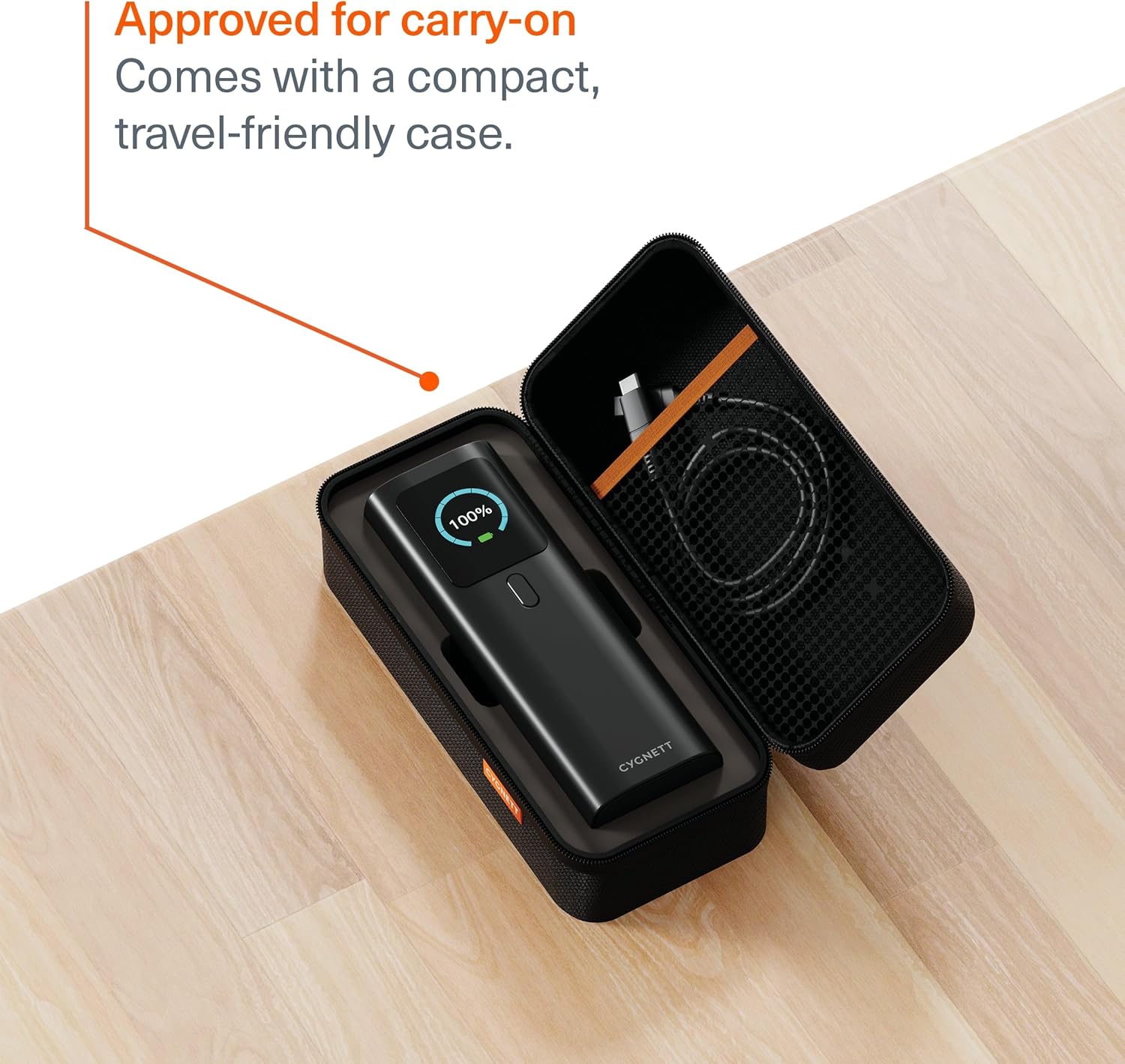
Image: The Cygnett HighPWR Power Bank neatly stored within its compact, travel-friendly case, ready for transport.
Eusi pakét
- Cygnett HighPWR 27,000mAh Laptop Power Bank
- Kasus Travel
- USB-C kana Kabel Ngecas USB-C
- Manual pamaké
Produk Leuwihview
The Cygnett HighPWR features a sleek design with a clear digital display and multiple ports for versatile charging. Familiarize yourself with the components:
- Digital tampilan: Némbongkeun sésa persén batrétage and real-time input/output wattage for each port.
- Port USB-C (x2): For high-speed charging of laptops, tablets, and smartphones. Supports Power Delivery 3.1.
- Port USB-A (x1): For charging a wide range of USB-compatible devices.
- Tombol Daya: Activates the display and initiates charging.
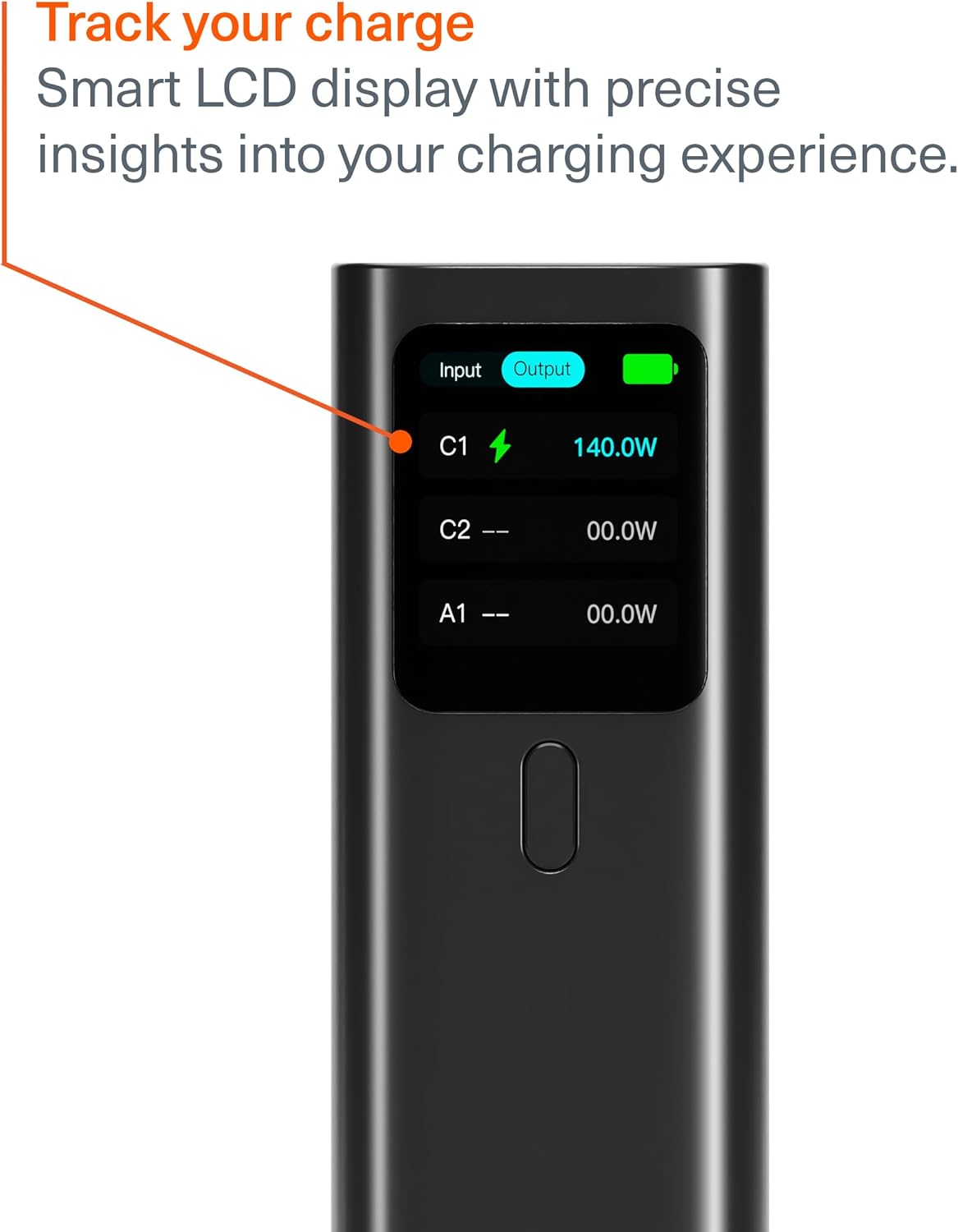
Image: A close-up of the power bank's digital display, indicating an output of 140W from one of the USB-C ports, along with battery status.

Image: The Cygnett HighPWR Power Bank with various charging cables connected to its USB-C and USB-A ports, demonstrating its multi-device charging capability.
Disetél
Ngecas Power Bank
- Connect one end of the provided USB-C to USB-C cable to a USB-C port on the power bank.
- Sambungkeun tungtung kabel anu sanésna kana carjer témbok USB-C anu cocog (henteu kalebet) kalayan kaluaran minimum 60W pikeun kecepatan ngecas anu optimal.
- The digital display will show the input wattage jeung batré persentagé increasing.
- The power bank can be fully recharged from 0-100% in approximately 1.5 hours with a suitable charger.

Image: The Cygnett HighPWR Power Bank connected to a wall adapter via a USB-C cable, illustrating the recharging process.
Ngoperasikeun
Ngecas Alat Anjeun
- Press the power button once to activate the digital display and check the power bank's battery level.
- Connect your device's charging cable to the appropriate port (USB-C or USB-A) on the power bank.
- Sambungkeun tungtung kabel anu sanés ka alat anjeun.
- Bank daya bakal otomatis ngecas alat anjeun. Layar digital bakal némbongkeun daya kaluarantage for the active ports.
- You can charge up to three devices simultaneously. The power output will be distributed among the connected devices.

Image: The Cygnett HighPWR Power Bank connected to and charging a laptop and two smartphones at the same time, showcasing its ability to power multiple devices.
Pangropéa
- beberesih: Ngusap bank kakuatan ku lawon lemes, garing. Ulah make bahan kimia kasar atawa bahan abrasive.
- Panyimpenan: Store the power bank in a cool, dry place away from direct sunlight and extreme temperatures. If storing for extended periods, ensure it is charged to at least 50% capacity.
- Hindarkeun tetes: Jaga alat tina tetes sareng tabrakan, anu tiasa ngaruksak komponén internal.
Pamérésan masalah
- Bank kakuatan henteu ngecas:
- Pastikeun kabel ngecas disambungkeun kalayan aman ka bank daya sareng carjer témbok.
- Verify that the wall charger is functioning correctly and provides sufficient power (e.g., 60W or higher for fast charging).
- Cobi kabel USB-C atanapi carjer témbok anu sanés.
- Alat teu ngecas tina bank daya:
- Pencét tombol daya dina power bank pikeun mastikeun éta aktip.
- Check if the power bank has sufficient charge remaining (indicated on the digital display).
- Ensure the charging cable connecting your device to the power bank is functional and properly connected.
- Pastikeun alat anjeun cocog sareng spésifikasi kaluaran bank daya.
- Ngecas lalaunan:
- Pastikeun anjeun nganggo kabel kualitas luhur anu ngadukung ngecas gancang.
- If charging multiple devices, the output power is shared, which may result in slower charging for individual devices.
- Check your device's charging input requirements.
spésifikasi

Gambar: Hareup jeung samping views of the Cygnett HighPWR Power Bank, detailing its dimensions: 154mm height, 52mm width, and 50mm depth.
| Fitur | Rincian |
|---|---|
| Ngaran modél | HighPWR |
| Nomer modél | CY5381PBCHE |
| Kapasitas batré | 27,000 mAh |
| Total Kaluaran Kakuatan | 148W |
| USB-C Output (Single Port) | Up to 140W Power Delivery 3.1 |
| Palabuhan | 2x USB-C, 1x USB-A |
| Recharge Waktos | 1.5 hours (with compatible 60W+ charger) |
| Fitur husus | Digital Display, Fast Charging, Travel-friendly Case |
| Ukuran (L x W x H) | 15.4 x 5.2 x 5.0 cm (kira-kira 154mm H x 52mm W x 50mm D) |
| Beurat | 600 gram |
| Warna | Hideung |
| GTIN / UPC | 848116048185 |
Garansi
The Cygnett HighPWR 27,000mAh Laptop Power Bank comes with a 2-Taun Garansi Produsén Limited. This warranty covers defects in materials and workmanship under normal use. Please retain your proof of purchase for warranty claims. For full terms and conditions, please refer to the official Cygnett websitus atanapi ngahubungan rojongan customer.
Ngarojong
For further assistance, technical support, or warranty inquiries, please visit the official Cygnett websitus atanapi ngahubungan departemén layanan palanggan maranéhna. Anjeun tiasa mendakan inpormasi kontak sareng FAQ dina halaman dukunganna.
Websitus: www.cygnett.com