
BOYA BOYA MINI-23
BOYA mini Wireless Lavalier Microphone User Manual
Model: BOYA MINI-23
Merek: BOYA
Bubuka
The BOYA mini wireless microphone system offers a compact, portable, and high-quality audio solution for content creators. Weighing just 5 grams per transmitter, it provides studio-grade sound with advanced noise cancellation and real-time voice customization, making it ideal for various recording scenarios.

Image: The BOYA mini wireless microphone system, featuring two compact transmitters and a USB-C receiver.
Naon dina Box
- 2 × Transmitters (TX)
- 1 × USB-C Receiver (RX)
- 2 x Kabel Ngecas Magnét
- 1 x Kantong Kantong

Image: All components included in the BOYA mini wireless microphone package.
Disetél
Automatic Pairing (Plug-and-Play)
The BOYA mini system is designed for ease of use with automatic pairing. Transmitters power on automatically when taken out and auto-pair with the receiver. Simply plug the receiver into your device, and the indicator lights will turn static blue when paired successfully.

Image: A hand plugging the BOYA mini receiver into a smartphone, demonstrating the plug-and-play functionality.
Manual Pairing (If Unpaired)
- Insert the receiver into your device.
- Press and hold the receiver's NR button for 5 seconds to enter pairing mode, accompanied by a flashing blue light.
- Turn off the transmitter. Press and hold its power button for 5 seconds. The transmitter will flash blue lights to indicate its pairing mode.
- Once paired, indicator lights on both the transmitter and receiver will turn static blue.
Video: An official BOYA operation video demonstrating the setup and pairing process for the BOYA mini wireless microphone.
Kasaluyuan
The USB-C receiver is designed for iPhone 15 or newer, Android smartphones, tablets, and computers. It is compatible with DJI Action 3/4/5 and DJI Pocket 3 cameras.
Catetan: Not supported for Insta360, GoPro, Akaso cameras, or OnePlus devices. This device does not support Bluetooth connectivity.

Image: Visual representation of devices compatible with the BOYA mini USB-C receiver, including smartphones, tablets, and specific action cameras.
Parentah Operasi
Noise Cancelling
The BOYA mini features 3-level adjustable AI noise cancellation. Press the transmitter's power button once to activate noise cancellation (accompanied by green indicator lights). The strongest noise cancellation is activated by default.
To change the noise cancellation level, press the receiver's NR button:
- Green Light flashes once - Weak
- Green Light flashes twice - Medium
- Green Light flashes 3 times - Strong

Image: Illustration of the 3-level AI noise cancellation feature, showing effectiveness in different environments.
Voice Customization (Voice Changer)
Enable voice changer by pressing the receiver's NR button twice:
- Blue Light flashes once - Deeper Voice (Uncle Voice)
- Blue Light flashes twice - Sweeter Voice (Female Voice)
- Blue Light flashes 3 times - Original Voice
Video: An official BOYA operation video demonstrating the voice changer function of the BOYA mini wireless microphone.
Wireless Range and Battery Life
Experience stable wireless transmission over 328ft (100m) without cutting out or audio breaks, even at maximum range. The built-in rechargeable battery delivers 6 hours of continuous use per charge. With two transmitters, you can alternate seamlessly for up to 12 hours of total runtime.
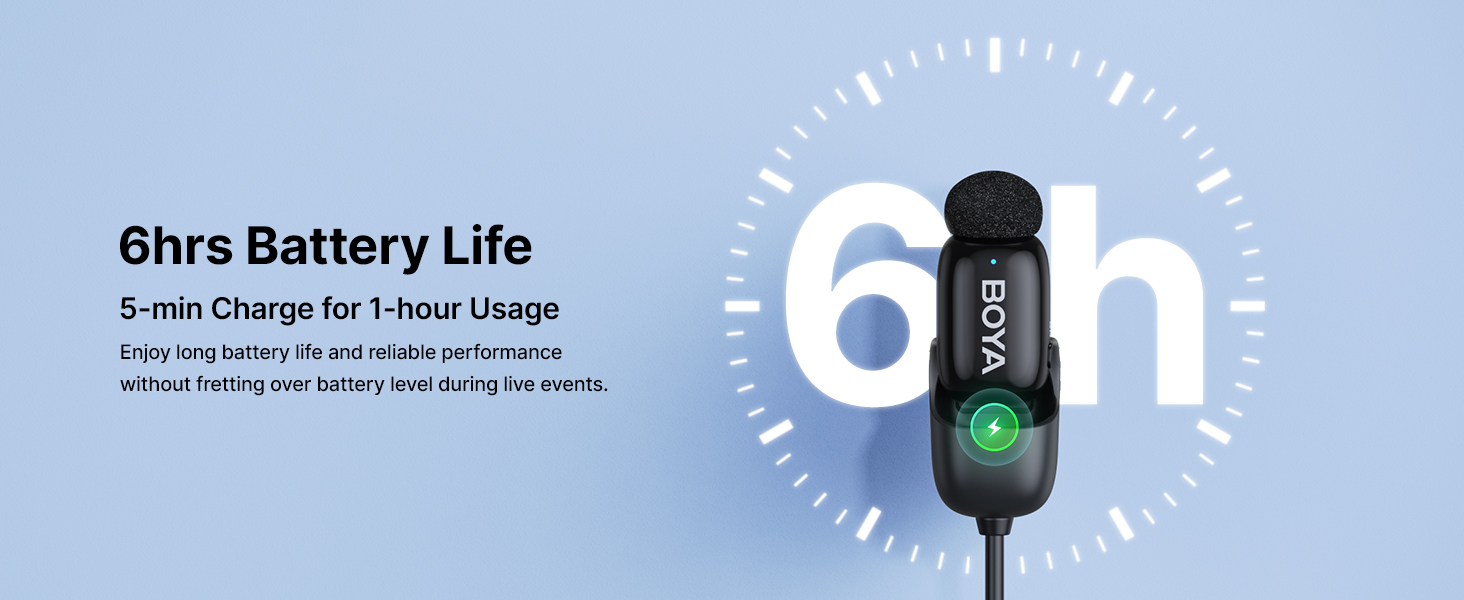
Image: Visual showing the 6-hour battery life of a single BOYA mini transmitter.
Pangropéa
To ensure the longevity and optimal performance of your BOYA mini wireless microphone system, follow these maintenance guidelines:
- beberesih: Use a soft, dry cloth to clean the transmitters and receiver. Avoid using harsh chemicals or abrasive materials.
- Panyimpenan: Store the microphone system in the provided carrying pouch when not in use to protect it from dust, moisture, and physical damage.
- Perawatan batré: Fully charge the devices before extended storage. Avoid completely draining the battery frequently to prolong its lifespan.
- Kaayaan Lingkungan: Hindarkeun ngalaan alat ka suhu anu ekstrim, sinar panonpoé langsung, atanapi kalembaban anu luhur.
Pamérésan masalah
| Masalah | Mungkin Cukang lantaranana | Solusi |
|---|---|---|
| Device not pairing | Not in pairing mode; interference; low battery. | Ensure both TX and RX are in pairing mode (flashing blue light). Move away from other wireless devices. Charge devices fully. |
| Kualitas sora goréng/statik | Interference; distance from receiver; noise cancellation setting. | Reduce distance between TX and RX. Adjust noise cancellation level. Avoid strong electromagnetic fields. |
| Taya kaluaran sora | Incorrect connection; device volume too low; app settings. | Ensure receiver is fully inserted into the device. Check device volume and recording app settings. |
| hirup batré pondok | Frequent use of high noise cancellation; aging battery. | Reduce noise cancellation level if not needed. Ensure full charge before use. |
spésifikasi
| Fitur | Rincian |
|---|---|
| Faktor Bentuk Mikropon | Lavalier |
| Téhnologi konektipitas | Nirkabel |
| Tipe Panyambung | USB Tipe-C |
| Pola Polar | Omnidirectional |
| Rentang Frékuénsi | 20Hz-20kHz |
| Rasio Signal-to-Noise | 80 dB |
| Item Beurat | 2.39 ons |
| Ukuran (L x W x H) | 1.18 x 2.36 x 3.94 inci |
| Kahirupan batré | 6 hours (per transmitter) |
| Jarak transmisi nirkabel | Nepi ka 328ft (100m) |
Garansi sareng Rojongan
BOYA products typically come with a manufacturer's warranty. Please refer to the warranty card included in your product packaging or visit the official BOYA websitus pikeun inpo jaminan lengkep jeung istilah.
For technical support, troubleshooting assistance, or any product-related inquiries, please contact BOYA customer service through their official channels. You can find contact information on the BOYA websitus atanapi dina dokuméntasi produk Anjeun.
Visit the official BOYA Store: BOYA Store on Amazon
Ask a question about this manual
Ask about setup, troubleshooting, compatibility, parts, safety, or missing instructions. Manuals+ will review the question and use this page’s manual context to help answer it.