
Bubuka
Thank you for choosing the CREATE WIND BALANCE Ceiling Fan. This manual provides essential information for the safe installation, operation, and maintenance of your new ceiling fan. Please read it thoroughly before installation and keep it for future reference.
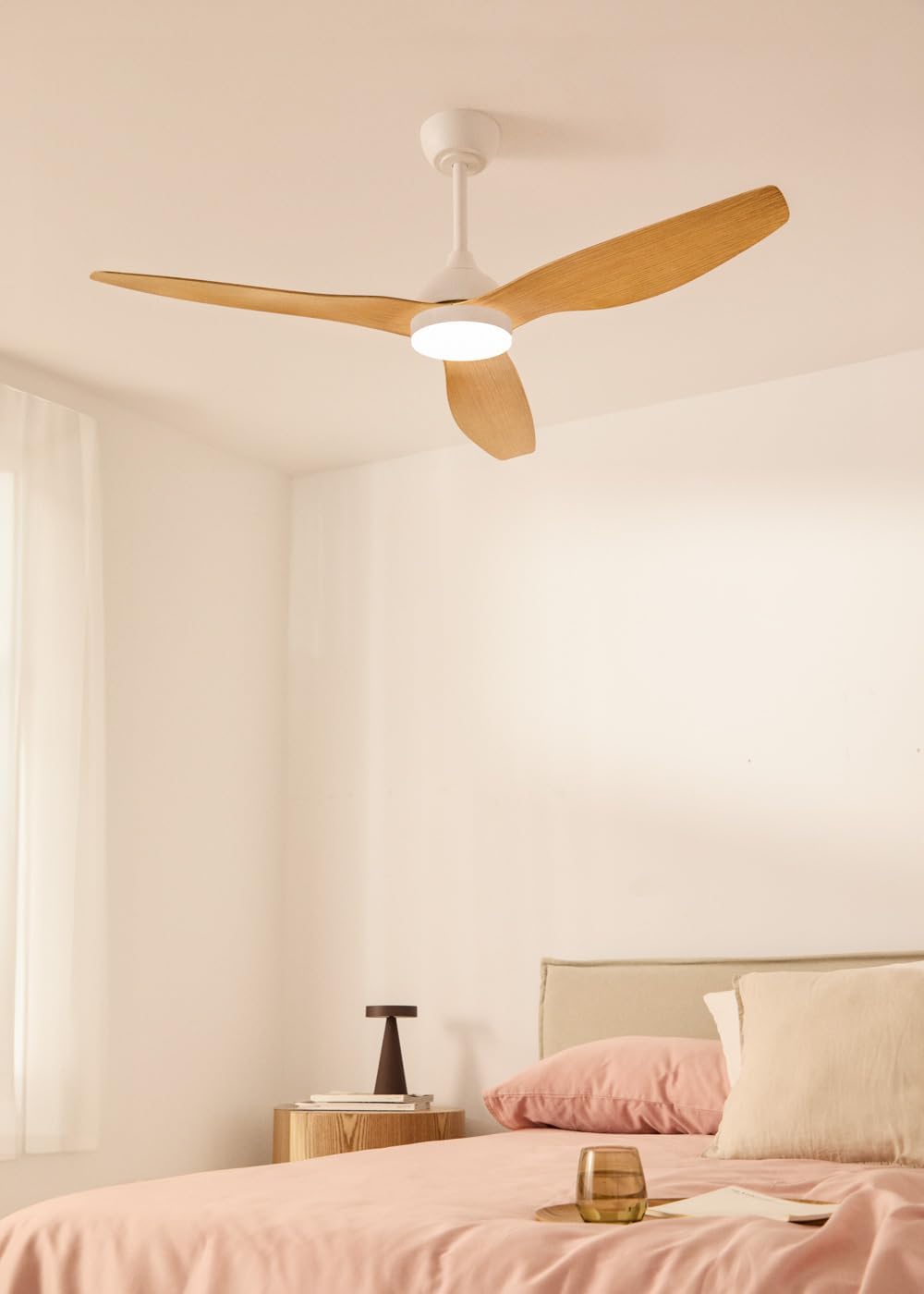
This ceiling fan features a silent 40W DC motor, a diameter of 132 cm, 6 speed settings, a programmable timer, a reversible summer-winter function, and an integrated LED light with 3 color temperatures. It is designed for indoor use.
Émbaran Kasalametan
- Pastikeun catu daya utama geus dicabut sateuacan dipasang atanapi diropéa.
- Pamasangan kedah dilakukeun ku tukang listrik anu mumpuni.
- Struktur pamasanganna kedah mampuh nahan beurat kipas (tingali spésifikasi).
- Ulah nyelapkeun objék kana bilah kipas bari kipas beroperasi.
- Jauhkeun barudak tina kipas nalika dioperasikeun.
- Perkakas ieu kanggo panggunaan jero rohangan wungkul.
- Anggo ngan ukur remot kontrol anu disayogikeun sareng kipas.
Eusi pakét
Pastikeun yén sadaya komponén aya sareng henteu ruksak sateuacan ngamimitian pamasangan.
- Unit Motor Kipas Langit-langit
- Fan Blades (3 units)
- Ningkatna Kurung
- Downrod
- Kanopi
- Lampu Lampu LED
- Kadali jauh
- Paket Hardware (screws, washers, mur kawat)
- Instruksi Manual
Setup sareng Instalasi
penting: Disconnect power at the circuit breaker before starting installation.
- Pamasangan bracket dipasang: Secure the mounting bracket to the ceiling junction box. Ensure the bracket is firmly attached to a structural beam or a suitable support system capable of holding the fan's weight.
- Majelis Downrod: Insert the downrod through the canopy and connect it to the fan motor unit. Secure with the provided pin and screws.
- Wiring: Sambungkeun kabel listrik kipas kana kabel rumah tangga numutkeun kode listrik lokal. Biasana, ieu ngalibatkeun nyambungkeun kabel listrik, nétral, sareng kabel ground.
- Gantung kipas: Angkat rakitan kipas kalayan ati-ati teras gantungkeun tina kait braket pemasangan.
- Lampiran sabeulah: Attach the three fan blades to the motor housing using the provided screws. Ensure all screws are tightened securely.
- Pamasangan Kit Lampu: Connect the LED light kit wires to the fan motor unit's light wires. Secure the light kit to the bottom of the fan motor housing.
- Pamasangan Kanopi: Slide the canopy up to the ceiling and secure it to the mounting bracket with the provided screws, covering all wiring.

Parentah Operasi
Your CREATE WIND BALANCE ceiling fan is operated via the included remote control.
Fungsi Remote Control
- Hurungkeun/Pareuman: Pencét tombol daya pikeun ngaktipkeun atanapi mareuman kipas sareng lampu.
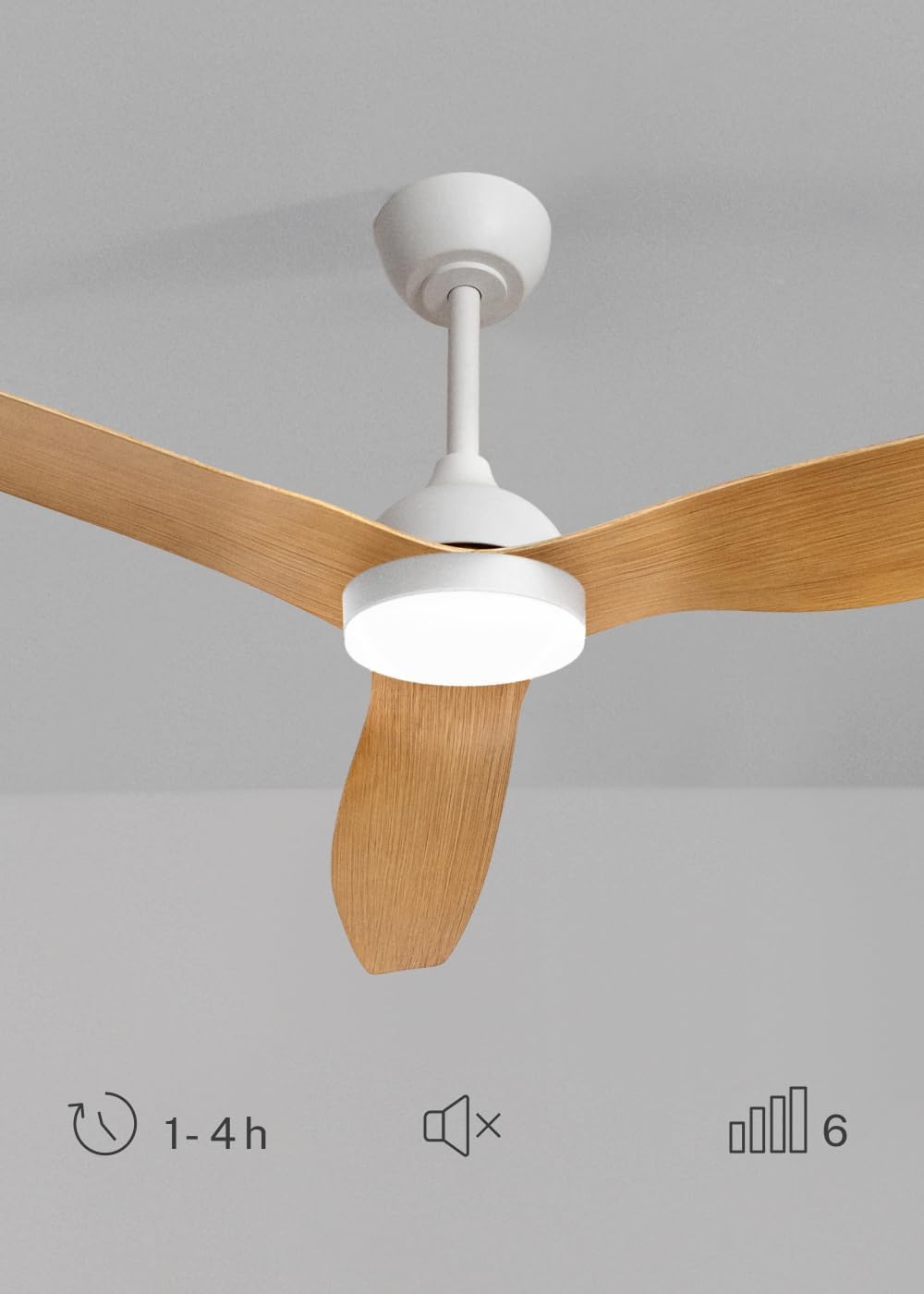
- Kontrol Laju Kipas: Use the speed buttons (typically numbered 1-6 or with up/down arrows) to adjust the fan's rotation speed. There are 6 available speeds.
- Lampu Hurung/Pareum: Pencét tombol lampu pikeun ngahurungkeun atanapi mareuman lampu LED.
- Suhu Warna Cahaya: Press the light color temperature button (often labeled with a sun or color icon) to cycle through the 3 available light temperatures: warm, neutral, and cool white.
- Fungsi Timer: Press the timer button to set the fan to operate for 1, 2, or 4 hours before automatically shutting off.
- Fungsi mute: If available, a mute button can silence operational beeps or sounds.
Summer and Winter Mode
The fan features a reversible motor for year-round comfort and energy efficiency.
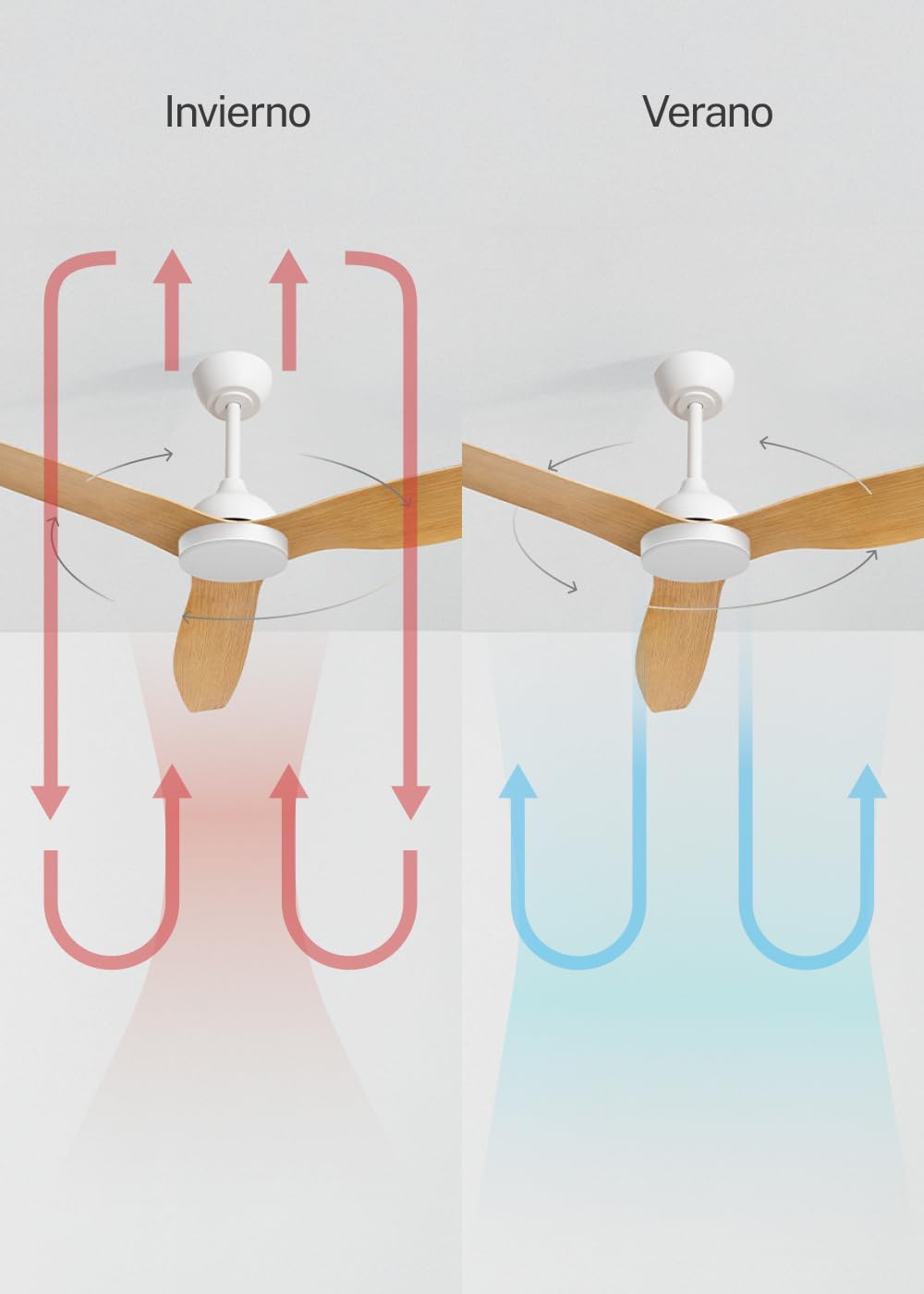
- Modeu Usum Panas (Rotasi Saarah Jarum Jam): The blades rotate counter-clockwise, pushing air downwards to create a cooling breeze. This helps to make a room feel cooler without lowering the thermostat significantly.
- Modeu Usum (Rotasi Searah Jarum Jam): The blades rotate clockwise, drawing air upwards. This circulates warm air that has risen to the ceiling, distributing it throughout the room and helping to reduce heating costs.
- To switch modes, use the dedicated button on the remote control (if available) or a switch on the fan motor housing. Ensure the fan is off before changing direction.
LED Light Temperature Settings
The integrated LED light offers three distinct color temperatures to suit your preference and mood.
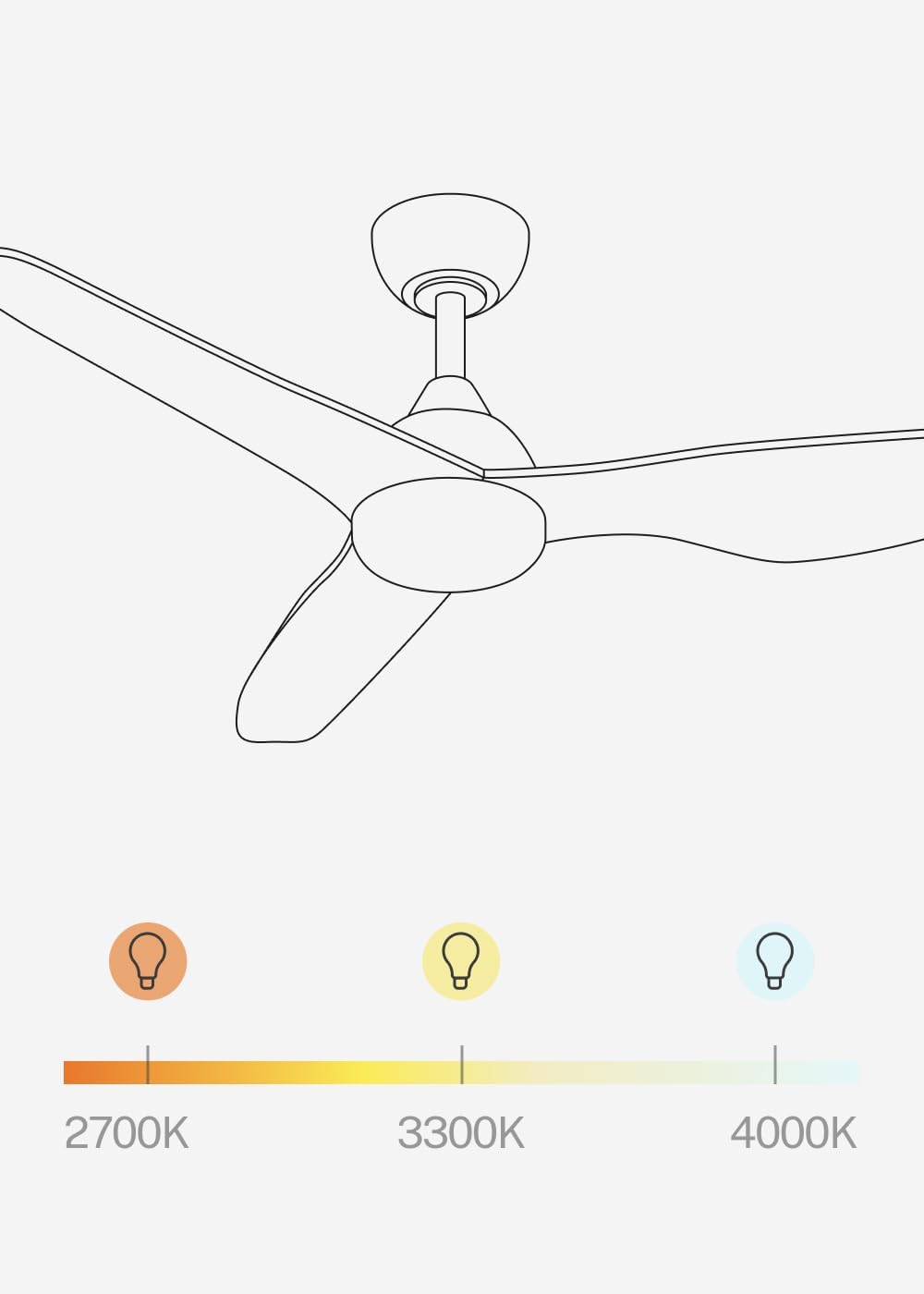
- 2700K (Bodas haneut): Nyayogikeun suasana anu nyaman sareng pikaresepeun, idéal pikeun bersantai.
- 3300K (Bodas Nétral): Offers a balanced, natural light suitable for general tasks.
- 4000K (Bodas Tiis): Delivers bright, crisp light, often preferred for focused activities.
- Cycle through these temperatures using the dedicated light temperature button on the remote control. Note that the light intensity is not adjustable.
Pangropéa
Pangropéa rutin mastikeun kinerja anu optimal sareng manjangkeun umur kipas anjeun.
- beberesih: Debu bilah kipas sareng perumahan motor sacara teratur kalayan lembut, damp cloth. Do not use abrasive cleaners or solvents. Ensure the fan is off and power is disconnected before cleaning.
- Kencangkeun Fasteners: Periodically check and tighten all screws and fasteners on the fan blades and mounting hardware. Loose connections can cause noise and wobble.
- Kasaimbangan Blade: If the fan wobbles, check that the blades are securely attached and that none are bent or damaged. A balancing kit (not included) may be used if necessary.
- Sumber cahaya: The LED light source is integrated and not user-replaceable. If the light fails, contact customer support.
Pamérésan masalah
| Masalah | Mungkin Cukang lantaranana | Solusi |
|---|---|---|
| Kipas teu ngamimitian | Teu aya catu daya; Kabel kendur; Batré remot kontrol pareum. | Check circuit breaker; Verify wiring connections (consult electrician); Replace remote control battery. |
| Kipas angin ngagelebug | Bilah atawa pakakas nu leupas; Bilah nu teu saimbang. | Tighten all screws; Check blade alignment; Use a blade balancing kit. |
| Lampu teu jalan | Loose wiring; LED failure. | Check light kit wiring (consult electrician); Contact customer support for LED replacement. |
| Kadali jauh teu jalan | Dead battery; Remote not paired. | Replace battery; Refer to remote control pairing instructions (if applicable, usually automatic). |
| Sora kaleuleuwihi | Sekrup leupas; Masalah motor; Bilah nabrak halangan. | Tighten all screws; Ensure no obstructions; If noise persists, contact customer support. |
spésifikasi
- merek: NYIPTA
- Ngaran modél: WIND BALANCE
- Jumlah modél: 195143_500628
- warna: Kayu Alam
- Jenis kipas: Kipas Ceuli
- Sumber Daya: AC (240 Volt)
- Ukuran (D x W x H): 132 cm x 132 cm x 46 cm
- Fitur husus: LED Light, Timer, 6 Speeds, Reversible Summer-Winter, Remote Control
- Tipe Pamasangan: Gunung siling
- Jenis Controller: Kadali jauh
- Bahan: Plastic (Blades), Aluminum (Motor)
- Jumlah Laju: 6
- Tingkat Noise: 40 desibel
- kakuatan: 40 Watt
- Jumlah agul: 3
- Kapasitas Aliran Udara: 186.8 Méter kubik per Menit
- Pamakéan: jero rohangan
- Tipe Motor: DC
- cahaya: 18W LED with 3 color temperatures (2700K, 3300K, 4000K)
Garansi sareng Rojongan
For warranty information or technical support, please refer to the warranty card included with your product or visit the official CREATE websitus. Simpen resi pameseran anjeun salaku bukti pameseran pikeun klaim garansi.
If you encounter any issues not covered in the troubleshooting section, please contact CREATE customer service for assistance.