
1. Bubuka
Thank you for choosing the Protec Advance 650 Portable Power Station. This device is designed to provide a reliable and versatile power source for various applications, including camping, travel, and emergency home use. With a 600W output and a 634Wh battery capacity, it ensures stable performance for your electronic devices. This manual provides essential information for safe operation, setup, maintenance, and troubleshooting.
2. Parentah Kasalametan
- Read all instructions before using the power station.
- Do not disassemble, repair, or modify the unit. Incorrect reassembly may cause fire or injury.
- Ulah ngalaan unit ieu kana seuneu atanapi suhu anu luhur (di luhur 60°C/140°F).
- Ulah dianggo atanapi disimpen unit ieu dina sinar panonpoé langsung, caket sumber panas, atanapi dina lingkungan anu kalembabanna luhur.
- Jauhkeun unit tina cai sareng cairan sanés.
- Ulah ngajatuhkeun, nabrak, atawa ngabenturkeun unit ieu ka dampak anu kuat.
- Jauhkeun tina jangkauan barudak.
- Pastikeun ventilasi anu leres nalika dianggo sareng ngecas.
- Anggo ngan ukur asesoris sareng carjer anu disarankeun.
- In case of leakage from the battery, avoid contact with skin and eyes. If contact occurs, rinse with water and seek medical attention.
3. Produk Langkungview
3.1 Komponén jeung Fitur
The Protec Advance 650 is equipped with multiple ports and features for versatile power delivery and charging:
- Kaluaran kakuatan: 600W continuous, 634Wh battery capacity.
- Outlet AC: Two 230V pure sine wave AC outlets for sensitive electronics.
- Port USB: One USB-C PD 60W port and three USB-A QC 3.0 ports (54W total).
- Kaluaran DC: One 12V DC car charger port.
- Ngecas nirkabel: Integrated 10W Qi wireless charging pad.
- tampilan: Real-time LCD screen showing charge level and remaining runtime.
- Pencahayaan: Emergency lighting (side and handle).
- Daya tahan: IP54 rating for dust and splash resistance.
- Pilihan ngecas: AC wall charger (100W included), compatible with Protec solar panels.

Hareupeun view of the Protec Advance 650 Portable Power Station, showing the main display, power button, AC outlets, DC car port, and USB ports.

Diagram illustrating the output capabilities of the Protec Advance 650, including two 500W AC outlets, a 1W torch, and three 18W USB-A ports.

Diagram highlighting the display features, a 60W USB-C Quick Charge port, and a 12V DC 10A car charger port on the Protec Advance 650.
4. Setélan
4.1 Ngecas Awal
Before first use, fully charge the Protec Advance 650. This ensures optimal battery performance and extends its lifespan.
- Connect the included AC wall charger to the power station's input port.
- Colokkeun carjer kana stop kontak standar.
- The display will indicate charging status. Charge until the battery indicator shows 100%.
4.2 Nempatkeun
Tempatkeun pembangkit listrik dina tempat anu datar sareng stabil di tempat anu ventilasina saé. Ulah nempatkeunana caket sumber panas atanapi dina sinar panonpoé langsung.
5. Parentah Operasi
5.1 Powering on / Pareum
Pencét terus tahan tombol daya utama salami sababaraha detik pikeun ngahurungkeun atanapi mareuman unit. Layar LCD bakal hurung nalika unit dihurungkeun.
5.2 Ngecas Pembangkit Listrik
The Advance 650 can be recharged using multiple methods:
- Pangisi Daya AC Dinding: Use the included 100W AC adapter. Connect it to the input port and a wall outlet.
- Panel panonpoe: Connect compatible Protec solar panels (sold separately) to the DC input port. Ensure the solar panels are placed in direct sunlight for efficient charging.
- Carjer mobil: Use a 12V car charger adapter (not specified if included, typically sold separately) to charge from your vehicle's cigarette lighter port.
5.3 Ngagunakeun Kaluaran AC
The power station features two 230V pure sine wave AC outlets, suitable for powering sensitive electronics up to 600W total.
- Pencét tombol daya AC pikeun ngaktipkeun stop kontak AC. Indikator AC dina tampilan bakal hurung.
- Plug your device into one of the AC outlets.
- Ensure the total power consumption of your devices does not exceed 600W.
- When finished, press the AC power button again to turn off the AC outlets and conserve battery.
5.4 Using DC Outputs (USB-A, USB-C, Car Port)
The DC outputs are ideal for charging smartphones, tablets, laptops, and other 12V devices.
- Press the DC power button to activate the DC outputs. The DC indicator on the display will light up.
- Connect your device to the appropriate USB-A, USB-C, or 12V car charger port.
- The USB-C port supports Power Delivery (PD) up to 60W, and USB-A ports support Quick Charge (QC 3.0) up to 54W total.
- When finished, press the DC power button again to turn off the DC outputs.
5.5 Ngagunakeun Ngecas Nirkabel
The top of the power station features a 10W Qi wireless charging pad.
- Pastikeun stasiun listrik dihurungkeun.
- Place your Qi-compatible device directly onto the wireless charging pad.
- Alatna kedahna mimiti ngecas sacara otomatis.
5.6 Ngagunakeun Tampilan
Layar LCD nyayogikeun inpormasi sacara real-time:
- Tingkat batré: Némbongkeun persén muatan ayeunatage.
- Daya Input/Kaluaran: Displays the current power input (charging) or output (discharging) in watts.
- Remaining Runtime: Ngira-ngira waktu operasi anu sésana dumasar kana konsumsi daya ayeuna.
- Indikator: Icons for AC, DC, and fan status.
5.7 Using the Emergency Light
The power station includes integrated emergency lighting.
- Press the light button to turn on the emergency light.
- Press again to cycle through different brightness modes or turn off.

Examples of domestic use for the Protec Advance 650, showing estimated runtimes for a 60W TV (9h), a 50W PC (approx. 10 recharges), a 10W smartphone (53 recharges), and a 12W fan (45h).

Examples of professional use for the Protec Advance 650, showing estimated runtimes for a 500W lawnmower (1h), a 500W power tool (1h), and recharges for an 18V battery (4 recharges) and a double 18V battery (2 recharges).
6. Pangropéa
6.1 beberesih
Wipe the exterior of the power station with a soft, dry cloth. Do not use abrasive cleaners or solvents. Ensure all ports are free of dust and debris.
6.2 Panyimpenan
If storing the unit for an extended period, charge it to approximately 50-80% every 3-6 months to maintain battery health. Store in a cool, dry place, away from direct sunlight and extreme temperatures.
6.3 Perawatan Batré
The Protec Advance 650 uses a Lithium-phosphate battery. To maximize its lifespan:
- Hindarkeun sering-sering ngeusi batre.
- Hindarkeun paparan anu berkepanjangan ka suhu anu luhur.
- Charge the unit fully before long periods of inactivity.
7. Cara ngungkulan
- Unit teu hurung: Pastikeun batréna tos dicas. Upami henteu, sambungkeun ka sumber listrik.
- Henteu aya kaluaran tina palabuhan: Check if the respective AC or DC output buttons are activated. Ensure the device is properly connected and within the power station's output limits.
- Ngecas lalaunan: Verify that the charger is correctly connected and functioning. For solar charging, ensure panels are in direct sunlight and free of obstructions.
- panyalindungan overload: If the unit shuts down, it may be due to an overload. Disconnect some devices and restart the power station.
- Overheating: If the unit feels excessively hot, disconnect all devices and allow it to cool down in a well-ventilated area.
8. Spésifikasi
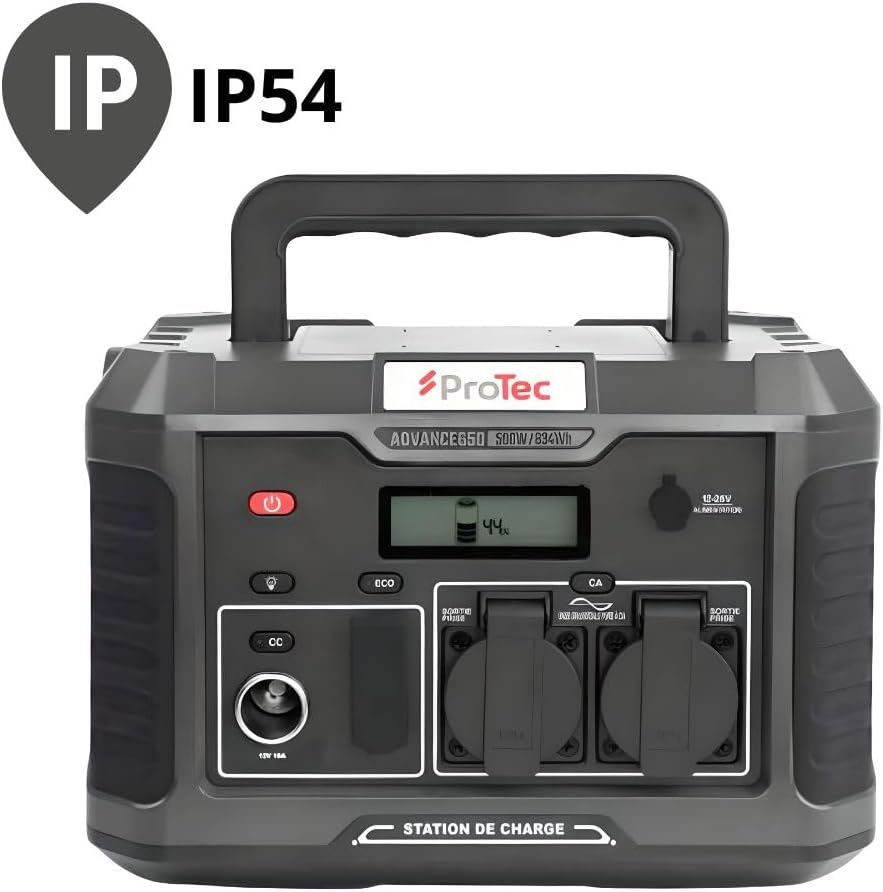
The Protec Advance 650 is rated IP54 for dust and splash resistance.
| Fitur | Spésifikasi |
|---|---|
| Nomer modél | 798720 |
| merek | Proték |
| Jenis Batré | Lithium-phosphate |
| Kapasitas batré | 634Wh |
| Kakuatan Kaluaran AC | 600W (Gelombang Sinus Murni) |
| AC Kaluaran Voltage | 230V |
| Kaluaran USB-C | 1 x PD 60W |
| USB-A Kaluaran | 3 x QC 3.0 (54W total) |
| DC Car Port Output | 1 x 12V 10A |
| Ngecas nirkabel | 10W Qi |
| AC Input (Charger) | 100W |
| Ukuran (L x W x H) | 1 x 20 x 29 cm (approx. 10L x 200W x 290H mm) |
| Beurat | 9.36 kg |
| Warna | Hideung |
| Peunteun IP | IP54 (Tahan Lebu sareng Cipratan) |
9. Garansi jeung Rojongan
9.1 Émbaran jaminan
The Protec Advance 650 Portable Power Station comes with a 2-year availability for spare parts within the EU. For specific warranty terms and conditions, please refer to the documentation provided at the time of purchase or contact Protec customer service.
9.2 Rojongan Palanggan
For technical assistance, troubleshooting, or warranty claims, please contact Protec customer support through their official websitus atanapi pangecér dimana produkna dibeuli.

The Protec Advance 650 Portable Power Station is suitable for various outdoor activities.