
Bubuka
This manual provides detailed instructions for the INFURTURE Wearable Bluetooth Speaker, Model BH127AR. Please read this manual carefully before use to ensure proper operation and to maximize the product's lifespan. Keep this manual for future reference.
Eusi pakét
- INFURTURE Wearable Bluetooth Speaker (BH127AR)
- Kabel Ngecas USB-C
- Manual pamaké
Fitur produk
- Desain Wearable: Features a sturdy carabiner clip for secure attachment to clothing, bags, or belts, allowing for hands-free audio.
- Waterproof & awét: Boasts an IPX7 waterproof rating, making it resistant to rain, spills, and accidental submersion (up to 30 minutes at 1 meter depth). It is also dustproof and shock-resistant.
- Manjangkeun Umur Batré: Nyayogikeun dugi ka 15 jam pamuteran audio kontinyu dina sakali ngecas.
- Bluetooth canggih 5.4: Ensures a stable wireless connection and faster pairing with devices, offering a range of up to 100 feet.
- Mikropon internal: Equipped with a noise-canceling microphone for clear, hands-free communication during calls.
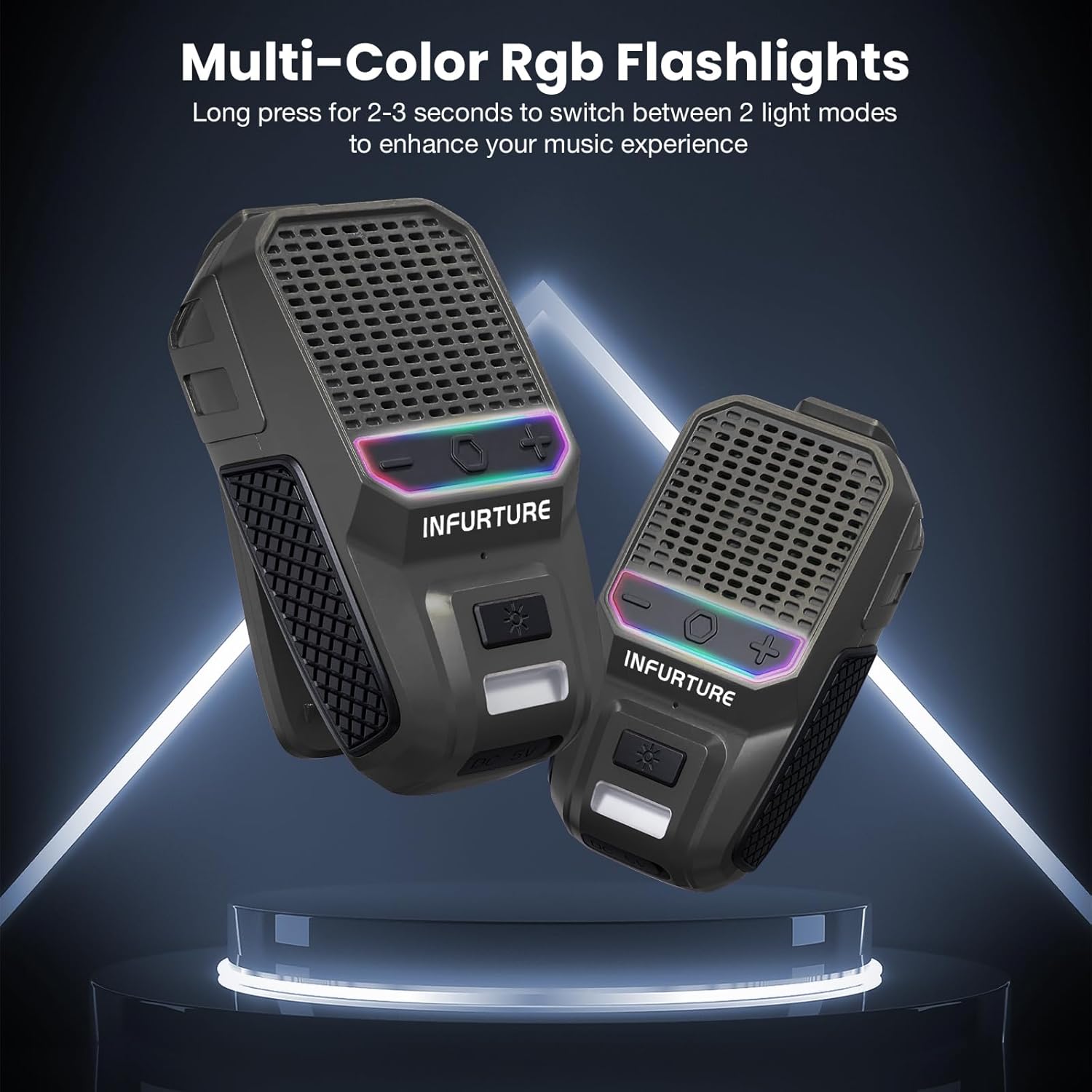
- Pencahayaan terpadu: Includes a 2-level white LED light for visibility in low-light conditions and an RGB light feature for ambiance.
- Kompak & Ringan: Weighs approximately 90g (3.17oz) with dimensions of 1.1"D x 1.97"W x 3.15"H, ensuring easy portability.
Produk Leuwihview
Refer to the image below for a visual guide to the speaker's components and controls.

This image displays the front of the INFURTURE BH127AR speaker, highlighting its compact design, speaker grille, control panel with volume and power buttons, and the integrated LED light at the bottom.
- Speaker grille: Main audio output.
- Panél kontrol: Contains buttons for Power/Bluetooth, Volume Up/Next Track, and Volume Down/Previous Track.
- Tombol Lampu LED: Activates and cycles through LED light modes.
- Port ngecas USB-C: Located under a protective cover for charging the device.
- Klip Carabiner: For attaching the speaker to various items.
Disetél
Ngecas Speaker
Before initial use, fully charge the speaker to ensure optimal performance.
- Connect the provided USB-C cable to the speaker's charging port. Ensure the port cover is fully open.
- Sambungkeun tungtung kabel anu sanés ka adaptor kakuatan USB (teu kalebet) atanapi port USB komputer.
- Lampu indikator ngecas bakal hurung. Lampu éta bakal pareum atanapi robih warna saatos dicas pinuh (sakitar 1.5 jam).
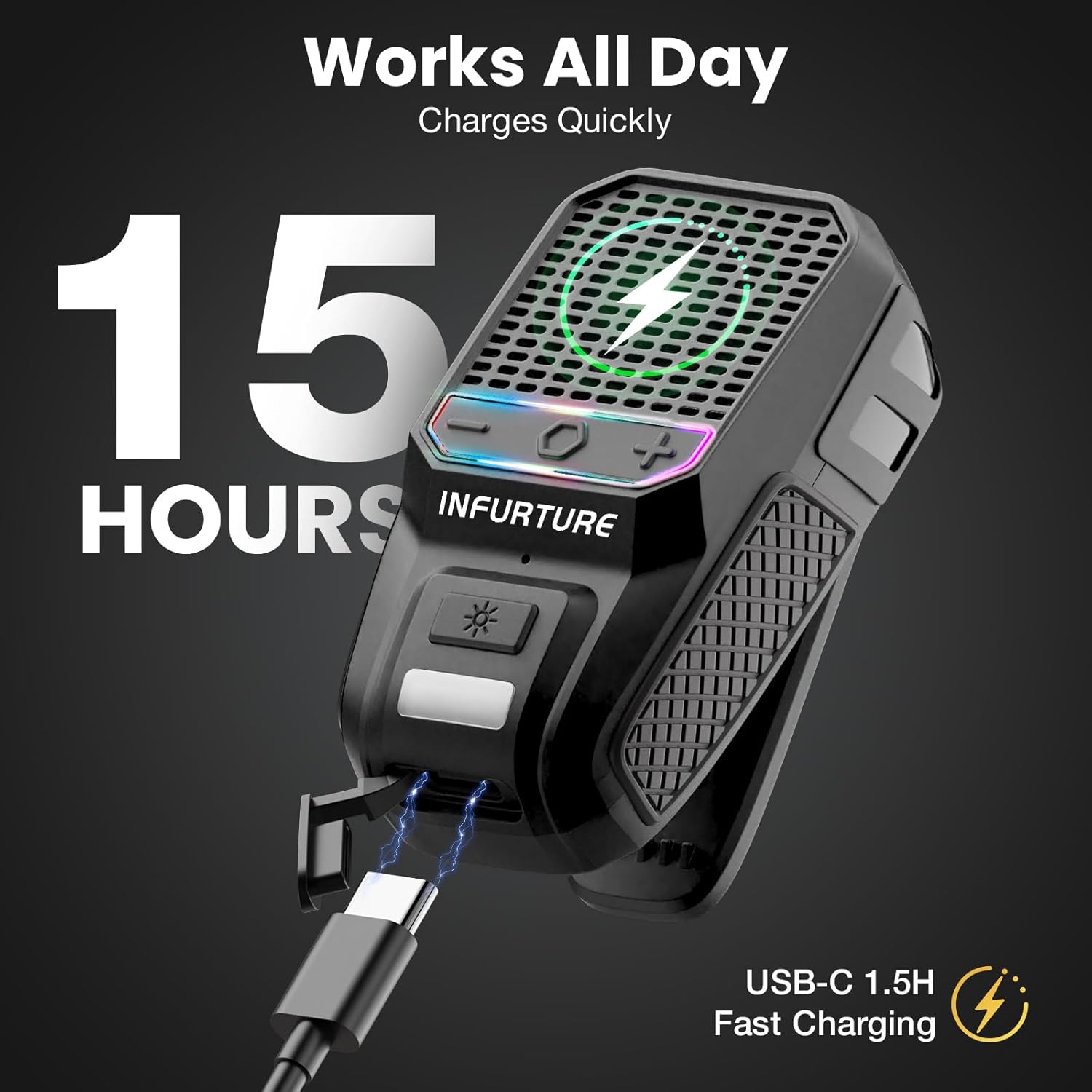
This image illustrates the speaker connected to a USB-C charging cable, emphasizing its fast charging capability and extended battery life.
Papasangan Bluetooth
Turutan léngkah-léngkah ieu pikeun nyambungkeun speaker anjeun ka alat anu nganggo Bluetooth.
- Power on the speaker by pressing and holding the Power/Bluetooth button for approximately 3 seconds until you hear an audible prompt and the LED indicator flashes.
- Dina alat anjeun (smartphone, tablet, jsb.), aktipkeun Bluetooth sareng milarian alat anu sayogi.
- Select "INFURTURE BH127AR" from the list of devices.
- Once successfully paired, you will hear a confirmation sound, and the LED indicator will remain solid.
This video demonstrates the initial Bluetooth pairing process for the INFURTURE Wearable Bluetooth Speaker BH127AR, showing how to power on the device and connect it to a smartphone.
Parentah Operasi
Kontrol Audio Dasar
- Hurungkeun/Pareuman: Press and hold the Power/Bluetooth button for 3 seconds.
- Volume Up: Pencét pondok tombol '+'.
- Volume Turun: Pencét pondok tombol '-'.
- Lagu salajengna: Pencét jeung tahan tombol '+'.
- Lagu Sateuacanna: Pencét jeung tahan tombol '-'.
- Puter / Reureuh: Short press the Power/Bluetooth button.
Manajemén Telepon
- Ngajawab / mungkas Telepon: Short press the Power/Bluetooth button when a call comes in or during a call.
- Nolak Telepon: Press and hold the Power/Bluetooth button for 2 seconds when a call comes in.
Aktivasina Asistén Sora
Double-tap the Power/Bluetooth button to activate your device's voice assistant (e.g., Siri, Google Assistant).
This image illustrates the hands-free functionality of the speaker, including the ability to activate voice assistants like Siri with a double-tap, and manage music and calls while engaged in other activities.
Operasi Lampu LED
- Lampu LED bodas: Short press the LED Light button to cycle through the two brightness levels of the white LED light.
- Lampu RGB: Long press the LED Light button for 2-3 seconds to switch between the available RGB light modes.
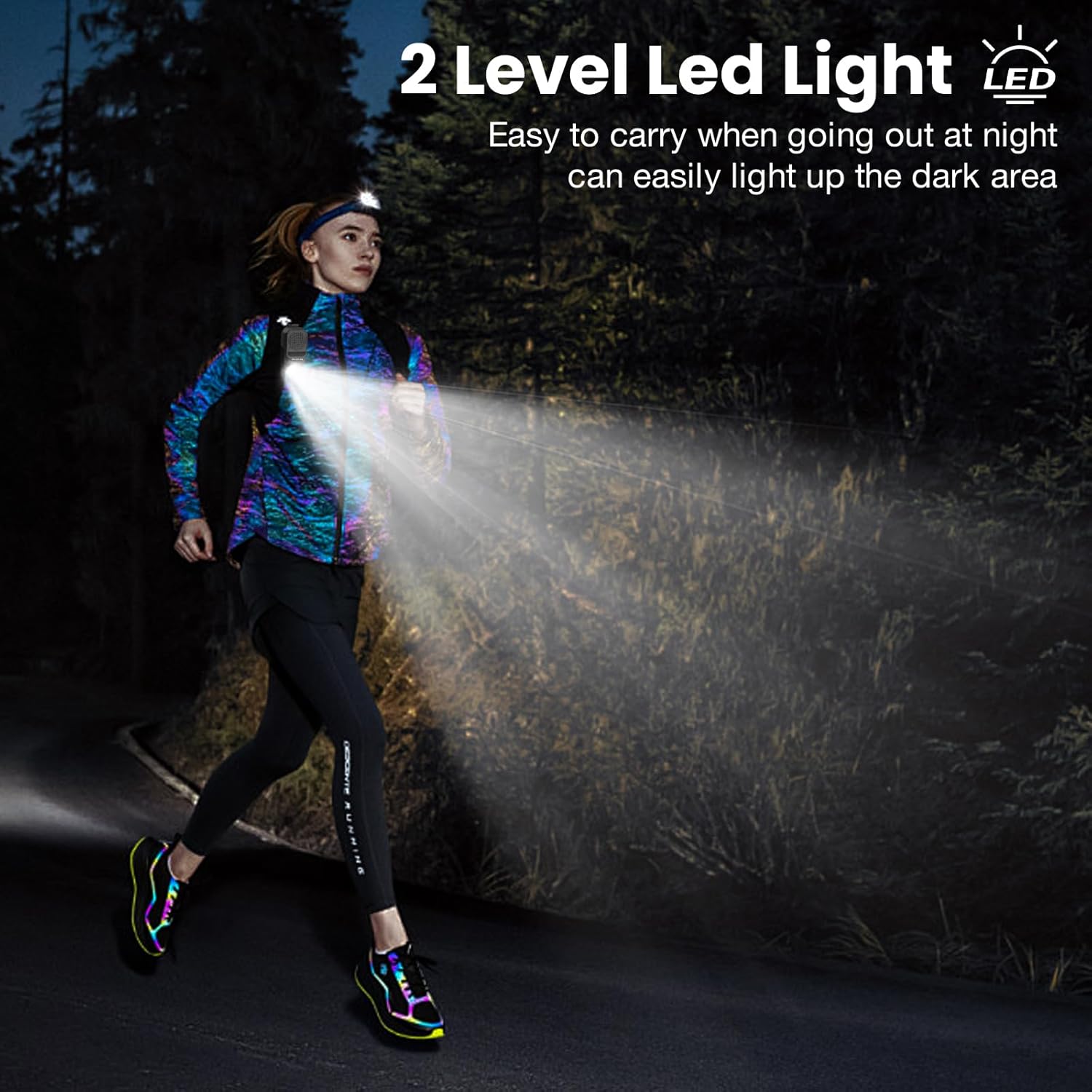
This image demonstrates the speaker's 2-level LED light feature, showing how it can illuminate the path for night activities like running, enhancing safety and visibility.

This image highlights the multi-color RGB flashlight feature of the speaker, which can be used to enhance the music experience or provide ambient lighting.
Perawatan sareng Pangropéa
- beberesih: Ngusap spéker ku hipu, damp cloth. Avoid using harsh chemicals, solvents, or abrasive cleaners, as these may damage the surface or internal components.
- Paparan cai: While the speaker is IPX7 waterproof, it is recommended to avoid prolonged submersion. Always ensure the USB-C charging port cover is securely closed before exposing the speaker to water. After exposure to water, dry the speaker thoroughly before charging.
- Panyimpenan: Simpen speaker di tempat anu tiis sareng garing, jauh tina sinar panonpoé langsung, suhu anu ekstrim, sareng kalembaban anu luhur.
- Perawatan batré: To preserve the lifespan of the internal battery, charge the speaker at least once every three months if it is not in regular use. Avoid fully discharging the battery frequently.
Pamérésan masalah
- Spiker teu hurung:
Ensure the battery is charged. Connect the speaker to a power source using the USB-C cable and try again. - Teu bisa masangkeun via Bluetooth:
- Make sure the speaker is in pairing mode (LED indicator flashing).
- Pastikeun Bluetooth diaktipkeun dina alat Anjeun.
- Pindahkeun speaker langkung caket kana alat anjeun pikeun ngirangan gangguan.
- If previously paired, try forgetting the device from your phone's Bluetooth settings and attempting to pair again.
- Pastikeun teu aya alat sejen anu ayeuna disambungkeun ka speaker.
- Henteu aya sora atanapi volume rendah:
- Pariksa tingkat polumeu dina speaker sareng alat Anjeun nu disambungkeun.
- Pastikeun spéker dipasangkeun sareng disambungkeun leres.
- Try playing a different audio source to confirm the issue is not with the media file.
- Kualitas sora goréng:
- Move closer to your connected device to minimize potential wireless interference.
- Ensure the speaker grille is not obstructed.
Spésifikasi teknis
| Fitur | Rincian |
|---|---|
| Modél | BH127AR |
| merek | INFURTUR |
| Téhnologi konektipitas | Bluetooth 5.4 |
| Peunteun waterproof | IPX7 |
| Waktu maén | Nepi ka 15 jam |
| Waktu Ngecas | Kurang leuwih 1.5 jam (USB-C) |
| Speaker Maksimum Kaluaran Power | 10 Watt |
| Item Beurat | 0.09 Kilogram (3.2 ons) |
| Ukuran produk (D x W x H) | 1.1" x 1.97" x 3.15" |
| Bahan | Logam, Plastik |
| Fitur husus | Built-in Microphone, 2-Level LED Light, RGB Flashlight |
Garansi sarta Rojongan Palanggan
Émbaran jaminan
This product comes with a Limited Warranty. For specific terms and conditions, please refer to the warranty card included in your package or visit the official INFURTURE websitus pikeun inpo wincik.
Rojongan Palanggan
If you encounter any issues or have questions not covered in this manual, please contact INFURTURE customer support for assistance.
- Dukungan Online: Nganjang ka INFURTURE Store on Amazon.