
Bubuka
This manual provides detailed instructions for the setup, operation, and maintenance of your UCOCARE 2K Wireless Mini Spy Security Camera. Please read thoroughly before use to ensure proper functionality and safety.
Eusi pakét
Pastikeun sadaya item di handap ieu kalebet dina pakét anjeun:
- Kaméra Kaamanan
- Ningkatna Kurung
- Kabel Ngecas
- Pakét Screws
- Manual pamaké
Produk Leuwihview
The UCOCARE A90 camera is a compact and versatile security solution. It offers 2K video resolution, a 160° wide-angle view, and 33ft night vision for comprehensive monitoring. Powered by a 5200mAh battery, it provides extended operation. Key features include smart motion detection with instant notifications, flexible storage options, and smart home integration.
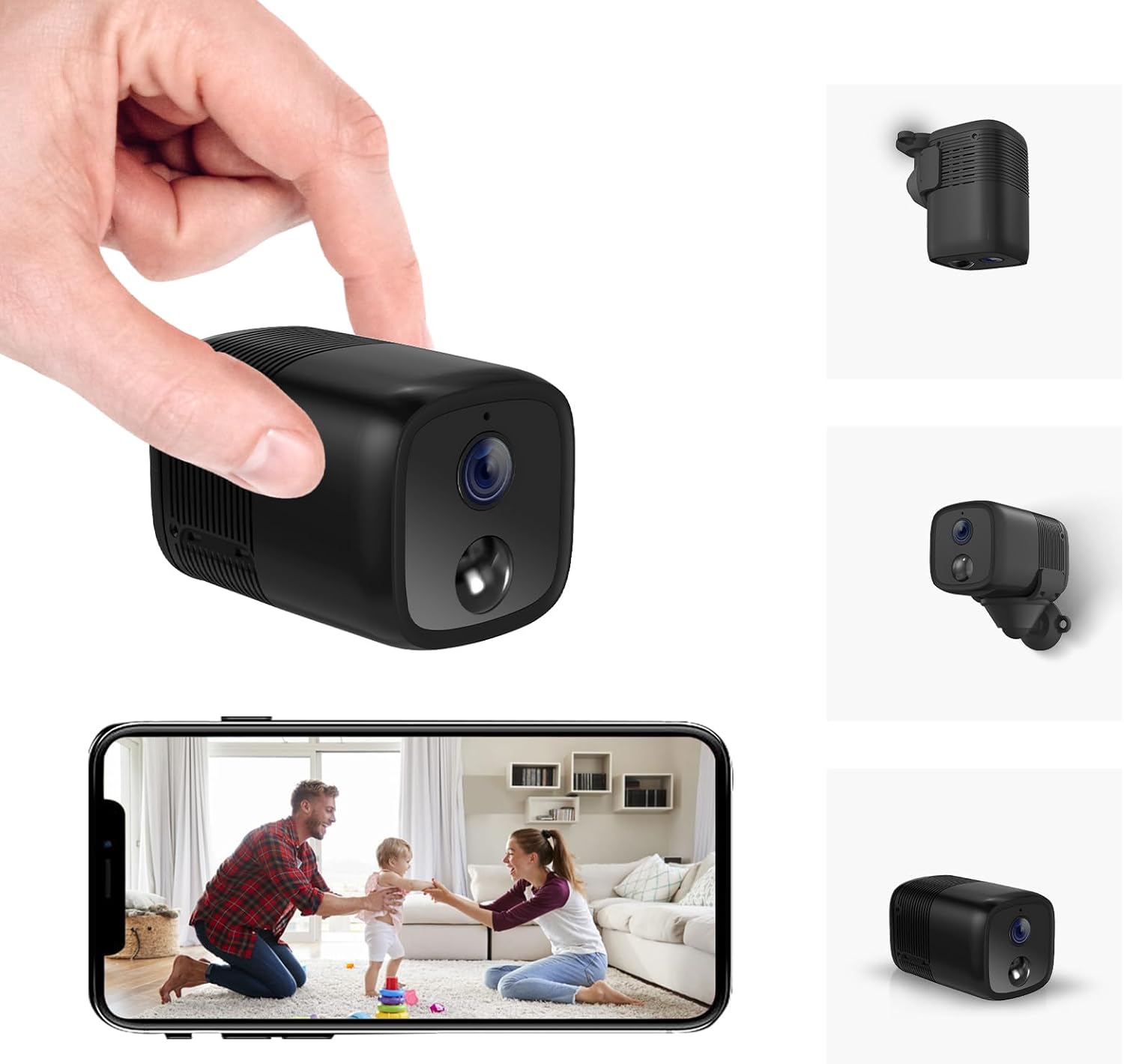
A compact black security camera held in a hand, with a smartphone displaying its live feed.

An image highlighting key features of the camera including 2K HD, 33ft Night Vision, 5200mAh Larger Battery, Effortless Installation, PIR Motion Detection, Custom Settings, Remote Viewing, Built-in Siren, Work with Alexa/Google Home, and Local/Cloud Storage.
Guide Setup
Follow these steps to set up your UCOCARE A90 camera:
- Unboxing sareng Cek Komponén: Carefully unpack all items and ensure all components listed in the 'Package Contents' section are present.
- Ngecas kaméra: Before first use, fully charge the camera using the provided USB-C charging cable.
- Selapkeun Kartu Micro SD (Opsional): If local storage is desired, insert a Micro SD card (up to 128GB, not included) into the designated slot.
- Pasang kaméra:
- Identify a suitable location for surveillance.
- Attach the camera to the flexible mounting bracket.
- Use the included screws or 3M adhesive stickers to secure the bracket to a wall, ceiling, or other surface.

Examples of compact and cable-free installation options for the camera.
- App Download and Account Registration:
- Scan the QR code in the user manual or search for the "Z-IOT CAM" app in your device's app store.
- Ngadaptarkeun akun anyar atanapi log in upami anjeun parantos gaduh.
- Nyambungkeun ka Wi-Fi:
- In the app, select "Add device" and then "Bluetooth Provisioning".
- Select your camera from the list of available Bluetooth devices. If not found, reset the camera.
- Enter your 2.4GHz Wi-Fi network details (SSID and password). Note: 5GHz Wi-Fi is not supported.
- Wait for the camera to connect to the network (approximately 15 seconds).
This video demonstrates the app connection process for the UCOCARE camera, including logging in, adding a device, connecting via Bluetooth, and configuring Wi-Fi settings.
- Ngabéréskeun Setup: Once connected, the device will appear online in the app. You can now view the live feed and adjust settings.
Parentah Operasi
Once your camera is set up, you can utilize its various functions:
- Jauh Viewing: Access the live feed from anywhere using the mobile app.
- Deteksi gerak: Enable smart motion detection in the app settings. Customize sensitivity, alert time periods, and detection zones to receive instant notifications on your phone when movement is detected.
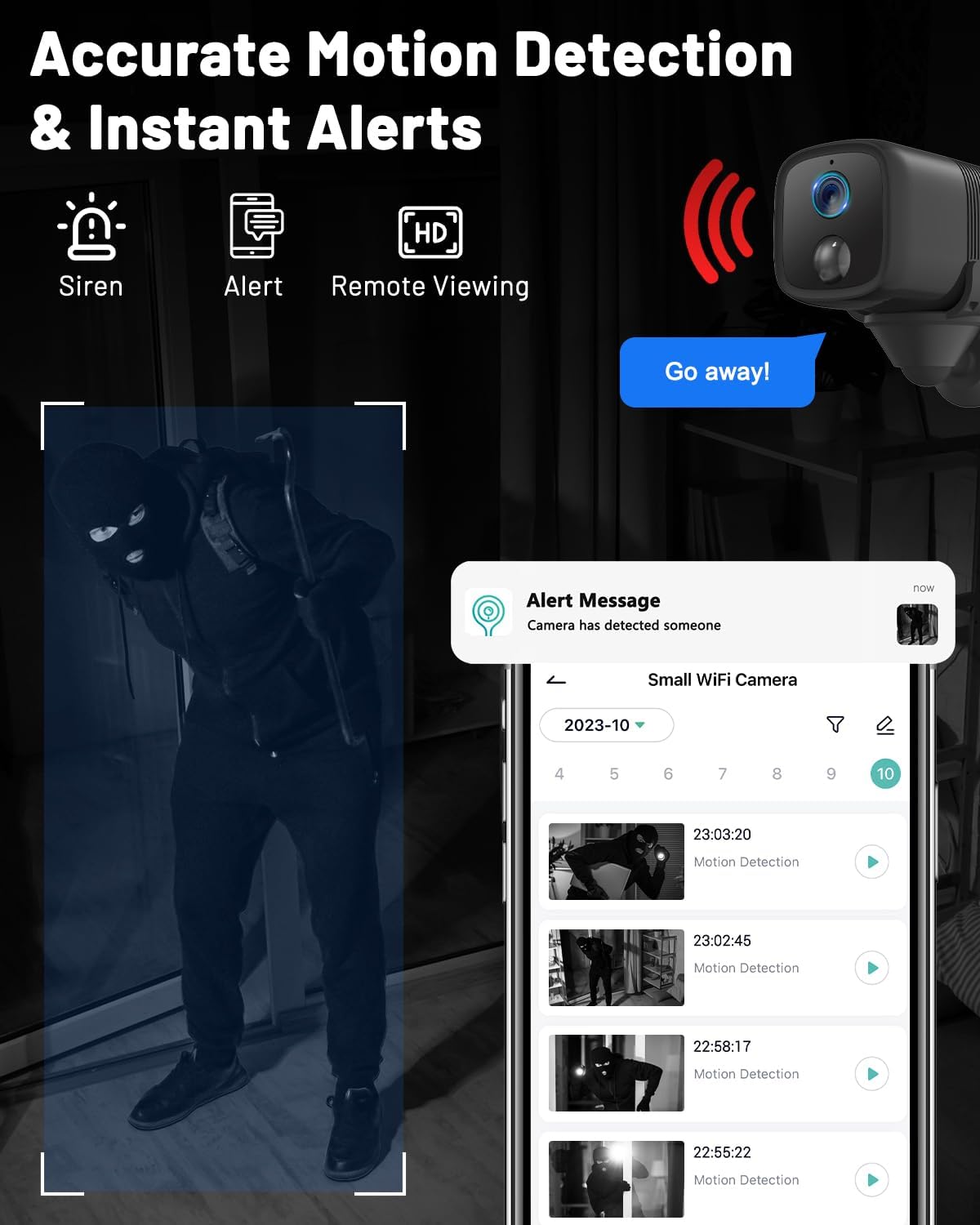
An image showing the camera's motion detection capabilities and instant alert notifications on a smartphone.
- Visi Peuting: The camera automatically switches to IR night vision in low-light conditions, providing clear visibility up to 33ft.
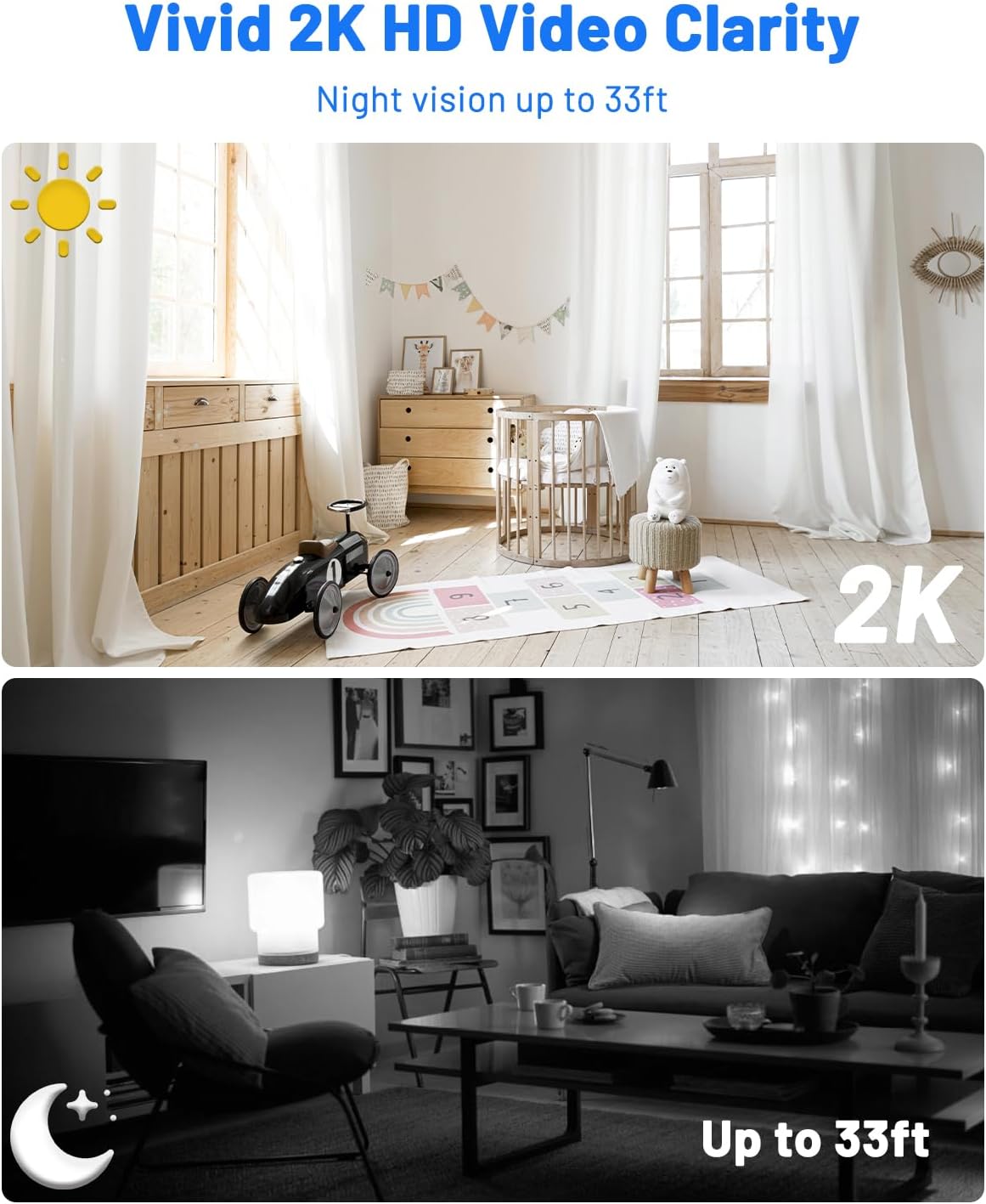
A comparison image demonstrating the camera's 2K HD video clarity during the day and its night vision capabilities up to 33ft in darkness.
- Audio Dua Arah: Use the app to communicate remotely through the camera, allowing you to interact with visitors or deter intruders.
- Manajemén Panyimpenan: View recorded event videos stored on the Micro SD card or access 6-second cloud event videos (7-day loop storage, manually activated).

An image illustrating the camera's flexible storage options, including free 7-day cloud service and local storage up to 128GB (Micro SD card not included).
- Multi-user Access: Share camera access with family members via QR code or account addition, supporting up to 5 simultaneous viewers.
- Integrasi Smart Home: Integrate with Google Home and Alexa for voice control and real-time viewing.

An image showing the camera's compatibility with Alexa and Google Assistant for hands-free control and viewing.
Pangropéa
Pangropéa anu leres mastikeun umur panjang sareng kinerja optimal kaméra anjeun:
- beberesih: Gently wipe the camera lens and body with a soft, dry cloth. Avoid abrasive cleaners or solvents that could damage the device.
- Perawatan batré: For optimal battery life, avoid exposing the camera to extreme temperatures. Recharge the battery when low to prevent deep discharge.
- Pembaruan firmware: Regularly check the mobile app for available firmware updates. Installing updates ensures you have the latest features, performance improvements, and security patches.
Pamérésan masalah
Upami anjeun mendakan masalah, tingal masalah sareng solusi umum ieu:
- Kaméra teu nyambung ka Wi-Fi:
- Ensure your Wi-Fi network is 2.4GHz, as 5GHz is not supported.
- Double-check the Wi-Fi password for accuracy.
- Reset the camera and attempt the connection process again.
- Ensure the camera is within effective range of your Wi-Fi router.
- Henteu aya béwara deteksi gerak:
- Pariksa yén deteksi gerak diaktipkeun dina setélan aplikasi.
- Adjust the detection sensitivity to an appropriate level.
- Check your smartphone's notification settings to ensure the app is allowed to send alerts.
- Kualitas video goréng:
- Pastikeun lensa kaméra beresih jeung bebas tina halangan.
- Check your internet connection speed; a stable connection is crucial for high-quality streaming.
- Adjust video resolution settings in the app to match your network capabilities.
- hirup batré pondok:
- Reduce motion detection sensitivity or the frequency of recordings if possible.
- Ensure the camera is fully charged before deployment.
- Avoid placing the camera in extremely cold environments, as this can reduce battery performance.
Spésifikasi teknis
| Fitur | Spésifikasi |
|---|---|
| Ngaran modél | A90 |
| Pamakéan jero rohangan / outdoor | Jero rohangan, Luar |
| Alat nu cocog | Smartphone |
| Sumber Daya | Batré Powered |
| Protokol konektipitas | Wi-Fi (2.4GHz wungkul) |
| Tipe Controller | Amazon Alexa, Android, CloudEdge, Google Assistant |
| Tipe Pamasangan | Ceiling Mount, Tabletop Mount, Wall Mount |
| Resolusi Capture Video | 2K |
| Viewdina Angle | 160 darajat |
| Wengi Sawangan Sawangan | 33 suku |
| Bahan | palastik |
| Voltage | 5 volt |
| Daya Batré | 5200 Miliamp Jam-jaman |
| Tipe Mémori Flash | Micro SD (up to 128GB, not included) |
| Ukuran barang (L x W x H) | 2.36 x 1.46 x 1.46 inci |
| Item Beurat | 5.6 ons |
| UPC | 755560372165 |
Garansi sarta Rojongan Palanggan
For warranty information or technical assistance, please refer to the contact details provided in the included user manual or visit the official UCOCARE websitus. Simpen resi pameseran anjeun pikeun klaim jaminan.