
1. Bubuka
This manual provides detailed instructions for the safe and efficient operation of your SUPVAN E11 Bluetooth Label Maker. Please read this manual thoroughly before using the device and retain it for future reference.
2. Produk Langkungview
The SUPVAN E11 is a versatile, portable label maker designed for various labeling needs in home, kitchen, office, and school environments. It supports both direct keyboard input and smart app control via Bluetooth, offering extensive customization options without the need for ink or toner.
Fitur konci:
- Quick Printing via Keyboard & Smart App: Print directly from the integrated keyboard for frequent labeling tasks or design custom labels using the Bluetooth-enabled app.
- Portable with Rechargeable Battery: Compact (14×7×3 cm) and lightweight (227 g) with a 1200 mAh battery, providing up to 1 month of standby time for mobile and efficient labeling.
- Minimized Print Margins: Prints labels with only 0.5 cm margins, reducing material waste and maximizing efficiency.
- Advanced Editing Functions in the App: Customize labels with over 40 fonts, 50 frames, and 450+ icons. Create and save templates offline, all available for free.
- Compatibility with Various Label Types: Supports continuous, fixed-size, and cable labels, suitable for long texts, batch printing, and cable identification.
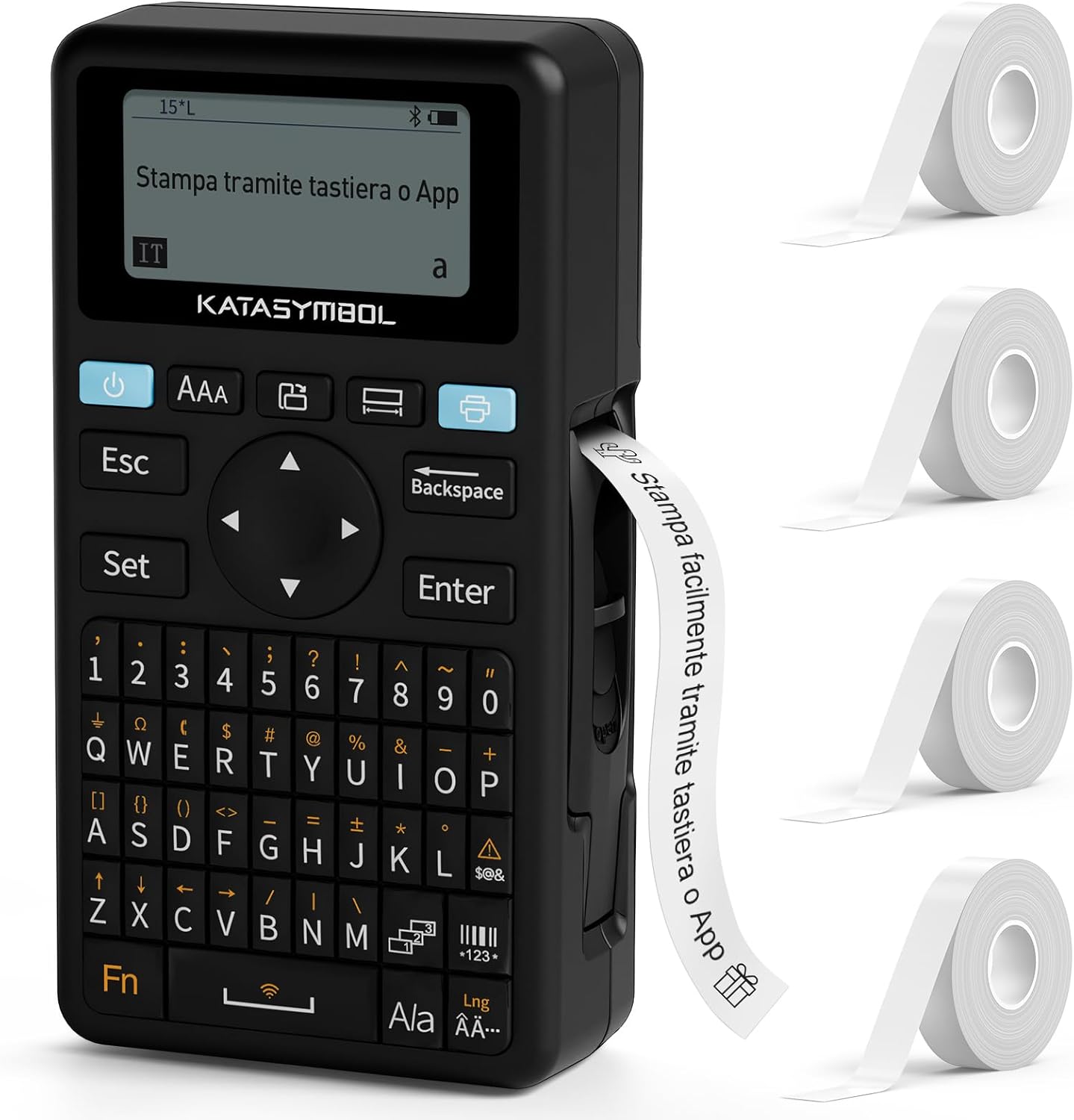
Image: The SUPVAN E11 label maker shown with four rolls of white label tape.

Image: Demonstrates printing using the integrated keyboard and designing labels via a smartphone app connected via Bluetooth.
3. Setélan
3.1 Ngabongkar bungkusan sareng Inspeksi Awal
- Sacara saksama miceun sadaya komponén tina bungkusan.
- Pariksa heula sadaya barang anu aya dina daptar barang bawaan.
- Inspect the device for any signs of damage. If damaged, do not use and contact customer support.

Image: Displays the SUPVAN E11 label maker, four rolls of white label tape, a USB-C charging cable, and the user manual.
3.2 Ngecas Alat
- Connect the provided USB-C cable to the charging port on the label maker and to a compatible USB power adapter (not included).
- The charging indicator will illuminate. Allow the device to fully charge before first use.

Image: Highlights the integrated 1200 mAh rechargeable battery, offering up to one month of standby time.
3.3 Masang Label Tape
- Buka panutup kompartemen labél.
- Insert a roll of SUPVAN label tape, ensuring the tape feeds correctly through the guide.
- Tutup panutup kompartemen aman.

Image: Illustrates the process of inserting thermal label paper into the SUPVAN E11 label maker, emphasizing that no ink or toner is required.
3.4 Pamasangan Aplikasi (Opsional)
- Download the official SUPVAN app from your device's app store (Android and iOS compatible).
- Aktipkeun Bluetooth dina telepon pinter atanapi tablet anjeun.
- Open the app and follow the on-screen instructions to pair with your E11 label maker.
4. Parentah Operasi
4.1 Powering on / Pareum
- Pikeun ngahurungkeun, pencét jeung tahan tombol daya nepi ka layar hurung.
- Pikeun mareuman, pencét jeung tahan tombol daya nepi ka alat pareum.
4.2 Printing from Keyboard
- Hurungkeun panyusun labél.
- Anggo kibor QWERTY pikeun ngetik téks anu dipikahoyong.
- Press the 'Print' button to print the label.
4.3 Printing via App (Bluetooth)
- Ensure the label maker is powered on and paired with the app.
- Open the SUPVAN app on your smartphone/tablet.
- Select a template or create a new label design.
- Utilize the app's editing features (fonts, icons, frames) to customize your label.
- Tap the 'Print' button within the app to send the label to the E11.

Image: Illustrates the two printing methods: direct input via the QWERTY keyboard and advanced editing and printing via the connected smartphone app.

Image: Showcases the app's extensive customization options, including over 40 fonts, 50 frames, 450+ icons, and support for barcodes and QR codes.
4.4 Label Types and Applications
The E11 supports various label types for diverse applications:
- Fixed-Size Labels: Ideal for standard item identification (e.g., food containers, office files).
- Continuous Labels: Suitable for longer texts or custom lengths.
- Cable Labels: Designed for organizing and identifying cables.
- Round Labels: Perfect for small items or decorative purposes.

Image: Displays examples of different label types supported by the E11, including cut-to-print, continuous roll, round, and cable labels.

Image: Shows various practical applications of the label maker, such as labeling bottles, office binders, storage boxes, and notebooks.
5. Pangropéa
5.1 Ngabersihan Print Head
- Pastikeun alat dipareuman sateuacan beberesih.
- Gently wipe the print head with a soft, lint-free cloth moistened with isopropyl alcohol.
- Allow the print head to dry completely before use.
5.2 Perawatan Batré
- Ngeusi batre rutin, sanajan alat teu sering dipake, pikeun ngajaga kaséhatan batré.
- Hindarkeun ngalaan alat ka suhu anu ekstrim.
5.3 Label Storage
- Store label rolls in a cool, dry place away from direct sunlight to prevent degradation.
6. Cara ngungkulan
Masalah umum sareng Solusi:
| Masalah | Mungkin Cukang lantaranana | Solusi |
|---|---|---|
| Alat teu hurung | Batré lemah; Karusakan alat | Charge the device; Contact support if issue persists |
| Kualitas cetak goréng | sirah print kotor; Jenis labél anu salah; batré lemah | Clean print head; Ensure correct label tape is used; Charge device |
| Label teu nyoco leres | Improper tape installation; Tape jammed | Reinstall label tape correctly; Clear any jams carefully |
| Teu bisa nyambung via Bluetooth | Bluetooth off; Device not paired; App issue | Ensure Bluetooth is on; Re-pair device in app; Restart app/device |
7. Spésifikasi
- merek: SUPVAN
- model: E11
- Ukuran produk: 17 x 9 x 5.2 cm
- Beurat barang: 230 gram
- Batré: 1 Lithium Polymer (1200 mAh)
- Téknologi konektipitas: Bluetooth
- Téknologi Percetakan: Termal
- Max Paper Size Supported: 15 mm x 6 m
- Max Print Resolution (Black & White): 203 dpi
- Kagancangan Nyetak Maks (Hideung & Bodas): 40 Pages per minute (Note: This is a standard printer metric, actual label printing speed may vary)
- panganteur: USB-C (pikeun ngecas)
- Panganteur Input: kibor
- Jenis Controller: Android and iOS (via app)
- Fitur husus: Portable, Inkless Printing, Minimized Margins
8. Garansi jeung Rojongan
8.1 Émbaran jaminan
Please refer to the warranty card included with your product for specific warranty terms and conditions. Typically, SUPVAN products come with a limited warranty covering manufacturing defects from the date of purchase.
8.2 Rojongan Palanggan
For technical assistance, troubleshooting, or warranty claims, please contact SUPVAN customer support through the official websitus atanapi inpormasi kontak anu disayogikeun dina bungkusan produk anjeun. Anjeun oge bisa nganjang ka SUPVAN Brand Store pikeun inpo nu leuwih lengkep.