
1. Produk Langkungview
The Donner Wireless Bluetooth Page Turner Pedal DBM-50 is designed to provide hands-free control for various applications, enhancing convenience and efficiency for musicians, presenters, and readers. It features Bluetooth 5.0 connectivity, a long-lasting rechargeable battery, and multiple operating modes for versatile use.
- Operasi Hands-Free: Control music, reading, scrolling lyrics, and media without using your hands.
- rentang diperpanjang: Effective operating range up to 10 meters (33 feet) via Bluetooth 5.0.
- Fungsi Multi-Mode: Equipped with 5 page-turning modes and 2 Bluetooth connection modes, supporting commands such as page turning, scrolling, and simulating mouse clicks.
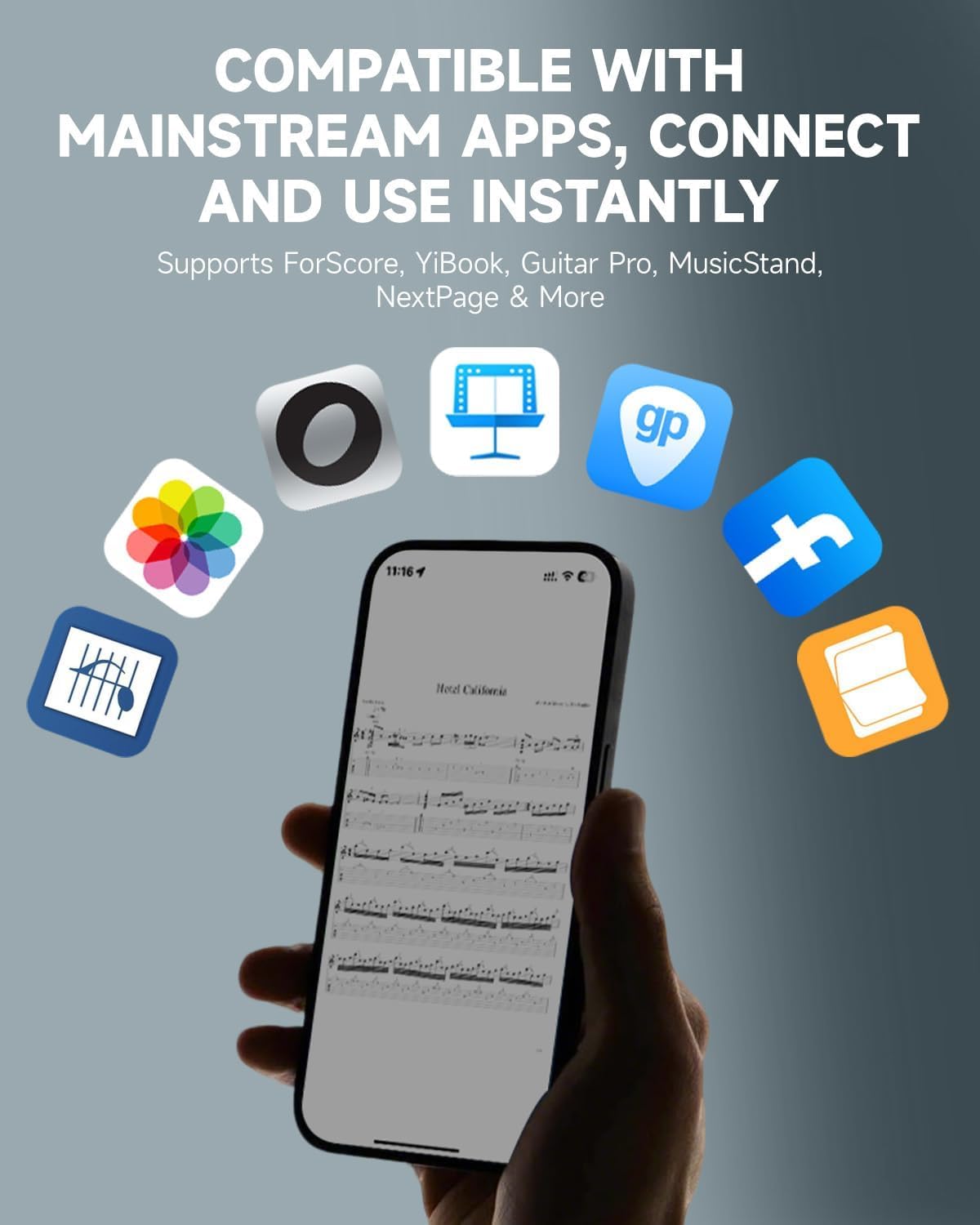
- Kasaluyuan lega: Compatible with various platforms including phones, tablets, Mac, and PC, and supports popular reading and music notation applications like ForScore, YiBook, Guitar Pro, MusicStand, and NextPage.
- Hirup batré anu panjang: Built-in USB-rechargeable lithium battery provides up to 80 hours of continuous use on a full charge, with an auto-sleep function to conserve energy.
- Desain awét: Features a dust-resistant design and a sturdy pedal structure for reliable performance in various environments.
2. Naon dina Box
- The DBM-50 Bluetooth Page Turner Pedal
- Kabel Ngecas USB Tipe-C
- Manual pamaké

3. Komponén produk na Fitur

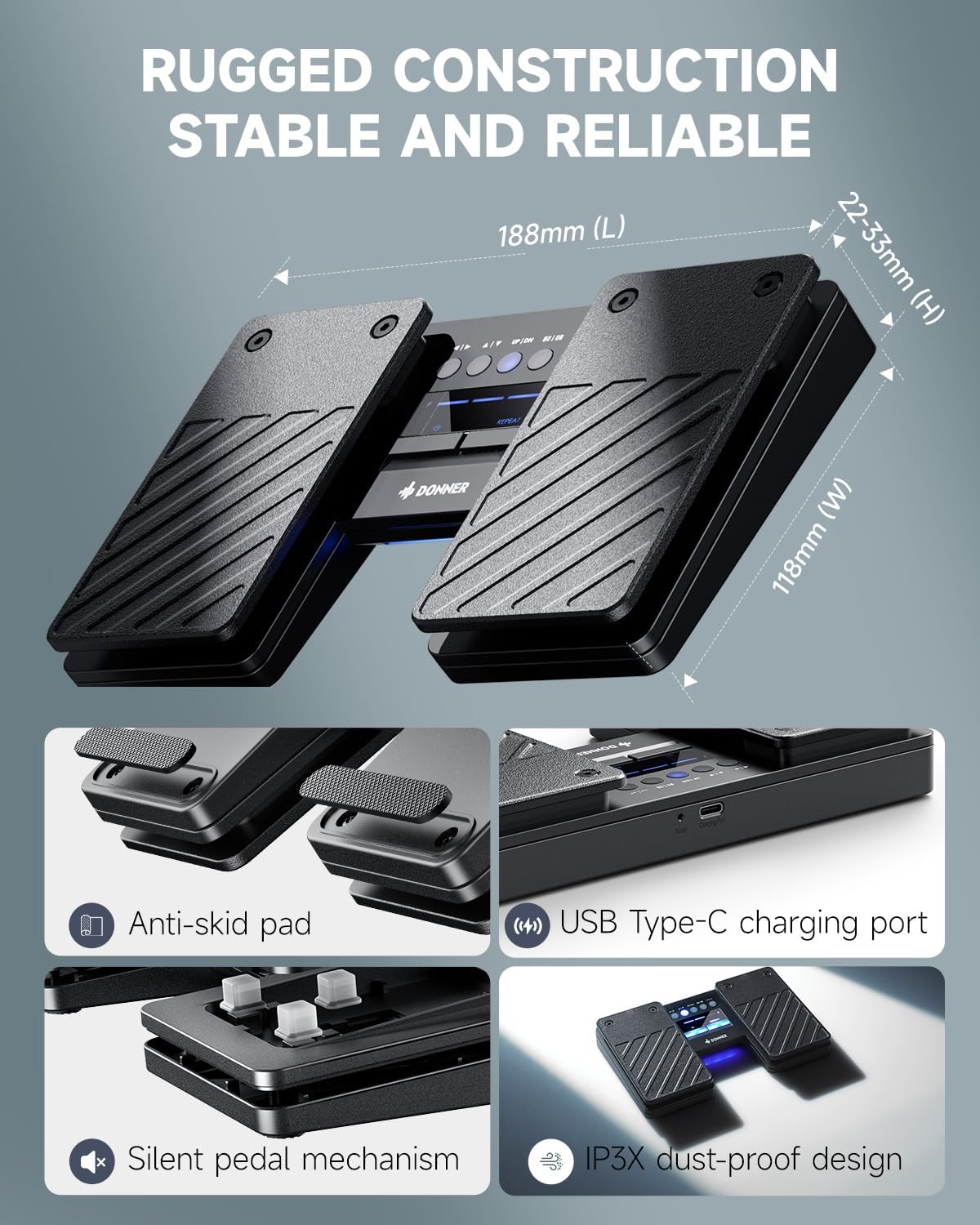
- Pedal kénca: Typically used for backward page turns or scrolling up.
- Pedal Katuhu: Typically used for forward page turns or scrolling down.
- Panél kontrol: Located between the pedals, featuring mode selection buttons and LED indicators for battery status and Bluetooth connection.
- Tombol Daya: Pencét lila pikeun mareuman/nonaktipkeun.
- Tombol Ulang: Hold to enable rapid page turning.
- Port Ngecas USB Tipe-C: Pikeun ngecas batré internal.
- Tombol Reset: Small pinhole button for factory reset.
- Anti-skid Pads: Located on the bottom of the unit for stability during use.
- Silent Pedal Mechanism: Designed for quiet operation, ideal for performance environments.
- IP3X Dust-proof Design: Provides protection against dust ingress.
4. Setup jeung papasangan
4.1 Setup Awal
- Daya Hurung: Long press the power button (usually the left button on the control panel) for 1.5 seconds to turn on the page turner. The LED indicators will light up.
- Aktipkeun Bluetooth: On your phone, tablet, or computer, go to the Settings menu and ensure Bluetooth is turned on.
- Pasangkeun Alat: Milarian pikeun available Bluetooth devices. The pedal will appear as "Donner DBM-50". Select it to pair.
- Konfirmasi: Once paired, the Bluetooth indicator light on the pedal will stop flashing, indicating a successful connection.
Tip Pro: If you are connecting to a new device, disable Bluetooth on any previously paired devices to ensure a smooth connection process.

4.2 Kasaluyuan
The DBM-50 is designed for wide compatibility across various operating systems and applications:
- Sistem Operasi: iOS (iPhone/iPad/iPod Touch), Android, Windows, and macOS.
- Aplikasi: Supports popular music notation and reading apps such as ForScore, YiBook, Guitar Pro, MusicStand, NextPage, and many more. It also works with teleprompter apps and for general document scrolling.
5. Modeu Operasi
The DBM-50 offers 5 distinct page-turning modes and 2 Bluetooth connection modes to suit different needs. The mode buttons are located on the central control panel.

- Page Turn Modes: These modes simulate different keyboard inputs, allowing compatibility with various applications. Common modes include:
- Left/Right Arrow keys (for horizontal page scrolling)
- Up/Down Arrow keys (for vertical page scrolling)
- Page Up/Page Down keys
- Mouse Click (Left/Right)
- Spacebar/Enter key
- Modeu Sambungan Bluetooth: The pedal supports two Bluetooth connection modes to ensure broad compatibility with different devices and software. Refer to the specific application's settings for optimal mode selection.
To switch between modes, press the corresponding mode button on the control panel. The active mode will be indicated by an illuminated LED.
6. Ngecas jeung Batré
The DBM-50 is equipped with a built-in rechargeable lithium battery, offering extended usage time.
- Kahirupan batré: Provides up to 80 hours of use on a single full charge.
- Ngecas: Use the included USB Type-C cable to charge the device. Connect the cable to the charging port on the side of the pedal and to a standard USB power source (e.g., computer, wall adapter).
- Indikator batré: The LED indicators on the control panel display the current battery level.
- Sare Otomatis: The pedal automatically enters sleep mode when idle to conserve battery power.

7. Pangropéa
To ensure the longevity and optimal performance of your Donner DBM-50 pedal, follow these maintenance guidelines:
- beberesih: Wipe the pedal with a soft, dry cloth. Avoid using harsh chemicals or abrasive cleaners.
- Panyimpenan: Simpen pedal di tempat anu tiis sareng garing jauh tina sinar panonpoé langsung sareng suhu anu ekstrim.
- Perlindungan lebu: The IP3X dust-proof design helps, but regular cleaning can further prevent dust accumulation in internal circuits.
- Ngecas: Charge the battery regularly, even if not in frequent use, to maintain battery health. Avoid completely draining the battery for extended periods.
8. Cara ngungkulan
If you encounter issues with your DBM-50 pedal, try the following steps:
- Not Connecting/Pairing:
- Ensure the pedal is powered on and fully charged.
- Pastikeun Bluetooth diaktipkeun dina alat anjeun.
- Disable Bluetooth on any other devices that may have previously paired with the pedal.
- Try restarting both the pedal and your device.
- Use the reset button (small pinhole) on the pedal to perform a factory reset, then attempt pairing again.
- Incorrect Page Turning/Functionality:
- Check that the correct operating mode is selected on the pedal for your application. Different apps may require different input simulations (e.g., arrow keys vs. page up/down).
- Ensure your application is configured to respond to the selected input type.
- Lag or Missed Turns:
- Pastikeun alat anjeun aya dina jangkauan Bluetooth 10 meter.
- Pariksa poténsi gangguan ti alat nirkabel séjén.
- Ensure the pedal's battery is not critically low.
- Batré Teu Ngecas:
- Verify the USB Type-C cable is securely connected to both the pedal and the power source.
- Coba maké kabel USB atawa adaptor kakuatan béda.
- Pastikeun sumber listrikna tiasa dianggo.
9. Spésifikasi
| Fitur | Spésifikasi |
|---|---|
| merek | Donner |
| Ngaran modél | DBM-50 |
| Warna | Hideung |
| Konektipitas | Bluetooth 5.0 |
| Range nirkabel | Nepi ka 10 méter (33 suku) |
| Kahirupan batré | Nepi ka 80 jam (dina muatan pinuh) |
| Port ngecas | USB Tipe-C |
| Item Beurat | 332 gram |
| Perlindungan lebu | IP3X |
10. Garansi jeung Rojongan
Donner provides a 1-year warranty for the DBM-50 Bluetooth Page Turner Pedal, covering manufacturing defects and malfunctions under normal use.
For technical support, warranty claims, or any inquiries regarding your product, please contact Donner customer service:
- Surélék: service@donnermusic.com
Punten nahan bukti pameseran anjeun pikeun validasi garansi.