
1. Bubuka
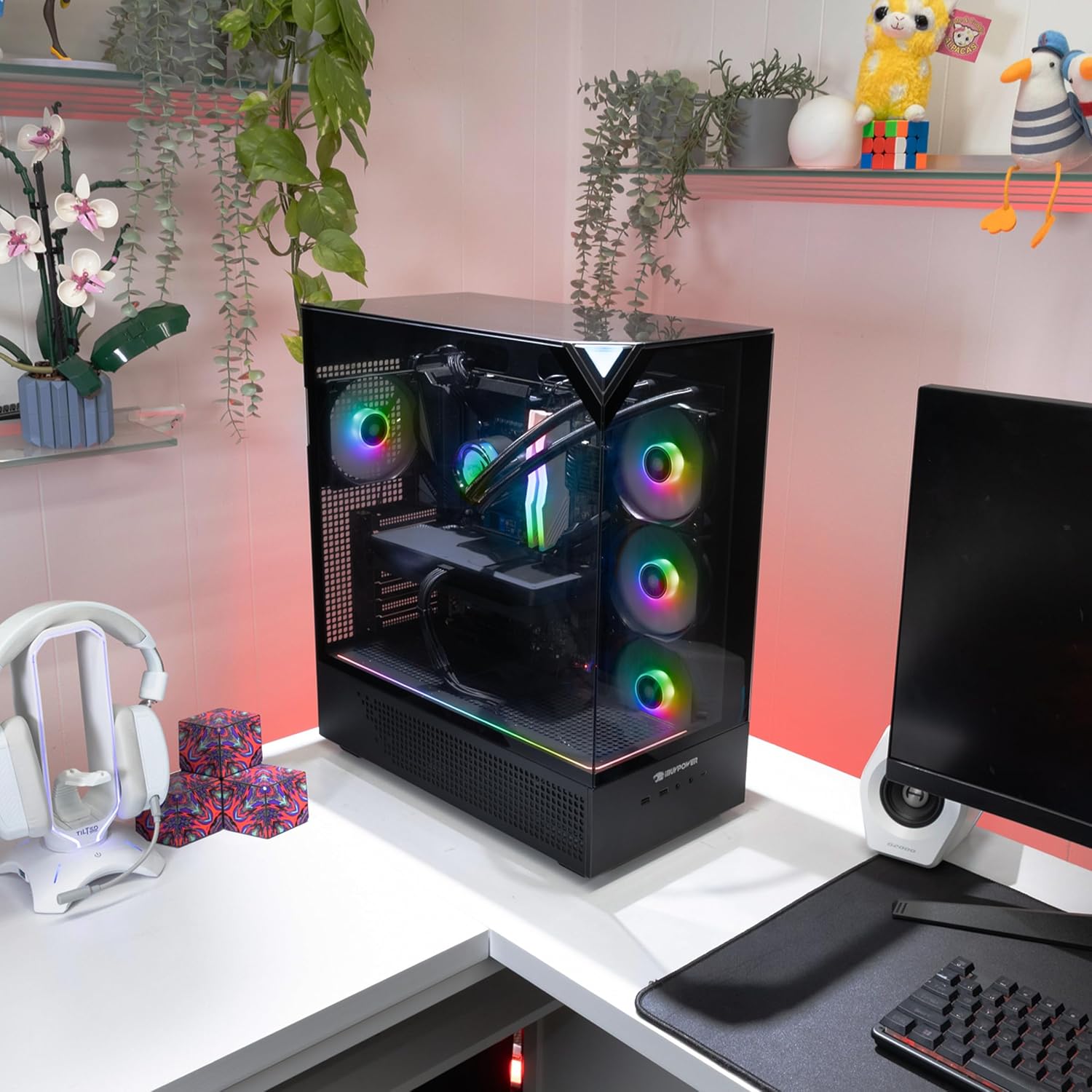
This manual provides essential information for setting up, operating, and maintaining your iBUYPOWER Element EBI5N5601 Gaming PC. This high-performance desktop computer is designed for gaming, content creation, and demanding applications, featuring an Intel Core Ultra 5 225F processor and an NVIDIA GeForce RTX 5060 8GB graphics card. Please read these instructions carefully to ensure optimal performance and longevity of your system.
2. Naon dina Box
Upon unboxing your iBUYPOWER Element EBI5N5601 Gaming PC, verify that all the following components are present:
- iBUYPOWER Element EBI5N5601 Gaming PC Desktop Tower
- iBUYPOWER Gaming Keyboard
- iBUYPOWER RGB Gaming Mouse
- Kabel Daya
- Documentation (this user manual, warranty information)
3. Setélan
Follow these steps to set up your new gaming PC:
- Ngabongkar bungkusan: Carefully remove the PC from its packaging. Retain all packaging materials for future transport or warranty claims.
- panempatan: Place the PC tower on a stable, flat surface with adequate ventilation. Ensure no vents are obstructed.
- Sambungkeun Periferal:
- Connect your monitor(s) to the graphics card ports (HDMI, DisplayPort) located at the rear of the PC.
- Connect the included iBUYPOWER keyboard and mouse to available USB ports.
- Sambungkeun périferal séjén sapertos spéker, headphone, atanapi drive éksternal.
- Sambungan Daya: Connect the power cable to the power supply unit (PSU) at the rear of the PC, then plug the other end into a grounded electrical outlet.
- Sambungan jaringan: This PC is Wi-Fi Ready. For a wired connection, connect an Ethernet cable to the RJ-45 network port.
4. Parentah Operasi
Once your PC is set up, follow these steps for initial power-on and basic operation:
- Daya Hurung: Press the iconic Chimera Corner Power Button located at the top front of the PC tower. The system will boot up, and the RGB lighting will illuminate.
- Initial Setup (Windows 11 Home): The PC comes with Windows 11 Home pre-installed. Follow the on-screen prompts to complete the initial Windows setup, including region, keyboard layout, network connection, and user account creation.
- tampilan: Ensure your monitor is powered on and set to the correct input source.
- Lampu RGB: The PC features 16-color RGB lighting. Specific software or physical buttons may be available to customize lighting effects. Refer to the iBUYPOWER website or included software for detailed instructions on RGB control.
- Pareum listrik: To safely shut down the PC, click the Start button in Windows, then select Power > Shut down. Avoid directly holding the power button unless necessary.

5. Fitur Leuwihview
The iBUYPOWER Element EBI5N5601 is engineered with powerful components to deliver an exceptional computing experience:
- Prosesor: Intel Core Ultra 5 225F CPU (3.3 GHz) for high-performance computing and AI-enhanced tasks.
- Kartu grafik: NVIDIA GeForce RTX 5060 8GB GPU, providing excellent visual fidelity and frame rates for modern games and creative applications.
- Mémori: 32GB DDR5 RGB 5200MHz RAM (16x2) for superior multitasking and application responsiveness.
- Panyimpenan: 2TB NVMe SSD for rapid boot times, fast game loading, and ample rohangan gudang.
- Sistem operasi: Windows 11 Home, offering a modern and intuitive user interface.
- Sistim cooling: Equipped with a Tower Air Cooler and multiple RGB fans to maintain optimal temperatures and quiet operation under load.
- Desain Kasus: Premium iBUYPOWER Element Black case with tempered glass panels for showcasing internal components and RGB lighting.
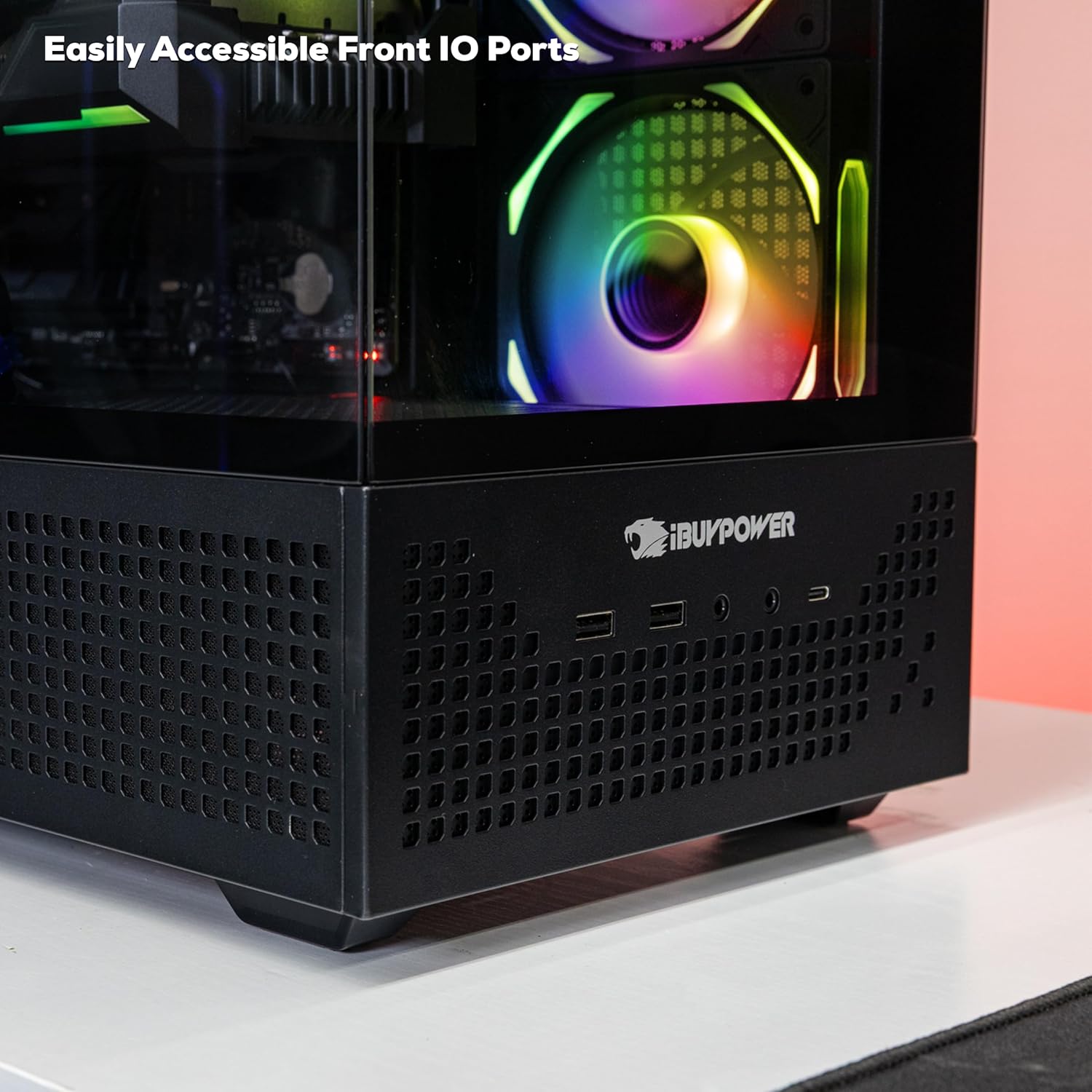
- Konektipitas: Includes 6 x USB 3.1 ports, 1x RJ-45 Network Ethernet 10/100/1000, on-board audio, and 802.11AC Wi-Fi.


6. Spésifikasi
| Kategori | Spésifikasi |
|---|---|
| Nomer modél | EBI5N5601 |
| Prosesor | Intel Core Ultra 5 225F (3.3 GHz) |
| Kartu Grafis | NVIDIA GeForce RTX 5060 8GB |
| Ram | 32 GB DDR5 5200MHz |
| Panyimpenan | SSD NVMe 2 TB |
| Sistem operasi | Windows 11 Imah |
| Tipe Wireless | Wi-Fi 802.11ac |
| palabuhan USB | 6x USB 3.1, 2x USB 2.0 |
| Ethernet | 1x RJ-45 Network Ethernet 10/100/1000 |
| Audio | On board audio |
| Resolusi layar Max | 7680x4320 |
| Item Beurat | 36 pon |
| Ukuran produk (L x W x H) | 20 x 9.1 x 17.4 inci |
7. Pangropéa
Regular maintenance helps ensure the longevity and performance of your PC:
- beberesih: Periodically clean the exterior of the case with a soft, dry cloth. Use compressed air to clear dust from fans and vents to prevent overheating. Ensure the PC is powered off and unplugged before cleaning.
- Apdet parangkat lunak: Regularly update your Windows operating system, graphics drivers (NVIDIA), and other software to ensure security and optimal performance.
- Antivirus/Anti-malware: Install and maintain up-to-date antivirus software to protect against malicious threats.
- Cadangan Data: Rutin nyadangkeun penting fileka drive éksternal atanapi panyimpenan awan pikeun nyegah leungitna data.
- Manajemén Kabel: Ensure internal and external cables are neatly organized to improve airflow and prevent accidental disconnections.
8. Cara ngungkulan
Ieu mangrupikeun solusi pikeun sababaraha masalah umum anu anjeun tingali:
- Henteu aya kakuatan:
- Check if the power cable is securely connected to both the PC and the wall outlet.
- Ensure the power switch on the PSU (at the back of the PC) is in the 'ON' position.
- Nguji stop kontak jeung alat sejen pikeun mastikeun eta boga kakuatan.
- Henteu aya tampilan dina Monitor:
- Verify that the monitor is powered on and connected to the graphics card ports, not the motherboard ports.
- Ensure the monitor's input source is correctly selected (e.g., HDMI 1, DisplayPort).
- Coba kabel tampilan atanapi monitor anu sanés upami sayogi.
- System Slowdown/Freezing:
- Check Task Manager (Ctrl+Shift+Esc) for applications consuming excessive CPU or RAM.
- Ensure adequate ventilation and clean any dust buildup to prevent thermal throttling.
- Jalankeun scan sistem lengkep nganggo parangkat lunak antivirus anjeun.
- Periferal Teu Ngaréspon:
- Coba sambungkeun periferal ka port USB anu béda.
- Ensure drivers for the peripheral are installed and up to date.
- Balikan deui PC.
9. Garansi jeung Rojongan
Your iBUYPOWER Element EBI5N5601 Gaming PC comes with a manufacturer's warranty. For specific warranty terms and conditions, please refer to the documentation included with your purchase or visit the official iBUYPOWER website. If you encounter issues that cannot be resolved using the troubleshooting steps provided, please contact iBUYPOWER customer support for assistance.
iBUYPOWER Support: For technical support, driver downloads, and further assistance, please visit the iBUYPOWER official websitus atanapi tingal inpormasi kontak anu disayogikeun dina bungkusan produk anjeun.