
1. Bubuka
The EARU Automatic Voltage Protector (Model EARU-1005) is an advanced electrical safety device designed to protect your valuable home and office appliances from damaging power fluctuations. This device offers comprehensive protection against over-voltage, handapeun-voltage, and overcurrent conditions, ensuring the longevity and safe operation of your electrical equipment. It features adjustable thresholds and an auto-reconnect function for convenience and continuous protection.
2. Fitur konci
- All-in-One Protection: Safeguards appliances from power surges, over-voltage (above 275V), under-voltage (below 175V), and adjustable overcurrent (1A-63A).
- adjustment precision: Customizable cut-off thresholds for over-voltage (200V-275V) and under-voltage (175V-200V) to suit specific grid conditions and appliance needs.
- Fungsi Reset Otomatis: Automatically restores power within 60-300 seconds once grid voltage stabilizes within the set safe range, eliminating manual intervention.
- Konduktivitas Unggul: Constructed with 100% pure copper conductors for minimal resistance, efficient operation, and enhanced long-term reliability under heavy 63A loads.
- Pamasangan DIN Rail: Designed for easy and secure integration into standard 2-Pole, 36mm width DIN Rail electrical panels.
- Kasalametan komprehensif: Provides robust protection for an entire household against unpredictable voltage fluctuations na surges.
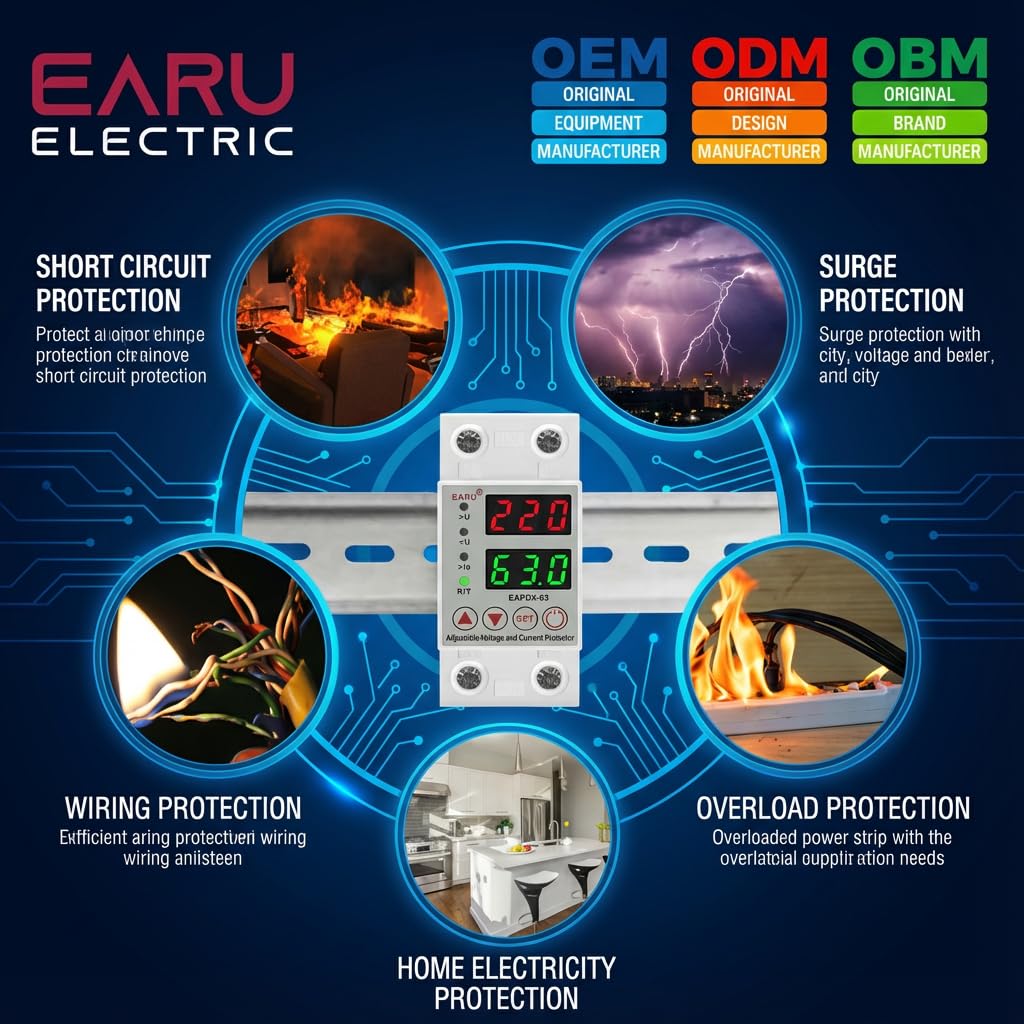
Gambar 2.1: Leuwihview of the protection capabilities of the EARU Automatic Voltage Pelindung.
3. Émbaran Kasalametan
Please read and understand all safety instructions before installing or operating the device. Failure to do so may result in electric shock, fire, or serious injury.
- Pamasangan ngan kedah dilakukeun ku tukang listrik anu mumpuni luyu sareng kode sareng peraturan listrik lokal.
- Ensure the main power supply is disconnected before any installation or maintenance work.
- Do not operate the device if it appears damaged or has been exposed to moisture.
- Verify correct wiring connections (Line and Neutral) to prevent malfunction or damage.
- Alat ieu dirarancang pikeun pamakéan jero rohangan wungkul.
- Ulah ngaleuwihan rating arus maksimum 63A.
4. Produk Langkungview
4.1. Komponén jeung Tampilan
The EARU Automatic Voltage Protector features a clear digital display and intuitive control buttons for easy monitoring and adjustment.
- Voltage tampilan: Shows the current line voltage.
- Tampilan ayeuna: Shows the current load in Amperes.
- Lampu Indikator:
>U: Leuwih-voltage indikator.<U: Sahandapeun-voltage indikator.>Ie: Overcurrent indicator.R/T: Reset/Time indicator.
- Tombol kontrol:
- Up Arrow (▲) / Down Arrow (▼): Used to adjust parameter values.
- Tombol SET: Press and hold for 3 seconds to enter setting mode.
- Tombol Daya / Pareuman: Toggles power to the protected circuit.
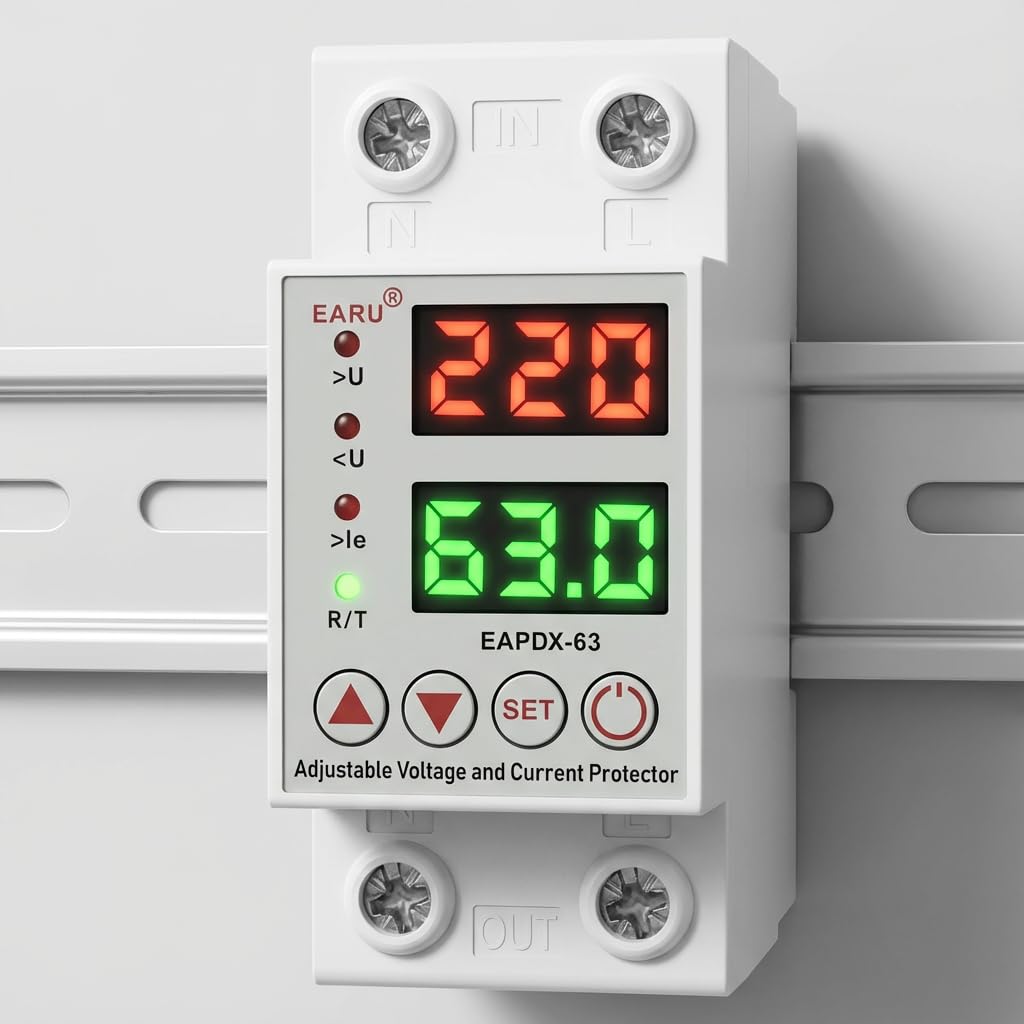
Gambar 4.1: Hareupeun view of the EARU Automatic Voltage Protector, highlighting its digital display and control buttons.
5. Setup jeung Instalasi
The EARU Automatic Voltage Protector is designed for DIN Rail mounting. Ensure proper wiring and secure installation.
5.1. Pamasangan
Mount the device onto a standard 36mm width DIN Rail within your electrical panel. Ensure it is securely clipped into place.
5.2. Diagram Kabel
Connect the incoming power supply (Line and Neutral) to the "IN" terminals and the outgoing load to the "OUT" terminals. Refer to the diagram below for correct wiring.

Gambar 5.1: Example wiring configuration for DIN Rail installation.

Image 5.2: Device dimensions for installation planning.
6. Parentah Operasi
The device allows for precise adjustment of protection parameters. Follow these steps to configure your voltage pelindung.
6.1. Parameter Setting Mode
- Pastikeun alat diaktipkeun.
- Pencét jeung tahan tombol SET button for approximately 3 seconds until the display changes to show "P-1" or a similar setting indicator. This indicates you are in parameter setting mode.
- Ngagunakeun éta Panah Ka Luhur (▲) jeung Panah Ka Handap (▼) buttons to navigate through the different parameters (P-1 to P-6).
- Once you have selected a parameter, press the SET button briefly to enter its adjustment mode.
- Ngagunakeun éta Panah Ka Luhur (▲) jeung Panah Ka Handap (▼) tombol pikeun ngarobah nilai.
- Pencét éta SET button again to confirm the value and move to the next parameter, or wait a few seconds for the device to automatically save and exit the setting mode.
6.2. Parameter Déskripsi
| Parameter | Katerangan | Rentang adjustable |
|---|---|---|
| P-1 | Leuwih-voltagé setting | 240V - 300V (or OFF) |
| P-2 | Dina-voltagé setting | 140V - 200V (or OFF) |
| P-3 | Overcurrent setting | 1A - 40A / 63A / 80A (depending on model) |
| P-4 | Reset / ngamimitian reureuh | 1s - 300s |
| P-5 | Relay recovery delay | 1s - 300s |
| P-6 | Overcurrent recovery delay | 1s - 300s |
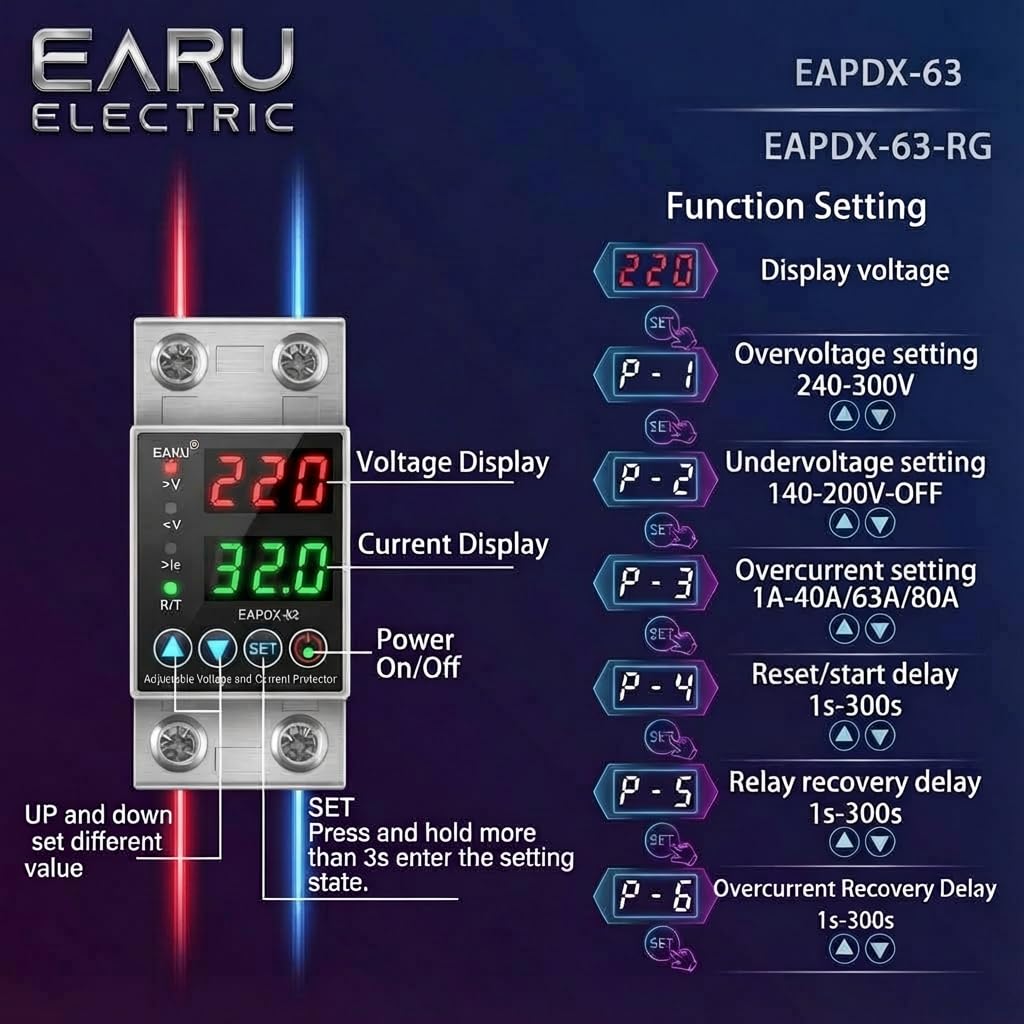
Image 6.1: Function setting guide for the device.
6.3. Video Guide: Setting Parameters
Video 6.1: This video demonstrates how to adjust the over-voltage, handapeun-voltage, overcurrent, and recovery delay settings on the EARU Automatic Voltage Protector. It shows the step-by-step process of entering the setting mode and modifying each parameter.
7. Pangropéa
The EARU Automatic Voltage Protector requires minimal maintenance. Regular checks can ensure optimal performance.
- Periodically inspect the device for any visible damage or loose connections.
- Ensure the ventilation slots are clear of dust and debris to prevent overheating.
- Clean the exterior with a dry, soft cloth. Do not use liquid cleaners or solvents.
- Do not attempt to open or repair the device yourself. Refer to qualified personnel for servicing.
8. Cara ngungkulan
If you encounter issues with your EARU Automatic Voltage Protector, refer to the following common troubleshooting steps:
| Masalah | Mungkin Cukang lantaranana | Solusi |
|---|---|---|
| Alat teu hurung | Taya kakuatan input; wiring salah; kasalahan internal. | Check main power supply. Verify wiring connections. If problem persists, contact support. |
| Power cuts off frequently | Voltage/current outside set thresholds; unstable grid. | Check current voltage/current readings. Adjust P-1, P-2, P-3 settings if necessary. Monitor grid stability. |
| Device does not auto-reconnect | Recovery delay (P-4, P-5, P-6) set too long; persistent fault. | Verify recovery delay settings. Ensure grid conditions have stabilized. Manually reset if safe to do so. |
| salah voltage/current reading | Calibration issue; faulty sensor. | Kontak rojongan customer pikeun pitulung. |
9. Spésifikasi
| Fitur | Rincian |
|---|---|
| merek | EARU |
| Modél | EARU-1005 |
| Ukuran produk (L x W x H) | 7.7 x 3.5 x 6.5 cm |
| Item Beurat | 450 g |
| Masukan Voltage | 230 Volt AC |
| Max Wattage | 13800 Watt |
| Max Wayah | 63 Amperes |
| Leuwih-voltage Range panyalindungan | Adjustable 200V-275V (Cut-off above 275V default) |
| Dina-voltage Range panyalindungan | Adjustable 175V-200V (Cut-off below 175V default) |
| Auto-Reconnect Delay | Adjustable 60-300 detik |
| Tipe Pamasangan | DIN Rail (2-Pole, 36mm width) |
| Bahan Konduktor | 100% Pure Copper |
| Negara asal | India |
10. Garansi jeung Rojongan
The EARU Automatic Voltage Protector (Model EARU-1005) is backed by a 1-Year Manufacturer Warranty. This warranty covers defects in materials and workmanship under normal use.
- For warranty claims or technical support, please contact EARU customer service.
- Simpen struk pameseran anjeun salaku bukti pameseran pikeun validasi garansi.
- Perbaikan atanapi modifikasi anu teu sah bakal ngabatalkeun jaminan.