
Bubuka
This manual provides detailed instructions for the installation, operation, and maintenance of your Ctronics 4K Hybrid Zoom 10x Outdoor WiFi Surveillance Camera, Model 930-4KD. This camera is designed for outdoor security, featuring dual lenses, 10x hybrid zoom, auto-tracking, human detection, color night vision, two-way audio, and an IP66 weatherproof rating.
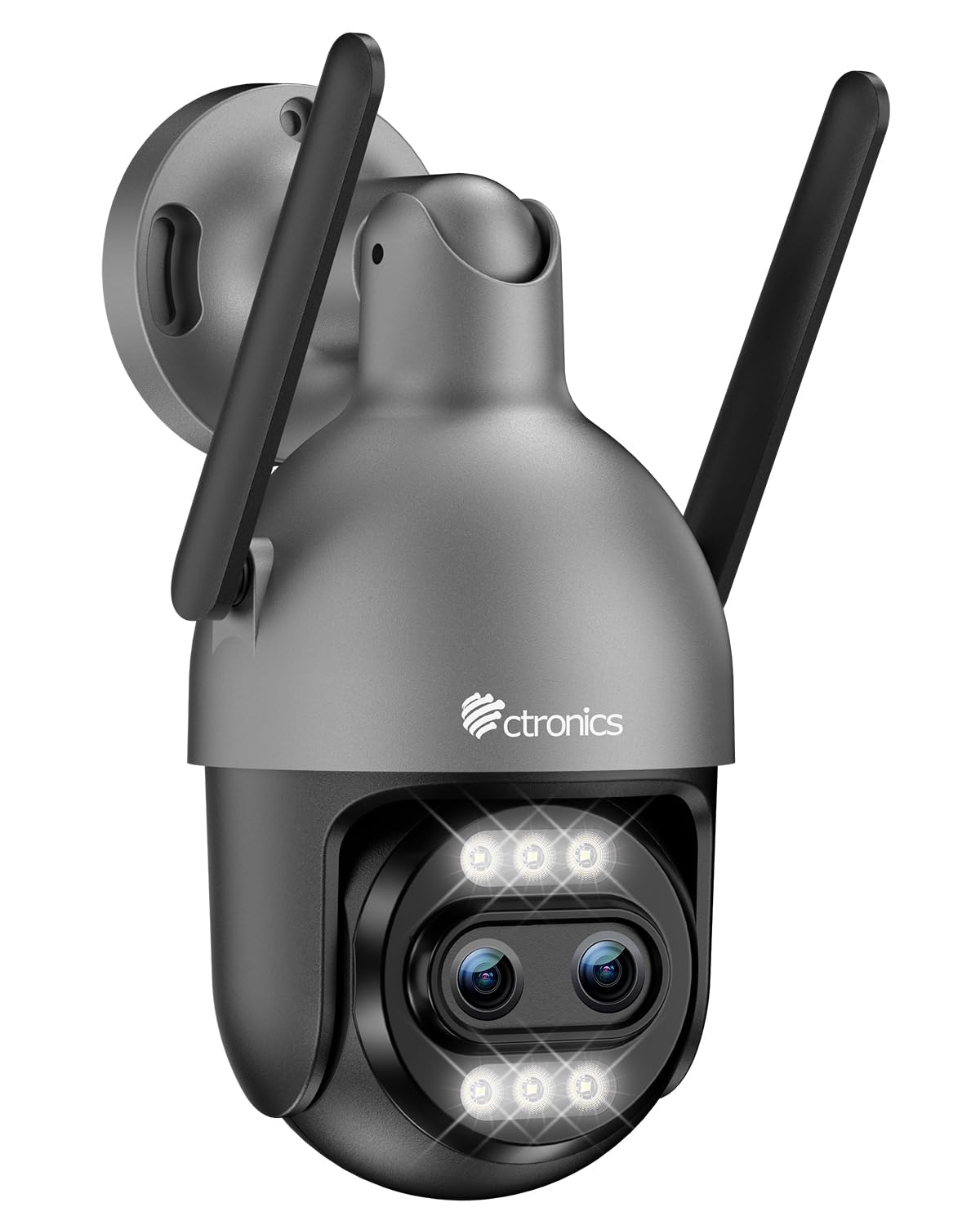
Image: Ctronics 4K Hybrid Zoom 10x Outdoor WiFi Surveillance Camera, Model 930-4KD.
1. Setup jeung Instalasi
1.1 Eusi pakét
Pastikeun yén sadaya komponén aya dina bungkusan:
- Ctronics 4K Hybrid Zoom 10x Outdoor WiFi Surveillance Camera (Model 930-4KD)
- Adaptor kakuatan
- Pemasangan Screws sareng Jangkar
- Pakakas Tahan Cai pikeun Kabel Jaringan
- Manual pangguna (dokumén ieu)
1.2 Instalasi fisik
The camera is designed for outdoor use and ceiling mounting. Choose a location that provides optimal surveillance coverage and has a stable surface for mounting. Ensure the camera is within range of your Wi-Fi network or close to an Ethernet connection point.
- Mark the drilling positions on the wall or ceiling using the mounting template (if provided, otherwise use the camera base).
- Bor liang teras pasang jangkar témbok.
- Ngamankeun dasar kaméra ka beungeut maké screws disadiakeun.
- Adjust the camera angle as needed before final tightening.

Gambar: Example of a Ctronics dual-lens PTZ camera, similar to Model 930-4KD, mounted for outdoor surveillance.
1.3 Daya sareng Sambungan Jaringan
Connect the camera to power using the provided power adapter. For network connectivity, you have two options:
- Sambungan Wi-Fi: Ensure your Wi-Fi network is 2.4GHz or 5GHz compatible. Follow the in-app instructions for Wi-Fi setup.
- Sambungan kabel: Connect an Ethernet cable from your router to the camera's network port. Use the waterproof kit to protect the connection if installed outdoors.
1.4 Pamasangan sareng Konfigurasi Aplikasi
Download the official Ctronics Pro app from your smartphone's app store (iOS or Android). Alternatively, use the HiP2P Client software for Windows or Mac OS.
- Install the Ctronics Pro app on your smartphone or HiP2P Client on your computer.
- Ngadaptar akun tur asup.
- Follow the on-screen prompts to add your camera. This typically involves scanning a QR code on the camera or manually entering its ID.
- Configure initial settings such as time zone, recording preferences, and alert notifications.

Image: The Ctronics multi-platform software interface, showing compatibility with desktop, laptop, tablet, and smartphone devices.
2. Parentah Operasi
2.1 Hirup View jeung Rékam
Once connected, access the live feed through the Ctronics Pro app or HiP2P Client. You can view real-time video, initiate manual recordings, and capture screenshots.
2.2 Fitur canggih
- 10x Hybrid Zoom: Utilize the digital controls in the app to zoom in and out, combining optical and digital zoom for detailed views.
- Auto Zoom Tracking: Enable this feature to allow the camera to automatically track detected human movement and zoom in for clearer identification.
- Deteksi Manusa: Configure motion detection zones and sensitivity. The camera will send alerts upon detecting human shapes, reducing false alarms.
- Warna Night Vision: The camera employs Starlight vision technology and LED lights to provide full-color video even in low-light conditions, up to 30 meters.
- Audio Dua Arah: Use the built-in microphone and speaker to communicate with visitors or deter intruders remotely.
- Kontrol PTZ: Pan, Tilt, and Zoom the camera remotely via the app to adjust the viewing angle and cover a 360-degree area.

Image: The Ctronics 10x Hybrid Zoom camera, highlighting its advanced optical capabilities.
2.3 Pilihan Panyimpenan
The camera supports local recording to a Micro SD card (up to 256GB). Ensure the card is inserted correctly and formatted through the app. Cloud storage options may also be available through the Ctronics service.
3. Pangropéa
- beberesih: Rutin ngabersihan lénsa kaméra jeung perumahan ku lemes, damp cloth to ensure clear image quality. Do not use harsh chemicals.
- Pembaruan firmware: Check the Ctronics Pro app periodically for firmware updates. Keeping your camera's firmware updated ensures optimal performance and security.
- Sasayogian tanaga: Pastikeun adaptor kakuatan sareng kabel bébas tina karusakan.
4. Cara ngungkulan
| Masalah | Solusi |
|---|---|
| Kaméra teu nyambung ka Wi-Fi | Ensure the camera is within Wi-Fi range. Check Wi-Fi password. Try resetting the camera and re-adding it to the app. Verify your router supports 2.4GHz/5GHz. |
| Teu aya gambar atanapi layar hideung | Check power connection. Ensure network connection is stable. Restart the camera and the app. |
| Motion detection alerts are too frequent/infrequent | Adjust motion detection sensitivity and detection zones in the app settings. |
| Audio dua arah teu jalan | Check microphone and speaker permissions in the app. Ensure volume levels are adequate. |
| Kartu SD teu ngarékam | Ensure the SD card is inserted correctly and formatted within the app. Check if the card is full or corrupted. Replace if necessary. |
5. Spésifikasi
| Fitur | Rincian |
|---|---|
| Ngaran modél | 930-4KD |
| merek | Ctronics |
| Téhnologi konektipitas | Wired, WiFi |
| Fitur husus | Two-Way Audio, Local Recording, UHD Resolution, PTZ Technology, Night Vision |
| Pamakéan | Luar |
| Alat nu cocog | Komputer, Laptop, Smartphone, Tablet |
| Sumber Daya | Electric Cable (12 Volts) |
| Tipe Pamasangan | Gunung siling |
| Warna | Silver (argenté) |
| Faktor Bentuk | Kubah |
| Bahan | logam |
| Tipe Siaga | Audio jeung Gerak |
| Tipe Sumber Cahaya | LED |
| Effective Capture Resolution | 8 megapiksel |
| Peunteun Protection Internasional | IP66 |
| Métode kontrol | Aplikasi |
| Téhnologi nirkabel | Bluetooth (for initial setup/pairing, likely) |
| Screen Capture Resolution | 4K |
| Resolusi Video Éféktif | 3840.0 (likely 3840x2160 for 4K) |
| Wengi Sawangan Sawangan | 30 méter |
| Wengi Visi Tipe | Caang béntang |
| Ukuran (L x W x H) | 15 x 15 x 15 cm |
| Format Capture Video | MP4 |
| Zoom optik | 6x |
| Tipe Fokus | Pokus Otomatis |
| Tipe Zum | 6x Optical Zoom + 4x Digital Zoom (10x Hybrid) |
| Téhnologi sénsor optik | CMOS |
| Tipe Mémori Flash | Micro SD |
| Mémori Flash Maksimum anu Dirojong | 256 GB |
6. Garansi jeung Rojongan
For warranty information, technical support, or further assistance, please refer to the official Ctronics website or contact their customer service directly. Details are typically provided on the product packaging or the official Ctronics support page.
You can also find additional resources and FAQs on the Ctronics official websitus: www.ctronics.com