
Bubuka
Thank you for choosing the Fisher Pro Active Noise Cancelling Headphones. This manual provides essential information for setting up, operating, and maintaining your headphones. Please read it thoroughly to ensure optimal performance and longevity of your device.
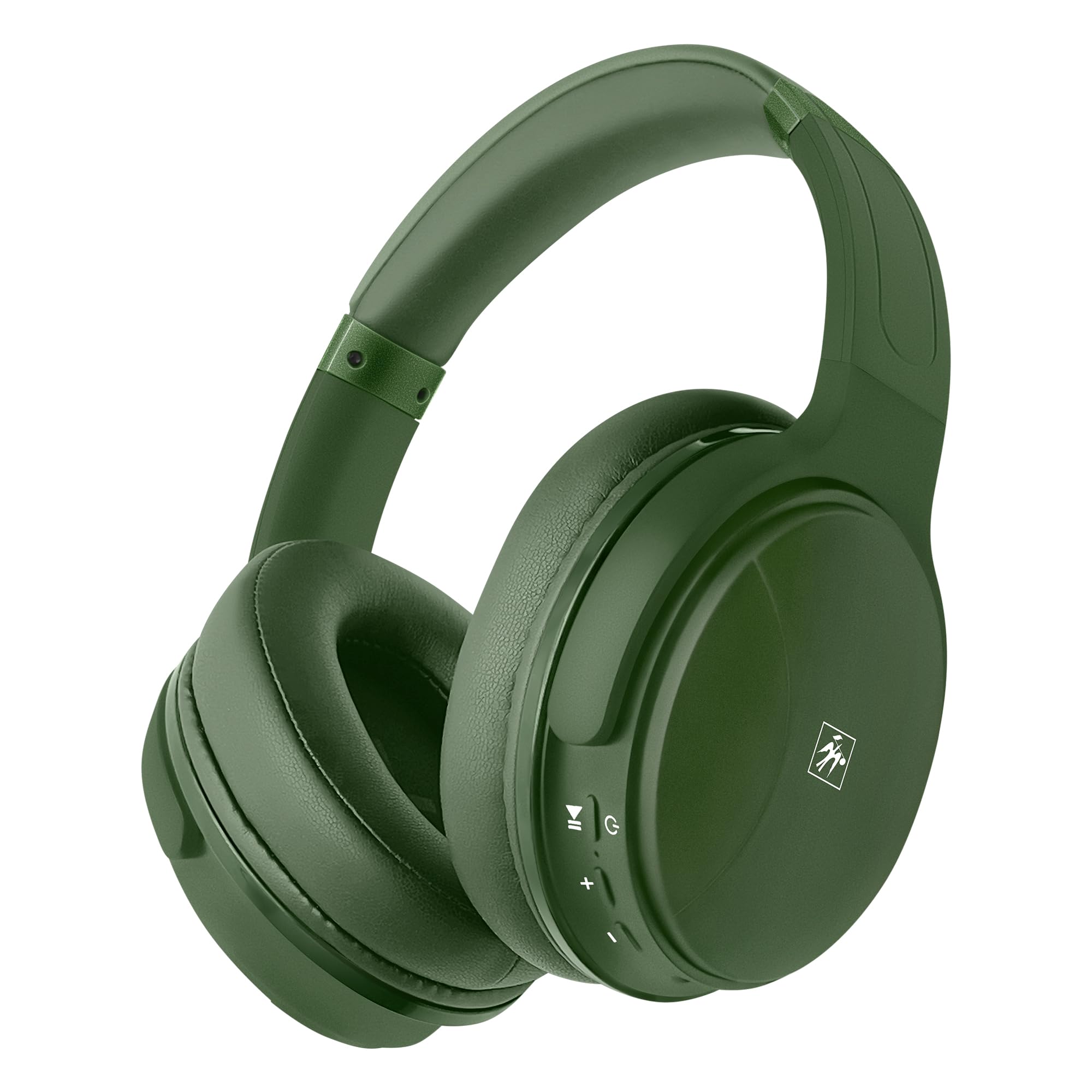
Gambar: Hareupeun view of the Fisher Pro Active Noise Cancelling Headphones in dark green.
Eusi pakét
Pastikeun sadaya item aya dina bungkusan:
- Fisher Pro Active Noise Cancelling Headphones
- Kabel Ngecas USB-C
- 3.5mm Stereo AUX Cable
- Manual pangguna (dokumén ieu)
- Kartu Garansi
Kadali sarta Fitur
Familiarize yourself with the headphone controls and key features:

Image: Right earcup showing control buttons for power, volume, and ANC.
- Tombol Daya: Pencét jeung tahan pikeun mareuman/nonaktipkeun.
- Volume Jilid / Lagu Salajengna: Pencét pondok pikeun polumeu ka luhur, pencét panjang kanggo lagu salajengna.
- Volume Turun / Lagu Saméméhna: Pencét pondok pikeun volume handap, pencét lila pikeun lagu saméméhna.
- Tombol Multi-fungsi (MFB): Puter / ngareureuhkeun musik, ngajawab / mungkas telepon, aktipkeun asisten sora.
- Tombol ANC: Toggle Active Noise Cancellation on/off.
- Palabuhan USB-C: Pikeun ngecas headphone.
- 3.5mm Audio Jack: Pikeun sambungan kabel.
- Mikropon: Pikeun telepon handsfree.

Gambar: Leuwihview of headphone features including Active Noise Cancellation, 16-hour battery life, voice assistant support, premium sound, device compatibility, foldable design, adjustable headband, easy-access buttons, hands-free microphone, and comfort cushions.
Disetél
1. Ngecas Headphone
Saméméh dipaké munggaran, eusian pinuh headphone.
- Connect the provided USB-C charging cable to the headphone's USB-C port.
- Sambungkeun tungtung kabel anu sanésna kana sumber daya USB (contona, adaptor témbok, port USB komputer).
- Indikator LED bakal nembongkeun status ngecas (misalna beureum keur ngecas, biru keur dicas pinuh).
A full charge provides up to 16 hours of playback. Quick charging is supported.

Image: Visual representation of the 16-hour battery life feature.
2. Daya Hurung / Pareum
- Pikeun Ngahurungkeun: Press and hold the Power button for approximately 3 seconds until the LED indicator flashes blue.
- Pikeun mareuman: Pencét jeung tahan tombol Daya salila kurang leuwih 3 detik nepi ka indikator LED pareum.
3. Papasangan Bluetooth
Pair your headphones with a Bluetooth-enabled device:
- Pastikeun headphone dipareuman.
- Press and hold the Power button for 5-7 seconds until the LED indicator flashes red and blue alternately, indicating pairing mode.
- Dina alat anjeun (smartphone, laptop, tablet), aktipkeun Bluetooth teras milarian alat anu sayogi.
- Select "Fisher Pro" from the list of devices.
- Sakali nyambung, indikator LED bakal flash biru lalaunan.
Headphone bakal otomatis nyobian nyambung deui ka alat anu dipasangkeun terakhir nalika diaktipkeun.

Image: Illustration showing the headphones' compatibility with various devices via Bluetooth 5.3.
4. Sambungan Kabel (Modeu AUX)
Use the included 3.5mm AUX cable for a wired connection:
- Plug one end of the 3.5mm AUX cable into the headphone's audio jack.
- Plug the other end into your audio source's 3.5mm audio output.
- The headphones will automatically switch to AUX mode. Bluetooth functionality is disabled in this mode.
Parentah Operasi
1. Active Noise Cancellation (ANC)
The Fisher Pro headphones feature Active Noise Cancellation to reduce ambient sounds.
- Pikeun Aktipkeun / Nonaktipkeun ANC: Press the dedicated ANC button. The LED indicator for ANC will illuminate when active.

Image: Diagram illustrating how Active Noise Cancellation works by generating anti-phase sound waves to cancel ambient noise.
2. Puterkeun Musik
- Puter / Reureuh: Pencét MFB sakali.
- Lagu salajengna: Pencét lila tombol Volume Up.
- Lagu Sateuacanna: Pencét lila tombol Jilid Turun.
- Volume Up: Pencét pondok tombol Volume Up.
- Volume Turun: Pencét pondok tombol Volume Turun.
3. Manajemén nelepon
- Ngajawab / mungkas Telepon: Pencét MFB sakali.
- Nolak Telepon: Pencét jeung tahan MFB salila 2 detik.
- Telepon deui Nomer Panungtungan: Pencét dua kali MFB.

Image: Icon indicating the presence of a hands-free microphone for calls.
4. Asisten sora
Activate your device's voice assistant (Siri, Google Assistant, etc.):
- Aktipkeun Asisten Sora: Pencét MFB tilu kali.
Pangropéa
Pikeun mastikeun umur panjang sareng kinerja optimal headphone anjeun, turutan tungtunan pangropéa ieu:
- beberesih: Anggo lawon anu lembut sareng garing pikeun ngabersihan headphone. Ulah make cleaners abrasive atawa pangleyur.
- Panyimpenan: Nalika henteu dianggo, simpen headphone dina tempat anu tiis, garing, jauh tina sinar panonpoé langsung sareng suhu anu ekstrim. Desain foldable ngamungkinkeun pikeun neundeun kompak.
- Hindarkeun Uap: Ulah ngalaan headphone ka cai atawa kaleuleuwihan Uap.
- Nanganan kalayan ati-ati: Hindarkeun leupaskeun atanapi nahan headphone kana dampak anu kuat.

Image: Detail of the earcup, showing the comfortable memory foam cushions and foldable design for easy storage.
Pamérésan masalah
Upami anjeun mendakan masalah sareng headphone anjeun, tingal solusi umum ieu:
| Masalah | Solusi anu mungkin |
|---|---|
| Headphone moal hurung. | Pastikeun headphone dicas pinuh. Sambungkeun ka sumber listrik nganggo kabel USB-C. |
| Teu bisa masangkeun via Bluetooth. | Pastikeun headphone aya dina modeu pairing (kedip-kedip beureum/biru). Pareuman teras hurungkeun Bluetooth dina alat anjeun. Pindah ngadeukeutan ka alat. |
| Taya sora atawa volume low. | Pariksa tingkat volume dina headphone sareng alat anu nyambung. Pastikeun headphone dipasangkeun kalayan leres atanapi kabel AUX dipasangkeun sapinuhna. |
| ANC henteu tiasa dianggo sacara efektif. | Ensure ANC is activated via the ANC button. Adjust headphone fit to ensure a good seal around your ears. |
| Mikropon teu jalan. | Ensure headphones are connected via Bluetooth (microphone functionality is not available in AUX mode). Check device settings for microphone input. |
spésifikasi
| Fitur | Rincian |
|---|---|
| Ngaran modél | SBHP550ADG |
| Téhnologi konektipitas | Nirkabel (Bluetooth 5.3), Kabel (AUX 3.5mm) |
| Vérsi Bluetooth | 5.3 |
| Kontrol bising | Aktif Noise pembatalan (ANC) |
| Tipe Supir Audio | Supir Dinamis, 40mm |
| Réspon Frékuénsi | 15Hz - 20kHz |
| Impedansi | 32 ohm |
| Kahirupan batré | Nepi ka 16 jam |
| Port ngecas | USB-C |
| Mikropon | Diwangun-di pikeun telepon handsfree |
| Métode kontrol | Toel/Tombol |
| Wangun Earpiece | Leuwih-Ceuli |
| Diménsi | 8.1 x 7.5 x 3.15 inci |
| Item Beurat | 6.6 ons |
| Bahan | palastik |

Gambar: Detil view of the 40mm Hi-Res Audio driver, responsible for clear and immersive sound.
Garansi sareng Rojongan
Émbaran jaminan
Your Fisher Pro Active Noise Cancelling Headphones come with a limited warranty. Please refer to the included Warranty Card for detailed terms and conditions, including coverage period and how to make a claim.
Rojongan Palanggan
For technical assistance, troubleshooting beyond this manual, or warranty inquiries, please contact Fisher customer support. Contact details can be found on the Warranty Card or the official Fisher websitus.