
1. Bubuka
Thank you for choosing the Cillso H97 Wireless Earbuds. This manual provides detailed instructions on how to set up, operate, and maintain your earbuds to ensure optimal performance and longevity. Please read this manual carefully before using the product.

Image: The Cillso H97 Wireless Earbuds in their charging case, displaying the LED battery indicator.
2. Naon dina Box
Saatos ngabongkar bungkusan, mangga pastikeun sadaya barang anu didaptarkeun di handap ieu aya:
- Cillso H97 Wireless Earbuds (L/R)
- Ngecas Case
- Kabel Ngecas USB-C
- Manual Pamaké (Dokumén ieu)

Image: A visual representation of the items included in the product packaging: earbuds, user manual, charging case, and USB-C charging cable.
3. Produk Langkungview
The Cillso H97 Wireless Earbuds are designed for comfort and high-quality audio. Key features include:
- Téknologi Bluetooth 5.4: Provides a stable connection, longer transmission range, lower power consumption, and reduced latency.
- Sora Stereo Hi-Fi anu Ngaleueut: Equipped with 13mm dynamic drivers for deep bass, clear mids, and crisp highs.
- ENC Noise Cancelling Microphones: Four built-in microphones enhance call clarity by reducing background noise.
- Manjangkeun Umur Batré: Up to 8 hours of playback per charge, with a total of 40 hours using the charging case.
- Tampilan Digital LED: The charging case features an independent LED display to show battery levels for both the case and individual earbuds.
- Peunteun tahan cai IPX7: Protects against sweat, rain, and splashes, making them suitable for various activities.
- Sensitive Touch Controls: Manage playback, calls, and voice assistants with simple taps.
- Desain Ergonomis sareng Enteng: Each earbud weighs 3.5 grams, and the case weighs 32 grams, ensuring comfortable wear and portability.
3.1 Komponen sareng Indikator
Familiarize yourself with the main components and indicators:
- Earbuds: Left (L) and Right (R) earbuds with touch control areas and earbud lights.
- Kasus ngecas: Houses and charges the earbuds, features a USB-C charging port and an LED digital display.
- Tampilan Digital LED: Shows the charging case's battery percentage and individual earbud charging status (L/R battery bars).

Gambar: Hiji leuwihview of the Cillso H97 Wireless Earbuds highlighting key features like Bluetooth 5.4, clear calls, Hi-Fi sound, comfort, IPX7 waterproof, 40H playtime, USB-C charging, and LED display.

Image: The earbuds and charging case with their dimensions and weight, illustrating their compact and lightweight design.
4. Setélan
4.1 Ngecas Awal
Saméméh dipaké munggaran, eusian pinuh ku earbuds jeung wadah ngecas.
- Tempatkeun duanana earbuds kana kotak ngeusian.
- Connect the USB-C charging cable to the charging port on the case and a standard 5V/1A or 5V/2A USB power adapter.
- The LED display on the case will show the charging progress. A full charge for the case takes approximately 1.5 hours.
- The earbud battery indicators on the LED display will show charging status for each earbud.
Note: Please use a standard 5V/1A or 5V/2A charger. Using non-standard chargers may cause charging issues or damage.
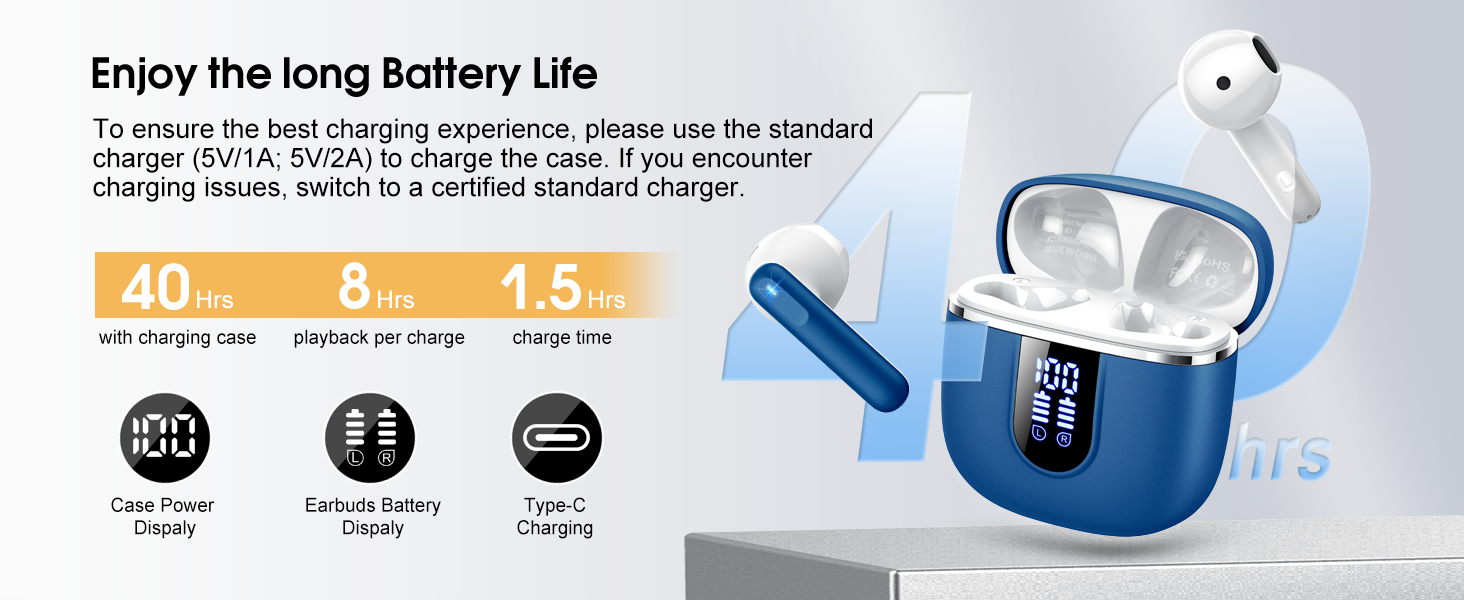
Image: Details on battery life (40 hours with case, 8 hours per charge) and charging time (1.5 hours), along with the LED display for battery status.
4.2 Nyapasangkeun Bluetooth
The earbuds feature a Hall sensor for automatic pairing.
- Papasangan munggaran: Buka wadah ngecas. Earbuds bakal otomatis hurung tur asup kana mode papasangan.
- Dina alat anjeun (smartphone, tablet, laptop), aktipkeun Bluetooth sareng milarian alat anu sayogi.
- Select "H97" from the list of devices to connect. Once connected, you will hear a confirmation tone.
- Sambungan deui otomatis: After the initial pairing, the earbuds will automatically connect to the last paired device when the charging case is opened (within 15 meters).
- Mode Earbud Tunggal: You can use either the left or right earbud independently. Simply take one earbud out of the case, and it will connect. If you take out the other earbud, they will automatically switch to binaural mode. To use a single earbud, place the other back into the charging case.

Image: An illustration explaining how to use the earbuds in single earbud mode or binaural (stereo) mode, and how they automatically switch.
5. Parentah Operasi
5.1 Kontrol Toél
The Cillso H97 earbuds feature sensitive touch controls on each earbud. The functions are as follows:
| Aksi | Fungsi |
|---|---|
| Ketok dua kali (L/R) | Puter/Reureuh musik |
| One Tap (L/R) | Ngajawab / mungkas Telepon |
| Pencét lila 2s (L/R) | Nolak Telepon |
| Long Tap 2s (R) | Lagu salajengna |
| Long Tap 2s (L) | Lagu saméméhna |
| One Tap (R) | Volume Up |
| One Tap (L) | Volume Turun |
| Ketok Tilu Kali (R) | Aktipkeun Asisten Sora |

Image: A diagram illustrating the various touch control gestures for managing music playback, calls, and voice assistant functions.
5.2 Maké Earbuds
Pikeun kualitas sareng kanyamanan sora anu optimal, pastikeun earbud dipasang kalayan leres dina ceuli anjeun.
- Identipikasi earbuds Kénca (L) jeung Katuhu (R).
- Lembut selapkeun unggal earbud kana saluran ceuli anjeun.
- Adjust the angle until it feels secure and comfortable. The ergonomic design is intended to fit the contours of most ear canals.

Image: Diagrams showing the ergonomic design and recommended angles for wearing the earbuds for a secure and comfortable fit.
5.3 Kompatibilitas Lega
The Cillso H97 Wireless Earbuds are compatible with a broad range of Bluetooth-enabled devices.
- Sistem Operasi: Android 4.4+ sareng ios 8.0+
- Vérsi Bluetooth: Bluetooth 4.0 atanapi engké
- Paranti: Smartphones (iPhone, Samsung Galaxy, Huawei, Xiaomi, etc.), tablets, and laptops.

Image: Icons representing compatibility with phones, tablets, laptops, and desktops, showing the earbuds connected to a smartphone.
6. Pangropéa sarta perawatan
6.1 beberesih
- Rutin ngabersihkeun earbuds sareng wadah ngecas ku lawon anu lemes, garing, teu aya lint.
- Ulah make cleaners abrasive, alkohol, atawa sprays kimiawi.
- Pastikeun kontak ngecas dina earbud sareng wadahna bersih sareng garing supados tiasa ngecas kalayan leres.
6.2 Panyimpenan
- Nalika henteu dianggo, simpen earbuds dina wadah ngecasna pikeun ngajagi sareng tetep dicas.
- Simpen di tempat anu tiis, garing, jauh tina suhu anu ekstrim sareng sinar panonpoé langsung.
6.3 Tahan Cai (IPX7)
The earbuds are rated IPX7 waterproof, meaning they can withstand immersion in water up to 1 meter for 30 minutes. This protects them from sweat, rain, and splashes.
- Do not intentionally submerge the charging case, as it is not waterproof.
- Ensure earbuds are completely dry before placing them back into the charging case to prevent damage to the charging contacts.
- Avoid using the earbuds in saunas, steam rooms, or during diving.

Image: An earbud with water splashing on it, illustrating its IPX7 waterproof capability.
6.4 Leuwih Protéksi Ayeuna (OCP)
The charging case is equipped with Over Current Protection technology to prevent issues such as overheating, melting, or fire caused by prolonged high current from an external power source. When the current exceeds the power limit, the power source will immediately cut off output to protect the circuitry and device.
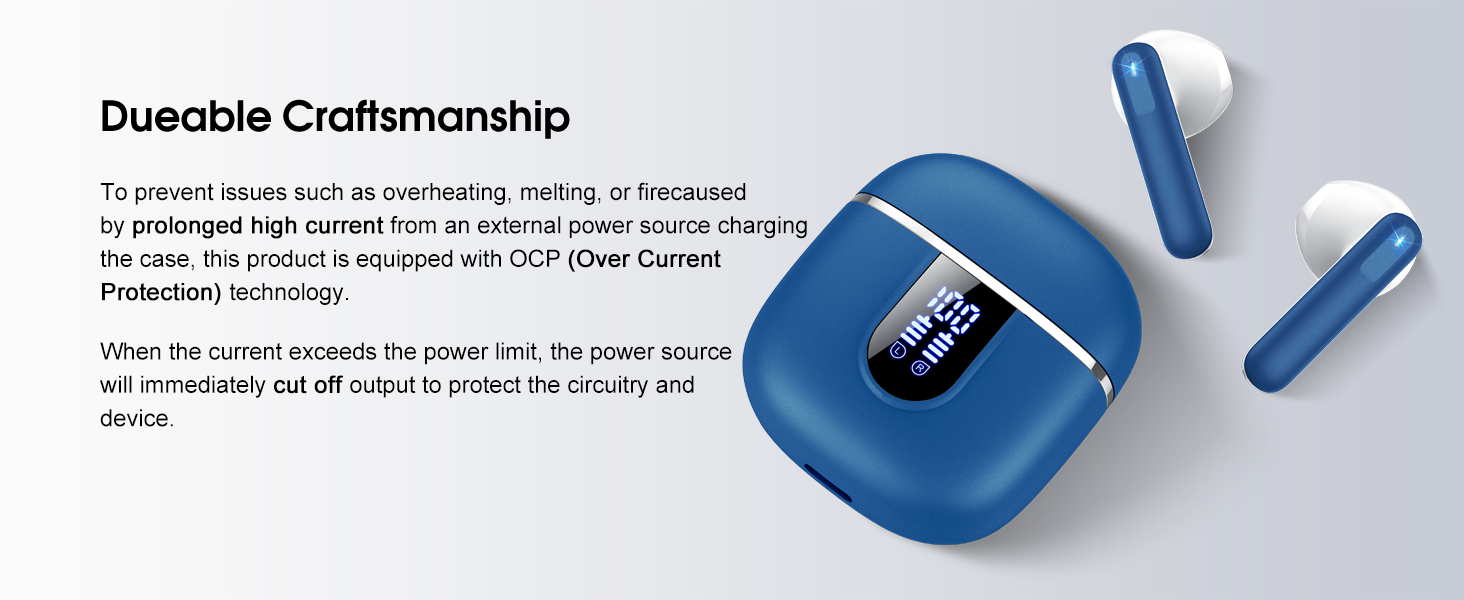
Image: The charging case and earbuds, highlighting the durable craftsmanship and Over Current Protection (OCP) technology.
7. Cara ngungkulan
If you encounter any issues with your Cillso H97 Wireless Earbuds, please refer to the following common problems and solutions:
- Teu Aya Sora / Pegatkeun Sambungan:
- Pastikeun earbuds dieusi.
- Check if Bluetooth is enabled on your device and if "H97" is selected.
- Caketkeun alat anjeun pikeun mastikeun anjeun aya dina jarak Bluetooth 15 méter.
- Cobi pegatkeun sambungan sareng pasangkeun deui earbud sareng alat anjeun.
- Earbuds Teu Ngecas:
- Pastikeun wadah ngecas dieusi.
- Check that the earbuds are correctly seated in the charging case and the charging contacts are clean.
- Verify the USB-C cable and power adapter are working correctly and meet the 5V/1A or 5V/2A standard.
- Ngan Hiji Earbud Anu Gawé:
- Lebetkeun deui dua earbud kana wadah ngecas, tutup tutupna, antosan sababaraha detik, teras buka tutupna teras cabut babarengan.
- Pastikeun kadua earbuds dicas.
- If the issue persists, try resetting the earbuds (refer to the full user manual if a specific reset procedure is available, otherwise, unpair and re-pair).
- Kadali Toel Teu Ngabales:
- Pastikeun ramo anjeun beresih jeung garing.
- Coba hurungkeun deui earbud ku cara nempatkeun kana wadahna teras cabut deui.
Upami léngkah-léngkah ieu henteu ngabéréskeun masalah anjeun, mangga ngahubungi dukungan palanggan.
8. Spésifikasi
| Fitur | Rincian |
|---|---|
| Ngaran modél | H97 |
| merek | Cillso |
| Téhnologi konektipitas | Nirkabel (Bluetooth) |
| Vérsi Bluetooth | 5.4 |
| Rentang Bluetooth | 15 méter |
| Ukuran Supir Audio | 13mm (from description, spec says 14.2mm, using 13mm as it's consistent with marketing) |
| Réspon Frékuénsi | 20Hz - 20kHz (from description) |
| Sensitipitas | 110 dB |
| Impedansi | 32 ohm |
| Kahirupan Batré Earbud | Nepi ka 8 jam |
| Total Waktu Puteran (kalayan kasus) | Nepi ka 40 jam |
| Waktu Ngecas (Kasus) | Kira-kira. 1.5 jam |
| Port ngecas | USB-C |
| Peunteun Résistansi Cai | IPX7 (Earbuds) |
| Beurat Earbud | 3.5 gram (unggal) |
| Ngecas Case Beurat | 32 gram |
| Alat nu cocog | iOS 9.0+/Android 5.0+ with Bluetooth 4.0+ |
| Métode kontrol | Toél |
9. Garansi jeung Rojongan
Cillso products are designed for reliability and performance. For warranty information and customer support, please refer to the warranty card included in your product packaging or visit the official Cillso websitus.
If you have any questions or require assistance, please do not hesitate to contact our customer service team.