
1. Bubuka
Welcome to the iBstone Edge Hearing Aids user manual. This document provides essential information for the proper setup, operation, and maintenance of your new hearing aids. The iBstone Edge features a Receiver-In-Canal (RIC) design for superior sound quality, IP67 water and dust resistance for durability, a lightweight and comfortable fit, and long-lasting battery life with quick charging capabilities. Please read this manual thoroughly before using your device.
2. Eusi Paket
Pastikeun yén sadaya item anu didaptarkeun di handap kalebet kana pakét anjeun:
- iBstone Edge Charging Case
- iBstone Edge Hearing Aids (1 pair)
- Assorted Domes (various sizes)
- Sikat beberesih
- Wax Guard Filters
- Kabel Ngecas USB
- Manual pamaké
- Pitunjuk Gancang
- Read Before Starting Card
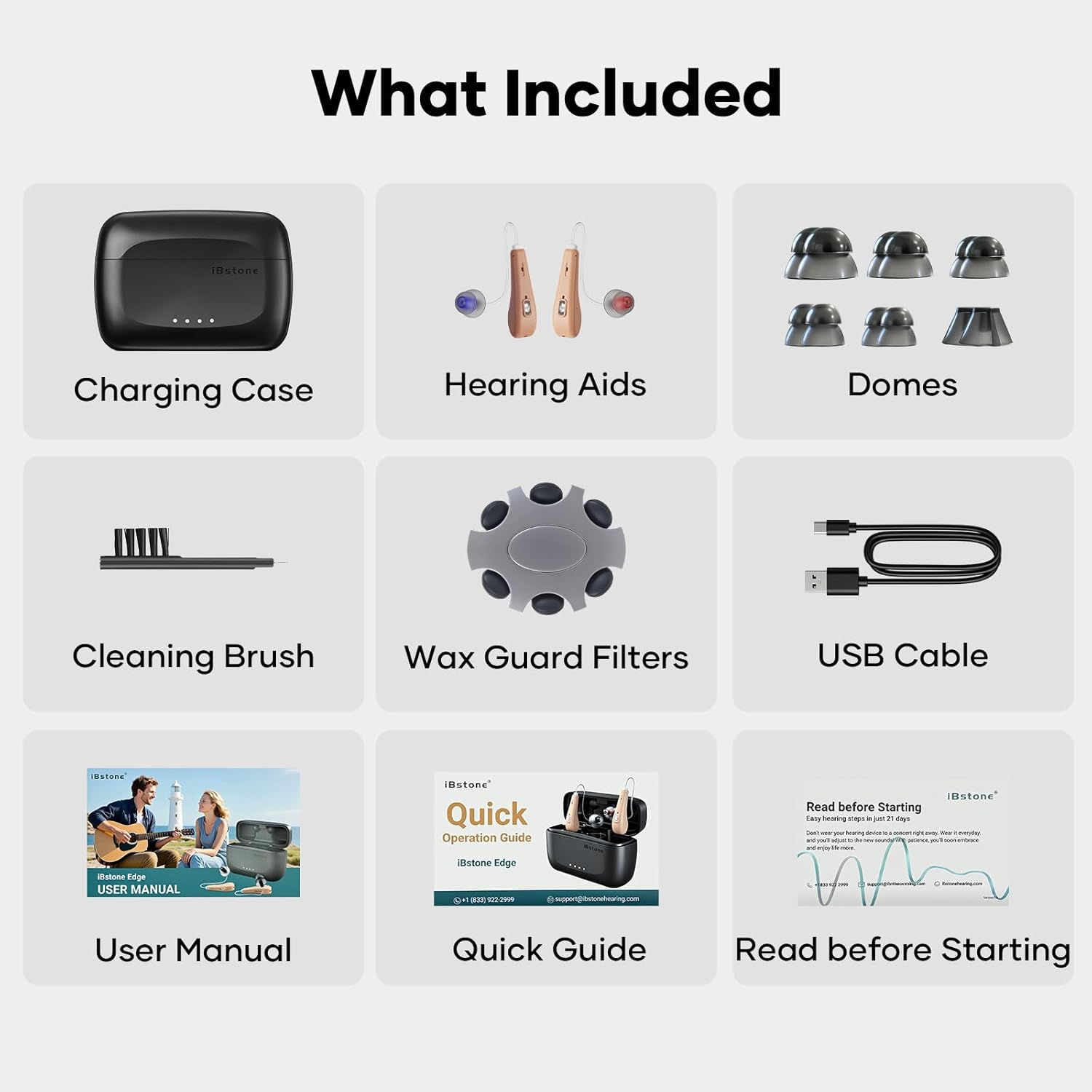
Image: All components included in the iBstone Edge Hearing Aids package, featuring the charging case, hearing aids, domes, cleaning brush, wax guard filters, USB cable, and documentation.
3. Produk Langkungview
3.1 Hearing Aid Components
Each iBstone Edge hearing aid consists of a main body, a thin tube connecting to a receiver, and a dome that fits into the ear canal. A multi-function button is located on the main body for controls.
3.2 Ngecas Kasus
The portable charging case holds and charges both hearing aids. It features dedicated slots for each hearing aid, LED indicators for charging status, and a USB-C port for external power.
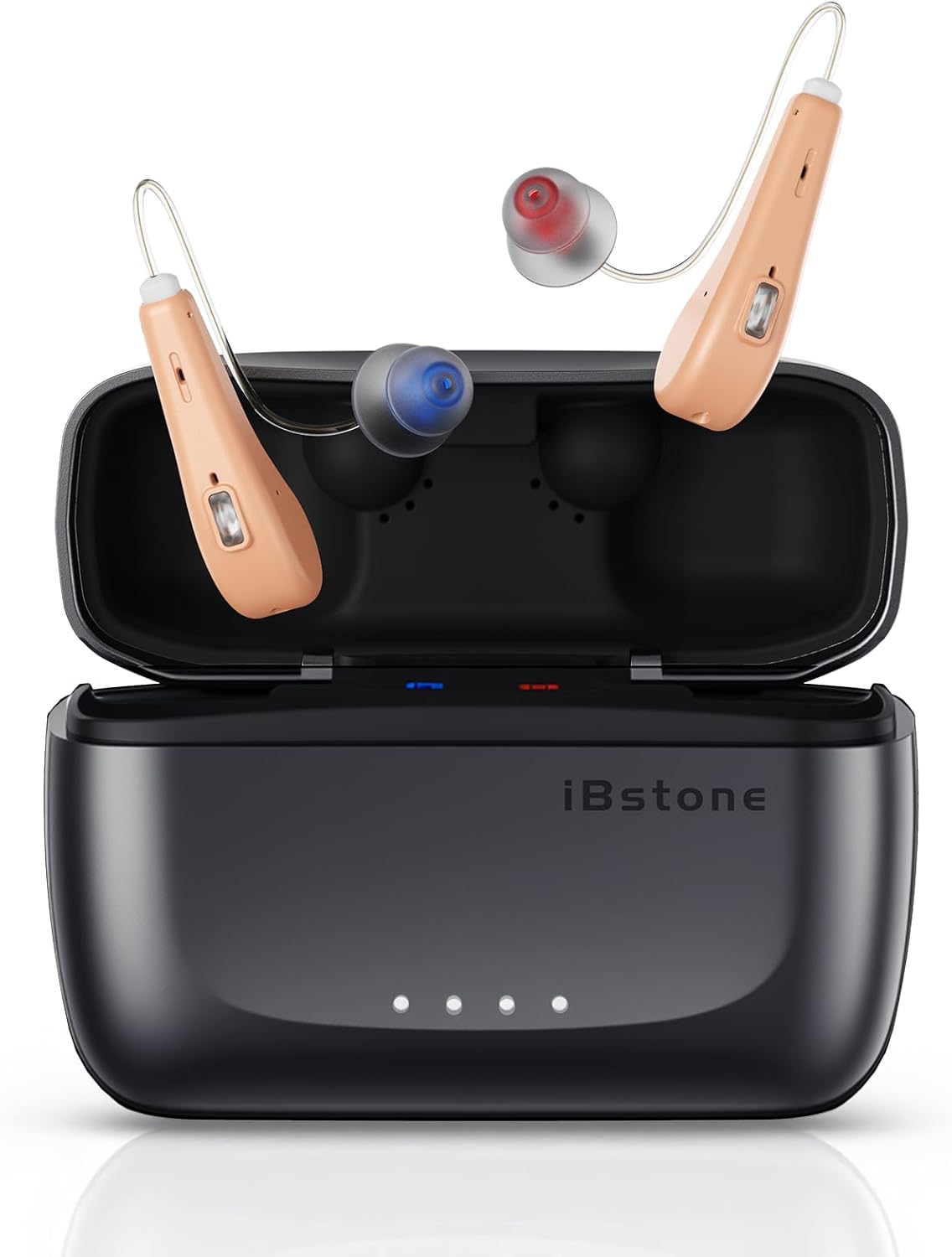
Image: The iBstone Edge hearing aids are shown resting in their open charging case, illustrating their compact design and how they are stored.
4. Setup Awal
4.1 Ngecas Alat
Before first use, fully charge both the hearing aids and the charging case. Connect the USB cable to the charging case and a power source. The hearing aids will charge automatically when placed in the case. A full charge takes approximately 1.5 hours, providing up to 24 hours of use for the hearing aids, and the case offers five additional charges for a total of 125 hours of battery life.

Image: The iBstone Edge charging case is depicted with a USB cable connected, illustrating the quick charging feature and battery life indicators.
4.2 Selecting and Attaching Domes
Choose the dome size that provides a comfortable and secure fit in your ear canal. A proper fit is crucial for optimal sound quality and to prevent feedback. Gently push the selected dome onto the receiver end of the hearing aid tube until it is firmly attached.
4.3 Wearing the Hearing Aids
Place the main body of the hearing aid behind your ear, then gently insert the dome into your ear canal. Adjust the thin tube to ensure it sits comfortably and securely. The lightweight design (2.9g per hearing aid) ensures comfort during extended wear.
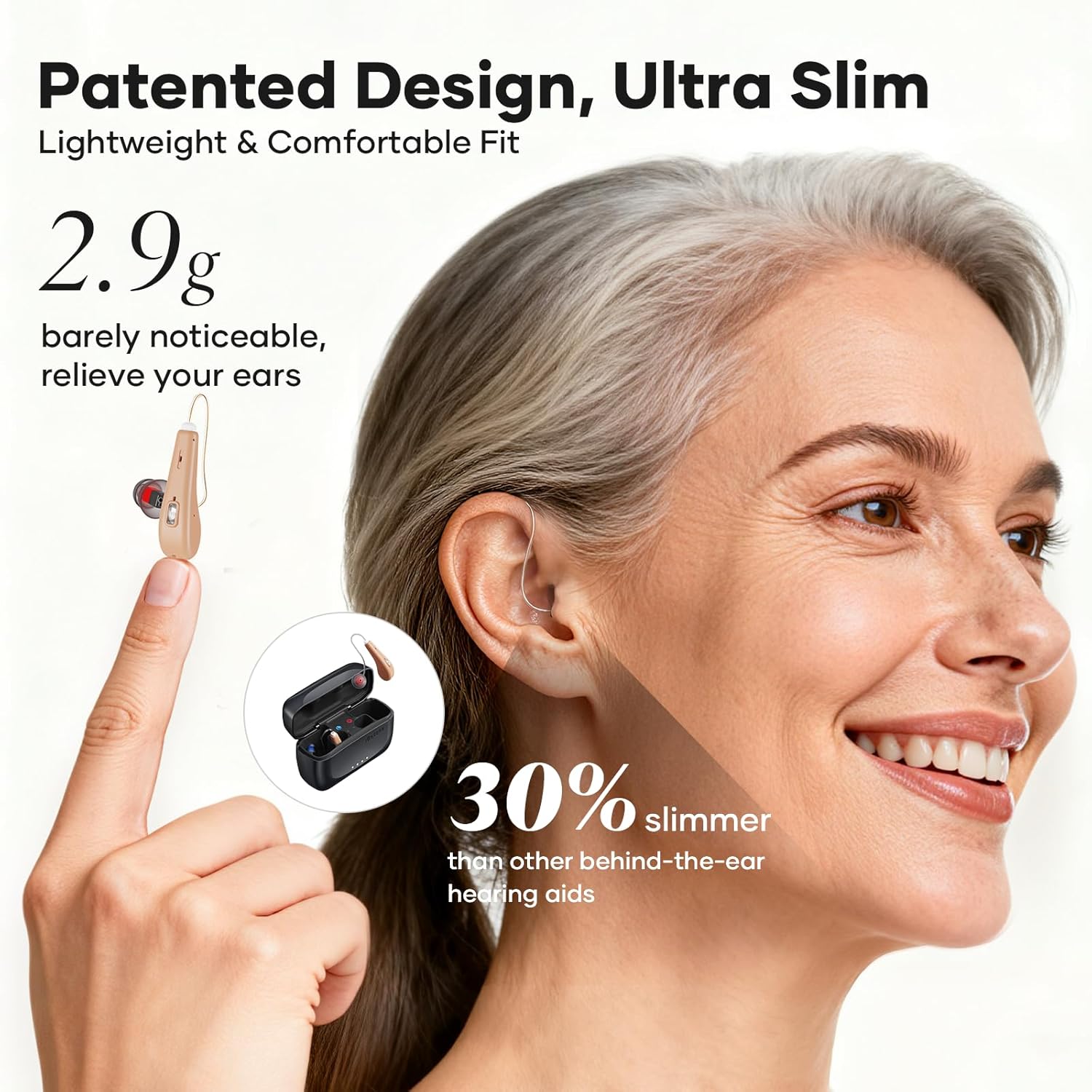
Image: A woman is shown wearing an iBstone Edge hearing aid, demonstrating its ultra-slim and lightweight profile behind the ear.
5. Parentah Operasi
5.1 Daya Hurung/Pareuman
The iBstone Edge hearing aids feature automatic power management. They will turn on automatically when removed from the charging case and turn off when placed back into the case.
5.2 Volume adjustment
The hearing aids offer 11 distinct volume levels. Use the multi-function button on the hearing aid to cycle through these levels. A short press typically adjusts the volume up or down, depending on the current setting.
5.3 Pamilihan Mode
The iBstone Edge includes 3 preset listening modes: Quiet, Noise, and Outdoor. These modes are designed to optimize sound clarity in different environments. Use the multi-function button to switch between these modes. The device will indicate the current mode through an audible cue.
5.4 Automatic Memory Function
The hearing aids are equipped with an automatic memory function that retains your last used volume and mode settings, eliminating the need to readjust them every time you put them on.

Image: A hand is shown interacting with the control button on an iBstone Edge hearing aid, illustrating the ease of adjusting volume and modes.
5.5 Sound Quality (RIC Technology)
The Receiver-In-Canal (RIC) design places the receiver directly in the ear canal, minimizing sound distortion and delivering clear, natural audio. This design enhances speech clarity and overall listening experience.

Image: A visual representation of the Crystal-Clear RIC Sound technology, showing sound waves entering the ear canal for enhanced clarity.
6. Perawatan sareng Pangropéa
6.1 Cleaning the Hearing Aids
Regularly clean your hearing aids using the provided cleaning brush. Gently brush away any earwax or debris from the domes, receiver, and main body. Do not use water or cleaning solutions directly on the electronic components.
6.2 Replacing Wax Guards
Wax guards protect the receiver from earwax buildup. If you notice a decrease in sound quality or blockage, replace the wax guard using the provided tools and instructions. Refer to the 'Read Before Starting' card for detailed steps.
6.3 Tahan Cai sareng Lebu (IP67)
The iBstone Edge hearing aids are rated IP67, meaning they are dust-tight and protected against immersion in water up to 1 meter for 30 minutes. This makes them suitable for outdoor activities and resistant to sweat and rain. However, prolonged submersion or exposure to high-pressure water jets should be avoided. Always ensure the devices are dry before placing them in the charging case.

Image: A woman is shown running in the rain, highlighting the IP67 waterproof and dustproof capabilities of the iBstone Edge hearing aids, suitable for active lifestyles.
7. Guide ngungkulan
If you experience issues with your iBstone Edge hearing aids, please refer to the following common solutions:
- Henteu aya sora: Ensure the hearing aids are fully charged and correctly placed in your ears. Check if the volume is set to an audible level. Inspect the dome and receiver for wax blockage and clean or replace the wax guard if necessary.
- Volume handap: Increase the volume using the multi-function button. Ensure the domes are properly seated in your ear canal.
- Distorted Sound/Feedback: This may indicate an improper fit. Try a different size dome for a better seal. Clean the domes and receiver.
- Masalah ngecas: Ensure the USB cable is securely connected to both the charging case and the power source. Check that the hearing aids are correctly seated in their charging slots within the case. Verify the charging case itself has power.
- Operasi intermittent: Ensure the hearing aids are clean and fully charged. Avoid extreme temperatures.
If these steps do not resolve the issue, please contact iBstone customer support for further assistance.
8. Spésifikasi Téknis
| merek | iBstone |
| Ngaran modél | Ujung |
| Téhnologi konektipitas | Nirkabel |
| Panempatan Ceuli | Over Ear (RIC) |
| Cai / Tahan Lebu | IP67 |
| Hearing Aid Weight | 2.9g (0.1 ounce) per aid |
| Waktu Ngecas | Approx. 1.5 hours (hearing aids & case) |
| Battery Life (Hearing Aids) | Dugi ka 24 jam kalayan biaya tunggal |
| Total Kahirupan Batré (kalayan Case) | Up to 125 hours (case provides 5 additional charges) |
| Tingkat Volume | 11 tingkat |
| Modeu prasetél | 3 (Quiet, Noise, Outdoor) |
| Komponén Kaasup | Cable, Domes, Cleaning Brush, Wax Guard Filters |
| UPC | 768420384499 |
9. Garansi sarta Rojongan Palanggan
iBstone is committed to providing comprehensive service and support for its products. We offer U.S.-based customer phone support to assist with any after-sales inquiries or issues. Our team stands behind the quality and performance of the iBstone Edge hearing aids.
For assistance, please refer to the contact information provided in your Quick Guide or visit the official iBstone websitus.

Image: A group of professionals representing the iBstone support team, emphasizing the availability of lifetime support for customers.