
1. Bubuka
This manual provides comprehensive instructions for the Maxwest Gravity G64 Smartphone. It covers setup, operation, maintenance, and troubleshooting to help you maximize your device's capabilities. Please read this manual thoroughly before using your new smartphone.
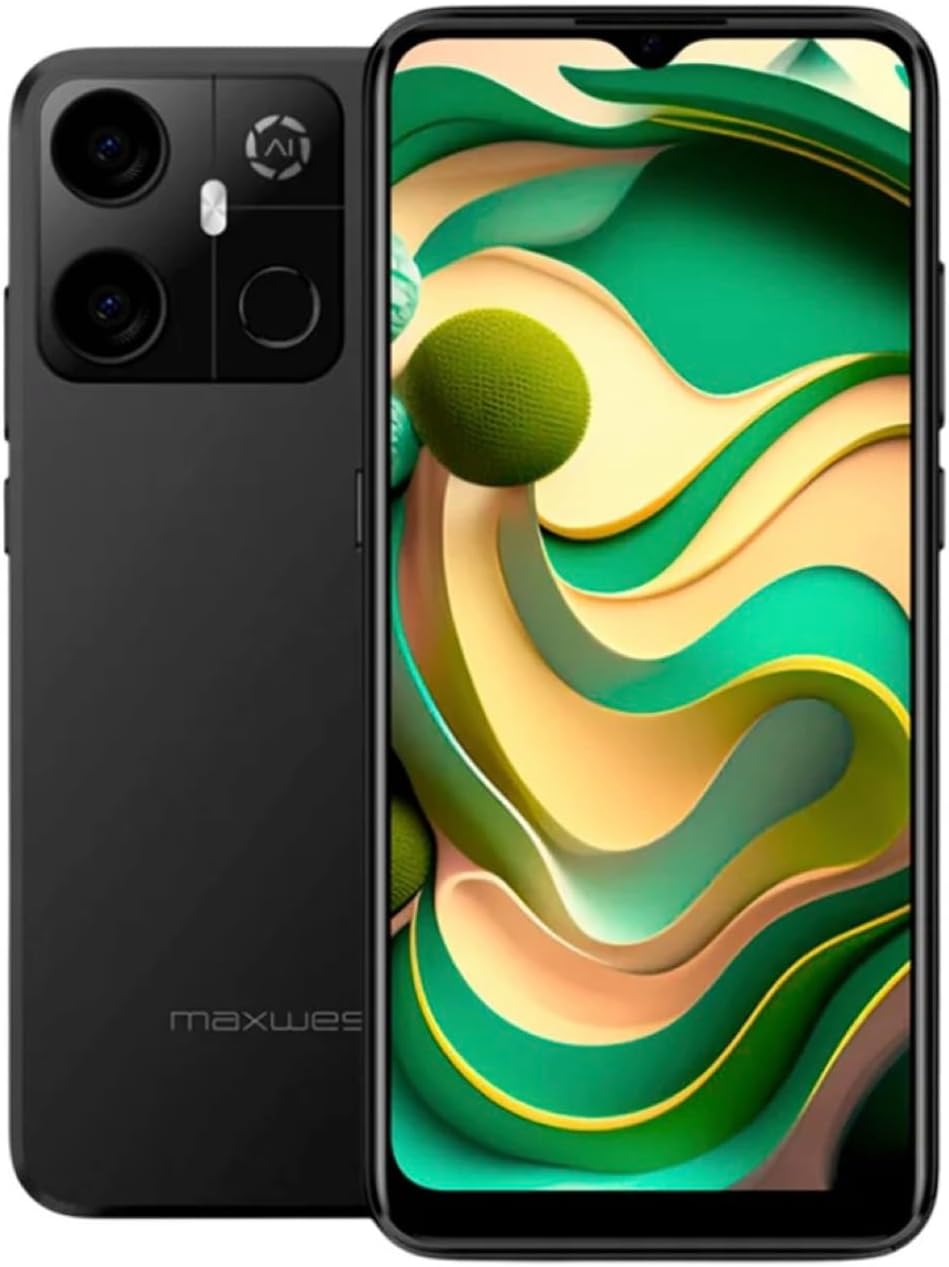
Image: Maxwest Gravity G64 Smartphone, front and back view. The front displays a vibrant screen, while the rear highlights the camera module and Maxwest branding.
2. Setélan
2.1. Naon dina Box
- Maxwest Gravity G64 Smartphone
- Adaptor kakuatan
- Battery (1 C battery, included)
2.2. Pamasangan Kartu SIM sareng Kartu Mémori
Locate the SIM card tray on the side of your device. Use the provided SIM ejector tool to open the tray. Insert your Nano-SIM card(s) and/or microSD card into the designated slots. Ensure the cards are correctly oriented before reinserting the tray firmly into the phone.
2.3. Daya Awal Hurung sareng Ngecas
Press and hold the power button located on the side of the phone until the Maxwest logo appears. For first-time use, it is recommended to fully charge the device. Connect the USB Type-C cable to the phone's charging port and the power adapter to a wall outlet. The battery indicator will show charging status.
3. Operasi
3.1. Napigasi Dasar
The Gravity G64 features a responsive touchscreen. Swipe up, down, left, or right to navigate through menus and home screens. Tap icons to open applications. Use pinch-to-zoom gestures for images and web kaca.
3.2. Fitur tampilan
The 6.57-inch HD+ display with a 60Hz refresh rate provides clear visuals and smooth scrolling. Adjust brightness and display settings via the 'Settings' menu under 'Display'.
3.3. Pamakéan kaméra
Launch the Camera application to utilize the 16MP AI Camera system. Tap to focus, pinch to zoom, and use the on-screen shutter button to capture photos. Explore various modes like Portrait, Panorama, and Night mode for enhanced photography.
3.4. Fitur Kaamanan
Your Gravity G64 offers dual security options: Fingerprint Sensor and Face Unlock. To set these up, navigate to 'Settings' > 'Security & privacy' > 'Device unlock'. Follow the on-screen instructions to register your fingerprint(s) and face data.
3.5. Konektipitas
- 4G Seluler: Insert a compatible SIM card to access 4G networks. Manage mobile data settings in 'Settings' > 'Network & internet'.
- Wifi: Connect to wireless networks via 'Settings' > 'Network & internet' > 'Wi-Fi'. Select your desired network and enter the password if required.
- Bluetooth: Pair with Bluetooth devices (headphones, speakers) through 'Settings' > 'Connected devices' > 'Bluetooth'.
3.6. Sistem Operasi
The device runs on Android 14, providing access to the latest features, security updates, and a vast ecosystem of applications available on the Google Play Store.
4. Pangropéa
4.1. Kaperawatan batré
To prolong battery life, avoid extreme temperatures. Use only the provided power adapter and USB Type-C cable for charging. Avoid completely draining the battery frequently.
4.2. Apdet parangkat lunak
Regularly check for software updates to ensure optimal performance and security. Go to 'Settings' > 'System' > 'System update' to check for and install available updates.
4.3. Ngabersihan Alat Anjeun
Anggo lawon anu lemes sareng henteu lint pikeun ngabersihan layar sareng awak telepon anjeun. Hindarkeun ngagunakeun bahan kimia kasar atawa bahan abrasive nu bisa ngaruksak alat.
5. Cara ngungkulan
- Alat teu hurung: Pastikeun batréna geus dieusian. Sambungkeun carjer sareng cobian deui.
- Aplikasi nabrak atanapi katirisan: Close and reopen the app. If the issue persists, restart the phone. Clear app cache or reinstall the app.
- Sinyal jaringan goréng: Check your SIM card installation. Move to an area with better coverage. Contact your carrier if issues persist.
- Sidik Jari/Buka Kunci Raray teu tiasa dianggo: Ensure your fingers are clean and dry, or your face is clearly visible. Re-register your biometric data if necessary.
- Pabrik Reset: As a last resort, you can perform a factory reset. Go to 'Settings' > 'System' > 'Reset options' > 'Erase all data (factory reset)'. Warning: This will erase all data on your phone. Back up important data first.
6. Spésifikasi
| Fitur | Rincian |
|---|---|
| Ngaran modél | Gravity G64 |
| tampilan | 6.57-inch HD+ (60Hz Refresh Rate) |
| Prosesor | Octa-Core Engine |
| Ram | 8GB |
| Panyimpenan internal | 64GB |
| Kaméra tukang | 16MP AI Camera System |
| Sistem operasi | Android 14 |
| Kapasitas batré | 4000 mAh |
| Konektipitas | 4G, Bluetooth, Wi-Fi, USB Type-C |
| Kaamanan | Sénsor sidik, muka konci raray |
| Diménsi | 6.43 x 3.31 x 0.35 inci |
| Beurat | 1.21 pon |
7. Garansi jeung Rojongan
7.1. Émbaran jaminan
For detailed warranty information, please refer to the warranty card included with your product or visit the official Maxwest websitus. Simpen bukti pameseran anjeun pikeun klaim garansi.
7.2. Rojongan Palanggan
If you encounter any issues not covered in this manual, please contact Maxwest customer support. Contact details can typically be found on the Maxwest official websitus atanapi dina bungkusan produk.