
Bubuka
This manual provides instructions for the Nulea RT07B Wireless Ergonomic Keyboard. Designed for comfort and efficiency, this keyboard features a split layout, integrated wrist rest, and versatile connectivity options to enhance your typing experience across multiple devices.
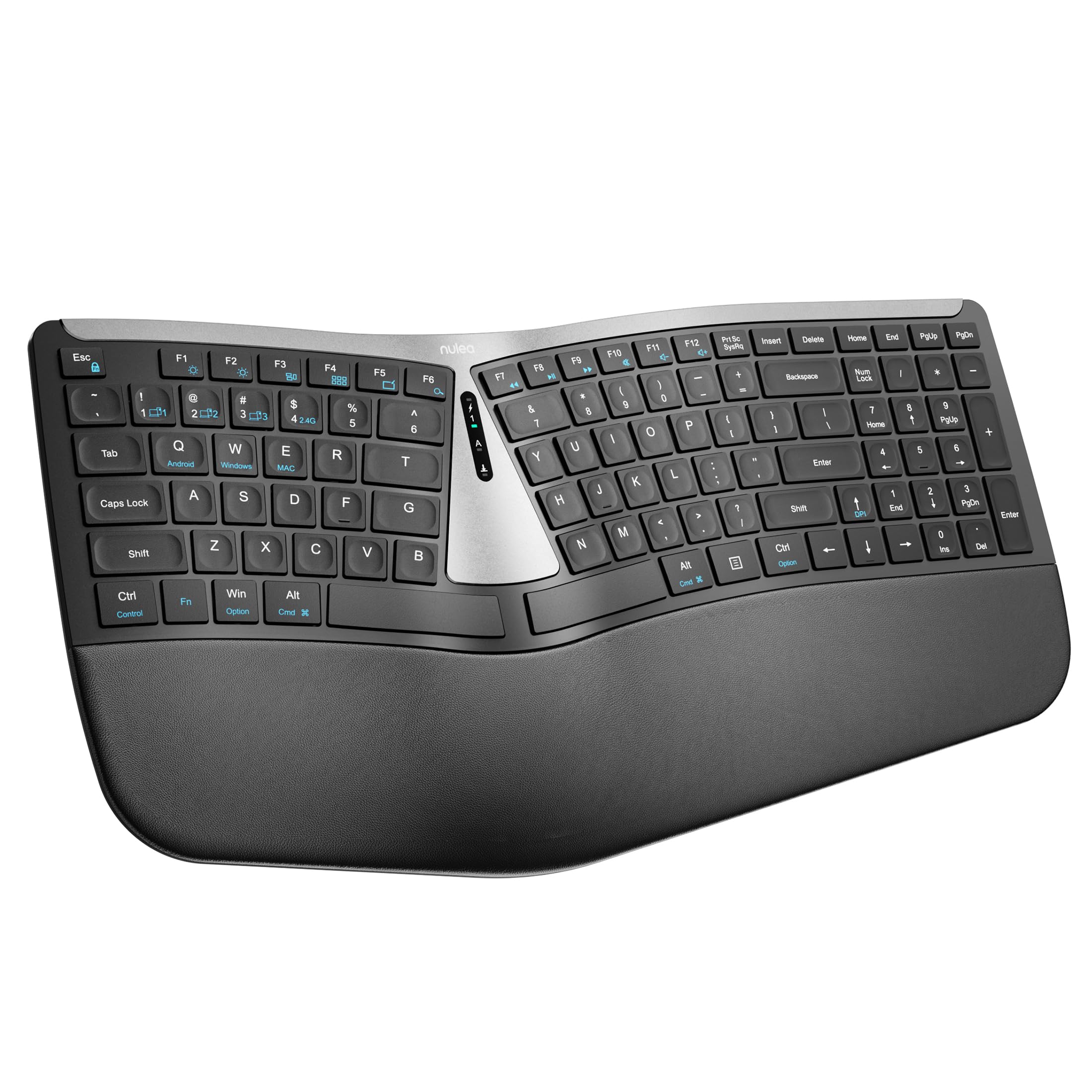
Figure 1: Nulea RT07B Wireless Ergonomic Keyboard
Disetél
Eusi pakét
- Nulea RT07B Wireless Ergonomic Keyboard
- USB 2.4G Receiver (stored in the keyboard's underside)
- Kabel Ngecas USB-C
- Manual pangguna (dokumén ieu)
Ngecas kibor
The Nulea RT07B keyboard is equipped with a rechargeable battery. To charge, connect the provided USB-C cable to the keyboard's USB-C port and to a power source (e.g., computer USB port, USB wall adapter). A full charge typically takes 2-3 hours and provides approximately 200 hours of standby time.

Gambar 2: Port Ngecas USB-C
Pilihan konektipitas
The keyboard supports dual-mode wireless connectivity: 2.4G wireless via a USB receiver and Bluetooth. It can connect to up to three devices simultaneously (one 2.4G and two Bluetooth devices).
Sambungan nirkabel 2.4G
- Locate the USB 2.4G receiver stored in the compartment on the underside of the keyboard.
- Colokkeun panarima USB ka port USB nu sadia dina komputer Anjeun.
- Turn on the keyboard using the ON/OFF switch located on the top center of the keyboard.
- The keyboard should automatically connect to your device. If not, press fn+4 pikeun pindah ka modeu 2.4G.
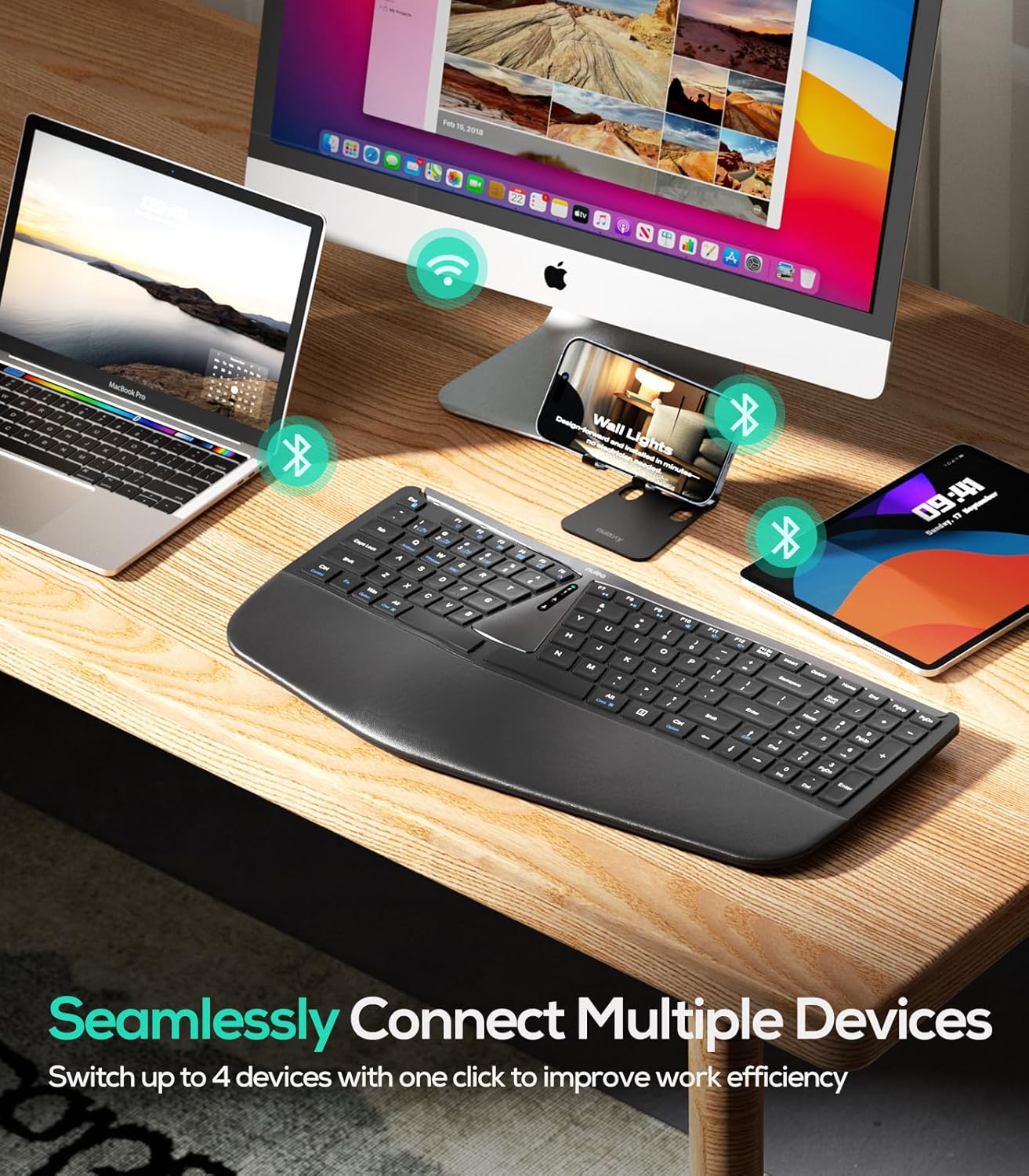
Gambar 3: Konéktipitas Multi-Alat
Sambungan Bluetooth (BT1 / BT2)
- Hurungkeun keyboard nganggo saklar ON/OFF.
- Pencét fn+1 or fn+2 to select a Bluetooth channel (BT1 or BT2). The corresponding indicator light will flash.
- Pencét jeung tahan fn+1 (atawa fn+2) for 3 seconds until the indicator light flashes rapidly, indicating pairing mode.
- On your device (computer, tablet, smartphone), enable Bluetooth and search for "Nulea RT07B".
- Select the keyboard from the list of available devices to complete pairing.
- To switch between connected Bluetooth devices, simply press fn+1 or fn+2.
Parentah Operasi
Ergonomic Design and Comfort
The Nulea RT07B features a split keyboard layout and a comprehensive palm rest designed to promote a natural typing posture. This reduces forearm muscle twisting and wrist strain, contributing to long-term comfort.

Figure 4: Natural Hand Position on Split Keyboard
The integrated palm rest is made with soft material, providing excellent support for your wrists during extended use.

Figure 5: Integrated Palm Rest
Suku Dengdekkeun adjustable
The keyboard includes adjustable tilt legs on both the front and back. These can be used to customize the typing angle for optimal wrist comfort. Raising the front legs can create a negative tilt, which some users find more ergonomic by allowing wrists to remain in a more neutral position.

Figure 6: Adjustable Tilt Legs for Customized Angle
Scissor-Switch Keys
The keyboard utilizes scissor-switch keys, which provide stable, responsive, and quiet typing. This design ensures even pressure distribution and a comfortable tactile feedback with each keystroke.
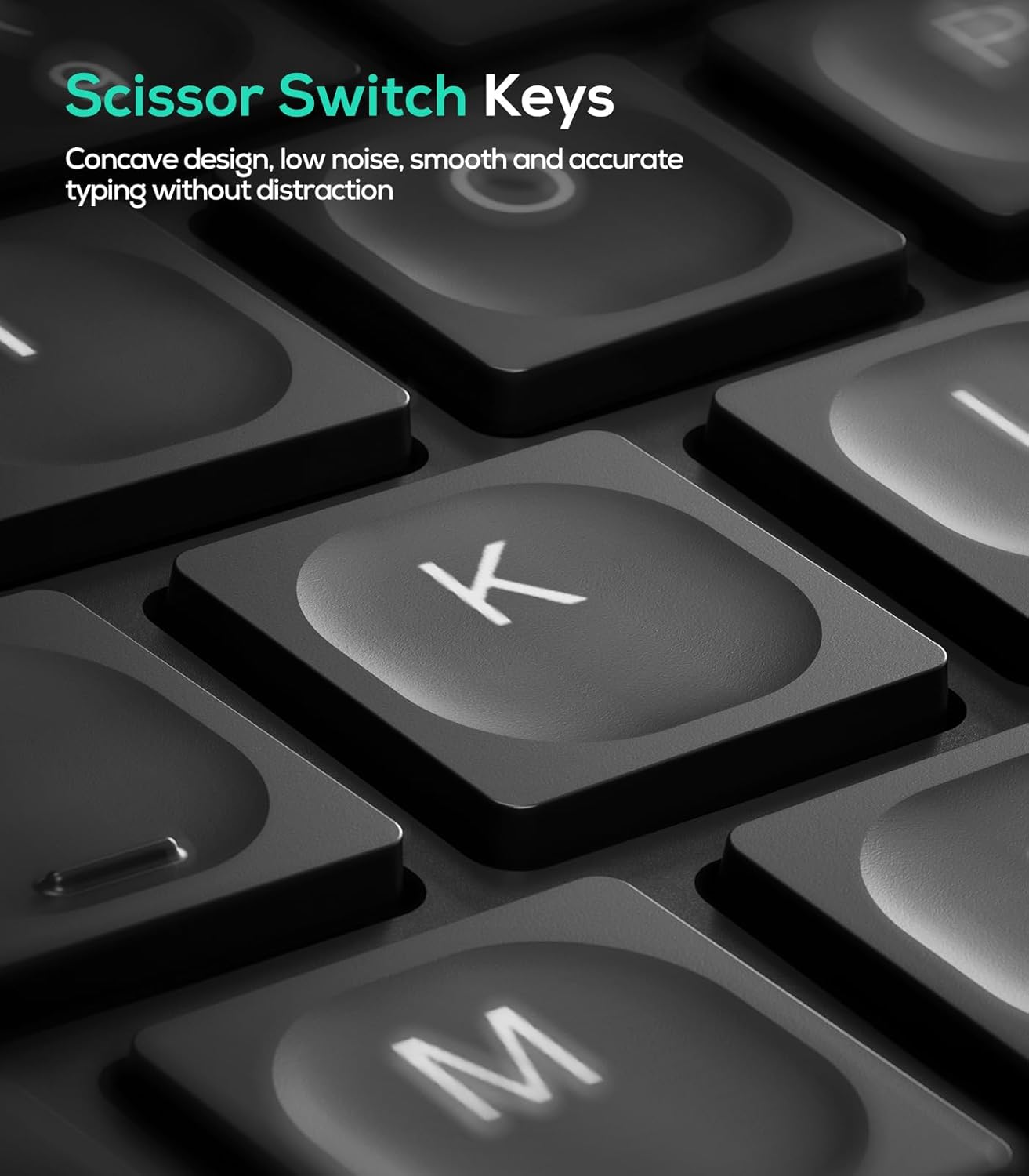
Figure 7: Scissor-Switch Key Mechanism
Kasaluyuan System Operasi
The Nulea RT07B keyboard is compatible with Windows and Mac operating systems. Dedicated keys for Windows (Win) and Mac (Option, Cmd) functions are clearly marked on the keyboard.
Tombol Fungsi
The top row of keys (F1-F12) includes multimedia and shortcut functions. These functions can be accessed directly or by pressing the Fn konci dina kombinasi jeung kenop fungsi nu dipikahoyong.
Pangropéa
To ensure the longevity and optimal performance of your Nulea RT07B keyboard, follow these maintenance guidelines:
- beberesih: Make kaen nu lemes, teu aya lint rada dampDibersihkeun ku cai atanapi solusi beberesih anu hampang pikeun ngusap permukaan keyboard. Hindarkeun bahan kimia anu kasar atanapi bahan abrasive.
- Ngaleungitkeun lebu: Anggo hawa anu dikomprés pikeun ngaleungitkeun lebu sareng lebu tina antara kenop.
- Perawatan batré: Recharge the keyboard when the battery indicator is low. Avoid fully discharging the battery frequently to prolong its lifespan.
- Panyimpenan: Upami teu dianggo salami lami, simpen kibor di tempat anu tiis sareng garing.
Pamérésan masalah
| Masalah | Mungkin Cukang lantaranana | Solusi |
|---|---|---|
| Keyboard not responding (2.4G) | USB receiver not properly connected; low battery; incorrect mode selected. | Ensure USB receiver is securely plugged in. Charge the keyboard. Press fn+4 pikeun milih modeu 2.4G. |
| Kibor teu ngaréspon (Bluetooth) | Not paired; out of range; low battery; incorrect Bluetooth channel selected. | Ensure keyboard is in pairing mode (Fn + 1/2 held for 3s). Check device's Bluetooth settings. Charge the keyboard. Press fn+1 or fn+2 to select the correct channel. |
| Konci karasana teu ngaréspon atanapi lengket | Accumulated dust or debris under keys; low battery. | Clean the keyboard using compressed air. Charge the keyboard. |
| Caps Lock indicator light turns off quickly | Designed behavior to conserve battery. | This is normal operation. The Caps Lock function remains active even if the light turns off. |
spésifikasi
- model: RT07B
- Konektipitas: 2.4G Wireless, Bluetooth (BT1, BT2)
- Jenis keyboard: Ergonomic Split, Membrane, Scissor-Switch
- Kasaluyuan: Windows, Mac, Laptops, PCs, Tablets, Smartphones
- Sumber Daya: USB-C Batré Rechargeable
- Kahirupan batré: Up to 200 hours (standby)
- Bahan: Plastik atanapi Silicone
- Beurat barang: 2.66 pon
- ukuran: 17.76 x 9.8 x 2.09 inci
- Komponén Kaasup: Palm Rest
Video Produk Resmi
Video 1: Leuwihview of the Nulea RT07B Wireless Ergonomic Keyboard, demonstrating its features and ergonomic design.
Garansi sareng Rojongan
Nulea offers a 12-month hassle-free replacement warranty for this product. For support or warranty claims, please refer to the contact information provided in your product packaging or visit the official Nulea websitus.
Official Nulea Websitus: www.nulea.com