
1. Bubuka
This manual provides essential information for the safe and effective use of your Yesoul Walking Pad Treadmill. Please read it thoroughly before assembly, operation, or maintenance. This treadmill is designed for home and office use, offering features such as auto incline, smart app connectivity, and a compact design for easy storage.
2. Setup jeung Majelis
Your Yesoul Walking Pad Treadmill requires minimal assembly. Follow these steps to prepare your treadmill for use.
2.1 Ngabongkar bungkusan
Carefully remove all components from the packaging. Ensure all parts listed in the packing list are present. Keep packaging materials for future storage or transport.
2.2 Nempatkeun
Place the treadmill on a flat, stable surface. Ensure there is adequate clear space around the treadmill for safe operation, especially at the rear for emergency dismount. The compact design allows it to be placed under a desk for walking while working or stored under a bed or sofa when not in use.

Figure 2.1: The Yesoul Walking Pad Treadmill in typical usage scenarios, highlighting its compact design and suitability for under-desk use.

Figure 2.2: The treadmill is equipped with wheels for easy portability and can be stored in small spaces, such as under furniture, due to its slim profile (47.8"D x 20.9"W x 4.9"H).
2.3 Mimiti Power-On
Connect the power cord to a grounded electrical outlet. The LED display will illuminate, indicating the treadmill is ready for use.
2.4 Sambungan Aplikasi
For enhanced features, download the Yesoul App (Control Program Name: Yesoulfitness) from your device's app store. Enable Bluetooth on your device and follow the in-app instructions to pair with your treadmill. The app provides scenic routes, live classes, and real-time performance tracking.

Figure 2.3: The Yesoul Interactive Fitness Center app offers immersive experiences with scenic routes, live classes, and comprehensive data tracking to enhance your workout.
3. Parentah Operasi
Understand the various functions and controls of your Yesoul Walking Pad Treadmill for an optimal workout experience.
3.1 Jauh Jauh
The treadmill is operated primarily via the included remote control. Use it to adjust speed and incline settings. The LED display on the treadmill provides real-time data.

Figure 3.1: The integrated LED display provides real-time workout metrics including speed, time, steps, distance, calories burned, and current incline level. The remote control allows for convenient adjustments.
3.2 Modeu Speed
The treadmill supports multiple speed ranges to accommodate different activities:
- Flat Walking: 0.3 - 1.2 mph
- Incline Walking: 1.3 - 2.5 mph
- Running (Flat): 2.6 - 3.8 mph
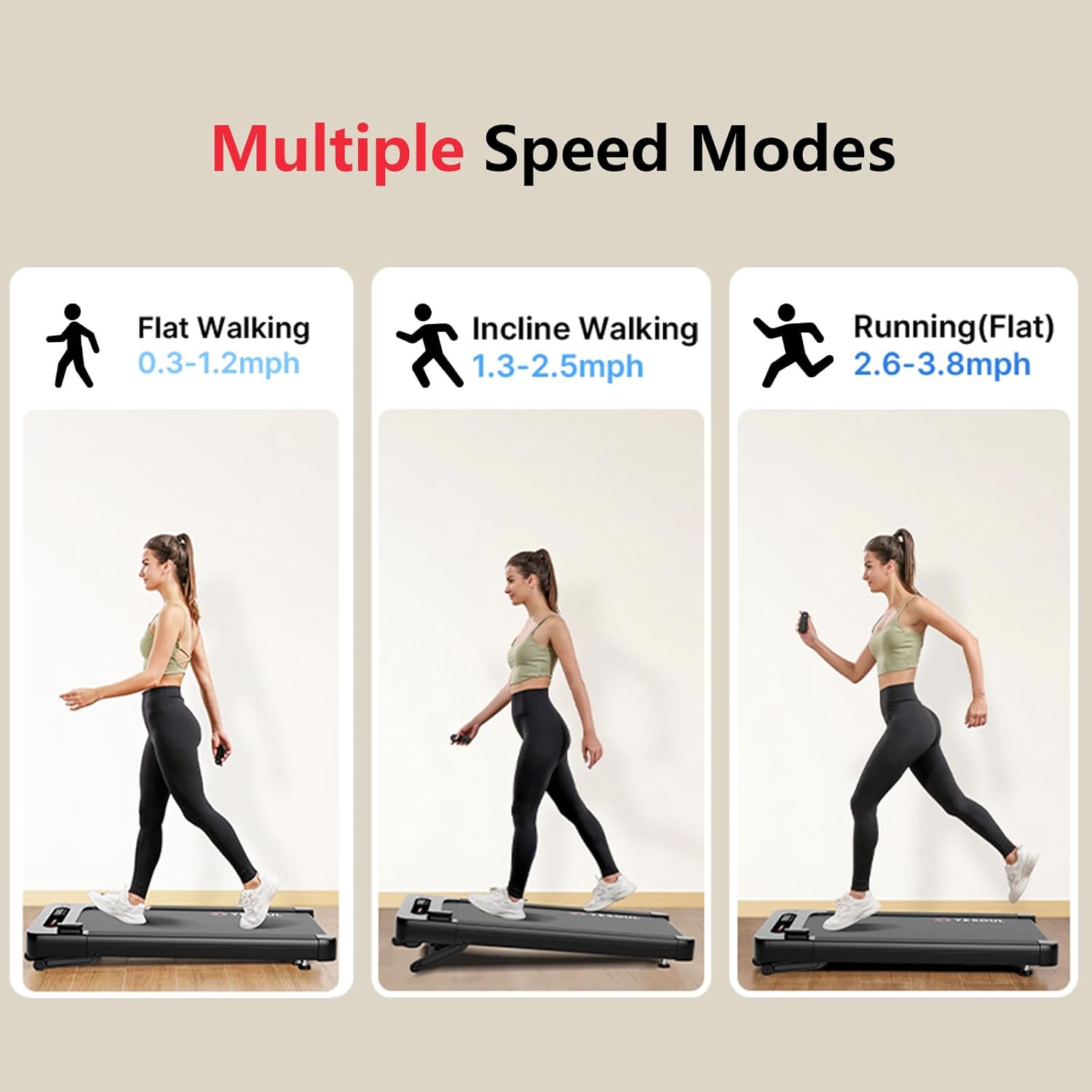
Figure 3.2: The treadmill offers distinct speed ranges for flat walking, incline walking, and light running, catering to various fitness levels and workout intensities.
3.3 Auto Incline Feature
The treadmill features an automatic incline system, adjustable up to 10%. This allows for simulating uphill walking, hiking, or running, which can increase calorie burn and muscle engagement.

Figure 3.3: The 10% auto incline feature allows users to simulate uphill terrain, enhancing workout intensity and calorie expenditure.
3.4 Sabuk Lumpat sareng Penyerepan Kejutan
The treadmill is equipped with a spacious 41.5" x 15.5" running belt, constructed with 5 layers for durability and comfort. A 6-point shock absorption system is integrated to reduce joint stress during use.

Figure 3.4: The treadmill's design incorporates a 6-point shock absorption system and a 5-layer running belt for enhanced knee protection and reduced joint impact during workouts.
4. Pangropéa
Pangropéa rutin ngajamin umur panjang sareng kinerja optimal treadmill anjeun.
4.1 beberesih
Wipe down the treadmill surface and display with a soft, damp cloth after each use. Avoid using abrasive cleaners or solvents that could damage the finish or electronic components.
4.2 Sabuk Lubrication
Periodically check the running belt for proper lubrication. Refer to the specific instructions provided with your treadmill for recommended lubrication frequency and type of lubricant. Proper lubrication prevents friction and extends belt life.
4.3 Tegangan sareng Alignment Sabuk
If the running belt feels loose or shifts to one side, it may require tension adjustment or realignment. Consult the detailed instructions in your product's specific manual for the correct procedure. Incorrect tension or alignment can affect performance and safety.
5. Cara ngungkulan
This section addresses common issues you might encounter with your Yesoul Walking Pad Treadmill.
| Masalah | Mungkin Cukang lantaranana | Solusi |
|---|---|---|
| Treadmill teu daya on. | Kabel listrik henteu dicolokkeun sacara aman; masalah stop kontak listrik. | Ensure power cord is fully inserted into the treadmill and a working electrical outlet. Check circuit breaker. |
| Sabuk eureun atanapi slips nalika dianggo. | Belt too loose; insufficient lubrication. | Adjust belt tension according to manual; apply silicone lubricant under the belt. |
| Sora motor anu teu biasa. | Debris under belt; motor issue. | Inspect under the belt for foreign objects. If noise persists, contact customer support. |
| Kadali jauh teu ngabales. | Battery low; remote not paired. | Replace remote control battery. Refer to setup section for pairing instructions. |
If you encounter issues not listed here or if solutions do not resolve the problem, please contact Yesoul customer support.
6. Spésifikasi
Detailed technical specifications for the Yesoul Walking Pad Treadmill.
- merek: Leres
- Ngaran modél: Walkingpad Incline
- warna: Hideung
- Ukuran produk (L x W x H): 47.8" x 20.9" x 4.9"
- Beurat barang: 45.2 pon
- Bahan: Alloy Steel
- Laju maksimum: 3.8 Mil per Jam
- Laju Minimum: 0.3 Mil per Jam
- Fitur husus: Otomatis Miring
- Maksimum Incline Persentage: 9.99% (approx. 10%)
- Daya kuda maksimum: 2.5 Daya kuda
- Maksimum Beurat rekomendasi: 300 pon
- Panjang dek: 47.8 inci
- Lebar dek: 20.9 inci
- Jenis tampilan: Témbongkeun LED
- Sumber Daya: Listrik
- Téknologi konektipitas: Bluetooth
- Control Program Name: Yesoulfitness
- Majelis Diperlukeun: Sumuhun
Figure 6.1: The Yesoul Walking Pad Treadmill is designed to support users up to 300 pounds, ensuring robust performance for a wide range of individuals.
7. Émbaran jaminan
Your Yesoul Walking Pad Treadmill comes with a manufacturer's warranty.
Katerangan jaminan: 1 Taun Produsén Garansi.
For detailed terms and conditions, including coverage and claim procedures, please refer to the warranty card included with your product or visit the official Yesoul websitus.
8. Rojongan Palanggan
For any questions, technical assistance, or warranty claims, please contact Yesoul customer support.
You can typically find contact information on the Yesoul official website or through the Yesoul App. Please have your product model and purchase date ready when contacting support.