
Bubuka
This manual provides instructions for the setup, operation, maintenance, and troubleshooting of your ATTACK SHARK V5 Wireless Gaming Mouse. Please read this manual carefully before using the product to ensure optimal performance and longevity.

Image: The ATTACK SHARK V5 Wireless Gaming Mouse, highlighting its 8000Hz wireless polling rate capability.
Disetél
Eusi pakét
- ATTACK SHARK V5 Wireless Gaming Mouse
- Panarima USB (2.4GHz)
- USB-C Ngecas / Kabel Data
- Manual pamaké
Modeu konektipitas
The ATTACK SHARK V5 mouse supports three connectivity modes: Wired, 2.4GHz Wireless, and Bluetooth.
- Mode Wireless 2.4GHz: Insert the USB receiver into an available USB port on your computer. The mouse will automatically connect. The transparent LED lighting on the receiver indicates connection status.
- Mode Bluetooth: Switch the mouse to Bluetooth mode. On your computer or device, search for Bluetooth devices and select "ATTACK SHARK V5" to pair.
- Mode Kabel: Connect the mouse to your computer using the provided USB-C cable. This mode also charges the mouse.

Image: The ATTACK SHARK V5 mouse connected via its USB-C cable and showing the 2.4GHz wireless receiver, illustrating its triple-mode connectivity.
Pamasangan supir
The mouse supports cloud-driven technology, which automatically identifies devices upon connection. For advanced customization, independent driver software is available for download from the official ATTACK SHARK website. This software allows for optimization of response speed, accuracy, and programmable features.
Parentah Operasi
Adjustment DPI
The PixArt 3950MAX sensor offers a DPI range of up to 42,000. DPI settings can be adjusted in precise 50 DPI increments using the dedicated driver software. The mouse typically has a DPI button for on-the-fly adjustments through preset levels.
Laju Polling
The mouse features an 8000Hz polling rate in wireless mode and a 1000Hz polling rate in wired mode. This high polling rate ensures rapid and responsive cursor movement.
Programmable Buttons and Macros
The ATTACK SHARK V5 has 6 buttons. Utilize the downloadable software to customize button functions, create macros, and adjust other settings such as DPI speed and lighting effects. This software provides a comprehensive interface for personalizing your mouse experience.
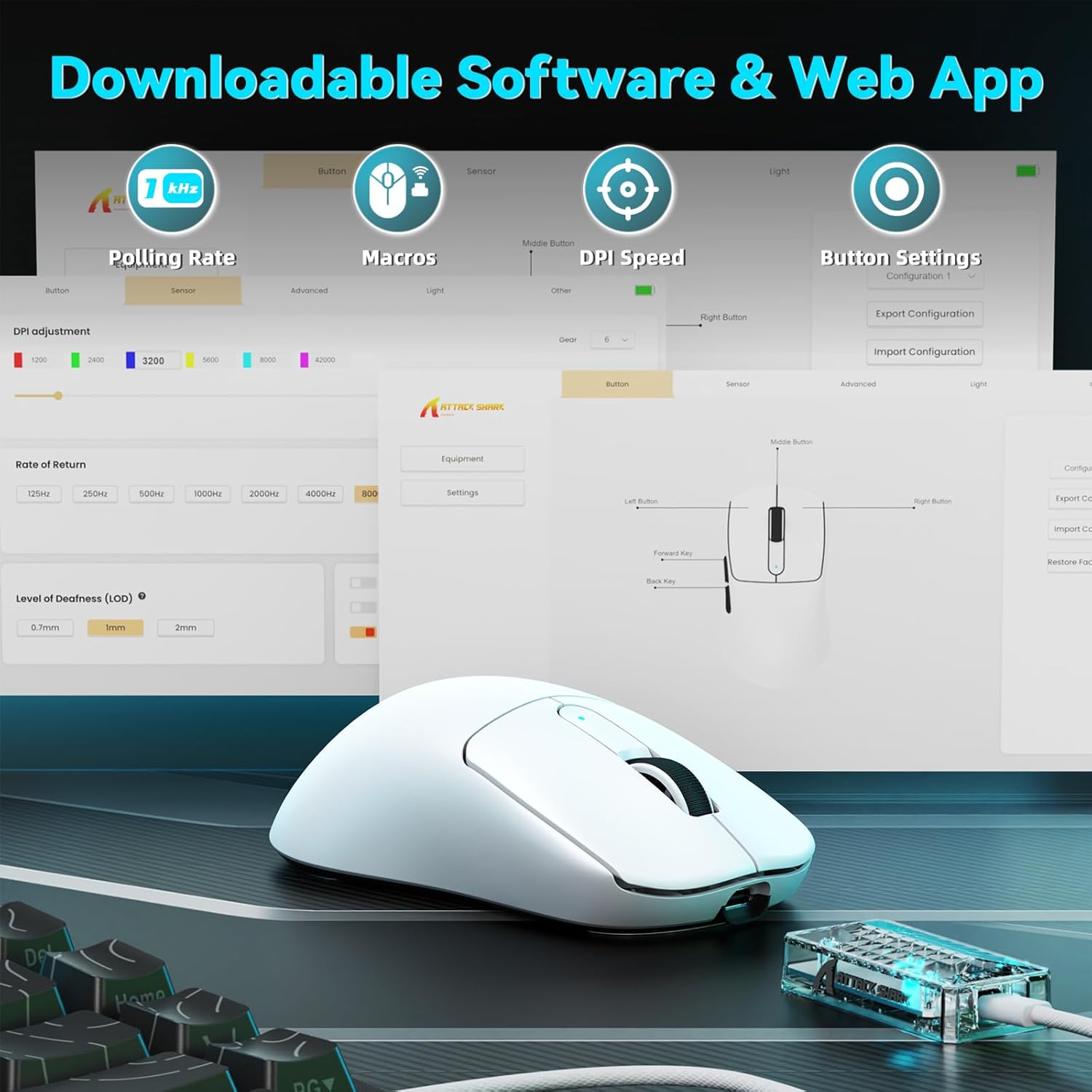
Image: A visual representation of the downloadable software interface, showing options for polling rate, macros, DPI speed, and button settings.
Manajemén batré
The mouse is equipped with a 500mAh battery, providing extended usage. To charge, connect the mouse using the USB-C cable. The LED indicator on the mouse will show charging status.

Gambar: Hiji internal view of the ATTACK SHARK V5 mouse, highlighting its high-capacity 500mAh battery.
Pangropéa
beberesih
Pikeun ngajaga kinerja sareng penampilan anu optimal, bersihan beurit anjeun sacara rutin. Anggo lawon anu lemes sareng garing pikeun ngusap permukaanana. Pikeun kokotor anu bandel, radaamp lawon bisa dipaké, pikeun mastikeun teu aya Uap anu asup kana komponén internal. Hindarkeun bahan kimia anu kasar atanapi bahan anu abrasif.
Nano Ice-Sense Coating
The mouse features a nano ice-sense coating designed to prevent slippage and ensure a firm grip, even during extended use or with sweaty hands. This coating requires no special maintenance beyond regular cleaning.
Pamérésan masalah
Beurit Teu Ngabales
- Pariksa konektipitas: Ensure the USB receiver is properly inserted for 2.4GHz mode, or that the USB-C cable is securely connected for wired mode. For Bluetooth, verify the mouse is paired and selected in your device's Bluetooth settings.
- Tingkat batré: If in wireless mode, check the mouse's battery level. Connect the USB-C cable to charge if the battery is low.
- Uihan deui: Coba hurungkeun deui komputer atanapi alat anjeun.
- Supir: Pastikeun driver anu diperyogikeun parantos dipasang sareng mutahir.
Inconsistent Tracking or Lag
- Beungeut: Anggo beurit dina permukaan anu bersih sareng rata. Hindarkeun permukaan anu mantul pisan atanapi transparan.
- gangguan: For wireless modes, ensure there are no strong sources of wireless interference nearby (e.g., other 2.4GHz devices, Wi-Fi routers).
- Setélan DPI: Adjust DPI settings via the software to find a comfortable and stable tracking speed.
spésifikasi
| Fitur | Rincian |
|---|---|
| merek | SERANG HIU |
| Modél | V5 |
| Warna | Bodas |
| Konektipitas | Kabel (USB-C), Nirkabel 2.4GHz, Bluetooth |
| Sénsor | PixArt 3950MAX |
| Rentang DPI | Up to 42,000 (50 DPI adjustable) |
| Laju Polling Nirkabel | 8000Hz |
| Laju Polling Kabel | 1000Hz |
| Beurat | Kira-kira 55 gram |
| Saklar | Optical, 100 million click lifespan |
| Akselerasi | 60G |
| Encoder | Richwell's 200W |
| Kapasitas batré | 500 mah |
| Jumlah Kancing | 6 |
| Orientasi leungeun | Leres |
| Sistem Operasi cocog | Windows, macOS, Linux (e.g., Mac OS 14 Sonoma, Ubuntu 22.04 Jammy Jellyfish, Windows 11) |
| Range nirkabel | 10 méter |
| Bahan | palastik |
| UPC | 752010843312 |
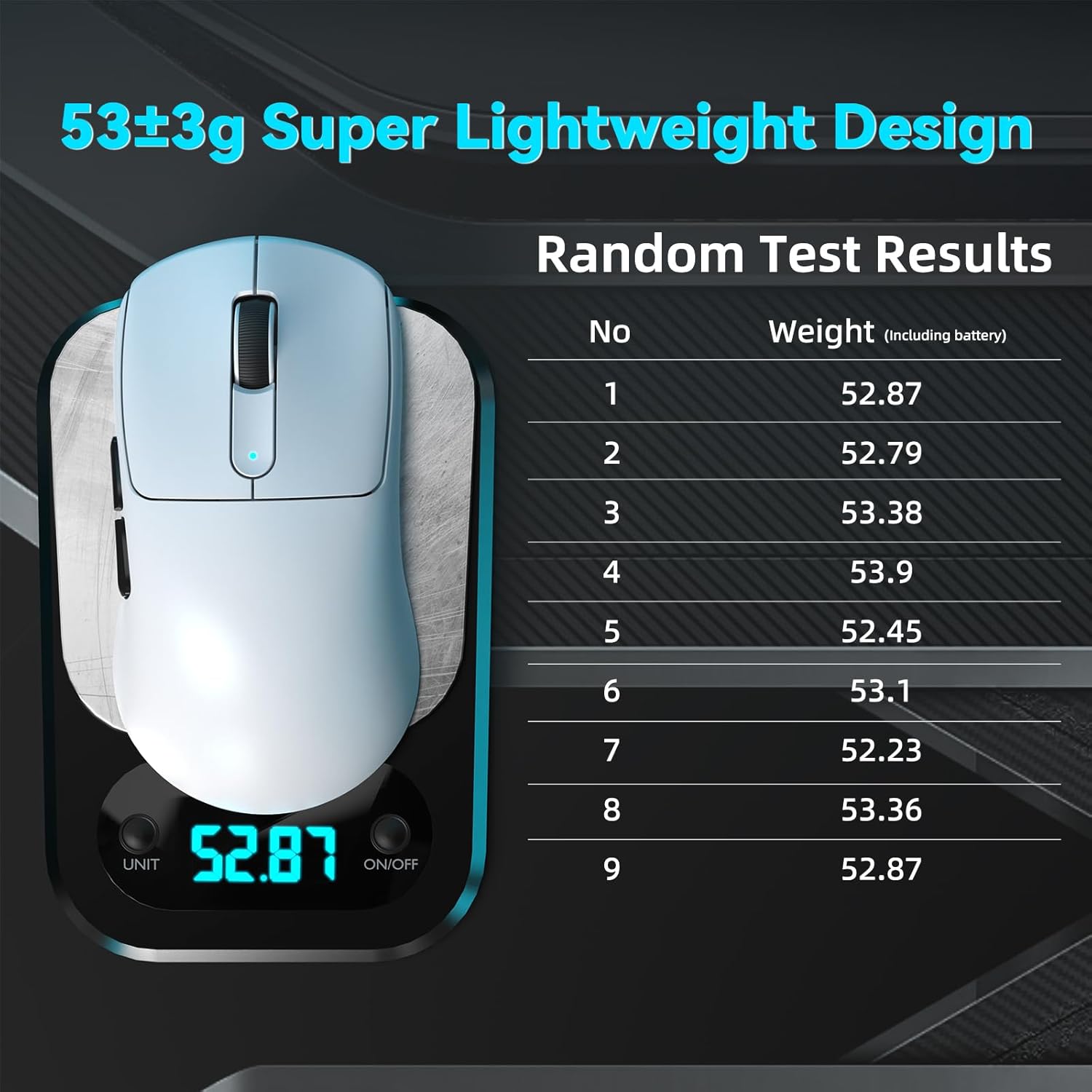
Image: The ATTACK SHARK V5 mouse on a digital scale, demonstrating its ultra-lightweight design at approximately 53 grams.

Gambar: A lengkep view of the Omron Optical Microswitch used in the ATTACK SHARK V5 mouse, known for its durability and precise clicks.
Garansi sareng Rojongan
Émbaran jaminan
The ATTACK SHARK V5 Wireless Gaming Mouse comes with a 1-Taun Garansi Produsén. Garansi ieu nyertakeun cacad dina bahan sareng pagawean dina panggunaan normal. Punten tahan bukti pameseran anjeun pikeun klaim garansi.
Rojongan Palanggan
For technical assistance, troubleshooting, or warranty inquiries, please visit the official ATTACK SHARK website or contact their customer support directly. Refer to the product packaging or the official websitus pikeun inpo kontak panganyarna.