
Émbaran Kasalametan penting
Mangga baca sareng ngartos sadaya parentah kaamanan sateuacan nganggo produk ieu. Gagalna nuturkeun parentah ieu bisa ngakibatkeun shock listrik, seuneu, atawa tatu serius.
- Do not insert wet or hot batteries into the device.
- Avoid using the device near water or in excessively humid environments.
- Buang batré sacara aman sareng numutkeun peraturan lokal.
- To prevent interference, avoid placing the device too close to other wireless electronic devices.
- Pastikeun alatna dipasang pageuh kana stop kontak korek api mobil pikeun nyegah copot nalika nyetir.
Produk Leuwihview
The LENCENT BT27 is a versatile Bluetooth FM transmitter designed to enhance your in-car audio and charging experience. It features Bluetooth 5.4 for stable connections, dual USB-C PD 30W ports for rapid charging, hands-free calling, Hi-Fi deep bass, and customizable 7-color LED lighting.

Figure 1: LENCENT BT27 Bluetooth FM Transmitter
Komponén konci:
- Dual USB-C PD 30W Ports: Pikeun alat anu cocog sareng ngecas gancang.
- Port USB-A: For USB drive music playback (up to 64GB) and standard charging.
- Knob multi-fungsi: Controls FM frequency, volume, and call management.
- Témbong LED: Shows FM frequency and car battery voltage.
- Tombol Bass: Activates deep bass mode.
- Tombol Lampu: Controls 7-color LED ambient lighting.
- Mikropon: Integrated for hands-free calling with CVC noise reduction.
Fitur
- Bass Jero Hi-Fi: Enhance your audio experience with powerful bass by pressing the dedicated 'Bass' button. Features clear stereo sound and optional 7-color LED ambient lights.
- 60W Dual USB Fast Charging: Equipped with two USB-C (PD 30W) ports, delivering a total maximum output of 60W. Capable of charging an iPhone up to 70% in under 30 minutes. Includes a safe charging system to prevent overcharging and overheating.
- Téknologi Bluetooth 5.4 Canggih: Ensures faster pairing, smoother transmission, and a more stable audio stream with extremely low latency. Supports Bluetooth audio streaming and USB drive playback (up to 64GB).
- Hands-Free Calls & Voice Control: Features a built-in microphone with CVC noise reduction for clear voice capture, reducing interference and echo. Supports voice commands for calls, podcasts, or navigation, promoting safer driving.
- Compact and Compatible Design: Its compact size saves space and makes it portable. Compatible with most 12V to 24V vehicles and a variety of Bluetooth devices.
Setup sareng Instalasi
- Insert the FM Transmitter: Plug the LENCENT BT27 into your car's 12V/24V cigarette lighter socket. The LED display will light up, showing the car battery voltage and then 'bt' (Bluetooth mode).
Figure 2: Plugging in the FM Transmitter
- Tune Your Car Radio: Turn on your car's FM radio and find an empty, unused frequency (one with static, typically between 87.5 MHz and 108.0 MHz).

Figure 3: Tuning the car radio to an empty frequency
- Atur frékuénsi pamancar: Press and hold the multi-function knob on the BT27 until the FM frequency on its LED display starts flashing. Rotate the knob left or right to match the frequency to the empty station you found on your car radio. Once matched, the connection is established.

Figure 4: Adjusting the transmitter's FM frequency
- Masangkeun via Bluetooth: On your smartphone, enable Bluetooth and search for available devices. Select 'BT27' from the list to pair. A voice prompt will confirm successful connection. You can now stream audio from your phone to your car speakers.
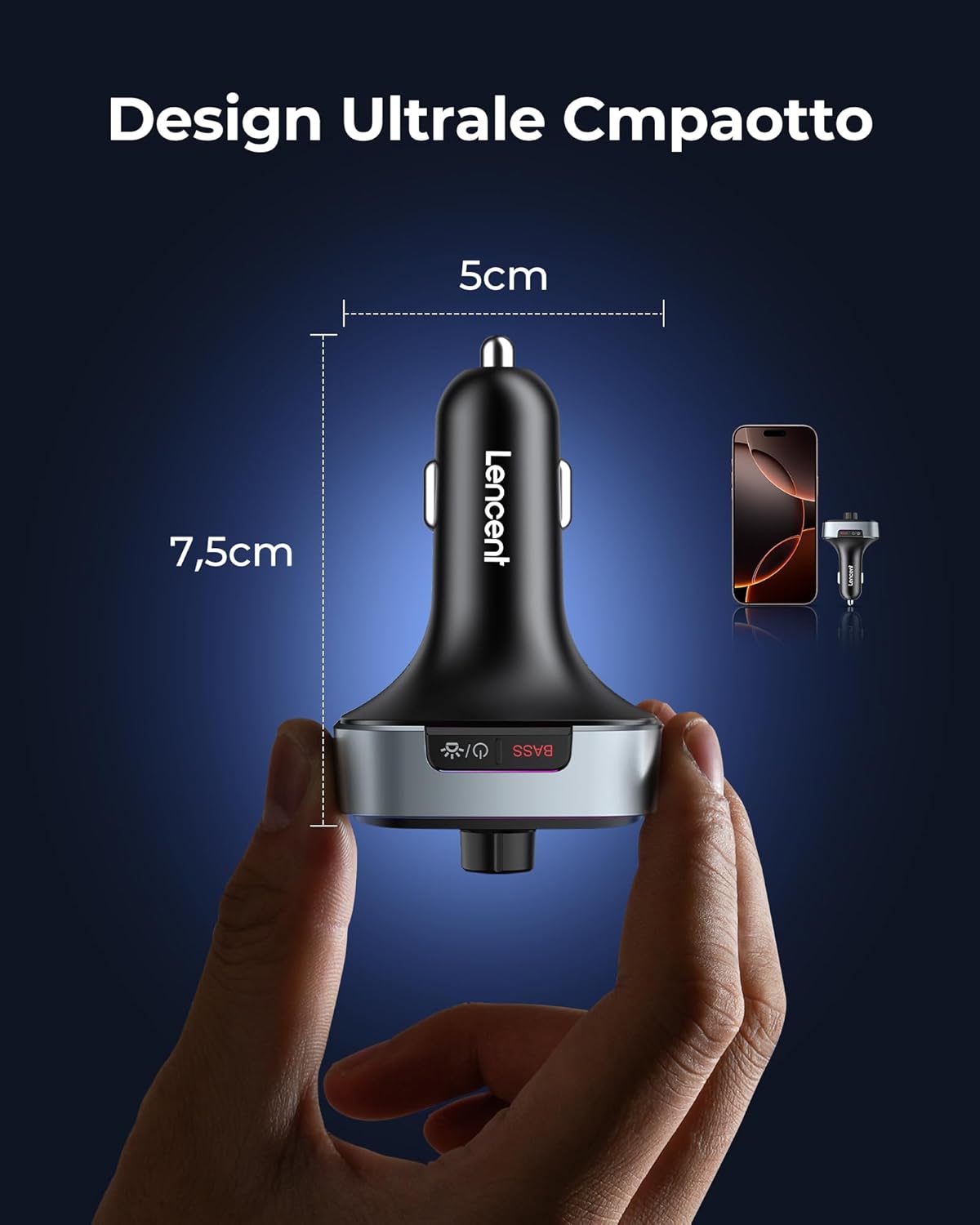
Figure 5: Bluetooth pairing with your smartphone
Parentah Operasi
Puteran musik:
- Streaming Bluetooth: Once paired, play music on your smartphone, and it will stream through your car's speakers.
- Puteran USB Drive: Insert a USB drive (FAT32 format, up to 64GB) into the USB-A port. The device will automatically switch to USB playback mode.
- Kontrol volume: Puterkeun kenop multi-fungsi pikeun ngatur volume.
- Kontrol lagu: Use the 'Previous Track' and 'Next Track' buttons to skip songs.
- Puter / Reureuh: Press the multi-function knob once to play or pause music.
- Modeu Bass jero: Press the 'Bass' button once to activate or deactivate the deep bass sound effect.

Figure 6: Activating Deep Bass Mode
Telepon Hand-Free:
- Ngajawab Telepon: Pencét kenop multi-fungsi sakali pikeun ngajawab telepon asup.
- Nolak Telepon: Press and hold the multi-function knob to reject an incoming call.
- Tungtung Telepon: Press the multi-function knob once during a call to hang up.
- Daptar ulang: Double-press the multi-function knob to redial the last number.

Figure 7: Hands-Free Calling in a Car
Asistén Sora:
- Aktipkeun Asisten Sora: Press and hold the multi-function knob to activate your smartphone's voice assistant (Siri, Google Assistant).

Figure 8: Activating Siri or Google Assistant
LED Ambient Lights:
- Change/Turn On/Off Lights: Press the 'Light' button once to cycle through the 7 available colors or turn the lights on/off.

Figure 9: Customizable 7-Color LED Lights
Alat Ngecas:
- Connect your devices to the USB-C (PD 30W) ports for rapid charging.
- The USB-A port also provides charging capabilities.
Figure 10: Dual USB-C Fast Charging
Pangropéa
- Keep the device dry and clean. Avoid exposure to liquids.
- Ulah ngabongkar alat. Perbaikan ngan kedah dilakukeun ku tanaga anu mumpuni.
- Nyimpen dina tiis, tempat garing lamun teu dipaké.
- Regularly check the cigarette lighter socket for debris that might affect connection.
Pamérésan masalah
| Masalah | Mungkin Cukang lantaranana | Solusi |
|---|---|---|
| No sound or static during music playback. | FM frequency mismatch or interference. | Ensure the transmitter and car radio are on the same empty FM frequency. Try a different empty frequency. |
| Sambungan Bluetooth teu stabil atanapi gagal. | Device too far from phone, interference, or incorrect pairing. | Ensure phone is close to the transmitter. Re-pair the device. Check for other Bluetooth devices causing interference. |
| Ngecas laun atanapi teu ngecas pisan. | Cable issue, device not fully inserted, or device not compatible with fast charging. | Use a high-quality charging cable. Ensure the transmitter is fully inserted. Check if your device supports PD 30W charging. |
| Poor call quality (echo/noise). | Microphone obstruction or excessive background noise. | Ensure the microphone is not obstructed. Reduce car fan speed or window opening. The CVC noise reduction should minimize most background noise. |
spésifikasi
- model: BT27
- Vérsi Bluetooth: 5.4
- Masukan Voltage: 12V-24V DC
- Kaluaran USB-C (PD): 30W (each port), Total 60W
- Kaluaran USB-A: Standard charging (also for USB drive playback)
- Range Frékuénsi FM: 87.5-108.0 MHz
- Format Audio anu Dirojong: MP3, WMA, WAV, FLAC (via USB drive)
- Kapasitas Drive USB: Nepi ka 64GB
- ukuran: 8.5 x 5.1 x 4 cm
- beurat: 85 gram
- Bahan: Plastik, Logam
- Fitur tambahan: CVC Noise Reduction, Siri & Google Voice Assistant, Car Voltage Monitoring, 7-Color LED Ambient Light.
Garansi sareng Rojongan
LENCENT products are designed for reliability and user satisfaction. For any issues or support needs, please refer to the following:
- Garansi: This product comes with a standard manufacturer's warranty. Please retain your proof of purchase for warranty claims.
- Palayanan palanggan: For assistance, you can contact LENCENT customer support via email, Amazon chat, or visit the official LENCENT websitus.
- Wangsul: Refer to the retailer's return policy for details on product returns.

Figure 11: LENCENT Multichannel Support