
1. Bubuka
Thank you for choosing the PEICHENG PC-01 Wireless Bluetooth Earphones. These earphones are designed to provide a high-quality audio experience with advanced Bluetooth 6.0 technology, a comfortable over-ear hook design, and a portable charging case. This manual provides detailed instructions for setup, operation, and maintenance to ensure optimal performance and longevity of your device.
2. Naon dina Box
- PEICHENG PC-01 Wireless Bluetooth Earphones (Left and Right)
- Ngecas Case
- Manual pangguna (dokumén ieu)
3. Produk Langkungview
The PEICHENG PC-01 earphones feature an ergonomic over-ear hook design for a secure and comfortable fit, making them suitable for various activities. They utilize BlueSignal 6.0 technology for stable wireless connections and deliver High-Resolution Audio with deep bass.
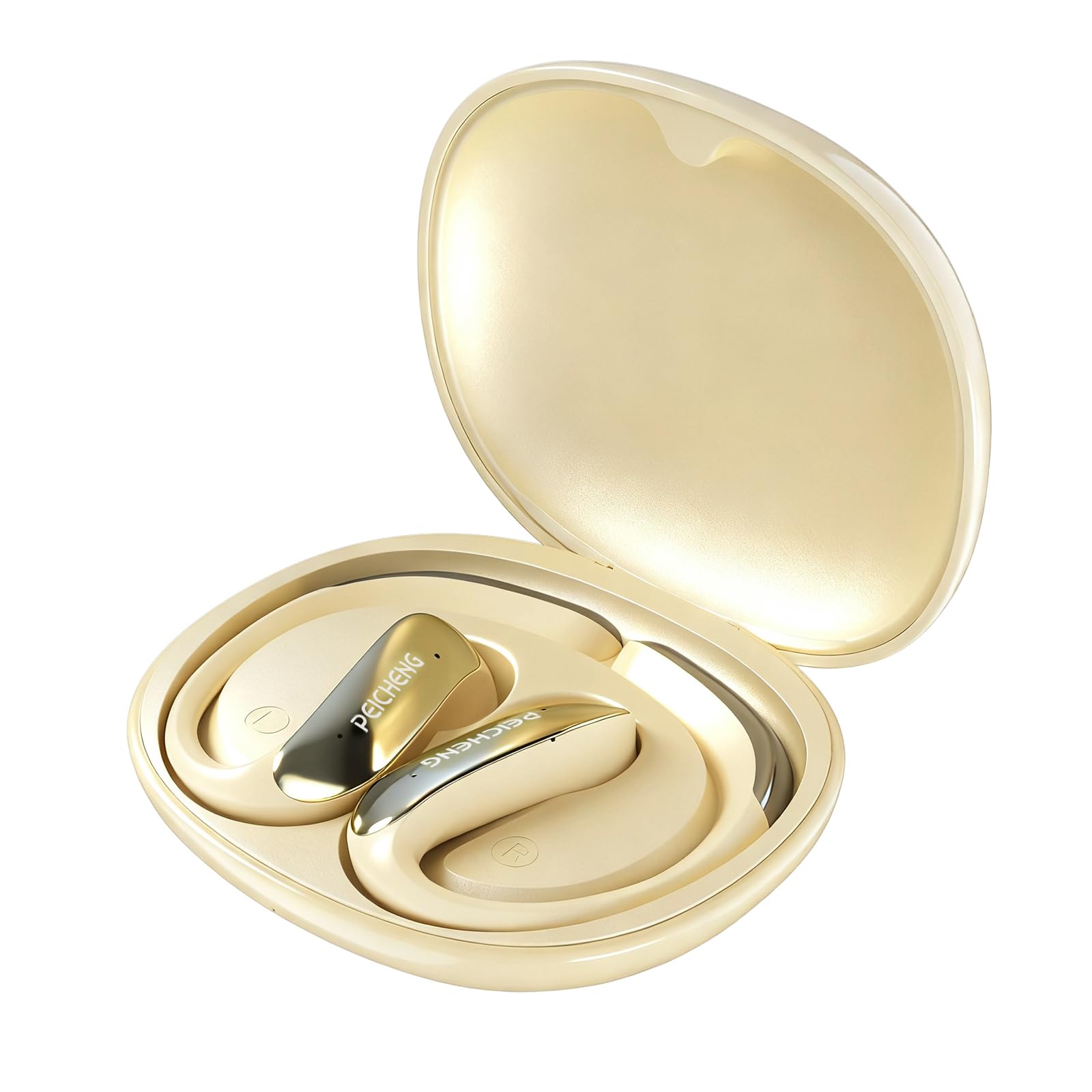
Figure 3.1: PEICHENG PC-01 Wireless Bluetooth Earphones and Charging Case.
Fitur konci:
- BlueSignal 6.0 Technology: Ensures stable, faster, and efficient wireless connections with low latency.
- Audio Resolusi Tinggi: Delivers immersive sound with deep, powerful bass.
- Over-Ear Hook Design: Nyayogikeun ukuran anu aman sareng nyaman pikeun dianggo dina waktos anu lami.
- Konstruksi ringan: Enhances comfort and reduces ear fatigue.
- Self-contained Space Audio: Creates an immersive sound experience.
- Hapus Telepon: Integrated microphones ensure sharp and intelligible conversations.
- Kasus ngecas portabel: 300mAh capacity for all-day power.

Gambar 3.2: Leuwihview of PEICHENG Wireless Earbuds features.

Figure 3.3: Internal driver design for immersive sound.

Figure 3.4: Compact and portable charging case.
4. Setélan
4.1 Ngecas Earphone sareng Case
Before first use, fully charge the earphones and charging case. The charging case has a 300mAh battery capacity, providing multiple charges for the earphones.
- Teundeun earphone kana wadah ngecas, pastikeun aranjeunna ditempatkeun leres.
- Connect a USB Type-C charging cable to the charging port on the case and plug the other end into a compatible USB power source.
- The indicator lights on the case will show the charging status. A full charge typically takes approximately 2 hours.
4.2 Nyapasangkeun Bluetooth
The PEICHENG PC-01 earphones use BlueSignal 6.0 technology for efficient pairing with various devices.
- Pastikeun yén earphone dicas sareng disimpen dina wadah ngecas.
- Open the charging case. The earphones will automatically enter pairing mode, indicated by a flashing LED light (specific color/pattern not provided, assume standard).
- On your device (smartphone, tablet, laptop, smartwatch, TV), go to the Bluetooth settings.
- Milarian pikeun available devices and select "PEICHENG PC-01" from the list.
- Once connected, the LED indicator on the earphones will typically stop flashing or change to a solid light.
- Headphone bakal otomatis nyambung deui ka alat anu terakhir dipasangkeun nalika dicabut tina casingna, upami Bluetooth diaktipkeun dina alat éta.

Figure 4.1: BlueSignal 6.0 connectivity with various devices.
5. Parentah Operasi
The PEICHENG PC-01 earphones feature touch controls for managing audio playback and calls.
5.1 Kontrol Toél
The touch-sensitive area on each earphone allows for various functions. Specific gestures and their corresponding actions are detailed below:
- Puter / Reureuh: Ketok sakali dina salah sahiji earphone.
- Lagu salajengna: Ketok dua kali dina earphone katuhu.
- Lagu Sateuacanna: Ketok dua kali dina earphone kénca.
- Ngajawab / mungkas Telepon: Ketok sakali dina salah sahiji earphone nalika aya telepon asup.
- Nolak Telepon: Pencet jeung tahan boh earphone nalika aya telepon asup.
- Aktipkeun Asisten Sora: Triple tap on either earphone (if supported by your device).
Note: Volume control is managed directly from your connected device.
5.2 Fungsi Panggero
The integrated microphones ensure clear communication during calls.
- When a call comes in, tap either earphone once to answer.
- To end an active call, tap either earphone once.
- To reject an incoming call, press and hold either earphone.

Figure 5.1: Earbud in use for clear calling.
5.3 Modeu Audio
The earphones feature Self-contained Space Audio, designed to provide an immersive listening experience by creating a sense of isolated sound.

Figure 5.2: Self-contained Space Audio feature.
6. Pangropéa
Pangropéa anu leres mastikeun umur panjang sareng kinerja earphone anjeun.
- beberesih: Use a soft, dry cloth to clean the earphones and charging case. Avoid using abrasive materials or harsh chemicals.
- Panyimpenan: Lamun teu dipake, nyimpen earphones dina wadah ngecas maranéhanana pikeun ngajaga eta tina lebu jeung karuksakan.
- Paparan cai: The earphones are not specified as waterproof. Avoid exposure to water or excessive moisture.
- Suhu: Do not expose the earphones or case to extreme temperatures (hot or cold).
7. Cara ngungkulan
If you encounter issues with your PEICHENG PC-01 earphones, refer to the following common solutions:
| Masalah | Solusi |
|---|---|
| Earphone henteu dipasangkeun |
|
| Teu aya sora atanapi volume handap |
|
| Earphone teu ngecas |
|
| Touch controls unresponsive or delayed |
|
8. Spésifikasi
| Fitur | Rincian |
|---|---|
| Ngaran modél | PC-01 |
| merek | PEICHENG |
| Téhnologi konektipitas | Nirkabel, Bluetooth |
| Vérsi Bluetooth | 6.0 (BlueSignal 6.0) |
| Panempatan Ceuli | Leuwih Ceuli |
| Faktor Bentuk | Leuwih Ceuli |
| Tipe Supir Audio | Supir dinamis |
| Impedansi | 15 ohm |
| Kontrol bising | Euweuh |
| Fitur husus | Self-contained Space Audio |
| Métode kontrol | Toél |
| Kahirupan Batré (Earbuds) | 5 Jam |
| Ngecas Kapasitas Batré Case | 300 mah |
| Waktu Ngecas | Kurang leuwih 2 Jam |
| Panganteur Hardware | USB Tipe C |
| Alat nu cocog | Smartphones, Notebooks, Tablets, TVs, Smartwatches |
| Bahan | Plastik, Silikon |
| Dimensi produk | 3.2 x 2.8 x 1.4 inci |
| Item Beurat | 5 ons |
| UPC | 607606229639 |
9. Video Produk Resmi
Video 9.1: Hiji leuwihview of the PEICHENG PC-01 Wireless Bluetooth Earphones, showcasing their design, features, and charging capabilities.
10. Garansi jeung Rojongan
For warranty information or technical support, please refer to the documentation included with your purchase or contact PEICHENG customer service through the retailer where the product was purchased. Keep your proof of purchase for warranty claims.