
1. Bubuka
Welcome to the instruction manual for your GoCube GoChess Mini Wizard Harry Potter Electronic Chess Board Game. This guide provides essential information for setting up, operating, and maintaining your smart chess board. Enjoy an interactive chess experience with smart coaching, AI opponents, and online play.
2. Naon dina Box
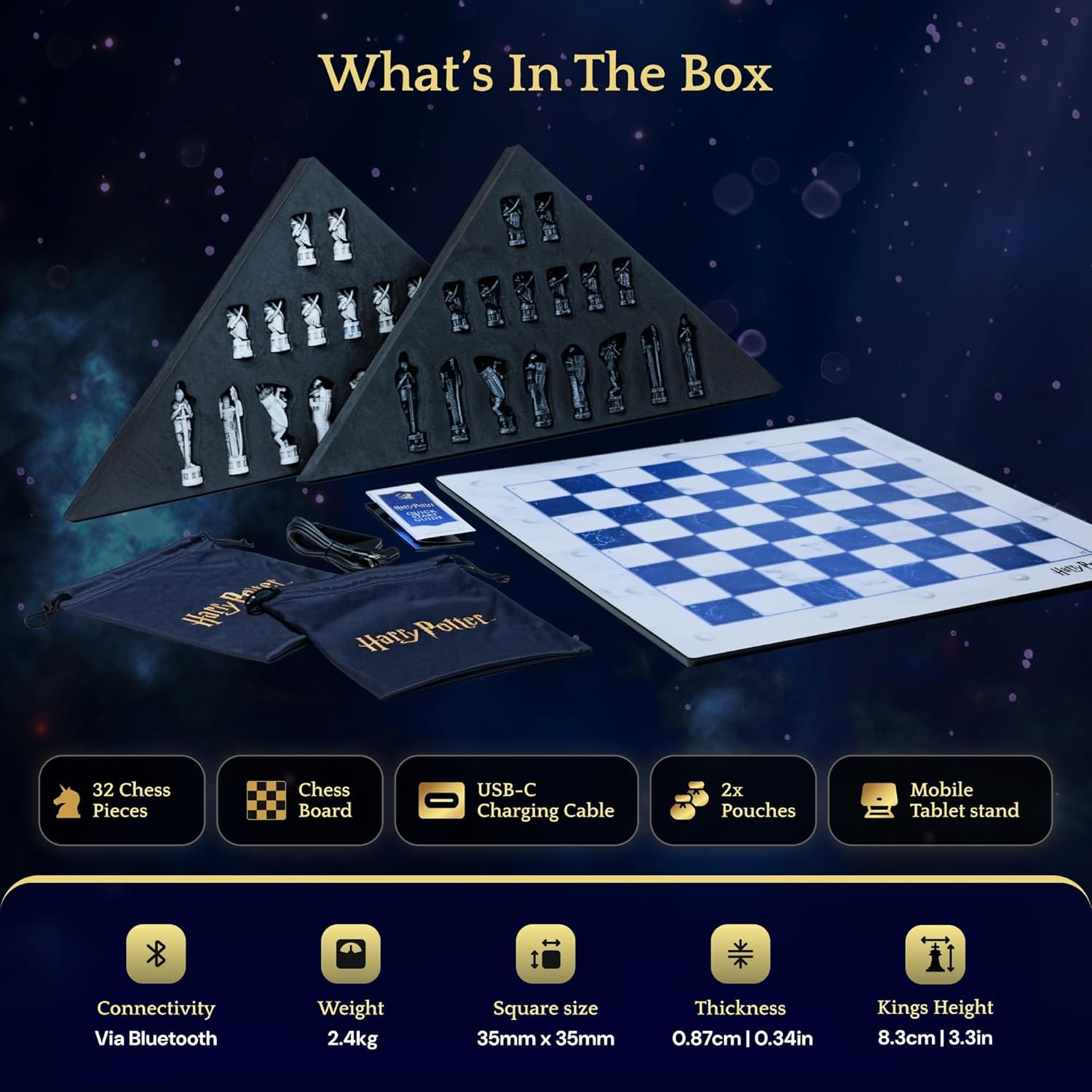
Carefully unpack your GoChess Mini Wizard. The package should contain the following items:
- 32 Chess Pieces (Harry Potter Wizard's Chess design)
- Smart Chess Board (GoChess Mini Wizard)
- 2 Pouches for Pieces
- Mobile/Tablet Stand
- Kabel Ngecas USB-C
3. Setélan
3.1 Ngecas Awal
Before first use, fully charge your GoChess Mini Wizard board using the provided USB-C charging cable. Connect the cable to the board's charging port and a compatible USB power source.
3.2 Piece Placement
Place the 32 Harry Potter themed chess pieces on the board in their standard starting positions. The board's sensors will detect the presence of each piece.

3.3 Sambungan Aplikasi
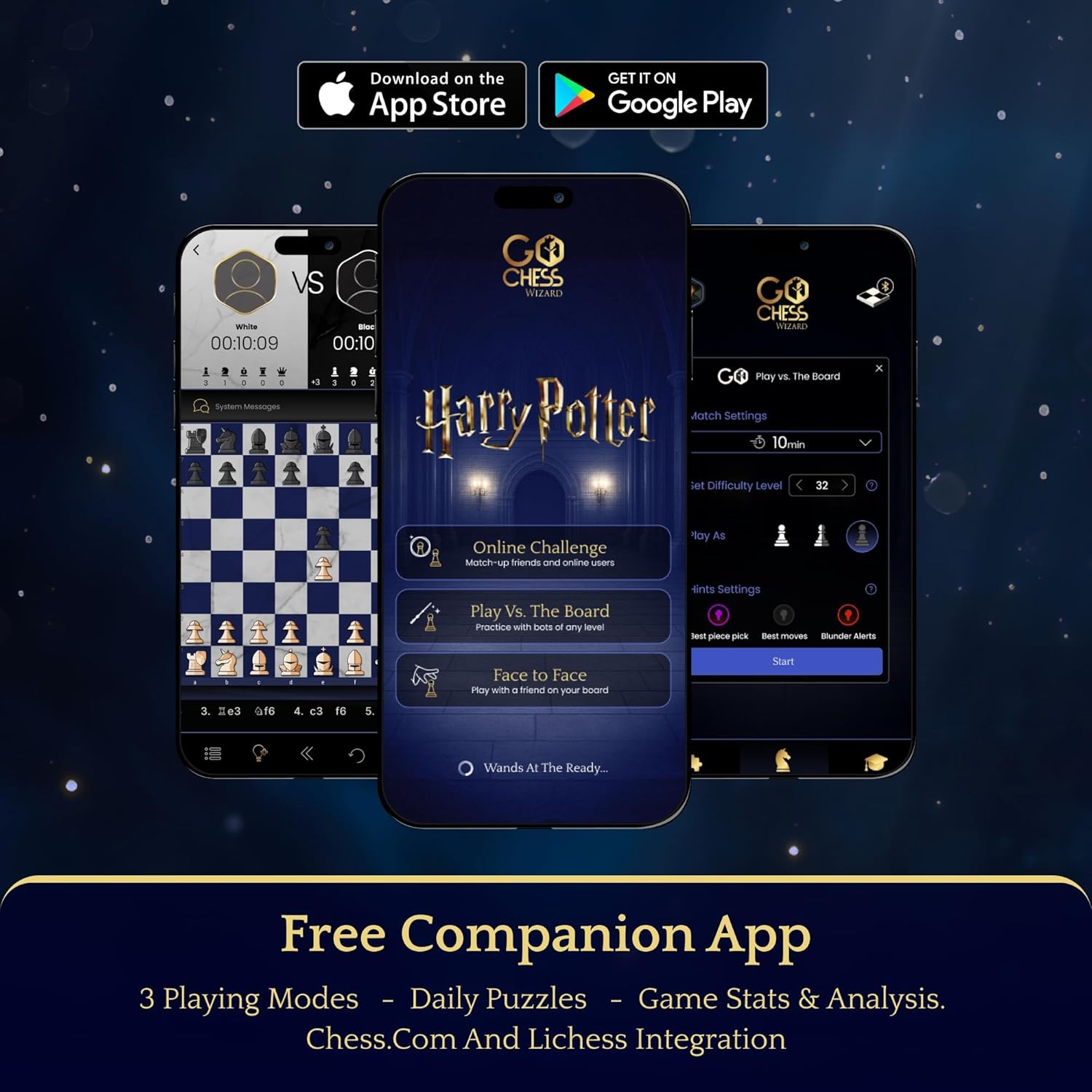
Download the official GoChess app from your device's app store. Ensure Bluetooth is enabled on your mobile device. Open the app and follow the on-screen instructions to pair your device with the GoChess Mini Wizard board. The board will light up to confirm connection.
4. Parentah Operasi
4.1 Playing Against the Smart Board (AI)
Select 'Play Vs. The Smart Board' in the GoChess app. Choose from 32 difficulty levels to match your skill. The board's smart lights will guide you with real-time feedback on moves.

4.2 Maén Online
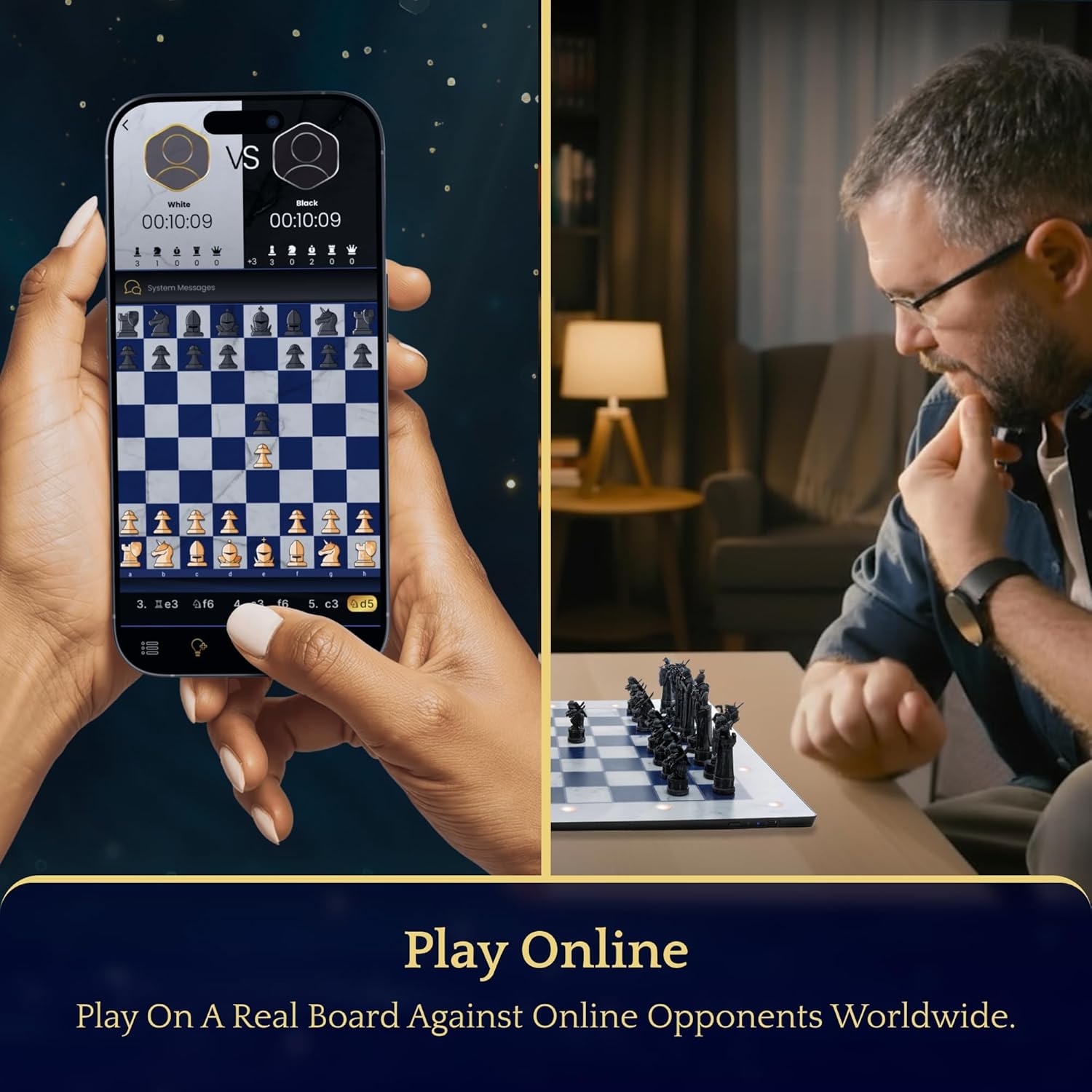
Connect with friends or opponents worldwide by selecting 'Play Online' in the app. GoChess supports integration with Lichess and Chess.com. Your physical moves on the board will be reflected in the online game, and your opponent's moves will be indicated by the board's lights.
4.3 Smart Light Coaching
The board features real-time colorful light indications:
- Move Hints: See all legal options at a glance.
- Brilliant Highlights: Spot strategic moves.
- Blunder Alerts: Avoid costly mistakes before you commit.
You can customize the assistance level in the app to fit your learning style.

4.4 Playing Together
The GoChess Mini Wizard allows players of different skill levels to enjoy the game together. Choose the assistance level needed for each player within the app to ensure a fun and educational experience for everyone.
5. Fitur konci
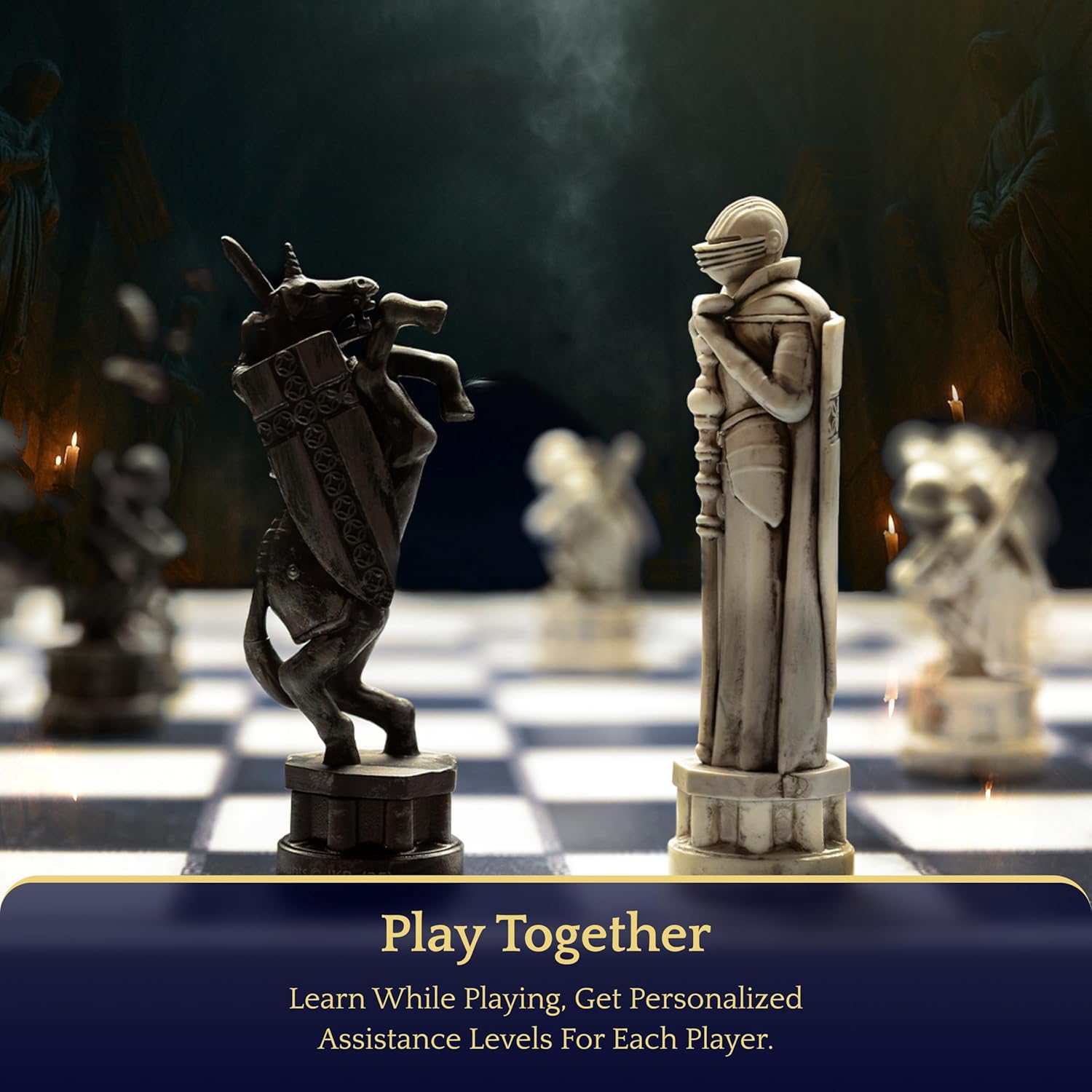
- Harry Potter Chess Set: Premium, sleek Wizard's Chess pieces inspired by the iconic movie scene.
- Smart Light Coaching: Real-time colorful light indications for instant feedback and guidance.
- Play Vs. The Smart Board: Advanced chess bot with 32 difficulty levels for challenging play.
- Maén Online: Connect with friends or opponents worldwide via Lichess and Chess.com integration.
- Maén Babarengan: Customizable assistance levels for each player, enabling varied skill levels to play.
- Portabel sareng Ringan: Standard size (35mm x 35mm square size), easy to carry and set up for play anywhere.
- Aplikasi Companion Gratis: Offers 3 playing modes, daily puzzles, game stats, and analysis.
6. Pangropéa
6.1 beberesih
Wipe the chess board and pieces with a soft, dry cloth. Avoid using abrasive cleaners or solvents that could damage the surface or electronic components.
6.2 Panyimpenan
Store the chess pieces in their provided pouches to prevent loss or damage. Keep the board in a dry place away from extreme temperatures and direct sunlight.
6.3 Perawatan Batré
To prolong battery life, avoid fully discharging the board frequently. Charge the board regularly, especially if it will be stored for an extended period.
7. Cara ngungkulan
7.1 Board Not Turning On
- Ensure the board is fully charged.
- Check the power button on the side of the board.
7.2 Masalah Sambungan Aplikasi
- Pastikeun Bluetooth diaktipkeun dina alat sélulér Anjeun.
- Restart the GoChess app and the chess board.
- Ensure your device is within Bluetooth range of the board.
7.3 Piece Recognition Problems
- Ensure pieces are placed firmly and centered on the squares.
- Avoid sliding pieces; lift and place them to ensure proper detection.
- Check for any foreign objects on the board surface that might interfere with sensors.
8. Spésifikasi
| Dimensi produk | 15.5 x 15.5 x 0.04 inci |
| Item Beurat | 6.04 pon |
| Nomer Modél Item | GCHSN1-Mini-Wizard |
| Produsén Disarankeun Umur | 14 taun ka luhur |
| Basa | Inggris |
| Produsén | GoCube |
9. Jaminan & Dukungan
For detailed warranty information, product support, or to contact customer service, please refer to the documentation included in your product packaging or visit the official GoCube websitus.