
Bubuka
This manual provides detailed instructions for the setup, operation, and maintenance of your Bmax Mini PC B1 Pro. Please read this manual thoroughly before using the device to ensure proper functionality and to prevent damage.
Eusi pakét
Saatos ngabongkar bungkusan, mangga pariksa yén sadaya barang anu didaptarkeun di handap aya sareng dina kaayaan anu saé:
- Bmax Mini PC B1 Pro unit
- Adaptor kakuatan
- Kabel HDMI
- Manual pangguna (dokumén ieu)
- Braket Pemasangan (upami kalebet)
If any items are missing or damaged, please contact Bmax customer support.
Produk Leuwihview
The Bmax Mini PC B1 Pro is a compact computing solution designed for home and office use. It features various ports for connectivity and expansion.
Internal Chassis View
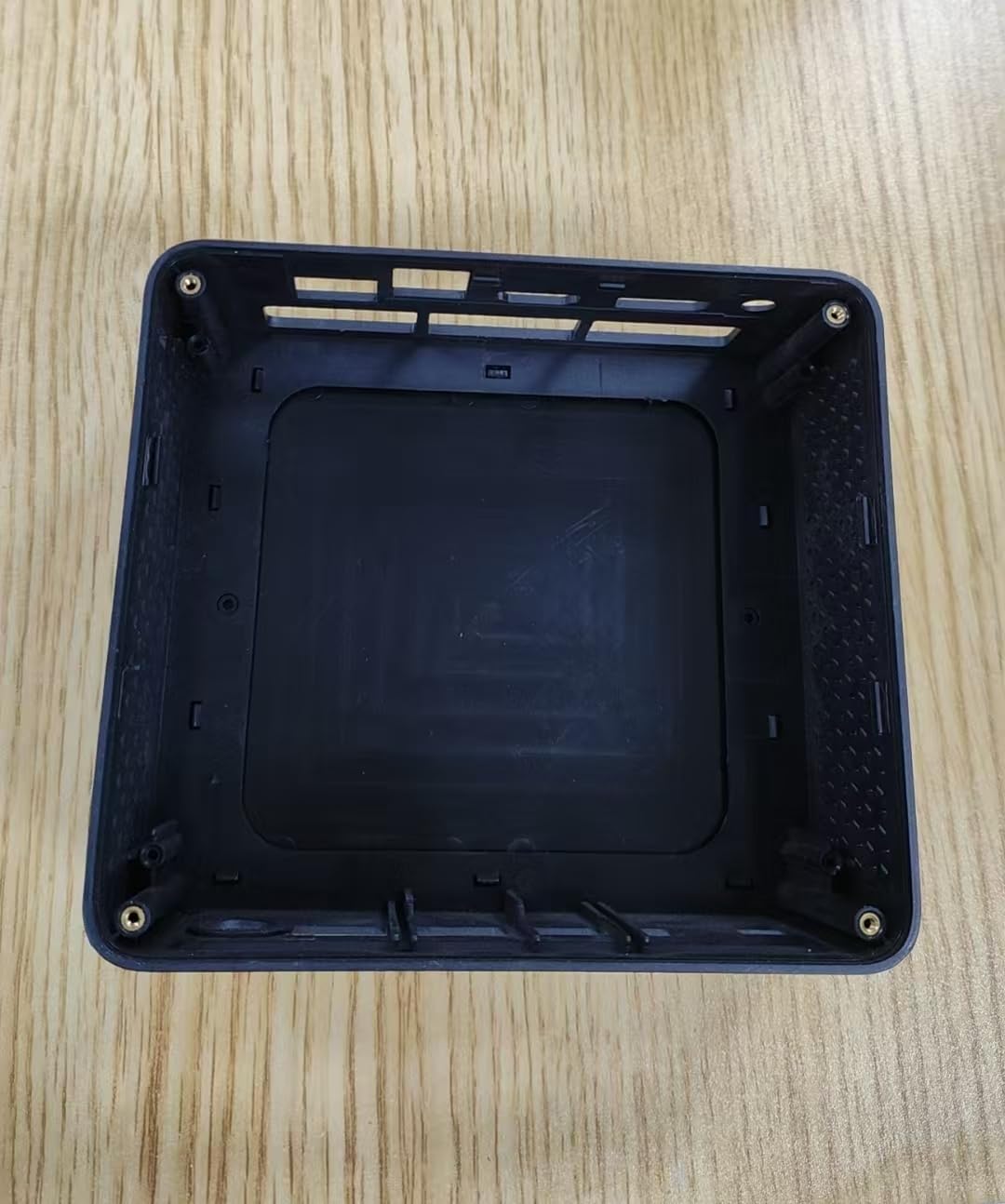
This image displays the internal housing of the Bmax Mini PC B1 Pro, showing the structural components and mounting points within the device's casing. It illustrates the design of the enclosure without the internal electronic components installed.
Port Layout (Typical)
The B1 Pro typically includes the following ports:
- Port HDMI: For connecting to a display (supports 4K 60Hz).
- Port USB 3.0: Two ports for high-speed data transfer and peripheral connection.
- Port USB 2.0: Two ports for connecting standard peripherals.
- Port Ethernet Gigabit: Pikeun sambungan jaringan kabel.
- Input kakuatan: Pikeun nyambungkeun adaptor kakuatan.
- Jack audio: Pikeun headphone atanapi speaker.
Disetél
1. Nyambungkeun périferal
- Connect your monitor or TV to the port HDMI ngagunakeun kabel HDMI.
- Sambungkeun kibor sareng beurit anjeun ka anu sayogi palabuhan USB (USB 2.0 or USB 3.0).
- (Optional) For a wired internet connection, connect an Ethernet cable to the Port Gigabit Ethernet.
- (Optional) Connect speakers or headphones to the jack audio.
2. Ngahurungkeun
- Sambungkeun adaptor listrik kana power input port on the Mini PC.
- Colokkeun adaptor kakuatan kana stop kontak témbok.
- Pencét éta tombol kakuatan (location may vary, typically on the front or side) to turn on the device.
- The power indicator light will illuminate, and the system will begin to boot.
3. Konfigurasi awal
Follow the on-screen instructions to complete the initial setup of the operating system (e.g., Windows, Linux). This typically includes setting up user accounts, network connections, and regional settings.
Parentah Operasi
Pamakéan Dasar
- Hurungkeun/Pareuman: Press the power button to turn on. To shut down, use the operating system's shutdown function. A short press of the power button can put the device to sleep.
- Uihan deui: Anggo pungsi balikan deui sistem operasi.
- Nyambungkeun Alat USB: Insert USB drives, external hard drives, or other peripherals into the available USB 2.0 or USB 3.0 ports.
Nyambung kana Jaringan
- Wifi: The B1 Pro supports Dual-Band Wi-Fi. Access your operating system's network settings, select your desired Wi-Fi network, and enter the password.
- Ethernet: If you connected an Ethernet cable during setup, the system should automatically detect and connect to the wired network.
- Bluetooth: The B1 Pro features Bluetooth 5.0. Enable Bluetooth in your operating system settings to pair with compatible devices like keyboards, mice, or headphones.
Kaluaran tampilan
The Mini PC supports 4K resolution at 60Hz via its HDMI port. Ensure your display and HDMI cable are compatible with these specifications for optimal performance.
Pangropéa
- beberesih: Use a soft, dry cloth to clean the exterior of the Mini PC. Avoid liquid cleaners directly on the device. Use compressed air to clear dust from vents periodically.
- Apdet parangkat lunak: Ngapdet sistem operasi sareng supir anjeun sacara teratur pikeun mastikeun kinerja sareng kaamanan anu optimal.
- Ventilasi: Ensure the Mini PC is placed in a well-ventilated area to prevent overheating. Do not block the ventilation holes.
Pamérésan masalah
| Masalah | Mungkin Cukang lantaranana | Solusi |
|---|---|---|
| Taya kakuatan | Adaptor daya teu nyambung atawa stop kontak faulty. | Pariksa sambungan kakuatan. Coba outlet béda. |
| Taya kaluaran tampilan | Incorrect HDMI connection, faulty cable, or incorrect input selected on monitor. | Ensure HDMI cable is securely connected. Try a different HDMI cable. Select correct input source on your monitor. |
| Wi-Fi teu nyambung | Sandi salah, di luar jangkauan, atanapi masalah router. | Verify Wi-Fi password. Move closer to the router. Restart router. |
| kinerja lalaunan | Too many applications running, insufficient storage, or outdated drivers. | Close unnecessary applications. Free up disk space. Update operating system and drivers. |
For further assistance, please contact Bmax customer support.
spésifikasi
| Fitur | Rincian |
|---|---|
| Modél | B1 Pro |
| Prosesor | Intel Celeron (2.4 GHz) |
| Ram | LPDDR4 |
| Panyimpenan | 128 GB SSD (PCIE x 4 interface) |
| Grafika | Integrated, 8 GB Graphics RAM |
| Sistem operasi | OS (Pre-installed or user-installable) |
| palabuhan USB | 2x USB 3.0, 2x USB 2.0 |
| Kaluaran Video | HDMI (supports 4K 60Hz) |
| Jaringan | Gigabit Ethernet, Dual-Band Wi-Fi, Bluetooth 5.0 |
| Diménsi | 10.5 x 6 x 2.8 inci |
| Beurat | 1.3 pon |
| Dimaksudkeun Paké | Business, Home & Office |
Émbaran Kasalametan
- Ulah ngalaan alat ka suhu ekstrim, kalembaban, atawa sinar panonpoé langsung.
- Hindarkeun ragrag atanapi ngagentoskeun alat kana tabrakan anu kuat.
- Ulah nyobian ngabongkar atawa ngalereskeun alat sorangan. Rujuk ka tanaga jasa anu mumpuni.
- Paké ngan adaptor kakuatan disadiakeun.
- Jauhkeun alat tina cairan.
Garansi sareng Rojongan
The Bmax Mini PC B1 Pro comes with a standard manufacturer's warranty. Please refer to the warranty card included in your package or visit the official Bmax websitus pikeun istilah jeung kaayaan jaminan lengkep.
For technical support, troubleshooting, or service inquiries, please contact Bmax customer support through their official channels. Contact information can typically be found on the Bmax websitus atanapi dina bungkusan produk.
Bmax Official Websitus: Visit the Bmax Store on Amazon