
1. Bubuka
Thank you for choosing the Sanpyl Triple Car Camera Dash Cam. This device is designed to provide comprehensive surveillance of your vehicle's surroundings and interior, enhancing driving safety and providing crucial evidence in case of incidents. This manual will guide you through the installation, operation, and maintenance of your dash cam to ensure optimal performance.
2. Produk Langkungview
The Sanpyl Triple Car Camera Dash Cam features a three-channel recording system, capturing video from the front, interior, and rear of your vehicle. Key features include:
- Triple Camera Coverage: Front camera (1920x1080), interior camera (1280x720), and rear camera (640x480) for complete vehicle monitoring.
- Wide Angle Front Lens: A 140 to 170-degree high-definition front lens captures a broad field of view.
- 2 Inch LCD Display: A user-friendly screen for convenient recording review and management directly on the device.
- Enhanced Rear Camera Features: Provides reversing assistance and records rear-end collisions.
- Konektipitas WiFi: Supports wireless connections for real-time viewing tur ngundeur footage to smartphones or tablets via a dedicated app.
- Ngarekam loop: Otomatis nimpa pangkolotna filenalika kartu memori pinuh, mastikeun rékaman terus-terusan.
- Sensor G bawaan: Detects sudden impacts or collisions and automatically locks the current video footage pikeun nyegah éta ditulis timpa.

Image: Illustration of the dash cam's 360-degree surveillance capability, showing front, cabin, and rear camera coverage.

Image: Split screen showing simultaneous views from the front (road), interior (cabin), and rear cameras.
3. Eusi Paket
Mangga parios pakét kanggo barang-barang ieu:
- Sanpyl Triple Car Camera Dash Cam Unit
- Kaméra Pungkur sareng Kabel
- Carjer mobil
- Mounting Bracket (with adhesive pad)
- Kabel USB
- Manual pangguna (dokumén ieu)
- Kartu Micro SD 32GB (tos dipasang atanapi kalebet misah)

Image: The dash cam unit, rear camera, car charger, mounting bracket, and cables included in the package.
4. Setélan
4.1 Nyelapkeun Kartu Micro SD
- Pastikeun dashcam dipareuman.
- Pilari slot kartu Micro SD di sisi dasbor.
- Insert the Micro SD card with the gold contacts facing the back of the dash cam until it clicks into place.
- Pikeun nyabutna, pencét kartu lalaunan ka jero dugi ka ngaklik, teras leupaskeun.
Catetan: A Class 10 or higher Micro SD card (up to 128GB) is recommended for reliable recording. Format the card regularly to maintain performance.
4.2 Pasang Dash Cam
- Clean the windshield area where you intend to mount the dash cam. Ensure it does not obstruct your driving view.
- Attach the adhesive mounting bracket to the dash cam.
- Remove the protective film from the adhesive pad on the bracket.
- Firmly press the dash cam onto the chosen spot on the windshield for at least 30 seconds.
- Adjust the lens angle to ensure the front camera captures the road ahead clearly.

Image: The dash cam unit mounted on the car's windshield, showing its position relative to the driver's view.
4.3 Masang kaméra Rear
- Mount the rear camera on the rear windshield or license plate area using its adhesive or screws.
- Route the rear camera cable to the main dash cam unit, ensuring it does not interfere with vehicle operations.
- Sambungkeun kabel kaméra pungkur ka port ditunjuk dina Unit dash cam utama.
4.4 Sambungan Daya
- Sambungkeun carjer mobil kana port input daya dasbor kaméra.
- Colokkeun tungtung carjer mobil anu sanés ka stop kontak listrik 12V kendaraan anjeun (stop kontak korek rokok).
- Kaméra dasbor bakal otomatis hurung sareng mimiti ngarékam nalika konci kontak kendaraan dihurungkeun.
5. Parentah Operasi
5.1 Rekaman Dasar
Once powered on, the dash cam will automatically start recording in a continuous loop. Video filedisimpen dina sababaraha bagian (contona, 1, 3, atanapi 5 menit) kana kartu Micro SD. Nalika kartu pinuh, anu pangkolotna bakal dibuka konci files bakal ditimpa ku rekaman anyar.
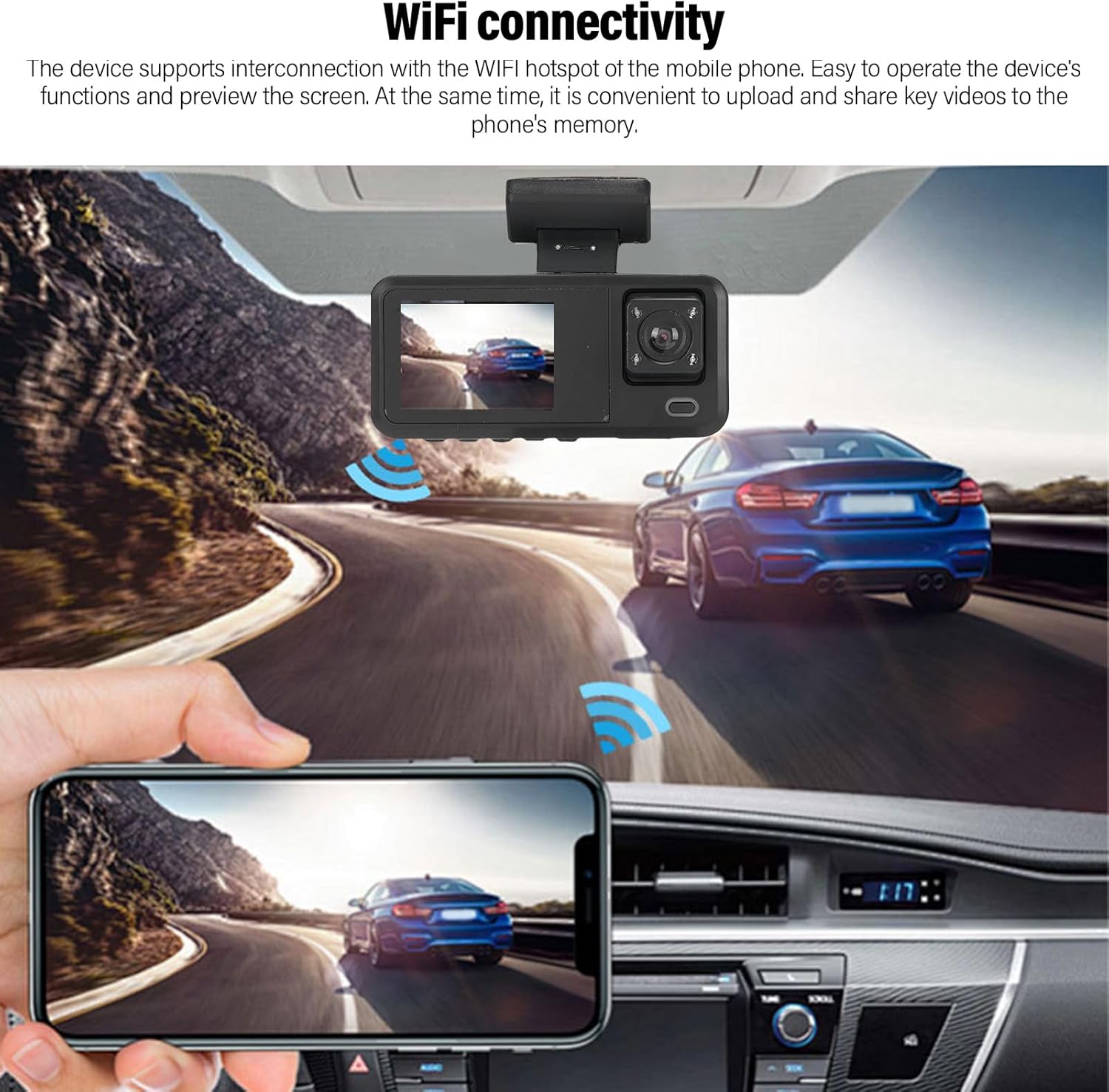
Image: A circular diagram showing how loop recording continuously records and overwrites older footage lamun kartu memori pinuh.
5.2 G-Sensor (Rekaman Darurat)
The built-in G-sensor detects sudden acceleration, braking, or collisions. When triggered, the current video segment is automatically locked and saved to a protected folder on the Micro SD card, preventing it from being overwritten by loop recording. This ensures critical incident footage dilestarikan.
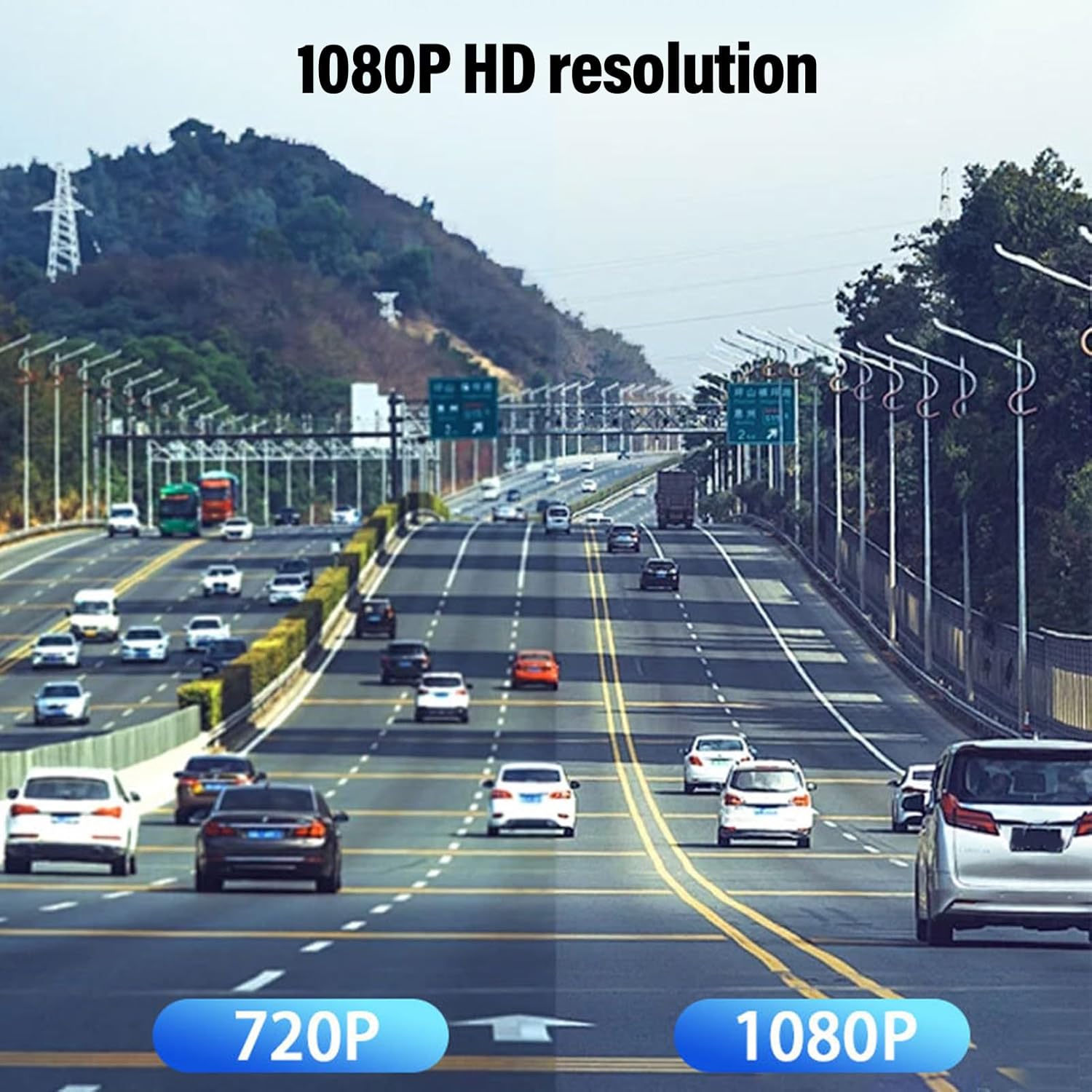
Image: Two individuals inspecting car damage, with an overlay indicating the G-sensor automatically locking video footage during an emergency.
5.3 Parking Assistance (Rear Camera)
When the vehicle is put into reverse gear (and the rear camera is correctly wired to the reverse light trigger), the dash cam display will automatically switch to the rear camera view, often with parking guidelines, to assist with parking maneuvers.

Image: The dash cam screen displaying the rear camera feed with visual parking assistance guidelines, showing a car backing into a parking spot.
5.4 Konéktivitas WiFi sareng Panggunaan Aplikasi
The dash cam supports WiFi connectivity, allowing you to connect your smartphone or tablet to the device for real-time viewngunduh, ngarékam, sareng ngatur rékaman.
- Download the dedicated dash cam app from your device's app store (refer to the dash cam's on-screen instructions or packaging for the app name).
- On the dash cam, enable WiFi mode (usually via the menu settings). The dash cam will broadcast a WiFi network.
- On your smartphone/tablet, go to WiFi settings and connect to the dash cam's WiFi network (SSID and password will be displayed on the dash cam screen).
- Buka aplikasi pikeun view hirup footage, telusuri pidéo anu direkam, unduh fileka telepon anjeun, teras saluyukeun setélan.
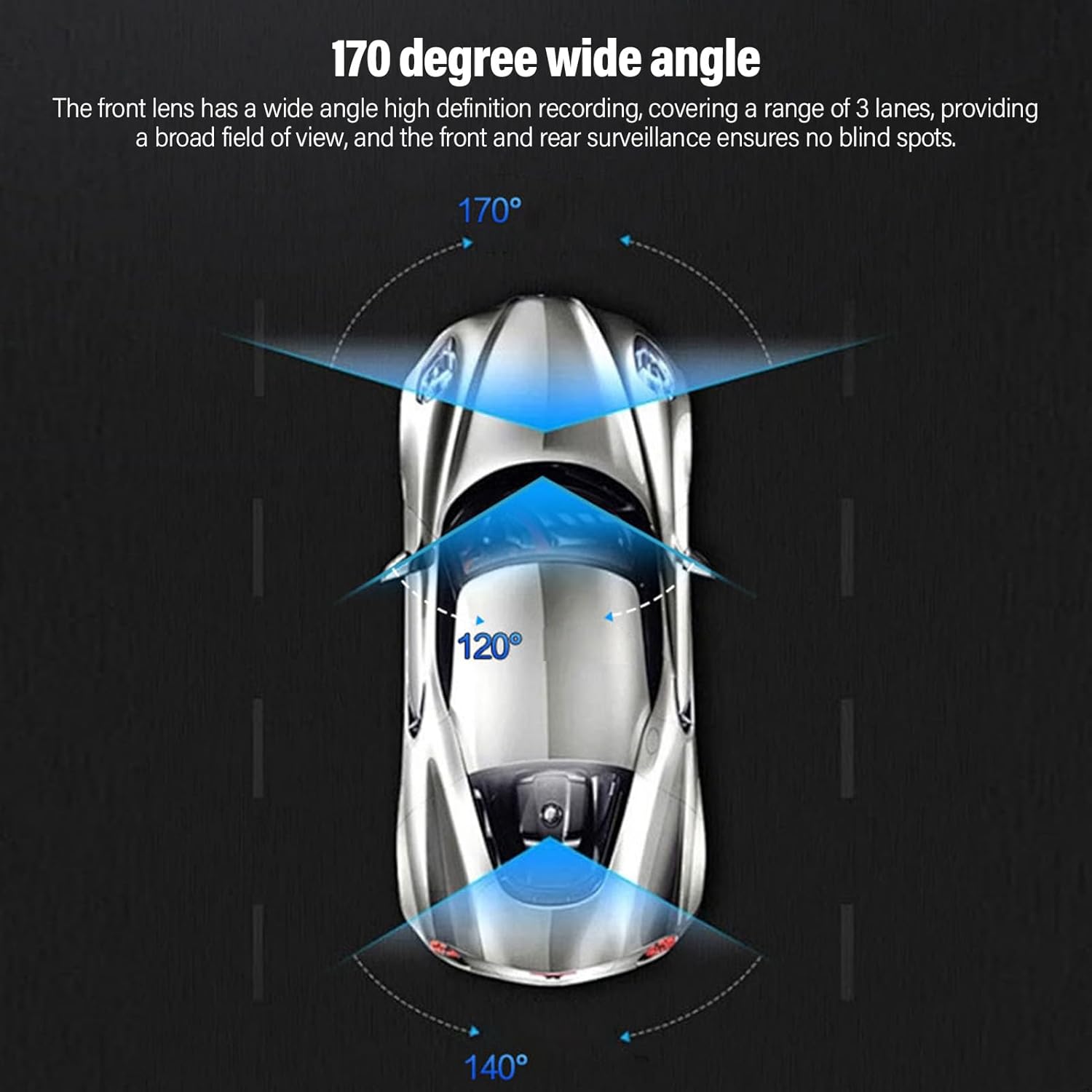
Image: A smartphone screen showing live video feed from the dash cam, demonstrating WiFi connectivity for remote viewing.
6. Pangropéa
6.1 Ngaformat Kartu Micro SD
It is recommended to format the Micro SD card once a month to prevent data corruption and ensure optimal recording performance. This can usually be done through the dash cam's menu settings.
6.2 Cleaning the Lenses and Screen
Use a soft, lint-free cloth to gently wipe the camera lenses and the LCD screen. Avoid using abrasive cleaners or solvents, as they may damage the surfaces.
6.3 Pertimbangan Lingkungan
Avoid exposing the dash cam to extreme temperatures for prolonged periods. If the vehicle is parked in direct sunlight during hot weather, consider removing the dash cam or using a sunshade to protect it.
7. Cara ngungkulan
7.1 Dash Cam Not Powering On
- Check if the car charger is securely plugged into both the dash cam and the vehicle's 12V outlet.
- Ensure the vehicle's 12V outlet is receiving power (test with another device if possible).
- Cobi carjer mobil atanapi kabel USB anu sanés upami sayogi.
7.2 Recording Stops or Freezes
- Format the Micro SD card through the dash cam's settings.
- Pastikeun anjeun nganggo kartu Micro SD anu kecepatan tinggi (Kelas 10 atanapi langkung luhur).
- Coba kartu Micro SD anu béda pikeun ngaluarkeun masalah kartu.
- Check for firmware updates (if applicable, refer to manufacturer's websitus).
7.3 Kualitas Pidéo Goréng
- Bersihkeun lénsa kaméra nganggo lawon lemes.
- Pastikeun film pelindung geus dicabut tina lénsa.
- Check video resolution settings in the dash cam menu; ensure it's set to 1080P for the front camera.

Image: A visual comparison demonstrating the difference in clarity between 720P and 1080P video resolutions for dash cam footage.
7.4 Masalah Konéksi WiFi
- Pastikeun WiFi diaktipkeun dina dash cam jeung smartphone Anjeun.
- Verify you are connecting to the correct WiFi network broadcast by the dash cam.
- Balikan deui dash cam sareng smartphone anjeun.
- Ensure the dash cam app is up to date.
8. Spésifikasi
| merek | Sanpil |
| Nomer modél | Sanpylskbofg43at |
| Resolusi kaméra hareup | 1920x1080P |
| Resolusi Kaméra Interior | 1280x720P |
| Résolusi kaméra pungkur | 640x480P |
| Sudut Kaméra hareup | 140-170 darajat |
| tampilan | LCD 2.0 inci |
| Téhnologi konektipitas | Wifi |
| Panyimpenan | Micro SD Card (up to 128GB, Class 10 recommended) |
| Fitur husus | Loop Recording, G-Sensor, Parking Assistance, Adjustable |
| Dimensi produk | 5.91"D x 4.33"W x 2.76"H (150mm x 110mm x 70mm) |

Image: Technical drawing illustrating the physical dimensions of the dash cam unit.
9. Garansi jeung Rojongan
9.1 Émbaran jaminan
This Sanpyl product is covered by a manufacturer's warranty for 90 days from the date of purchase. This warranty covers defects in materials and workmanship under normal use. It does not cover damage caused by misuse, accidents, unauthorized modifications, or improper installation.
9.2 Rojongan Palanggan
For technical assistance, troubleshooting, or warranty claims, please contact Sanpyl customer support. Refer to the contact information provided on the product packaging or the official Sanpyl websitus.