
1. Bubuka
The SENTKENG Y03008 InstaVision 1080P WiFi Camera is an indoor security camera designed for monitoring your home, baby, or pets. It offers 1080P Full HD video, pan and tilt functionality for wide coverage, two-way audio communication, infrared night vision, and intelligent motion detection. This manual provides essential information for setting up, operating, and maintaining your camera.
2. Émbaran Kasalametan
- Ensure the camera is used indoors only.
- Anggo ngan ukur adaptor daya sareng kabel anu disayogikeun.
- Jauhkeun alat tina cai, beueus, sareng suhu anu ekstrim.
- Ulah nyobian ngabongkar atanapi ngalereskeun kaméra nyalira. Hubungi dukungan upami aya masalah.
- Jauhkeun tina jangkauan barudak sareng piaraan.
3. Eusi Paket
Mangga parios pakét kanggo barang-barang ieu:
- SENTKENG Y03008 InstaVision 1080P WiFi Camera
- Instruksi Manual
- Kabel Ngecas Tipe-C
- Dékét témbok
- Paket Sekrup

Image: The camera, Type-C charging cable, wall bracket, screw package, and instruction manual are included in the box.
4. Produk Langkungview
Familiarize yourself with the main components of your camera:
- Lensa kaméra: Captures 1080P Full HD video.
- Speaker: Pikeun komunikasi audio dua arah.
- Storage Card Slot: Insert a microSD card (up to 128GB, not included) for local storage.
- Reset konci: Dipaké pikeun ngareset kaméra ka setélan pabrik.
- Port Ngecas Tipe-C: Sambungkeun kabel kakuatan di dieu.
Gambar: A lengkep view of the camera highlighting the camera lens, speaker, storage card slot, reset key, and Type-C charging port.
5. Setup Guide
5.1 Powering On and App Installation
- Daya Hurung: Connect the camera to a power outlet using the provided Type-C charging cable and power adapter. The camera will power on automatically.
- Download the InstaVision App: Milarian pikeun 'InstaVision' in your smartphone's app store (iOS or Android) and download the application.
- Ngadaptar / Asup: Open the InstaVision app and follow the on-screen instructions to register a new account or log in if you already have one.

Image: The camera next to a smartphone displaying the InstaVision app's welcome screen, illustrating the easy connection process.
5.2 Nyambungkeun ka Wi-Fi
- Tambahkeun Alat: In the InstaVision app, tap the '+' icon or 'Add Device' to begin the pairing process.
- Pilih Jenis Kaméra: Choose the appropriate camera model from the list.
- Turutan Pitunjuk In-App: The app will guide you through connecting the camera to your 2.4GHz Wi-Fi network. Ensure your phone is connected to the same 2.4GHz Wi-Fi network during setup.
- Konfirmasi: Sakali nyambung, lampu indikator kaméra bakal robah, sareng aplikasi bakal mastikeun pasangan anu suksés.
5.3 Pilihan Instalasi
The SENTKENG Y03008 camera offers flexible installation:
- Tabletop Mount (Freestanding): Place the camera on any flat surface such as a table, shelf, or desk. Ensure it has a clear view wewengkon nu Anjeun hoyong monitor.
- Pemasangan siling: Use the included wall bracket and screws to mount the camera to the ceiling. After mounting, you may need to adjust the image orientation in the InstaVision app settings.

Gambar: Examples of camera placement, showing both flat surface installation and ceiling mounting options.
6. Parentah Operasi
6.1 Hirup View sareng Playback
Once connected, open the InstaVision app to access the live video feed from your camera. You can view real-time footage jeung review recorded events from anywhere, anytime.
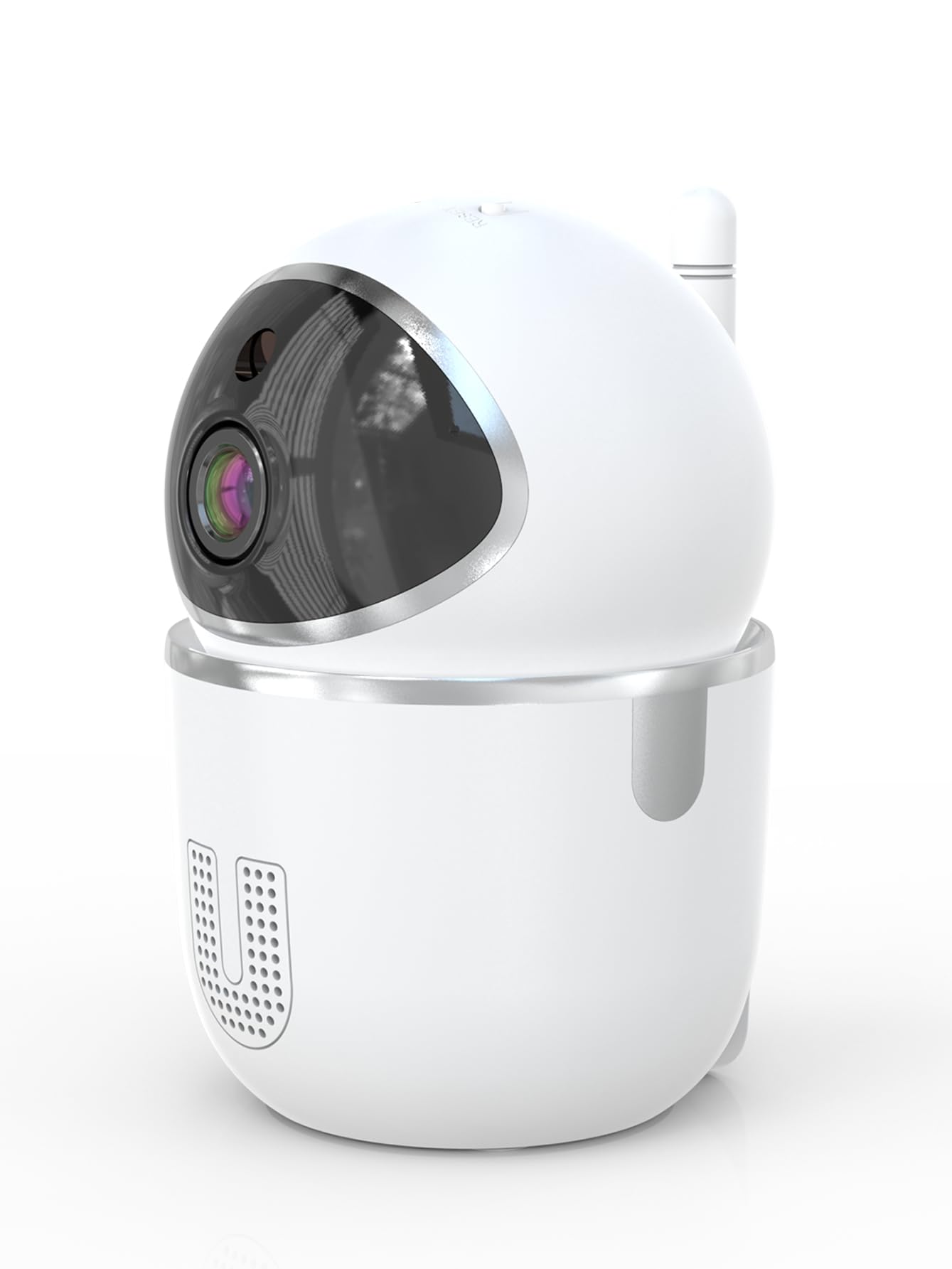
Image: A smartphone displaying the live video feed from the camera, showing a living room scene.
6.2 Pan jeung Dengdekkeun Control
Ngatur kaméra ti jarak jauh viewing angle through the InstaVision app. The camera supports 355° horizontal rotation and 90° vertical tilt, allowing you to cover a wide area with minimal blind spots.

Image: The camera illustrating its pan (355°) and tilt (90°) capabilities, showing the range of motion.
6.3 Audio Dua Arah
The built-in microphone and speaker enable real-time two-way communication. Tap the microphone icon in the app to speak through the camera, and listen to audio from the camera's surroundings.
6.4 Visi Peuting
The camera is equipped with powerful infrared LEDs, providing clear black-and-white video footage in low-light conditions or complete darkness, ensuring 24/7 monitoring.
6.5 Deteksi Gerak sareng Siaga
The camera detects motion and sends instant notifications to your smartphone. You can customize motion detection sensitivity and alert schedules within the InstaVision app.

Image: A smartphone screen showing a list of motion detection events and alerts, indicating human presence.
6.6 Pilihan Panyimpenan
- Panyimpenan Kartu MicroSD: Insert a microSD card (up to 128GB, not included) into the camera's card slot for local recording. The camera will automatically overwrite the oldest footage lamun kartu pinuh.
- Panyimpenan awan: An optional cloud service is available via a paid InstaVision app subscription. This provides secure off-site storage for your recordings.

Image: The camera with visual cues indicating support for both local microSD card storage (up to 128GB) and optional cloud storage.
6.7 AI Detection (Subscription)
With a paid InstaVision app subscription, you can access advanced AI-powered features such as recognizing people, pets, and specific human actions. This allows for more precise alerts and faster searching of recorded events.

Image: A smartphone screen demonstrating the contextual AI search feature, allowing users to quickly find specific events like package deliveries or pet movements.
6.8 Multi-User Viewing
Share access to your camera's live feed with family members or trusted individuals through the InstaVision app, allowing multiple users to view the camera simultaneously.

Image: The camera surrounded by multiple smartphones, illustrating the multi-user viewing capability for real-time online monitoring.
7. Pangropéa
- beberesih: Anggo kaén anu lembut sareng garing pikeun ngabersihan lensa sareng awak kaméra. Ulah make cleaners cair atawa aerosol.
- Pembaruan firmware: Regularly check the InstaVision app for available firmware updates. Keeping your camera's firmware updated ensures optimal performance and security.
- Manajemén Kartu MicroSD: If using a microSD card, periodically check its status in the app. Format the card if necessary to maintain recording quality.
8. Cara ngungkulan
8.1 Kaméra Teu Nyambung ka Wi-Fi
- Pastikeun jaringan Wi-Fi anjeun 2.4GHz. Kaméra henteu ngadukung Wi-Fi 5GHz.
- Pariksa yén kecap akses Wi-Fi anjeun parantos diasupkeun kalayan leres.
- Pindahkeun kaméra ngadeukeutan ka router Wi-Fi anjeun.
- Balikan deui router anjeun sareng kaméra.
- Perform a factory reset on the camera using the reset key and try connecting again.
8.2 Teu Aya Eupan Pidéo
- Pastikeun kaméra parantos dihurungkeun sareng nyambung ka Wi-Fi.
- Pariksa sambungan internét anjeun.
- Restart the InstaVision app.
8.3 Deteksi Gerakan Teu Jalan
- Ensure motion detection is enabled in the InstaVision app settings.
- Saluyukeun sensitivitas deteksi gerakan.
- Check the detection zone settings to ensure the desired area is covered.
8.4 Masalah Audio Dua Arah
- Ensure your phone's microphone is enabled for the InstaVision app.
- Pariksa setélan volume dina telepon anjeun sareng dina aplikasi.
- Ensure there are no obstructions blocking the camera's speaker or microphone.
9. Spésifikasi
| Ngaran modél | Y03008 InstaVision |
| Pamakéan jero rohangan / outdoor | jero rohangan |
| Resolusi Capture Video | 1080p lengkep HD |
| Pan / Dengdekkeun Range | 355° Horizontal, 90° Vertikal |
| Téhnologi konektipitas | Nirkabel (Wi-Fi 2.4GHz) |
| Sumber Daya | Kabel Listrik |
| Wengi Sawangan Sawangan | 8 méter |
| Pilihan Panyimpenan | MicroSD card (up to 128GB, not included), Cloud Storage (optional subscription) |
| Fitur husus | 2-Way Audio, PTZ Technology, Motion Detection, AI Detection (subscription) |
| Dimensi produk | 3.18 x 2.63 x 4.02 inci |
| Item Beurat | 8.5 ons |
10. Garansi jeung Rojongan
10.1 Émbaran jaminan
For detailed warranty information, please refer to the documentation included with your purchase or visit the official SENTKENG websitus. Simpen bukti pameseran anjeun pikeun klaim garansi.
10.2 Rojongan Palanggan
If you encounter any issues or have questions regarding your SENTKENG Y03008 InstaVision Camera, please contact SENTKENG customer support through the InstaVision app or the official SENTKENG websitus. Tim dukungan kami sayogi kanggo ngabantosan anjeun.