
1. Bubuka
This manual provides detailed instructions for the installation, operation, and maintenance of your SENTKENG Y05009 Indoor Camera. Please read this manual thoroughly before using the product to ensure proper function and safety. The SENTKENG Y05009 is a 1080P WiFi camera designed for indoor monitoring, featuring pan/tilt capabilities, two-way audio, IR night vision, and motion detection.
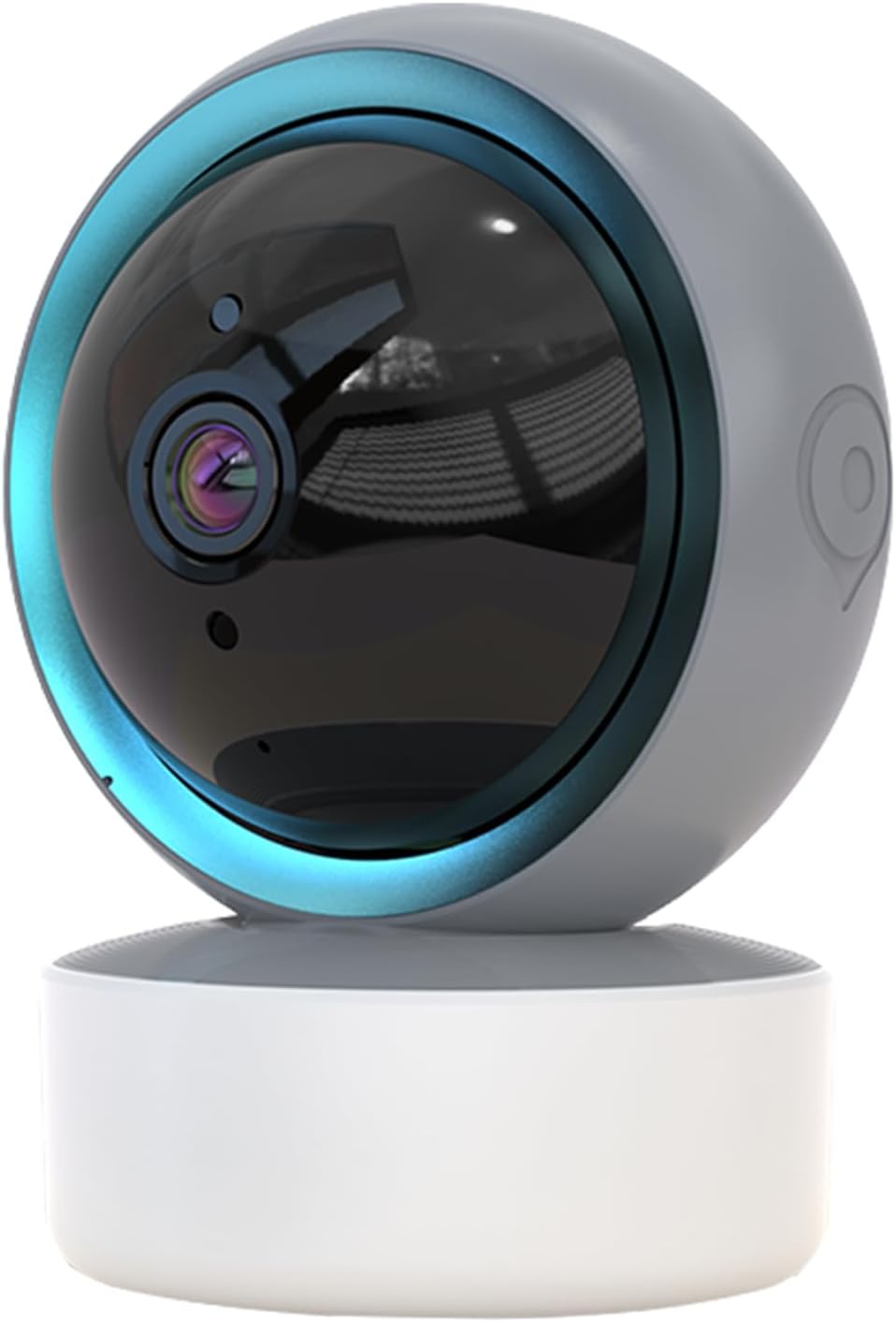
Image 1.1: SENTKENG Y05009 Indoor Camera. This image displays the compact, spherical design of the camera with its lens and base.
2. Eusi Paket
Punten parios yén sadaya barang aya dina pakét:
- SENTKENG Y05009 Indoor Camera
- Kabel Daya USB
- Power Adapter (not explicitly listed but implied for a plug-in device)
- Pamasangan Bracket sareng Screws
- Instruksi Manual

Image 2.1: Package Contents. This image shows the camera, USB cable, mounting accessories, and the user manual included in the box.
3. Produk Langkungview
The SENTKENG Y05009 camera features a compact design with essential components for effective indoor monitoring.
3.1 Komponén kaméra
- Lensa: Ngarebut pidéo 1080P.
- LEDs Infrabeureum: Provide night vision capabilities.
- Mikropon: Pikeun input audio sareng obrolan dua arah.
- Speaker: Pikeun kaluaran audio sareng obrolan dua arah.
- Slot Kartu MicroSD: Supports local storage up to 128GB (card not included).
- Tombol Reset: Used for factory reset or pairing mode.
- Palabuhan Daya: USB port for connecting the power cable.
Image 3.1: Camera Component Details. This image highlights the speaker, microSD card slot, reset button, and power port on the camera.
4. Setélan
Follow these steps to set up your SENTKENG Y05009 Indoor Camera.
4.1 Powering On
- Connect the USB power cable to the camera's power port.
- Colokkeun tungtung kabel USB anu sanésna kana adaptor daya anu disayogikeun.
- Plug the power adapter into a standard electrical outlet. The camera will power on and initiate its startup sequence.
4.2 Pamasangan Aplikasi sareng Nyiptakeun Akun
- Unduh InstaVision aplikasi ti toko aplikasi smartphone anjeun (ios atanapi Android).
- Open the InstaVision app and create a new account or log in if you already have one.

Image 4.1: InstaVision App Interface. This image shows the 'Welcome to InstaVision' screen on a smartphone, illustrating the initial app setup.
4.3 Nyambungkeun ka Wi-Fi
The camera supports 2.4GHz Wi-Fi networks only.
- In the InstaVision app, tap 'Add Device' or the '+' icon.
- Select your camera model or 'Smart Camera'.
- Follow the on-screen instructions to connect the camera to your 2.4GHz Wi-Fi network. This typically involves scanning a QR code generated by the app with the camera's lens or listening for an audio prompt.
- Once connected, the camera's indicator light will change, and you will receive a confirmation in the app.
4.4 Nempatkeun na Mounting
The camera can be placed on a flat surface or mounted to a ceiling.
- Tabletop Gunung: Place the camera on a stable, flat surface such as a table or shelf.
- Pamasangan siling: Use the provided mounting bracket and screws to secure the camera to the ceiling. Ensure the camera is oriented correctly for optimal viewing.
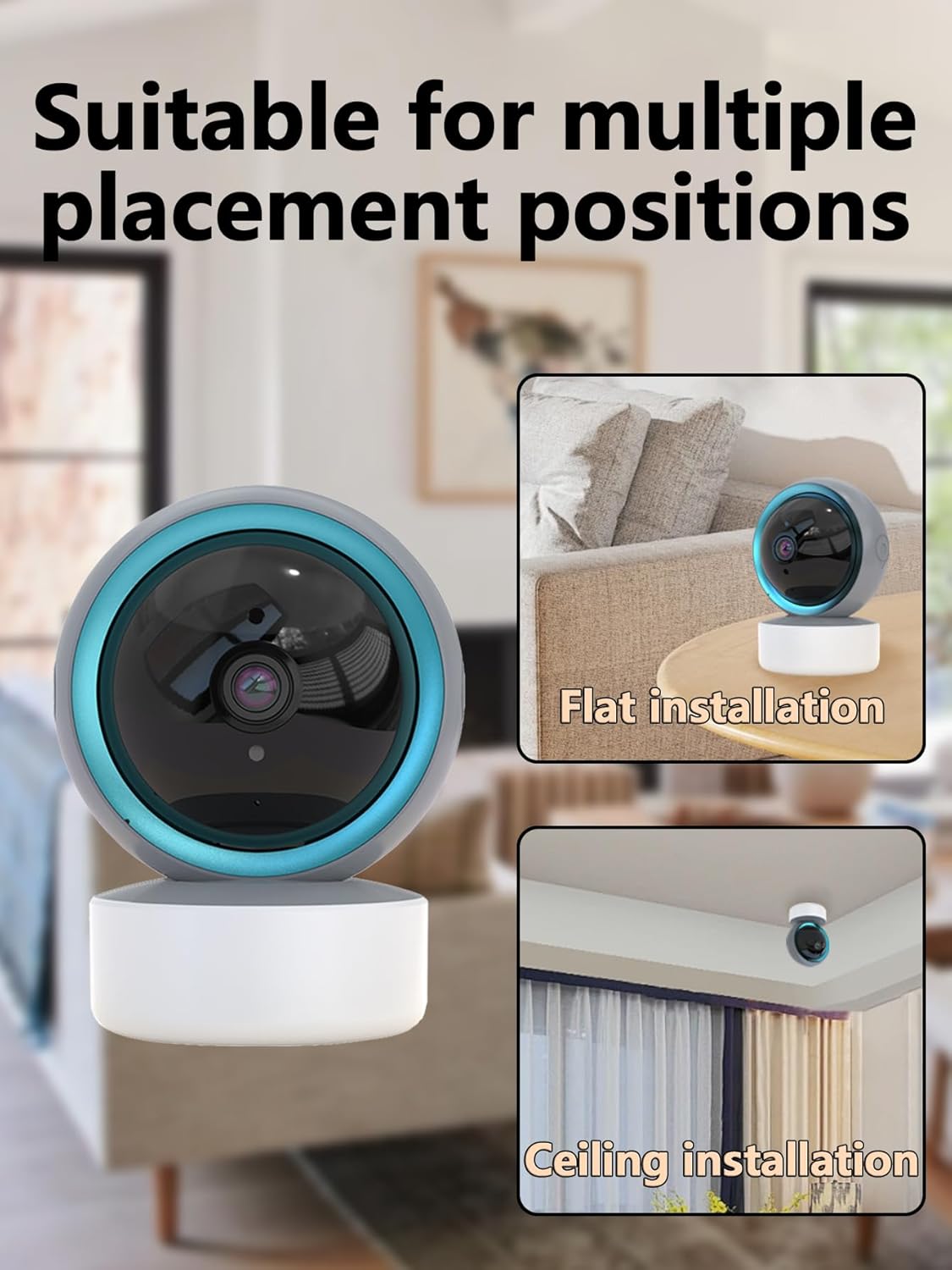
Image 4.2: Multiple Placement Positions. This image illustrates the camera placed on a flat surface and mounted on a ceiling.
5. Parentah Operasi
Learn how to use the various features of your SENTKENG Y05009 camera.
5.1 Hirup View sarta Pan / Dengdekkeun Control
- Open the InstaVision app and select your camera from the device list.
- Anjeun bakal ningali feed video langsung.
- Use the directional controls within the app to remotely rotate the camera lens: 355 ° horizontal jeung 90 ° vertikal.

Image 5.1: Multi-Angle Rotation. This image demonstrates the camera's ability to rotate 355 degrees horizontally and 90 degrees vertically.
5.2 Audio Dua Arah
The camera features a built-in microphone and speaker for real-time communication.
- Nalika hirup view, ketok ikon mikropon dina aplikasi.
- Speak into your phone to transmit audio through the camera's speaker.
- The camera's microphone will capture audio from its surroundings, which you can hear through your phone.
5.3 Deteksi Gerak sareng Siaga
The camera can detect motion and send instant notifications to your phone.
- Enable motion detection in the InstaVision app settings for your camera.
- Saluyukeun tingkat sensitivitas sakumaha diperyogikeun.
- When motion is detected, you will receive a push notification on your smartphone.
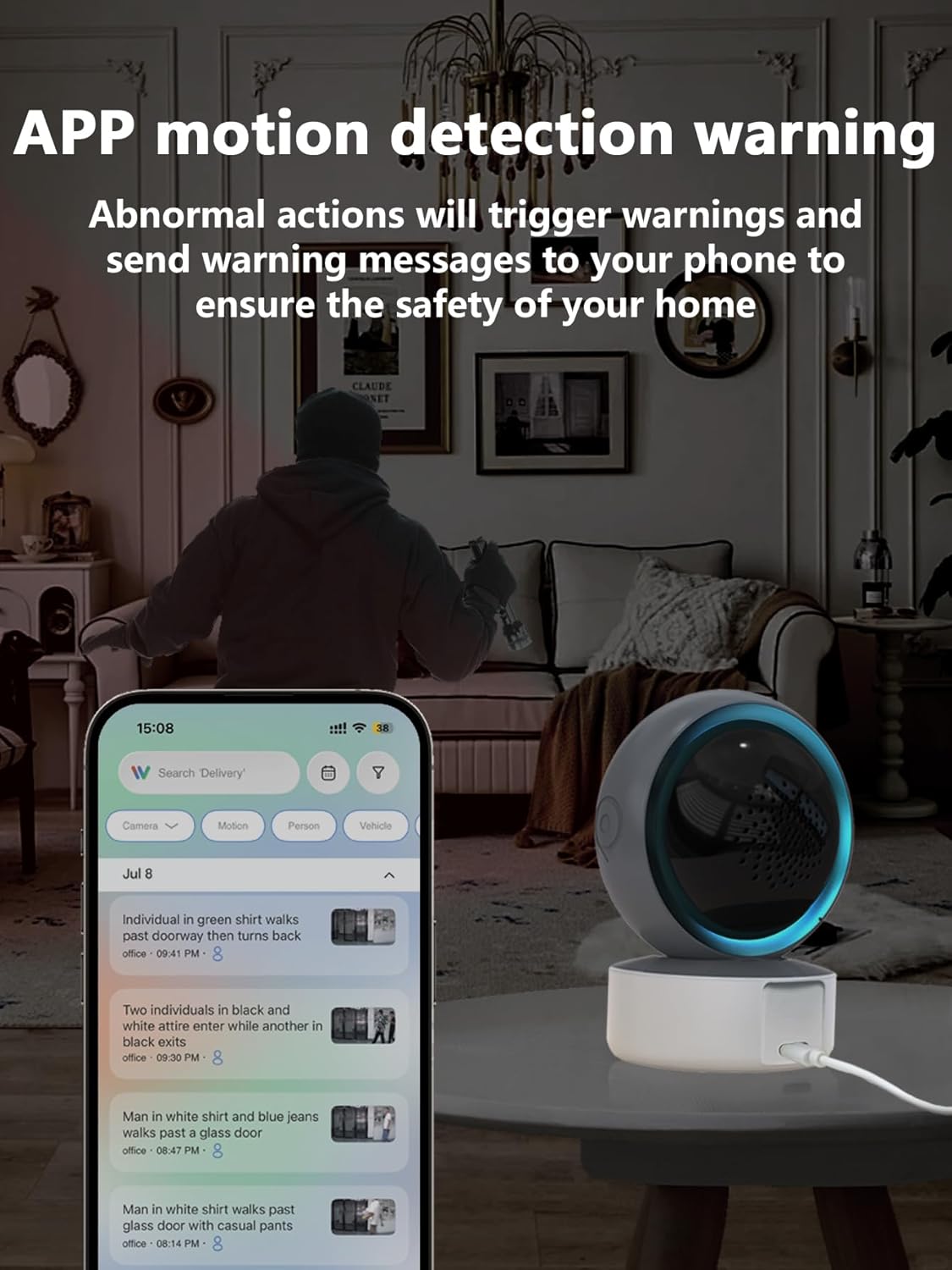
Image 5.2: APP Motion Detection Warning. This image shows a smartphone displaying motion detection alerts from the InstaVision app, with the camera monitoring a room.
5.4 IR Visi Peuting
Kaméra sacara otomatis ngalih ka visi peuting infra red dina kaayaan cahaya nu kurang.
- Infrared LEDs provide clear black-and-white images up to 8 meters in complete darkness.
- No manual activation is required; the camera adjusts automatically.

Image 5.3: Clear IR Night Vision. This image depicts the camera providing a clear view in a dark room, with a smartphone displaying the night vision feed.
5.5 Panyimpenan Pidéo
The camera offers two storage options for recorded footage:
- Kartu MicroSD: Insert a microSD card (up to 128GB, not included) into the camera's slot for local storage. Recordings will be saved directly to the card.
- Layanan Awan: An optional cloud storage subscription is available through the InstaVision app for remote and secure storage of your video recordings.

Image 5.4: Video Playback & Storage Function. This image shows the camera, a microSD card, and a smartphone displaying cloud storage icons, illustrating the dual storage options.
5.6 AI Detection (Subscription)
Advanced AI-powered detection features are available with a paid InstaVision app subscription. These features may include:
- Pangdeteksi jalma
- deteksi piaraan
- Specific human action recognition
5.7 Multi-User Viewing
The InstaVision app allows multiple users to view eupan kaméra sakaligus.
- In the app, navigate to the camera settings and find the 'Share Device' option.
- Invite other users by entering their InstaVision account details.
- Shared users will receive an invitation and can then access the camera feed.

Image 5.5: Simultaneous Online Viewing by Multiple Users. This image shows several individuals viewing the camera feed on their smartphones, indicating the family share function.
6. Pangropéa
Pangropéa rutin ngabantosan mastikeun umur panjang sareng kinerja optimal kaméra anjeun.
- beberesih: Lembut usap lénsa kaméra jeung awakna ku kaén nu garing tur lemes. Ulah make bahan kimia kasar atawa bahan abrasive.
- Apdet parangkat lunak: Periodically check the InstaVision app for firmware updates for your camera. Keeping the firmware updated ensures you have the latest features and security enhancements.
- Siklus kakuatan: Upami kaméra ngalaman masalah, cobian cabut panyambungna tina sumber listrik salami 10 detik teras colokkeun deui.
7. Cara ngungkulan
If you encounter problems with your SENTKENG Y05009 camera, refer to the following common issues and solutions.
- Camera is offline:
- Ensure the camera is properly powered on and the power adapter is securely plugged in.
- Check your Wi-Fi network connection. Ensure the camera is within range of your 2.4GHz Wi-Fi router.
- Pareuman terus hurungkeun deui kaméra ku cara nyabut terus nyolokkeun deui.
- If the issue persists, try resetting the camera and re-pairing it with the app.
- Teu bisa nyambung ka Wi-Fi:
- Verify that your Wi-Fi network is 2.4GHz. The camera does not support 5GHz networks.
- Pastikeun anjeun ngasupkeun sandi Wi-Fi anu bener.
- Pindahkeun kaméra langkung caket kana router Wi-Fi anjeun salami prosés setelan.
- Reset the camera and attempt the connection process again.
- Motion detection alerts are not received:
- Check the motion detection settings in the InstaVision app to ensure it is enabled and sensitivity is adjusted appropriately.
- Verify that your smartphone's notification settings allow alerts from the InstaVision app.
- Ensure the camera has a stable internet connection.
- Kualitas video goréng:
- Pastikeun lénsa kaméra bersih sareng bébas tina lebu atanapi kokotor.
- Check your Wi-Fi signal strength. A weak signal can affect streaming quality.
- Ensure adequate lighting for optimal daytime video.
8. Spésifikasi
| Fitur | Spésifikasi |
|---|---|
| Ngaran modél | Y05009 |
| Pamakéan jero rohangan / outdoor | jero rohangan |
| Resolusi Capture Video | 1080 p |
| Téhnologi konektipitas | Nirkabel (Wi-Fi 2.4GHz) |
| Sumber Daya | Kabel Listrik |
| Pan / Dengdekkeun Range | Horizontal 355°, Vertikal 90° |
| Wengi Sawangan Sawangan | 8 méter |
| Pilihan Panyimpenan | MicroSD Card (up to 128GB), Cloud Storage (subscription) |
| Audio Dua Arah | Sumuhun |
| Deteksi gerak | Sumuhun |
| Fitur AI | Optional (subscription required) |
| Alat nu cocog | Telepon pinter (iOS, Android) |
| Dimensi produk | 3.58 x 2.97 x 4.69 inci |
| Item Beurat | 9 ons |
9. Émbaran Rojongan
For further assistance or technical support, please refer to the contact information provided with your product packaging or visit the official SENTKENG websitus.