
1. Bubuka
This manual provides detailed instructions for the installation, operation, and maintenance of your ZSUS X99-8D4 Motherboard Set Kit. This kit includes the ZSUS X99-8D4 motherboard, an Intel Xeon E5 2650 V4 CPU, and 16GB (1x16GB) of DDR4 2133MHz memory. Please read this manual thoroughly before proceeding with installation to ensure proper setup and optimal performance.
2. Produk Langkungview
The ZSUS X99-8D4 motherboard is designed for high-performance computing, supporting Intel LGA2011-3 processors and DDR4 memory. It features an NVMe M.2 slot for high-speed storage and Gigabit Ethernet for reliable network connectivity.
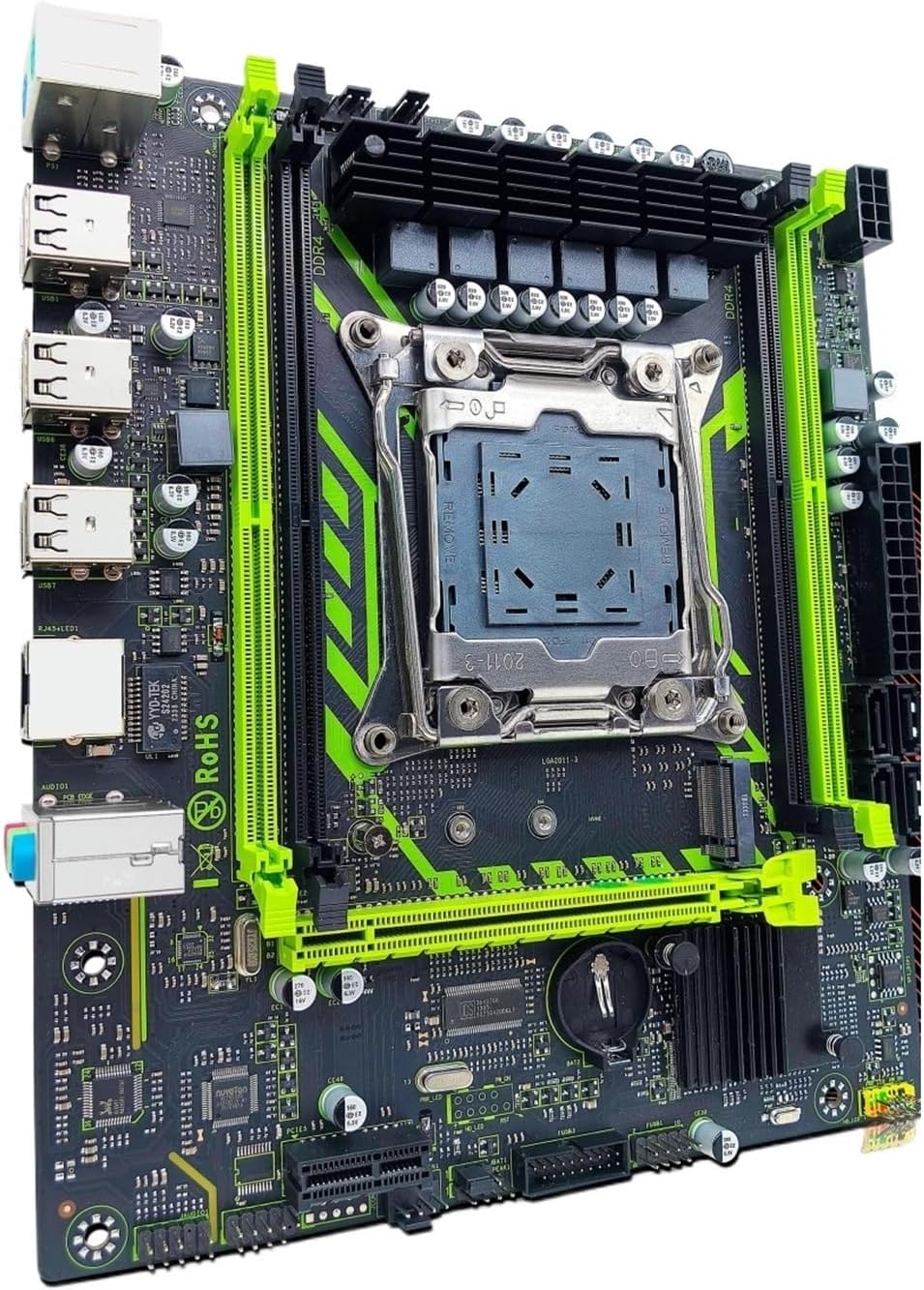
Gambar 2.1: ZSUS X99-8D4 Motherboard Set Kit. This image displays the complete motherboard kit, including the motherboard, CPU, and RAM, ready for installation.
Fitur konci:
- Dukungan CPU: LGA2011-3 socket for Intel Xeon E5 V3/V4 series processors.
- Mémori: 4x DDR4 memory slots, supporting up to 128GB of RAM.
- Panyimpenan: NVMe M.2 slot (2280 form factor) for high-speed SSDs, and multiple SATA 2.0 ports.
- ékspansi: 1x PCIe x16 slot (PCI-E 3.0) for graphics cards, 1x PCIe x1 slot.
- Jaringan: Integrated Gigabit Ethernet (1000Mbps).
- USB: Multiple USB 2.0 ports.
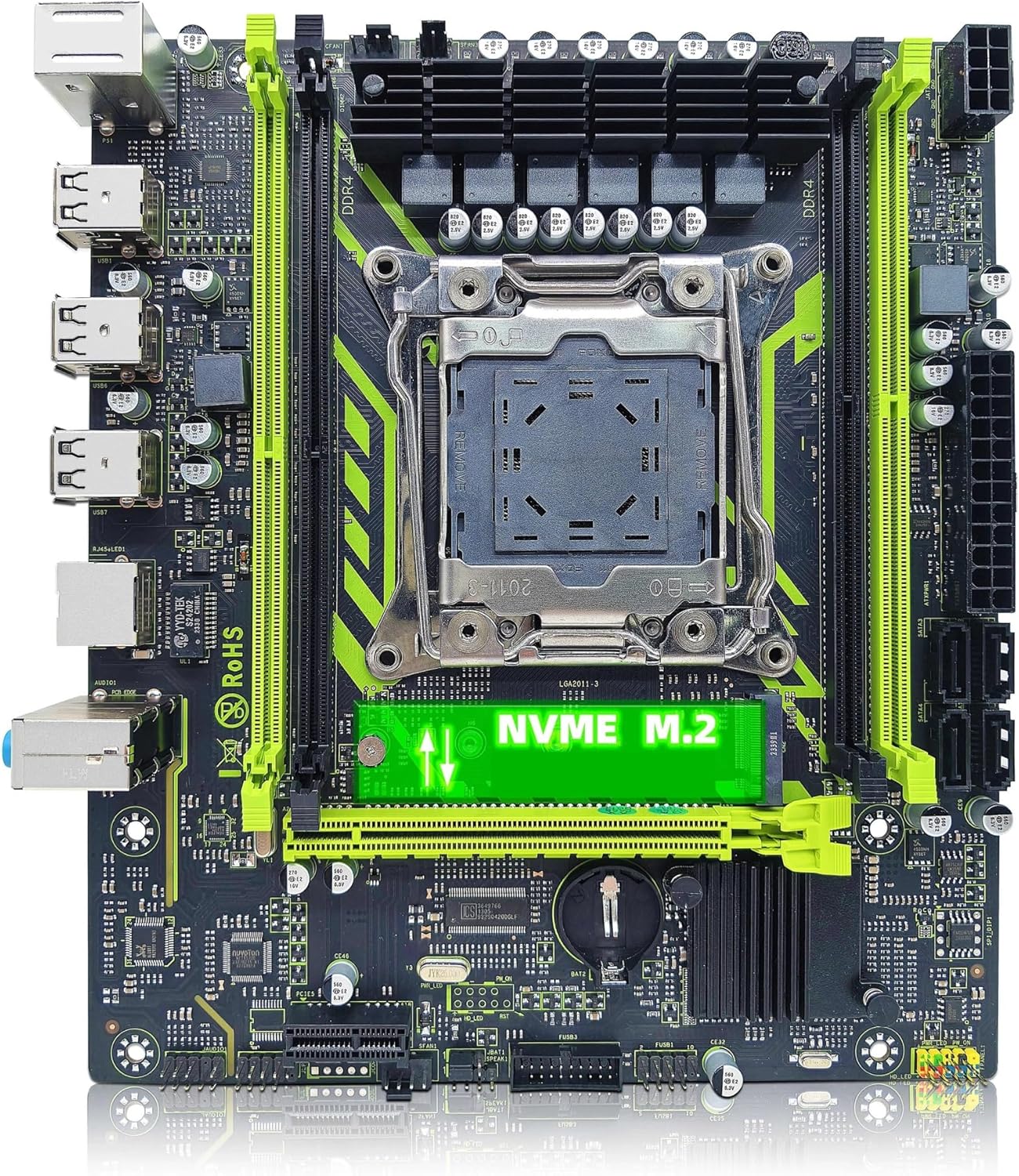
Gambar 2.2: ZSUS X99-8D4 Motherboard highlighting the NVMe M.2 slot. This image shows the motherboard with the NVMe M.2 slot clearly visible, indicating its location for SSD installation.
3. Setup jeung Instalasi
Before beginning installation, ensure your system is powered off and unplugged. Wear an anti-static wrist strap to prevent electrostatic discharge (ESD) damage to components.
3.1 Ngabongkar sareng Inspeksi
Carefully remove all components from their packaging. Verify that all items listed in your kit are present and undamaged. The kit typically includes the motherboard, CPU, RAM, I/O shield, and SATA cable.
3.2 Pamasangan motherboard
- Pasang tameng I/O kana bukaan pungkur wadah komputer anjeun.
- Align the motherboard with the standoffs inside your computer case.
- Pasangkeun motherboard nganggo sekrup, pastikeun motherboardna pageuh dipasang sareng henteu langsung nyabak bagian logam tina casing.

Gambar 3.1: ZSUS X99-8D4 Motherboard with dimensions. This image illustrates the physical dimensions of the motherboard, showing a width of 215mm and a length of 190mm, which is useful for case compatibility.
3.3 Pamasangan CPU (Intel Xeon E5 2650 V4)
- Panggihan soket CPU LGA2011-3 dina motherboard.
- Open the CPU socket retention mechanism by pushing down and out on the lever(s).
- Carefully place the Intel Xeon E5 2650 V4 CPU into the socket, aligning the gold triangle on the CPU with the corresponding mark on the socket. Do not force the CPU into place.
- Tutup mékanisme ingetan pikeun ngamankeun CPU.
- Larapkeun ipis, malah lapisan némpelkeun termal ka luhureun CPU.
- Pasang cooler CPU anjeun nurutkeun parentah produsén na.
3.4 Pamasangan RAM (DDR4)
- Manggihan opat liang memori DDR4 dina motherboard nu.
- Buka klip dina kadua tungtung slot mémori.
- Align the notch on the 16GB DDR4 memory module with the key in the memory slot.
- Pencét pageuh dina kadua tungtung modul mémori dugi ka jepitan dipasang dina tempatna.
3.5 Instalasi NVMe M.2 SSD
- Locate the NVMe M.2 slot on the motherboard.
- Leupaskeun screw standoff M.2.
- Selapkeun M.2 SSD kana slot dina sudut 30-gelar.
- Nyorong SSD ka handap tur amankeun ku screw standoff.
3.6 Graphics Card and Other PCIe Devices
- Panggihan slot PCIe x16 pikeun kartu grafis anjeun.
- Buka klip pangiket di tungtung slotna.
- Sejajarkeun kartu grafis anjeun sareng slotna teras pencét pageuh dugi ka ngaklik kana tempatna.
- Ngamankeun kartu grafik kana hal kalawan screw a.
- Install any other PCIe x1 expansion cards as needed.
3.7 Sambungan Power Supply
- Sambungkeun konektor kakuatan ATX 24-pin tina catu daya anjeun ka motherboard nu.
- Connect the 8-pin CPU power connector (and 4-pin if available/needed) to the corresponding sockets near the CPU.
- Connect SATA power cables to your storage devices.
3.8 Panel hareup jeung sambungan periferal
- Connect the front panel headers (Power SW, Reset SW, HDD LED, Power LED) to the designated pins on the motherboard. Refer to the motherboard diagram for correct pin assignments.
- Connect USB 2.0 headers from your case to the motherboard.
- Sambungkeun lulugu audio panel hareup.
- Connect SATA data cables from your storage devices to the SATA 2.0 ports on the motherboard.

Gambar 3.2: ZSUS X99-8D4 Motherboard with labeled ports and connectors. This image provides a detailed layout of the motherboard, indicating the locations of the CPU socket, DDR4 slots, PCIe slots, SATA ports, USB headers, and power connectors.

Gambar 3.3: ZSUS X99-8D4 Motherboard I/O Shield and SATA Cable. This image shows the included I/O shield for the rear panel and a SATA data cable, essential accessories for system assembly.
4. Parentah Operasi
4.1 Boot munggaran
- After all connections are made, connect your monitor, keyboard, and mouse.
- Plug in the power cord and turn on your power supply.
- Pencét tombol daya dina wadah komputer anjeun.
- Sistim kudu dihurungkeun tur mintonkeun layar splash BIOS / UEFI.
4.2 BIOS / Setup UEFI
During the initial boot, press the designated key (usually DEL or F2) to enter the BIOS/UEFI setup utility. Here you can configure boot order, system time, and other hardware settings. Ensure your storage device with the operating system is set as the primary boot device.
4.3 Pamasangan Supir
After installing your operating system, install the necessary drivers for the motherboard chipset, LAN, and audio. These drivers are typically provided on a CD/DVD or can be downloaded from the manufacturer's websitus. Masang supir anu leres ngajamin kinerja sareng stabilitas anu optimal.
5. Pangropéa
5.1 beberesih
Rutin ngabersihan interior komputer anjeun pikeun nyegah akumulasi lebu, anu tiasa nyababkeun panas teuing. Anggo hawa anu dikomprés pikeun ngaleungitkeun lebu tina kipas, heatsink, sareng komponén motherboard. Pastikeun sistem dipareuman sareng dicabut colokan sateuacan beberesih.
5.2 Update mios
périodik pariksa produsén urang website for BIOS/UEFI updates. Updates can improve system stability, add support for new hardware, or fix bugs. Follow the update instructions carefully to avoid damaging the motherboard.
6. Cara ngungkulan
Bagian ieu ngabahas masalah umum anu anjeun tingali.
6.1 Taya Daya / Taya Boot
- Check all power connections: 24-pin ATX, 8-pin CPU, and power button header.
- Pastikeun saklar catu daya aya dina posisi 'ON'.
- Test the power supply with another system or a power supply tester if possible.
6.2 Taya Pintonan
- Ensure your monitor is connected to the graphics card (not the motherboard's I/O if no integrated graphics are present).
- Pasang deui kartu grafik sareng modul mémori.
- Coba kabel tampilan atanapi monitor anu béda.
6.3 Memory Errors
- Ensure memory modules are fully seated in their slots.
- Try booting with one memory module at a time to identify a faulty stick or slot.
- Verify memory compatibility with the motherboard.
6.4 Instabilitas Sistim / kacilakaan
- Pariksa suhu CPU sareng GPU pikeun mastikeun aranjeunna dina wates operasi anu aman.
- Pastikeun yén sadaya supir parantos diropéa.
- Jalankeun alat diagnostik mémori pikeun mariksa kasalahan RAM.
7. Spésifikasi
| Fitur | Spésifikasi |
|---|---|
| Modél | ZSUS X99-8D4 |
| CPU Socket | LGA 2011-3 |
| Supported CPU | runtuyan Intel Xeon E5 V3/V4 (misalna E5 2650 V4 kaasup) |
| Tipe Mémori | DDR4 |
| Slot mémori | 4 |
| Max Kamampuh Mémori | 128 GB |
| Panyimpenan Interface | M.2 (NVMe 2280), SATA 2.0 |
| liang PCIe x16 | 1 (PCI-E 3.0) |
| liang PCIe x1 | 1 |
| LAN Speed | 1000Mbps (Gigabit Ethernet) |
| palabuhan USB | 6 x USB 2.0 (rear I/O) |
| Palabuhan Audio | 3 x Jacks |
| Faktor Bentuk | ATX (approx. 215mm x 190mm) |
| Sertifikasi | RoHS, CE |
8. Garansi jeung Rojongan
Kanggo inpormasi garansi sareng dukungan téknis, mangga tingal dokuméntasi anu disayogikeun sareng pameseran anjeun atanapi langsung ngahubungi penjual. Simpen bukti pameseran anjeun pikeun klaim garansi.