
1. Bubuka
The EPOMAKER TH87 is a versatile 87-key Tenkeyless (TKL) mechanical keyboard designed for various computing environments. It features tri-mode connectivity (Wired USB-C, 2.4GHz Wireless, and Bluetooth), hot-swappable switches, PBT keycaps, and customizable RGB backlighting. This manual provides detailed instructions for setting up, operating, maintaining, and troubleshooting your keyboard.
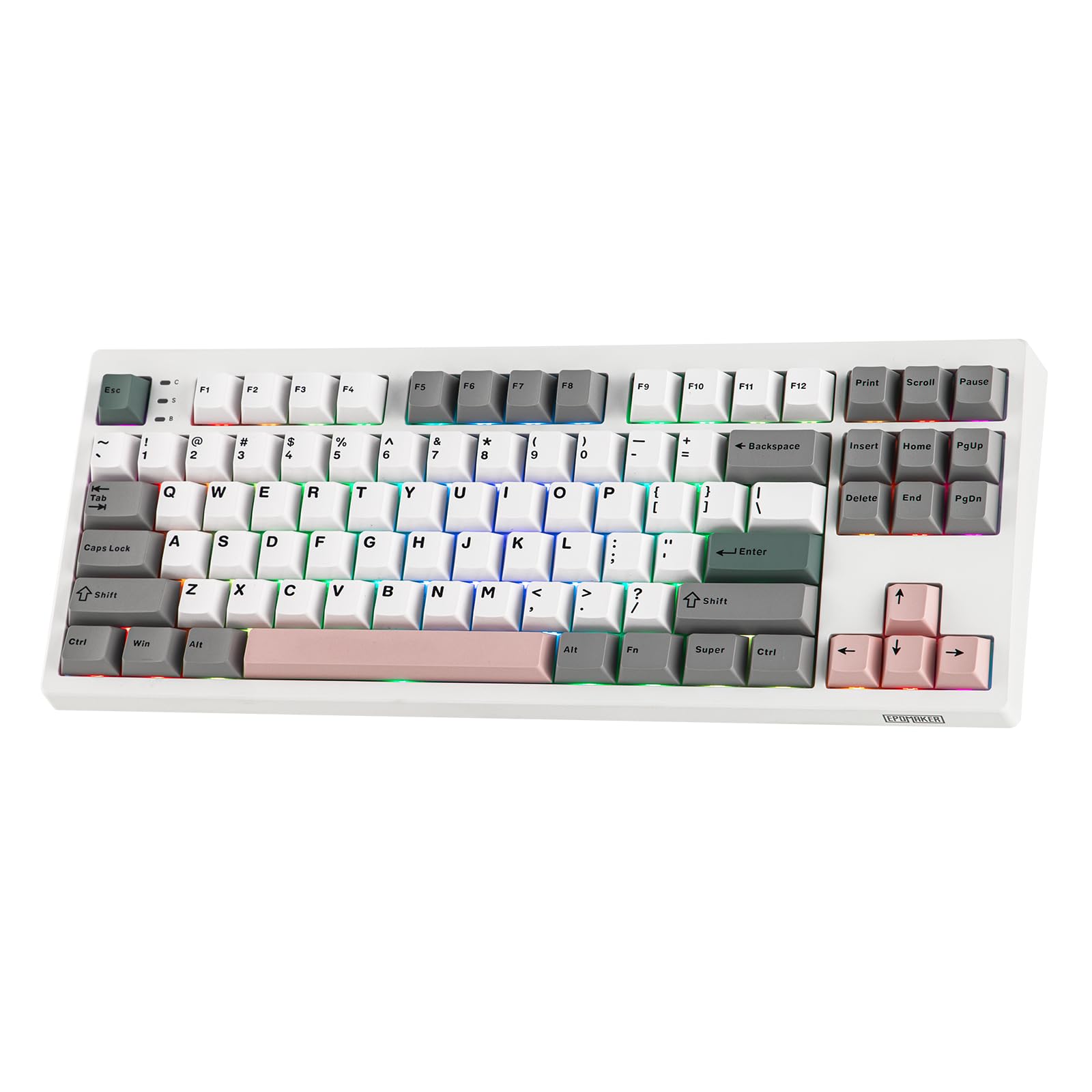
Figure 1: EPOMAKER TH87 Wireless Mechanical Keyboard
2. Eusi Paket
Pastikeun sadaya item aya dina pakét anjeun:
- TH87 Wireless Gaming Keyboard
- USB A-to-C Cable
- Extra Switches (for customization)
- Wireless 2.4Ghz Receiver (stored under the side kick-stand)
- 2-in-1 Switch-and-Keycap Puller
- Manual pangguna (dokumén ieu)
Video 1: EPOMAKER TH87 Unboxing & Overview & Typing Video. This video demonstrates the unboxing process and provides a general overview of the keyboard's features and typing experience.
3. Setélan
Follow these steps to set up your EPOMAKER TH87 keyboard:
3.1. Sambungan kabel
- Panggihan port USB-C dina kibor.
- Connect the provided USB A-to-C cable to the keyboard and your computer.
- Ensure the mode switch on the keyboard is set to 'USB'.
3.2. 2.4GHz Wireless Connection
- Locate the 2.4GHz wireless receiver, typically stored in a compartment under the side kick-stand of the keyboard.
- Colokkeun panarima ka port USB nu sadia dina komputer Anjeun.
- Set the mode switch on the keyboard to '2.4G'. The keyboard should automatically connect.
3.3. Sambungan Bluetooth
- Setel saklar modeu dina kibor ka 'BT'.
- On your device (PC, Mac, Tablet, Phone), open Bluetooth settings.
- Milarian pikeun new devices and select 'EPOMAKER TH87' to pair.
- Kiborna ngadukung sababaraha propil Bluetoothfiles; refer to the full user manual for specific pairing instructions for each profile.
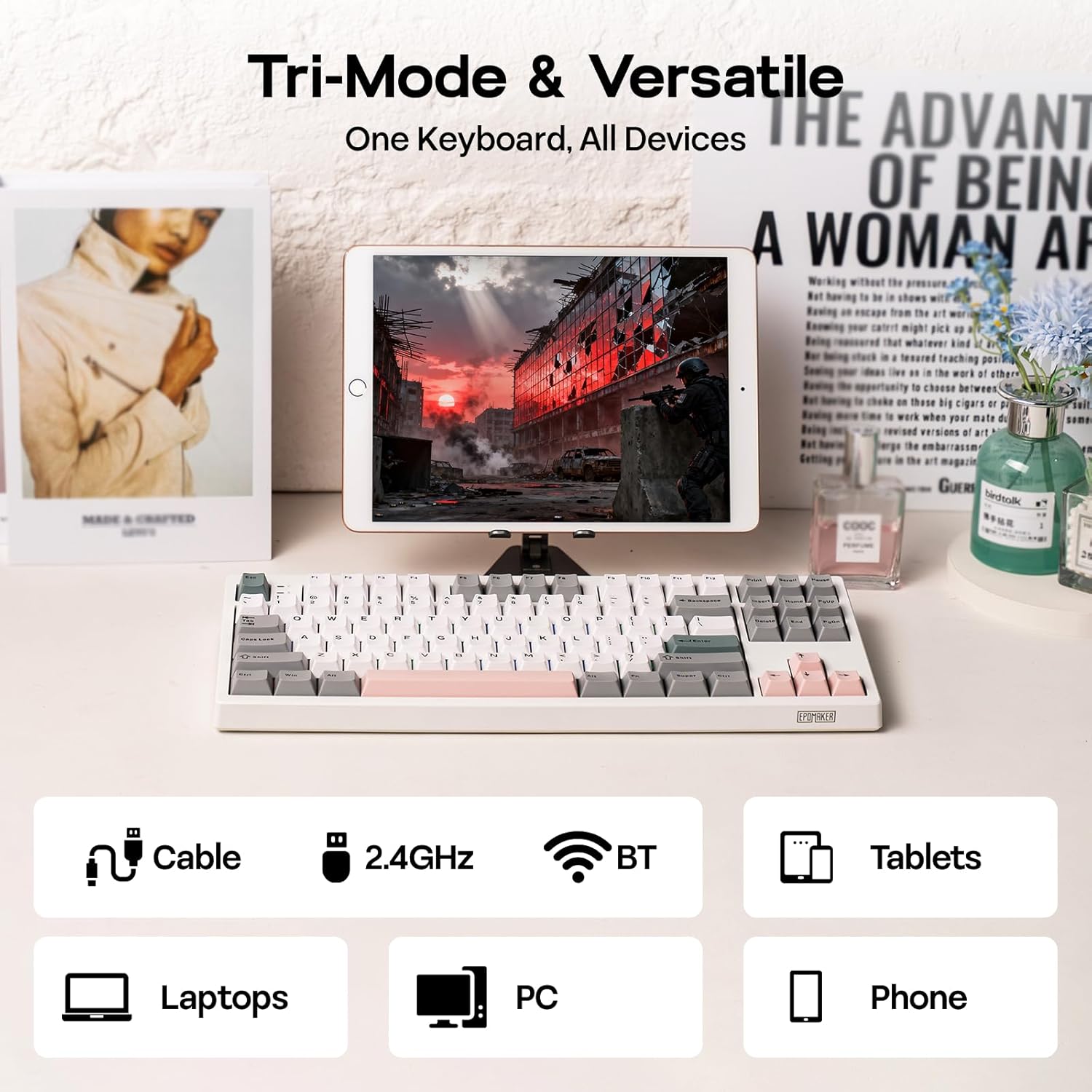
Gambar 2: Pilihan Konéktivitas Tri-Mode
4. Parentah Operasi
4.1. Fungsi Dasar
The TH87 features a standard 87-key TKL layout. All keys function as labeled in their default state.
4.2. Function Keys (Fn Combinations)
The keyboard includes an 'Fn' key to access secondary functions printed on certain keycaps. Common combinations include:
- Fn + F1-F12: Multimedia controls, volume adjustment, etc.
- Fn + kenop panah: Adjust RGB lighting effects (brightness, speed, direction).
- Fn + Meunang: Konci/Buka konci Windows.
- Fn + Lebetkeun: Pariksa status batréna.
4.3. OS Mode Switching
Use the dedicated switch on the keyboard to toggle between Mac and Windows compatibility modes.
5. Kustomisasi
The EPOMAKER TH87 offers extensive customization through its webparangkat lunak supir berbasis.
5.1. Web-Based Driver
The custom driver allows you to:
- Petakeun deui konci-konci individu.
- Record and assign macros for complex key sequences.
- Adjust RGB lighting effects, colors, brightness, and speed.
- Configure advanced key functions like SOCD (Simultaneous Opposite Cardinal Directions) and Mod Tap.
Access the driver online via the official EPOMAKER website or the QR code provided in the brand card.
Video 2: How to Use TH87 Online Web Driver. This video guides you through connecting your keyboard to the web driver and customizing key functions, macros, and lighting settings.
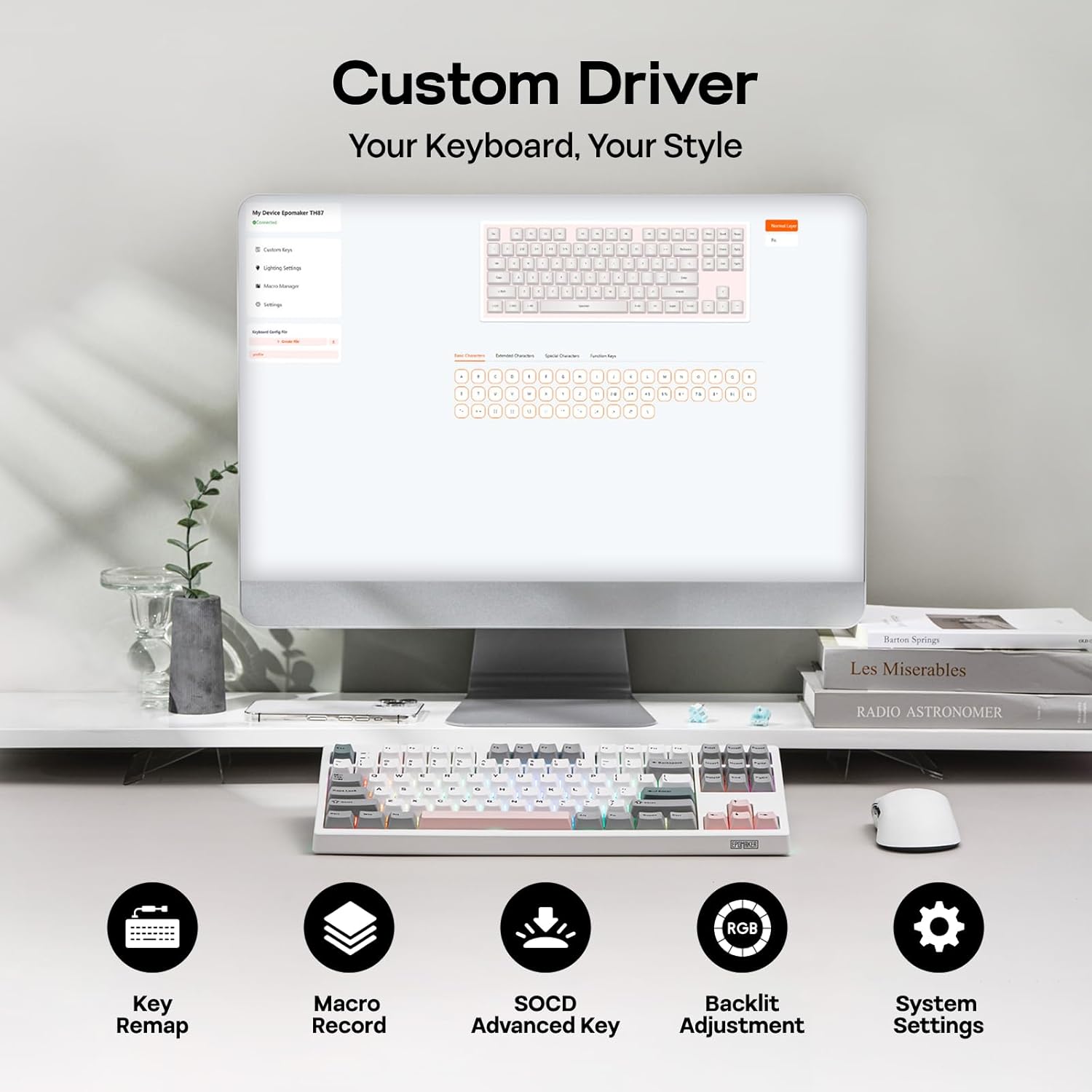
Figure 3: Custom Driver Interface
5.2. Saklar Panas-Swappable
The TH87 features a hot-swappable PCB, allowing you to change mechanical switches without soldering. It is compatible with 3-pin and 5-pin switches.
Pikeun ngaganti saklar:
- Use the provided keycap puller to remove the keycap.
- Use the provided switch puller to gently remove the switch from the PCB.
- Sejajarkeun pin saklar anyar jeung liang dina PCB terus pencét pageuh nepi ka ngaklik kana tempatna.
- Pasang deui tutup konci na.
The keyboard comes with pre-lubed EPOMAKER Sea Salt Silent V2 switches (Linear, 45±5gf Trigger Force, 51±5gf Bottom-Out Force, 1.8±0.4mm Pre-Travel, 3.5±0.4mm Total Travel).

Figure 4: Hot-Swappable Switches and Sea Salt Silent V2 Specifications
Video 3: EPOMAKER TH87 Typing with Creamy Jade/Sea Salt Silent Switch. This video demonstrates the sound profile of the included switches.
5.3. RGB Backlighting
The TH87 features per-key RGB backlighting with various effects. You can adjust the saturation, brightness, and speed of the lighting through the Fn key combinations or the custom driver software.
6. Émbaran batré
The keyboard is equipped with a 10000mAh battery, providing extended usage times:
- Up to 45 hours of continuous use with RGB backlight at brightest setting.
- Up to 200 hours of continuous use with RGB backlight off.
To charge the keyboard, connect it via the USB-C cable to a computer or a compatible USB power adapter. The keyboard charges when plugged in. Always use a computer USB port for charging. Using a power adapter directly may cause battery damage.
7. Pangropéa
Pangropéa anu leres mastikeun umur panjang sareng kinerja keyboard anjeun:
- beberesih: Regularly clean keycaps and the keyboard surface with a soft, dry cloth. For deeper cleaning, remove keycaps using the provided puller and use compressed air to clear debris.
- Panyimpenan: Simpen kibor di tempat anu tiis sareng garing jauh tina sinar panonpoé langsung sareng suhu anu ekstrim.
- Penanganan: Avoid dropping the keyboard or exposing it to liquids.
8. Cara ngungkulan
Upami anjeun ngalaman masalah sareng kibor anjeun, tingali solusi umum ieu:
- Keyboard teu ngabales: Ensure the keyboard is charged and the correct connectivity mode (Wired, 2.4G, BT) is selected. Try reconnecting the cable or re-pairing the wireless connection.
- Konci henteu ngadaptar: Check if the switches are properly seated. If a specific key is not working, try replacing its switch with one of the extra switches provided.
- Lampu RGB teu jalan/teu bener: Verify lighting settings in the custom driver or cycle through effects using Fn key combinations. Ensure the keyboard is sufficiently charged.
- Masalah konektipitas: For 2.4GHz, ensure the dongle is securely plugged in and close to the keyboard. For Bluetooth, ensure your device's Bluetooth is enabled and the keyboard is paired correctly. Avoid interference from other wireless devices.
- Masalah parangkat lunak: If the custom driver is not detecting the keyboard, ensure it is connected via USB-C and the mode switch is set to 'USB'.
9. Spésifikasi
| Fitur | Rincian |
|---|---|
| merek | EPOMAKER |
| Nomer modél | TH87 |
| Katerangan kibor | TKL Layout Mechanical Keyboard |
| Jumlah konci | 87 |
| Téhnologi konektipitas | 2.4Ghz Wireless, BT, USB A-to-C Wired |
| Sumber Daya | Batré (10000mAh) |
| Lampu tukang kibor | RGB |
| Pindah Tipe | Linear (EPOMAKER Sea Salt Silent Switch) |
| Fitur husus | Backlit, Ergonomic, Hot-Swappable, Programmable Keys, Rechargeable |
| Dimensi produk | 14.43 "L x 5.59" W x 1.63" H |
| Bahan | palastik |
| Alat nu cocog | Gaming Console, Laptop, PC, Projector, Tablet |

Figure 5: Technical Specifications and Layout
10. Garansi jeung Rojongan
The EPOMAKER TH87 Wireless Mechanical Keyboard comes with a Garansi 1 Taun ti tanggal beuli.
For technical support, warranty claims, or any inquiries, please contact EPOMAKER customer service:
- Surélék: support@epomaker.com
- Resmi Websitus: www.epomaker.com
Please have your purchase receipt and product model number (TH87) ready when contacting support.