
1. Bubuka
Thank you for choosing the VOCOO 15.7" Digital Wall Timer and Clock. This device is designed to provide clear time display, versatile countdown and count-up timer functions, and customizable alarm settings for various environments such as offices, homes, kitchens, gyms, and classrooms. Please read this manual carefully to ensure proper setup and operation.
2. Naon Kaasup
Pastikeun yén sadaya komponén aya dina bungkusan:
- VOCOO 15.7" Digital Wall Timer and Clock
- Kadali jauh
- Kabel Daya 16.4ft
- 5V / 2A adaptor kakuatan
- 3 x AAA Batteries (for memory backup)
- 2 x Batré AAA (pikeun kadali jauh)
- Manual pangguna (dokumén ieu)
3. Setélan
3.1 Sambungan Daya
- Connect the 16.4ft power cord to the DC 5V input port on the back of the timer.
- Plug the 5V/2A power adapter into a standard electrical outlet. The timer will power on automatically.
3.2 Memory Backup Battery Installation
The timer uses 3 AAA batteries (included) to retain settings during power outages. This ensures that time, colors, and alarms are preserved without reprogramming.
- Panggihan kompartemen batré dina tonggong timer.
- Buka panutup kompartemen.
- Pasangkeun 3 batré AAA, bari tetep merhatikeun polaritasna (+/-) anu bener.
- Tutup panutup kompartemen batré aman.

Image: Illustration of memory backup battery installation. The diagram shows the timer connected to power and the location for AAA batteries to preserve settings during power loss.
3.3 Pamasangan Batré Remote Control
The remote control requires 2 AAA batteries (included).
- Buka kompartemen batré dina tonggong kadali jauh.
- Selapkeun 2 batré AAA, mastikeun polaritasna bener.
- Tutup panutup kompartemen.
3.4 Pamasangan sareng Penempatan
The timer can be wall-mounted or placed on a desk.
- Pamasangan témbok: Use the keyhole slots on the back of the timer to hang it securely on screws (not included) in your desired wall location.
- Penempatan Meja: Place the timer on a flat, stable surface.
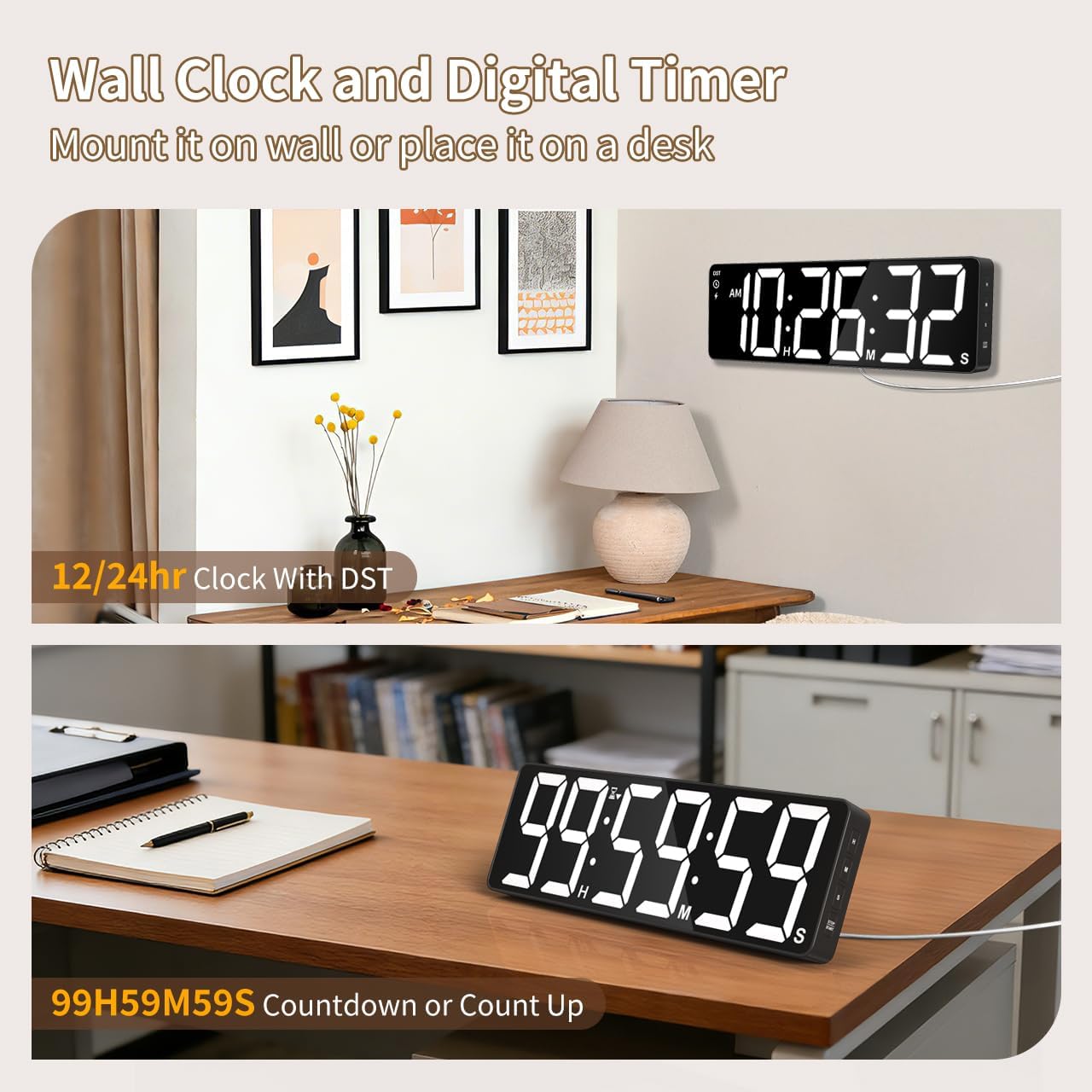
Gambar: Examples of the digital timer's placement, showing it mounted on a wall and resting on a desk, illustrating its versatility.
4. Parentah Operasi
The timer can be operated using the buttons on the device or the included remote control.

Gambar: Leuwihview of the timer's physical buttons and the remote control, highlighting their functions for easy operation.
4.1 Basic Clock Settings
Upon initial power-on or after a full power loss without backup batteries, the clock may need to be set.
- Setel waktos: Pencét éta SET button on the remote or device. Use the number buttons (0-9) on the remote or the luhur/handap buttons on the device to adjust hours and minutes. Press SET deui pikeun mastikeun.
- Format 12/24 Jam: Pencét éta 12/24H button on the remote to switch between 12-hour (with AM/PM indicator) and 24-hour formats.
- Daylight Saving Time (DST): The timer features automatic DST adjustment. Ensure the DST setting is enabled if your region observes it. Refer to the remote control for a dedicated DST button or a combination key press.
4.2 adjustment kacaangan
Layarna ngagaduhan 3 tingkat kacaangan.
- Pencét éta KACERANGAN button on the remote or device to cycle through the available brightness levels (Dim, Medium, Bright).
4.3 Pilihan Warna
Choose from 18 color options for the display digits.
- Pencét éta WARNA CAHAYA button on the remote or device to cycle through 8 solid colors, 3 RGB fixed colors, and 7 RGB gradient colors.

Image: Visual representation of the 18 color options and 3 brightness levels (Dim, Medium, Bright) available for the timer's display.
4.4 Timer Functions (Countdown/Count Up)
The timer supports both countdown and count-up modes, up to 99 hours, 59 minutes, and 59 seconds.
- Set Countdown: Pencét TIMER on the remote. Use the number buttons (0-9) to input the desired time (HH:MM:SS). Press Mimitian / Reureuh pikeun ngamimitian.
- Count Up (Stopwatch): Pencét TIMER teras salajengna JELAS to set the timer to 00:00:00. Press Mimitian / Reureuh pikeun ngamimitian ngitung.
- Ngareureuhkeun / Teraskeun deui: Pencét Mimitian / Reureuh during an active timer to pause or resume.
- Reset: Pencét RESET to clear the current timer setting.
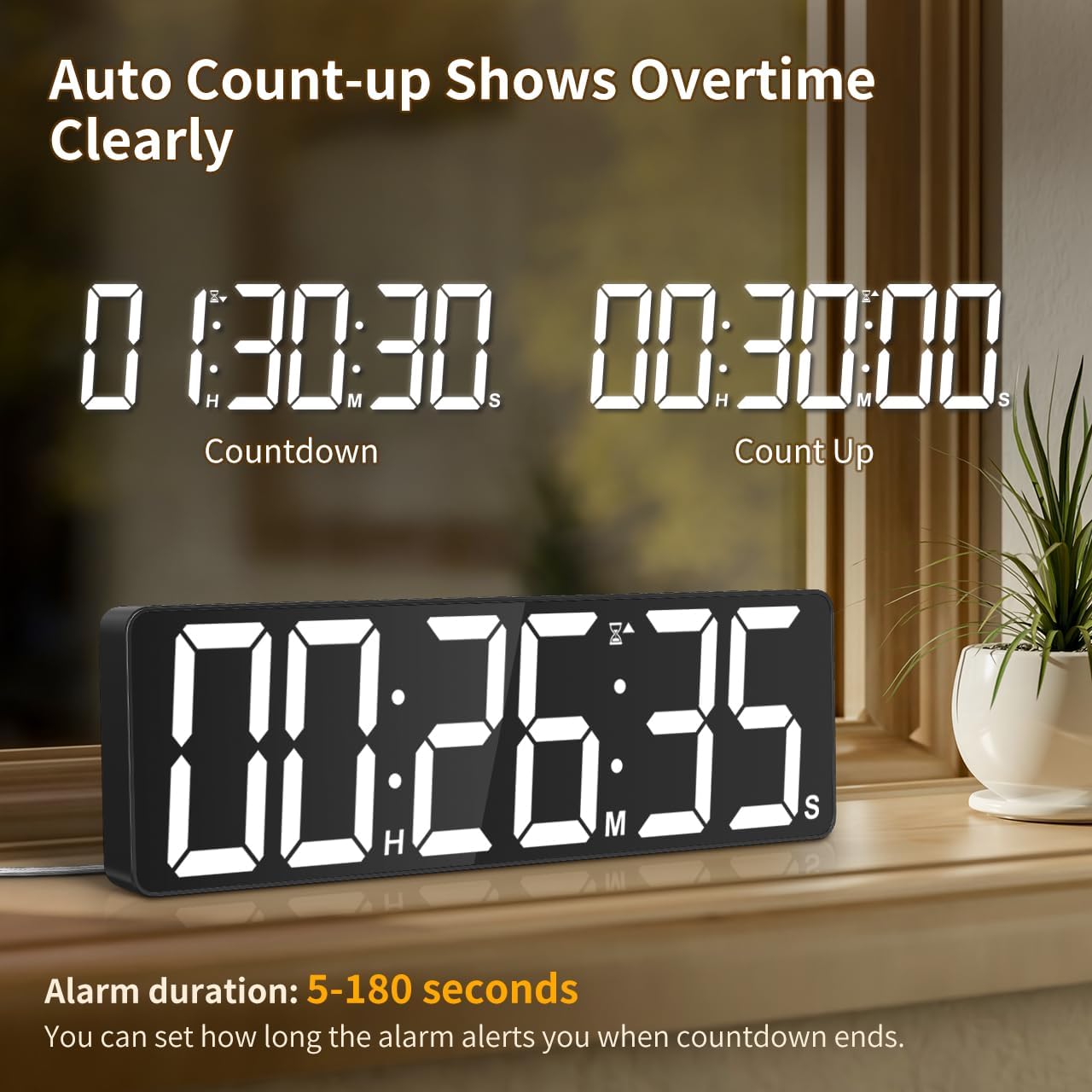
Image: The timer showing a countdown from 01:30:30 and an automatic count-up to 00:30:00 after a countdown finishes, indicating overtime tracking.
4.5 Quick-Set Shortcuts
The remote control includes 6 one-touch shortcut buttons for common timer durations:
- 3 menit
- 5 menit
- 15 menit
- 25 menit
- 30 menit
- 5 jam
Press the desired shortcut button to instantly set and start a countdown.
4.6 Setélan alarem
The timer offers 6 distinct ringtones and 4 adjustable volume levels.
- Setel Alarm: Pencét alarem on the remote. Use number buttons to set the alarm time. Press alarem deui pikeun mastikeun.
- Select Ringtones: Pencét éta RINGTONE button on the remote to cycle through the 6 available tones (Buzzer, Melody 1-5).
- Saluyukeun Volume: Pencét éta VOLUME button on the remote to cycle through 4 volume levels (L01-L04) or L00 for silent mode (digits flash).
- Durasi Alarm: The alarm duration can be set from 5 to 180 seconds. Refer to the remote control for specific buttons or combination presses to adjust this setting.
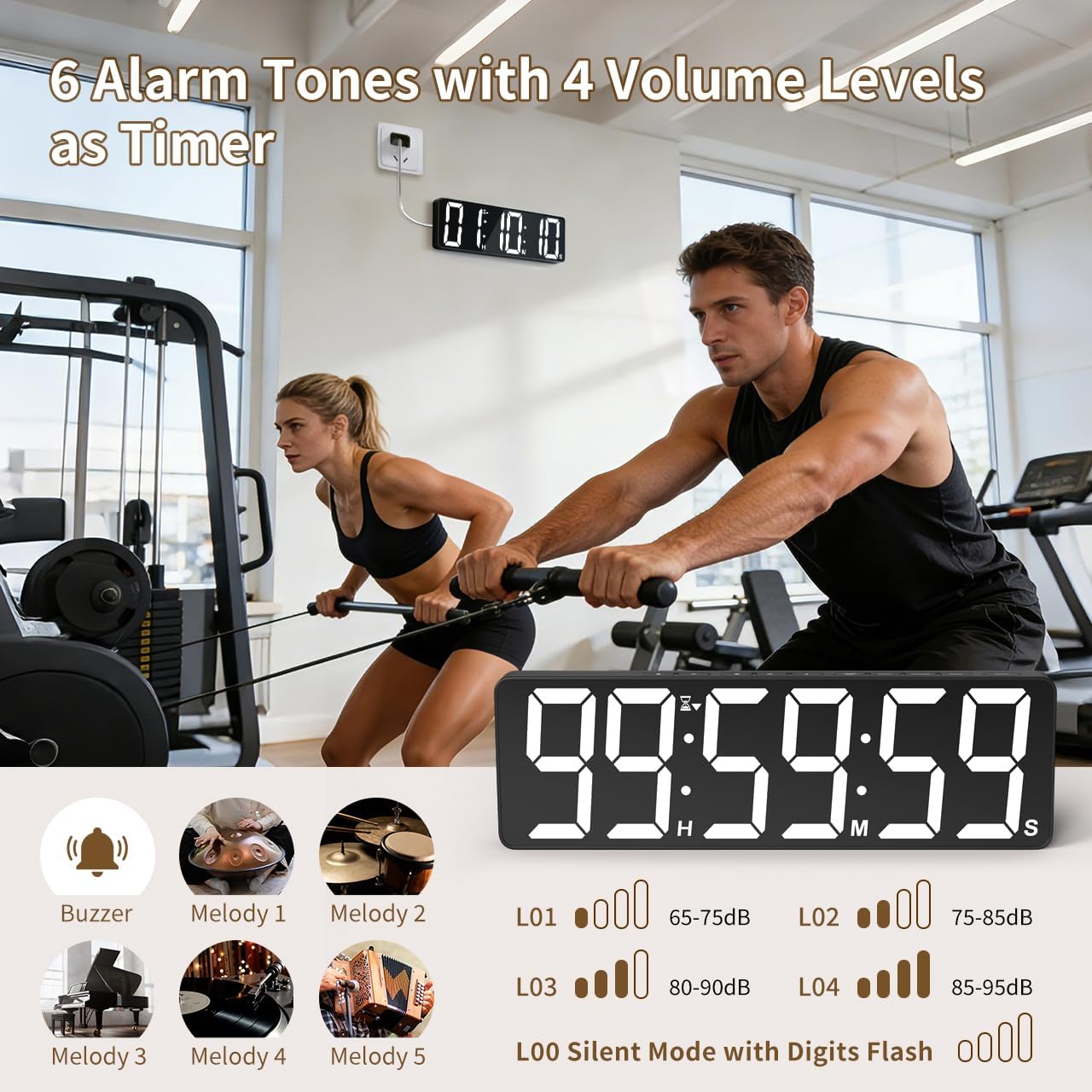
Image: Visual guide to the 6 alarm tones (Buzzer, Melody 1-5) and 4 volume levels (L01-L04), including a silent mode (L00) with flashing digits.
5. Pangropéa
5.1 beberesih
To clean the timer, gently wipe the display and casing with a soft, dry cloth. Do not use abrasive cleaners, solvents, or spray directly onto the device.
5.2 Ngagantian batré
- Memory Backup Batteries: Replace the 3 AAA batteries in the main unit annually or if you notice settings are not retained during power outages.
- Batré Remote Control: Replace the 2 AAA batteries in the remote control when its range or responsiveness decreases.
Salawasna buang accu dipaké nurutkeun peraturan lokal.
6. Cara ngungkulan
- Timer not powering on: Ensure the power adapter is securely connected to both the timer and a working electrical outlet. Check if the outlet is functional.
- Kadali jauh teu jalan: Check if the remote control batteries are correctly installed and not depleted. Ensure there are no obstructions between the remote and the timer. The remote has a range of 30ft+.
- Setélan leungit sanggeus kakuatan outage: Verify that the 3 AAA memory backup batteries are installed correctly and are not depleted. Replace them if necessary.
- Display is dim or colors are incorrect: Adjust the brightness level using the KACERANGAN button. Cycle through color options using the WARNA CAHAYA kancing.
- Alarm not audible: Check the alarm volume setting using the VOLUME button on the remote. Ensure it is not set to L00 (silent mode).
7. Spésifikasi
| Nomer modél | 6247 |
| Tipe tampilan | LED |
| Ukuran layar | 15.7 inci |
| Angka Jangkungna | 4.1 inci |
| Pilihan Warna | 18 (8 solid, 3 RGB fixed, 7 RGB gradients) |
| Tingkat Caang | 3 |
| Jangkauan Timer | Up to 99 hours, 59 minutes, 59 seconds |
| Nada Dering Alarm | 6 |
| Tingkat Jilid Alarm | 4 + Silent Mode |
| Alarm Durasi | 5-180 detik |
| Input kakuatan | 5V / 2A DC |
| Panjang kabel kakuatan | 16.4 ft (5 méter) |
| Memori Cadangan | 3 x batré AAA (kaasup) |
| Batré Kadali Jauh | 2 x batré AAA (kaasup) |
| Rentang Control Jauh | 30ft+ |
| Ukuran produk (D x W x H) | 3.7D x 38W x 12H Sentimeter |
| Item Beurat | 820 gram |
| Bahan | Acrylonitrile Butadiena Styrene |
8. Garansi jeung Rojongan
For warranty information or technical support, please refer to the contact details provided with your purchase or visit the official VOCOO websitus. Simpen resi pameseran anjeun pikeun klaim jaminan.